CodeBuddy
CodeBuddy now provides full coverage across the plugin, IDE, and CLI development scenarios. It offers a full-stack development ecosystem that spans coding, extension, and collaboration.
Prerequisites
- You have activated a TCB environment and obtained the environment ID
cloudBaseEnvID - Enable the required model in the AI console
- Obtain the
Base URLandAPI Keyin the AI console

Configuration Steps
You can configure it through the UI, or you can edit the CodeBuddy custom model configuration file for quick configuration.
We use the latest CodeBuddy version as of June 9, 2026, as an example.
- Configuration via UI
- Configuration via Configuration File
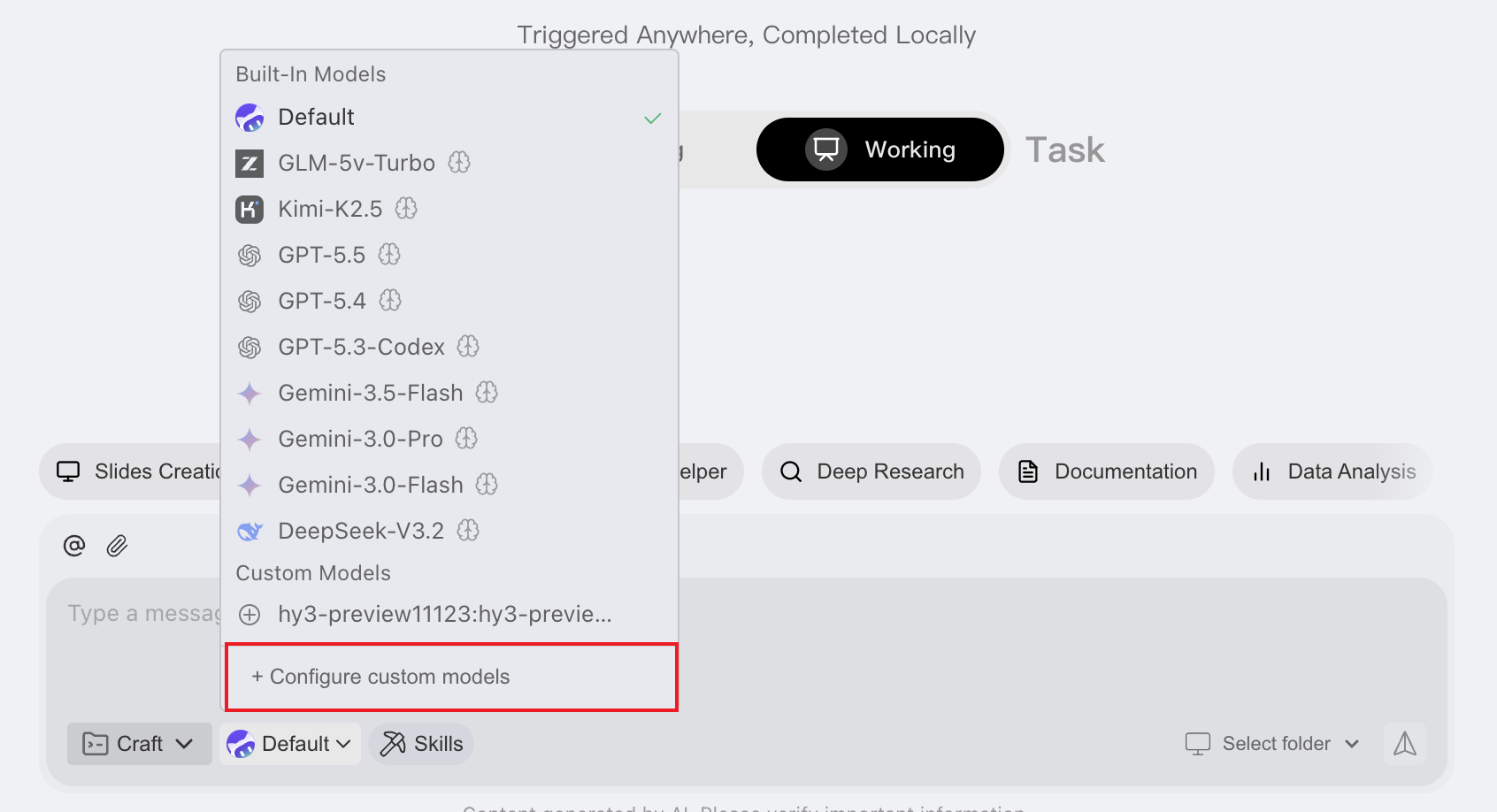
- In the large model list on the conversation panel, select Configure Custom Model.
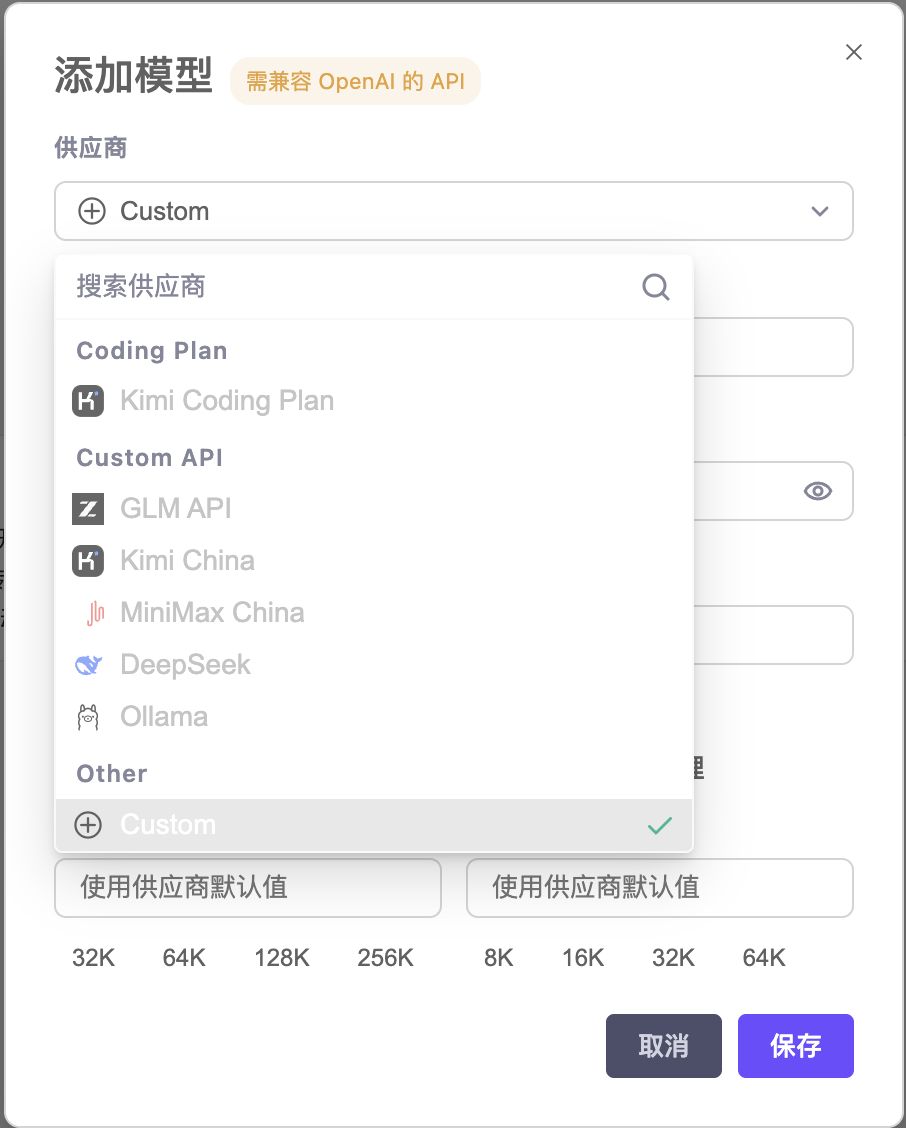
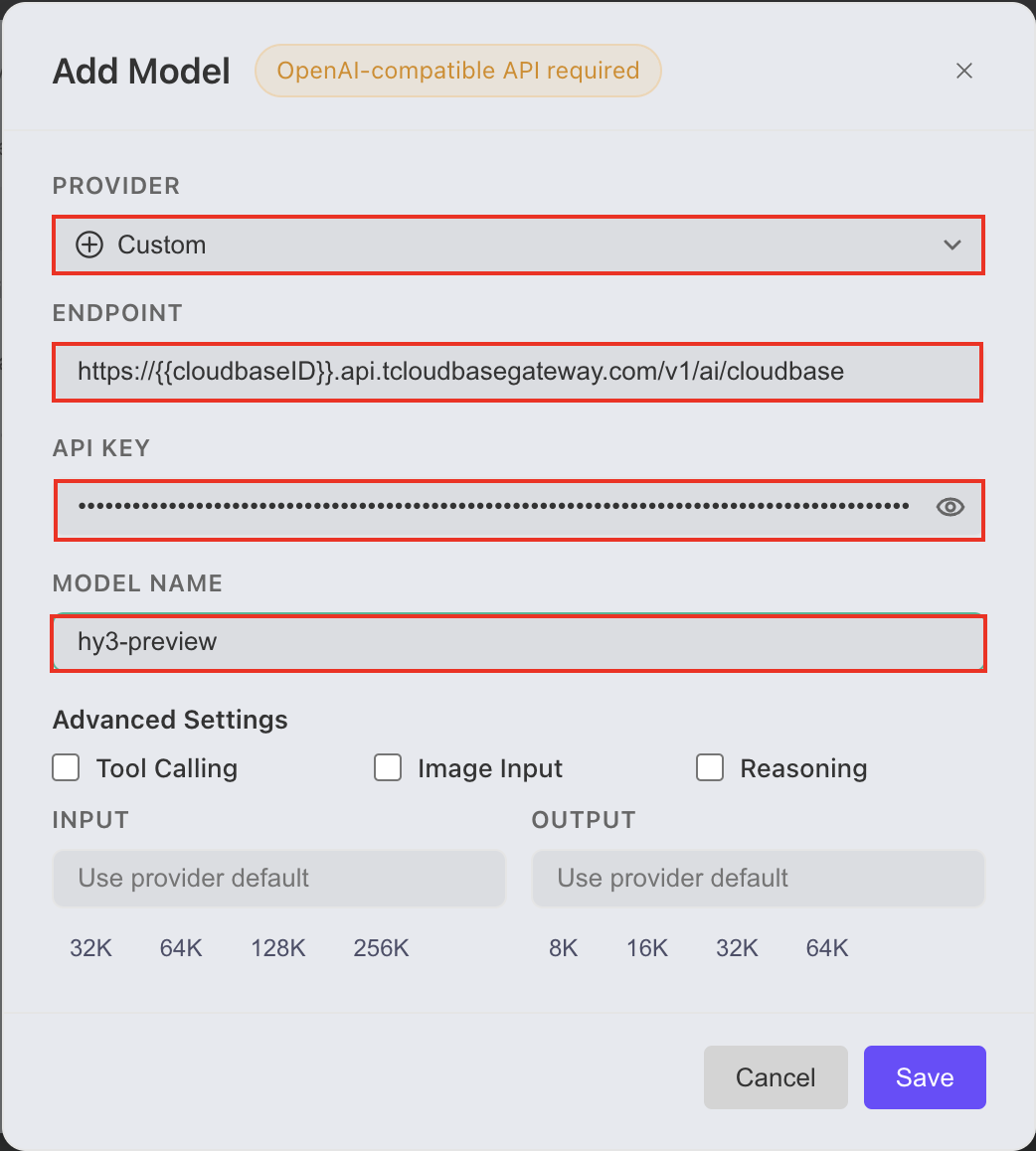
- Enter the
Base URLandAPI Keycopied from the AI console, select an enabled model from the model list in the AI console, copy the model name, enter it, and save.
- Select the corresponding large model to start a conversation. (You may need to restart the CodeBuddy panel to find the added model in the model list.)
- Open the configuration file.
note
If you use your file browser to locate files, note that the file browser hides files with names starting with a period (.) by default. You may need to enable the hidden files option in your file browser to view them.
On macOS, use the Finder shortcut Command + Shift + . to show hidden files. On Windows, you can select "File Explorer - View - Show - Hidden items".
Open.
- Configuration Path for Windows
C:\Users\<YourUsername>\.codebuddy\models.json
- Configuration Path for Mac/Linux
~/.codebuddy/models.json
- Configure and save the
Base URL,API Key, and model name copied from the AI console as follows (usinghy3as an example)
{
  "models": [
    {
      "id": "hy3",
      "name": "hy3",
      "vendor": "Custom",
      "url": "https://{{cloudBaseEnvID}}.api.tcloudbasegateway.com/v1/ai/cloudbase",
      "apiKey": "eyJhbGciOiJSUzI1N...",
      "supportsToolCall": true,
      "supportsImages": false,
      "supportsReasoning": false
    }
  ]
}
- Select the corresponding large model to start a conversation. (You may need to restart the CodeBuddy panel to find the added model in the model list.)
Common Error Troubleshooting
| Error Message | Solution |
|---|---|
404 Error: Model Not Found | The Base URL is entered incorrectly. Go to the AI console to copy the correct Base URL. |
401 Error: Credentials are invalid | The API Key is entered incorrectly or may have been deleted. |
| Request too frequent, please try again later: Token usage exceeded quota limit | An incorrect large model name is configured, or the large model is not enabled in the AI console. |