Claude Code
Claude Code is an AI that runs in the terminal. A programming agent can directly read local codebases, interact with developers using natural language, and autonomously complete complex development tasks such as code reading, multi-file modification, test execution, and command running.
After installing Claude Code, you can configure a custom model by following the steps below to use it, without needing to log in to an Anthropic account.
Prerequisites
- You have activated a TCB environment and obtained the environment ID
cloudBaseEnvID - Enable the required model in the AI console
- Obtain the
Base URLandAPI Keyin the AI console
Configuration Steps
This document uses Claude Code-v2.1.170 as an example.
Configuration Field Mapping Table
| Environment Variable | Description |
|---|---|
| ANTHROPIC_BASE_URL | The Base URL for the large model, which is obtained in the AI console. |
| ANTHROPIC_AUTH_TOKEN | The API Key for calling the large model, which is obtained in the AI console. |
| ANTHROPIC_MODEL | The large model ID used for the main session. Copy the identifier of an enabled large model from the model list in the AI console and enter it here. |
| ANTHROPIC_DEFAULT_OPUS_MODEL | The Opus large model ID. Copy the identifier of an enabled large model from the model list in the AI console and enter it here. |
| ANTHROPIC_DEFAULT_SONNET_MODEL | The Sonnet large model ID. Copy the identifier of an enabled large model from the model list in the AI console and enter it here. |
| ANTHROPIC_DEFAULT_HAIKU_MODEL | The Haiku large model ID. Copy the identifier of an enabled large model from the model list in the AI console and enter it here. |
- Configuration via CC Switch
- File Configuration (Permanent)
- Temporary Environment Variables (Temporary)
CC Switch is an open-source desktop application for centrally managing provider configurations for multiple AI coding tools. For installation instructions, refer to the CC Switch configuration guide.
- Open CC Switch and add CloudBase as a provider
| Field | Description |
|---|---|
| API Key | Obtained from the AI console |
| Base URL | https://{{cloudBaseEnvID}}.api.tcloudbasegateway.com/v1/ai/cloudbase |
| API Format | Anthropic Messages (default) |
- Switch to the CloudBase provider and start Claude Code
- Open or create your Claude Code configuration file.
If you use your file browser to locate files, note that the file browser hides files with names starting with a period (.) by default. You may need to enable the hidden files option in your file browser to view them.
On macOS, use the Finder shortcut Command + Shift + . to show hidden files. On Windows, you can show hidden items by selecting "File Explorer - View - Show - Hidden items". If you cannot find the file, ensure that Claude Code has been installed and opened at least once.
Mac/Linux (~ represents your current user directory)
~/.claude/settings.json
Windows
C:\Users\YourUsername\.claude\settings.json
- Add or replace the
envfield. For example, if you want simple tasks to use the haiku mode, replace it withhy3; for the sonnet mode, usedeepseek-v4-pro[1m]; for the opus mode, useglm-5.2[1m]. The configuration example is as follows:
{
  "env": {
    "ANTHROPIC_BASE_URL": "https://{{cloudBaseEnvID}}.api.tcloudbasegateway.com/v1/ai/cloudbase",
    "ANTHROPIC_AUTH_TOKEN": "eyJhbGciOiJSUzI1N...",
    "ANTHROPIC_DEFAULT_HAIKU_MODEL": "hy3",
    "ANTHROPIC_DEFAULT_SONNET_MODEL": "deepseek-v4-pro-202606[1m]",
    "ANTHROPIC_DEFAULT_OPUS_MODEL": "glm-5.2[1m]"
  }
}
If you only want to temporarily experience the capabilities of the CloudBase large model, prioritize injecting environment variables temporarily via the terminal command line. The configuration becomes invalid once you close the terminal.
When you also configure the env field via setting.json, Claude Code prioritizes reading the temporarily injected environment variables.
Mac/Linux Usage (Remains effective for the current window)
export ANTHROPIC_BASE_URL="https://{{cloudBaseEnvID}}.api.tcloudbasegateway.com/v1/ai/cloudbase"
export ANTHROPIC_AUTH_TOKEN="eyJhbGciOiJSUzI1N..."
export ANTHROPIC_MODEL="hy3"
Windows CMD Usage (Remains effective for the current window)
set ANTHROPIC_BASE_URL=https://{{cloudBaseEnvID}}.api.tcloudbasegateway.com/v1/ai/cloudbase
set ANTHROPIC_AUTH_TOKEN=eyJhbGciOiJSUzI1N...
set ANTHROPIC_MODEL=hy3
Windows PowerShell Usage (Remains effective for the current window)
$env:ANTHROPIC_BASE_URL = "https://{{cloudBaseEnvID}}.api.tcloudbasegateway.com/v1/ai/cloudbase"
$env:ANTHROPIC_AUTH_TOKEN = "eyJhbGciOiJSUzI1N..."
$env:ANTHROPIC_MODEL = "hy3"
Additional Configuration
You can find configuration instructions for more models on the Claude Code official website.
After connecting to a third-party model, the built-in web search feature in Claude Code becomes unavailable. If you require search capabilities, you can connect to the CloudBase AI Search Service via MCP.
Usage
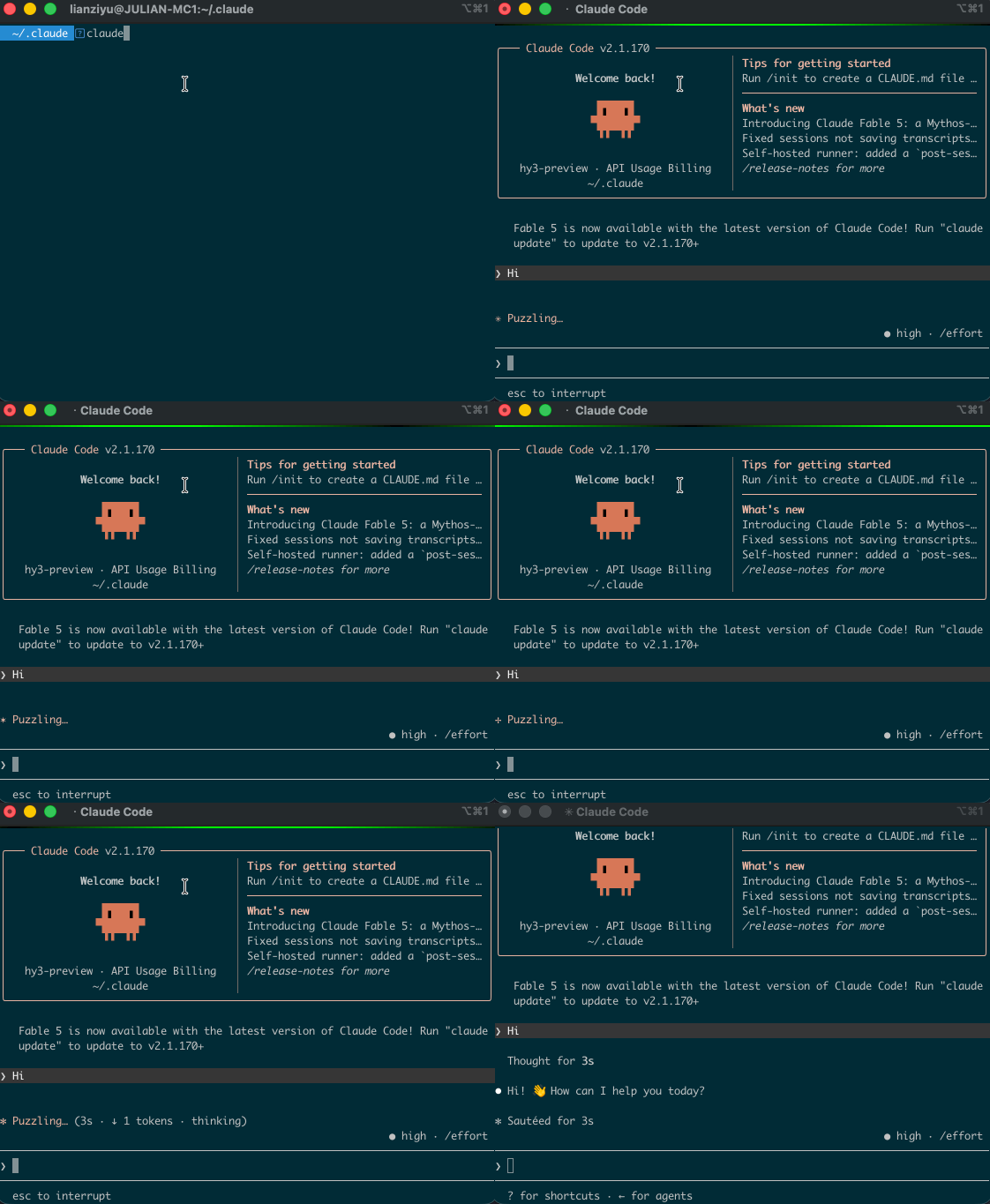
Navigate to the specified directory in the terminal and enter the claude command to use the configured custom CloudBase large model. For more commands and features, refer to the official documentation.
claude
Common Error Troubleshooting
| Error Message | Solution |
|---|---|
429 Token usage exceeded quota limit | Tokens are exhausted or not enabled. |
401 Credentials are invalid | The API Key is entered incorrectly or may have been deleted. |
429 API Error: Request rejected | An incorrect large model name is configured, or the large model is not enabled in the AI console. |