Overview
CloudBase Authentication provides a complete user identity management and access control solution for your application. Through built-in multiple login methods and security mechanisms, it helps you quickly build a reliable user system.
CloudBase authentication performs identity verification and permission checks on every request initiated by the user, effectively preventing resources from being maliciously accessed or misused.
Finish MCP setup first, then select a prompt to start your AI-native development journey
Core Capabilities
The CloudBase authentication system consists of two core parts:
Authentication
Addresses the question of "who the user is", supporting multiple login methods:
- Anonymous Login: Quick experience, no registration required
- Phone Number Login: Quick login with SMS verification code
- Email Login: Traditional method with email + password
- Username and Password Login: Suitable for traditional applications
- WeChat Authorization Login: Integration with WeChat ecosystem
- Custom Login: Integration with existing account systems
For detailed configuration, please refer to Manage Login Methods.
Permission Control
Addresses the question of "what resources the user can access", managing resource access permissions through roles and policies:
- Role Management: Assign different roles to different types of users (internal users, external users, guests, etc.)
- Policy Configuration: Configure specific resource access permissions for roles (database, cloud functions, cloud storage, etc.)
- Member Management: Manage user role assignments and permission changes
For detailed configuration, please refer to Permission Control.
Supported Login Methods
CloudBase provides multiple login methods. You can choose the appropriate solution according to your business scenario:
| Login Method | Applicable Scenario | Features | Documentation Link |
|---|---|---|---|
| Anonymous Login | Quick experience, temporary users | No registration required, automatically generates temporary identity | View Documentation |
| Username and Password | Traditional applications | Username + password | View Documentation |
| SMS Verification Code | Mobile applications | Phone number + verification code | View Documentation |
| Email Login | Enterprise applications, formal users | Email + password | View Documentation |
| WeChat Authorization | WeChat ecosystem applications | WeChat Official Account, Open Platform | View Documentation |
| Custom Login | Existing user systems | Integration with existing account systems | View Documentation |
| WeChat Mini Program | WeChat Mini Programs | Automatic login authentication | View Documentation |
Before using login methods, you need to enable the corresponding login method in CloudBase Platform/Authentication/Login Methods. See Manage Login Methods.
User Account System
Account Unique Identifier (UID)
Each user logged into CloudBase has an independent CloudBase account, which serves as the identity credential for accessing data and resources:
- Globally Unique: Each account has a globally unique UID, serving as the user's unique identity identifier
- Persistent and Stable: UID remains unchanged throughout the user's entire lifecycle
- Cross-Platform Unified: The same user's UID remains consistent across different platforms
User Information Management
Each account can store and manage rich user information:
- Basic information (nickname, avatar, email, phone number, etc.)
- Custom fields (support extending user attributes required by the business)
- Login records and behavioral data
You can visually view and manage user information in CloudBase Platform/Authentication/User Management.
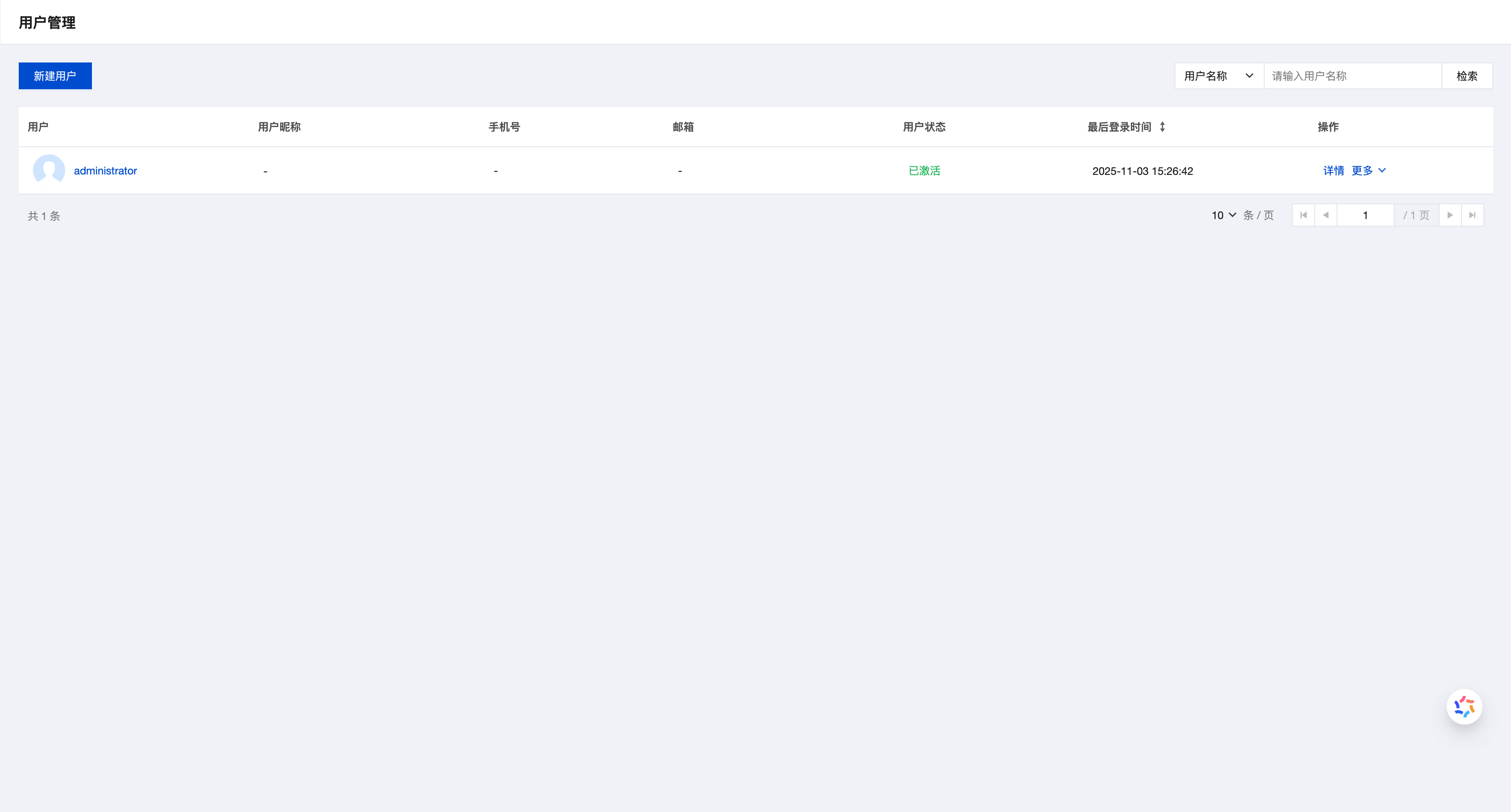
For detailed operations, please refer to Manage Users.
Multiple Account Linking
Supports linking multiple login methods to the same account, providing users with a more flexible login experience:
- Unified Identity: Users can log in to the same account using different methods
- Seamless Switching: Flexibly switch login methods across different devices or scenarios
- Data Consistency: Ensure user data remains consistent across different login methods
For example, users can first use "Anonymous Login" to quickly experience the application, and later link "Phone Number Login" or "WeChat Login", with all data retained under the same account.
For detailed operations, please refer to Account Linking.
Login State Management
State Persistence
CloudBase automatically manages user login state:
- Web: Before explicitly logging out, the authentication state is retained for 30 days
- Mobile: State persistence is automatically managed according to platform characteristics
Token Mechanism
CloudBase uses a dual-token mechanism to ensure access security and user experience:
Access Token
- Purpose: Serves as the identity credential for accessing CloudBase services
- Validity Period: Default 2 hours
- Automatic Management: SDK automatically maintains token usage and refresh, no manual handling required by developers
Refresh Token
- Purpose: Used to obtain new access tokens
- Validity Period: Default 30 days
- Automatic Renewal: Automatically uses refresh token to obtain new access token when access token expires
The refresh token for "Anonymous Login" will automatically renew after expiration to achieve long-term anonymous login state.
Related Resources
- Best Practices - Learn authentication best practices and common scenarios
- FAQ - View common questions and solutions
- API Reference - Consult complete API documentation