WorkBuddy
WorkBuddy is an AI Agent office tool launched by Tencent Cloud Code Assistant. It autonomously plans and delivers results for multimodal complex tasks and supports multiple Agents working in parallel to achieve maximum efficiency.
Prerequisites
- You have activated a TCB environment and obtained the environment ID
cloudBaseEnvID - Enable the required model in the AI console
- Obtain the
Base URLandAPI Keyin the AI console
Configuration Steps
You can configure it through the UI, or you can edit the WorkBuddy custom model configuration file for quick configuration.
We use the latest WorkBuddy version as of June 9, 2026, as an example.
- Configuration via UI
- Configuration via Configuration File
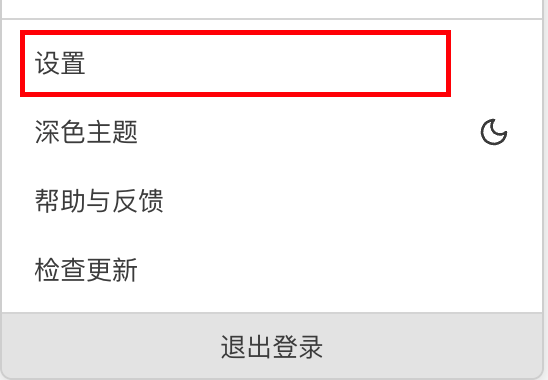
- Open WorkBuddy, click the account menu in the upper-right corner, and go to Settings.
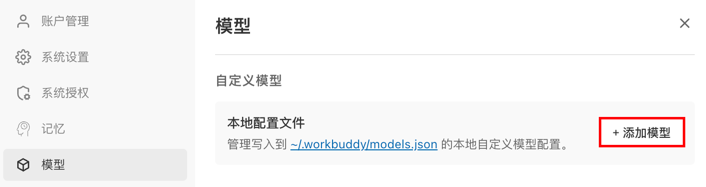
- Select Model and click the Add Model button.
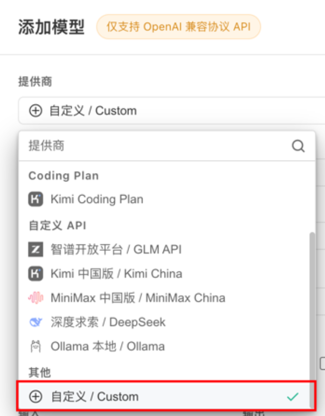
- Select the Custom model.
- Enter the
Base URLandAPI Keycopied from the AI console. Select an enabled model from the model list in the AI console, copy the model name, enter it, and save.
The model name should be obtained from the model list
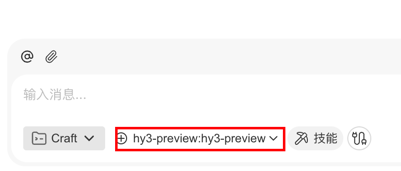
- Select the corresponding large model to start a conversation. (You may need to restart WorkBuddy to find the added model in the model list.)
- Open the configuration file.
If you use your file browser to locate files, note that the file browser hides files with names starting with a period (.) by default. You may need to enable the hidden files option in your file browser to view them.
On macOS, use the Finder shortcut Command + Shift + . to show hidden files. On Windows, you can select "File Explorer - View - Show - Hidden items".
Open.
- Configuration Path for Windows
C:\Users\<YourUsername>\.workbuddy\models.json
- Configuration Path for Mac/Linux
~/.workbuddy/models.json
- Configure and save the
Base URL,API Key, and model name copied from the AI console as follows (usinghy3as an example)
{
  "models": [
    {
      "id": "hy3",
      "name": "hy3",
      "vendor": "Custom",
      "url": "https://{{cloudBaseEnvID}}.api.tcloudbasegateway.com/v1/ai/cloudbase",
      "apiKey": "eyJhbGciOiJSUzI1N...",
      "supportsToolCall": true,
      "supportsImages": false,
      "supportsReasoning": false
    }
  ]
}
- Select the corresponding large model to start a conversation.
Common Error Troubleshooting
| Error Message | Solution |
|---|---|
404 Error: Model Not Found | The Base URL is entered incorrectly. Go to the AI console to copy the correct Base URL. |
401 Error: Please Log In Again to Continue | The API Key is entered incorrectly or may have been deleted. |
6004 Error | An incorrect large model name is configured, or the large model is not enabled in the AI console. |