Trae
Trae is an AI-native IDE launched by ByteDance. It features built-in AI conversation and code generation capabilities and supports custom model integration.
Prerequisites
- You have activated a TCB environment and obtained the environment ID
cloudBaseEnvID - Enable the required model in the AI console
- Obtain the
Base URLandAPI Keyin the AI console
Configuration Steps
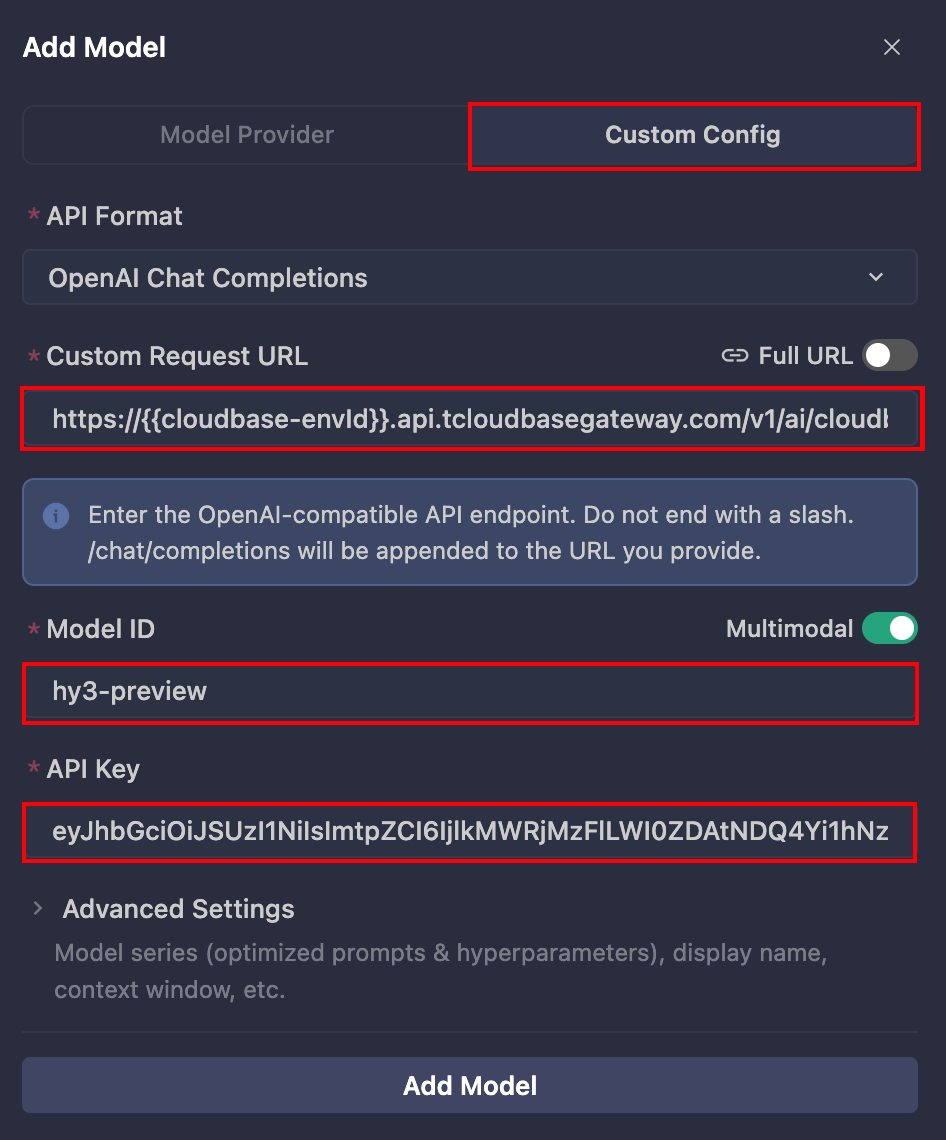
The meanings of each field are as follows:
| Field to Enter | Explanation |
|---|---|
| Base URL | The Base URL for the large model, which is obtained in the AI console. |
| API Key | The API Key for calling the large model, which is obtained in the AI console. |
| Model ID | The large model ID. Copy the identifier of an enabled large model from the model list in the AI console and enter it here. |
- Open Trae, and in the conversation input box, click the Model List Selection button to Add Model.
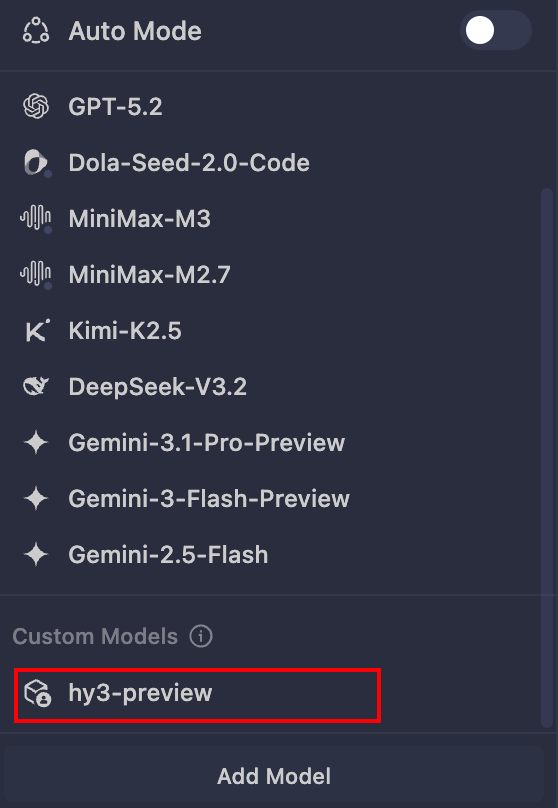
- Click Custom Config, enter the
Base URL,API Key, and model ID, and save the configuration.
- Select an enabled model from the Model List to start a conversation.
Common Error Troubleshooting
| Error Message | Solution |
|---|---|
| Adding Model Failed | The Base URL is entered incorrectly, the API Key is incorrect, or the large model is not enabled in the AI console. |