RooCode
Roo Code (formerly known as Roo Cline) is an open-source, intelligent AI programming assistant extension for VS Code.
Prerequisites
- You have activated a TCB environment and obtained the environment ID
cloudBaseEnvID - Enable the required model in the AI console
- Obtain the
Base URLandAPI Keyin the AI console
Configuration Steps
- Open the RooCode settings and go to API Provider.
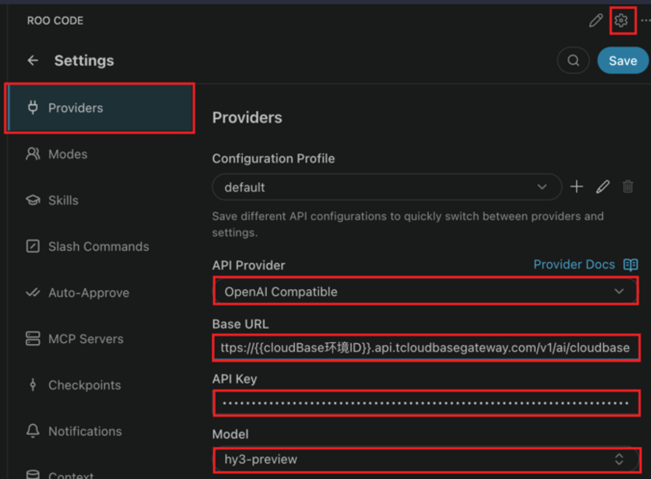
- Fill in the custom large model configuration.
The meanings of each field are as follows:
| Field to Enter | Explanation |
|---|---|
| API Provider | Model Protocol. CloudBase AI models support multiple protocols. Select the most universal one, OpenAI Compatible, here. |
| Base URL | The Base URL for the large model, which is obtained in the AI console. |
| API Key | The API Key for calling the large model, which is obtained in the AI console. |
| Model | The large model ID. Copy the identifier of an enabled large model from the model list in the AI console and enter it here. |
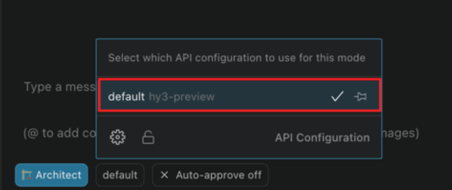
- After saving, select the custom model you created from the conversation model list to start a conversation.