Overview
CloudBase AI provides out-of-the-box text generation capabilities, supporting mainstream large models including DeepSeek, Hunyuan, MiniMax, Kimi, GLM, and more. It covers the following core features:
This page explains how to call these capabilities. For which models exist and what each supports (image / video / file input, deep thinking, tool calling, and more), see the Available Models List, which also indexes each vendor's official documentation.
| Feature | Description |
|---|---|
| Multiple Access Methods | Mini Program SDK, wx-server-sdk, Web SDK, Node SDK, cURL, OpenAI SDK, Anthropic SDK |
| Multi-turn Conversation | Carry conversation history for continuous dialogue |
| Streaming Output | Return tokens incrementally for better user experience |
| Deep Thinking | Invoke reasoning-capable models to obtain thinking process |
| Multimodal Understanding | Pass images, videos, or files to the model for understanding |
| Context Caching | Cache long prompt prefixes to reduce repeated invocation costs |
| Context Management | Automatically truncate or compress long conversation history |
| Tool Calling | Let models call custom functions/tools |
Access Methods
CloudBase provides three ways to access large models:
| Method | Description | Applicable Plan/Scenario |
|---|---|---|
| Resource-Point Plan | Use plan resource points to deduct Token usage; supports DeepSeek, MiniMax, Hunyuan, Kimi, GLM, and other models | Resource-Point Plan |
| Trial Model | Use the built-in Hunyuan model for free | Mini Program Growth Plan |
| Custom Model | Configure any model compatible with OpenAI / Anthropic protocol | Standard plan and above |
Resource-Point Plan
The Token Resource Pack was discontinued on June 18, 2026. If your current plan is not a Resource-Point Plan, please go to CloudBase Console → Plan Management to switch to a Resource-Point Plan first.
Resource points included in the Resource-Point Plan can be used to deduct large model Token usage, supporting the latest models such as DeepSeek, MiniMax, Hunyuan, Kimi, GLM, and more. See the supported model list.
Go to Activate Resource-Point Plan
Trial Model
The trial model is exclusively for the Mini Program Growth Plan. Currently only Hunyuan is supported. To use DeepSeek or other models, please switch to a Resource-Point Plan.
The following Hunyuan models are currently available:
| Model | Description |
|---|---|
hy3 | Hunyuan instruction model |
Custom Model
CloudBase Standard plan and above supports configuring third-party models. Once configured, you can call them directly via the CloudBase JS SDK and Mini Program SDK.
Custom models support large model interfaces compatible with the following protocols. See CloudBase LLM API Protocol Guide for details:
- Chat Completions API (OpenAI compatible, most universal)
- Responses API
- Anthropic Messages API
Required Parameters
| Parameter | Description |
|---|---|
| BaseURL | The API request URL of the large model |
| APIKey | The key for accessing the large model API |
| Model Name | The specific model identifier, e.g., deepseek-v4-flash, deepseek-v3, etc. |
Configuration Steps
-
Obtain BaseURL and API Key
The following provides integration references for Hunyuan and DeepSeek. For other models, refer to the corresponding provider's documentation:
Model Provider BaseURL Model Name Billing hunyuan Tencent Hunyuan https://api.hunyuan.cloud.tencent.com/v1See Hunyuan Model List See Billing Docs DeepSeek DeepSeek Official https://api.deepseek.com/v1See DeepSeek Model List See DeepSeek Docs -
Configure in the platform
Go to the CloudBase AI+ console. There are two ways to configure:
-
Supported platforms: Select the corresponding platform and fill in the API Key directly
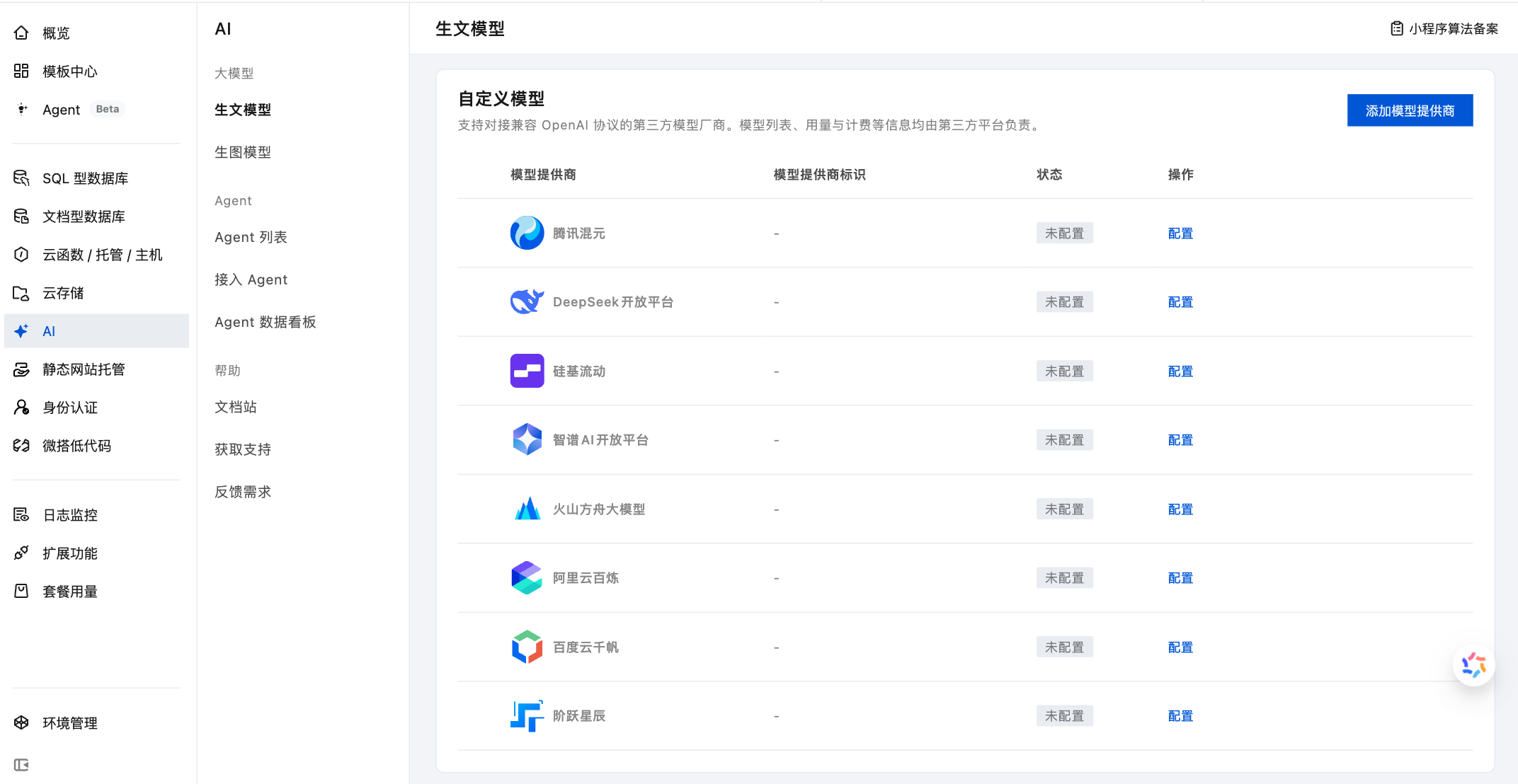
-
Other models: Click the "Add Model Provider" button and fill in the BaseURL, API Key, and model name
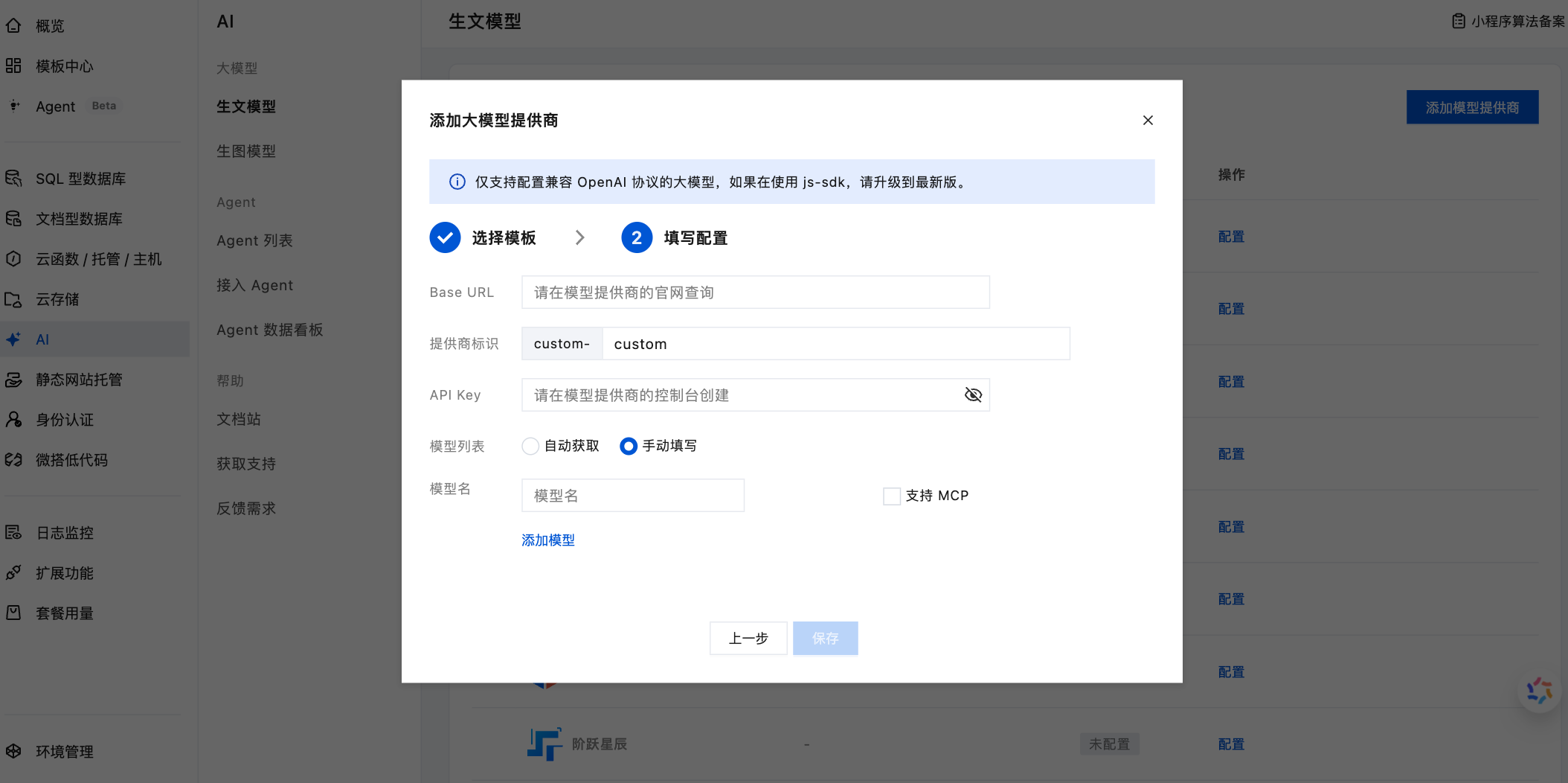
-
Frequently Asked Questions
How do I determine if a large model is compatible with the supported protocols?
CloudBase supports three protocols: Chat Completions, Responses API, and Anthropic Messages API. Most mainstream large models (DeepSeek, GLM, Kimi, Qwen, etc.) are compatible with the Chat Completions protocol, and typically state "OpenAI compatible" explicitly in their API documentation.
What should I do if the large model doesn't work properly after configuration?
Please check the following:
- Is the API Key correct and not expired?
- Is the BaseURL accurate?
- Does the model name match the one in the provider's documentation?
- Have you enabled billing or topped up your account on the third-party platform?
How much concurrency does the large model support?
- When using the trial model, one environment supports 5 concurrent requests.
- After configuring a custom model, the platform no longer limits concurrency. The actual concurrency limit depends on the third-party model provider's restrictions.