ICP Filing
This document describes how to use CloudBase resources for domain ICP filing for deployments in the Chinese mainland.
Scope
ICP filing is not required for custom domain access on the international site. The filing guidance below applies only to mainland deployment scenarios that require filing. For international-site domain setup, see Custom Domain.
Can CloudBase Resources Be Used for ICP Filing?
Yes. A CloudBase environment can be used directly as the cloud resource for ICP filing, so you do not need to purchase additional cloud servers or other cloud services.
Prerequisites
To use a CloudBase environment for ICP filing, the following three conditions must be met at the same time:
- Plan version: Must be Personal Plan or above (the free trial environment is not supported).
- Validity: The remaining validity of the environment must be 6 months or more.
- Fixed IP: The environment must have CloudRun fixed IP enabled.
Filing Process
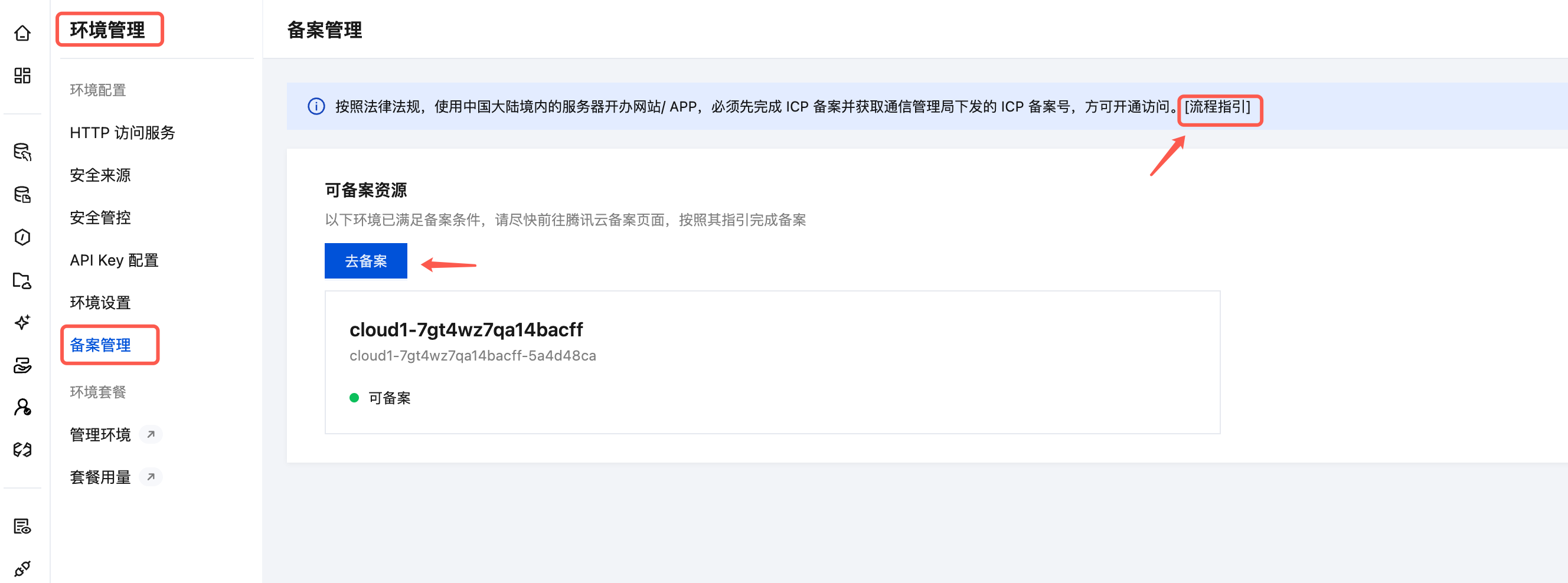
- Go to the CloudBase console and open the Filing Management page of the environment (if this entry is not visible, make sure the prerequisites above are met).
- Click File Now. The system will guide you to the Tencent Cloud ICP filing console.
- Select the eligible CloudBase environment in the filing console, and submit the ICP filing application as prompted.
Next Steps
- Complete filing for a domain: complete ICP filing and binding for a custom domain bound to CloudBase.
- ICP filing FAQ: common questions about validity, filing quota, and filing transfer.