License Renewal
WeDa private deployment License has validity period restrictions. When the License is about to expire or needs version upgrade, you need to perform renewal operations in time to ensure normal service operation.
It is recommended to complete the renewal operation 7-15 days before the License expires to avoid service interruption caused by License expiration.
Prerequisites
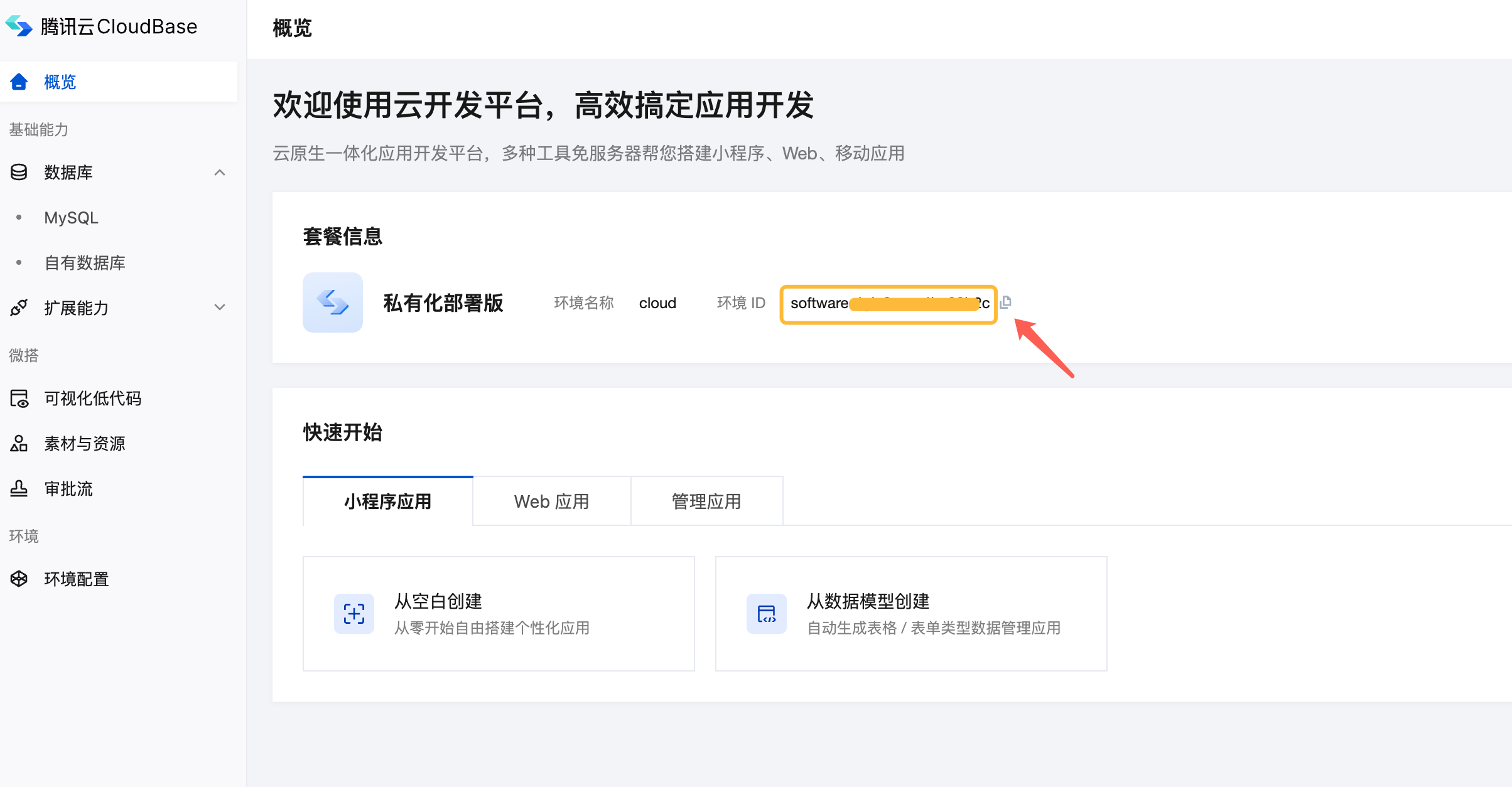
Get Environment ID
Before renewal, you must first obtain the environment ID of the current private deployment to ensure that the renewed License matches the actual environment, otherwise it will cause service unavailability.
Operation Steps:
- Log in to your WeDa Private Deployment Platform
- View and record the current environment ID in the development environment:
Renewal Information Confirmation
Before starting renewal, please confirm the following information:
| Confirmation Item | Description | Importance |
|---|---|---|
| Current License expiration time | Determine the urgency of renewal | High |
| Version type requirements | Community/Enterprise edition feature differences | High |
| Environment ID accuracy | Must be consistent with actual deployment environment | Critical |
| Business impact assessment | Choose appropriate renewal time window | Medium |
Renewal Operation Process
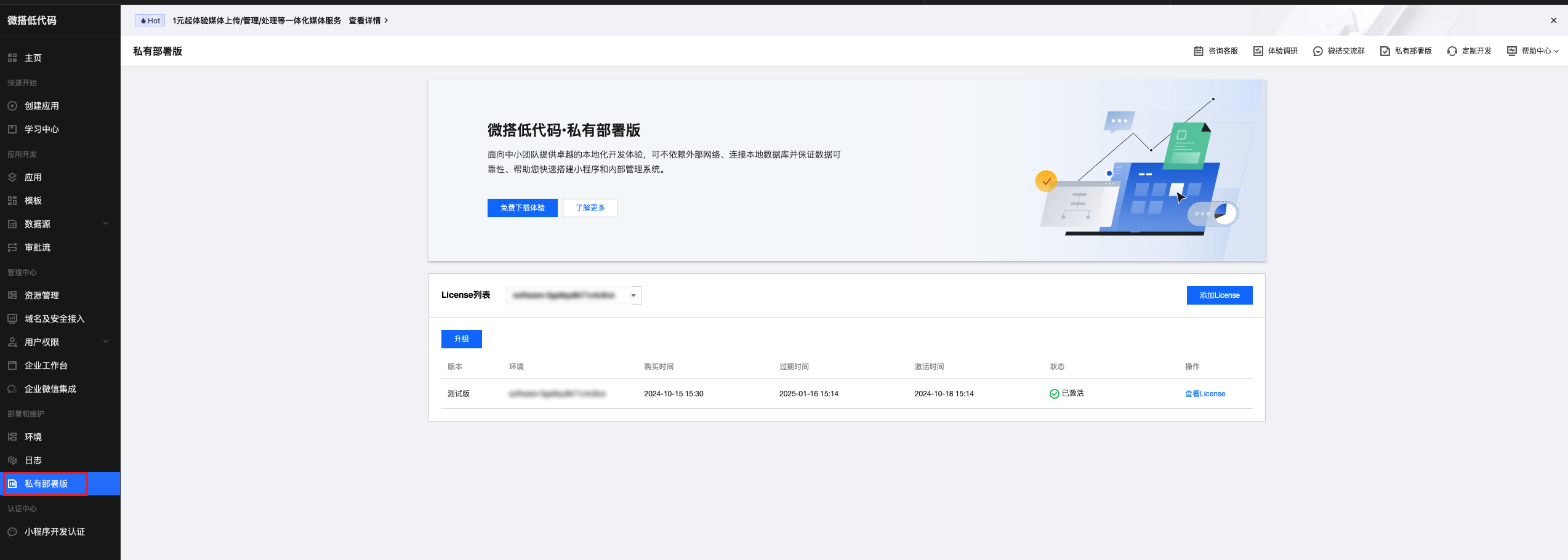
Step 1: Enter License Management
Go to WeDa Console License Management page:
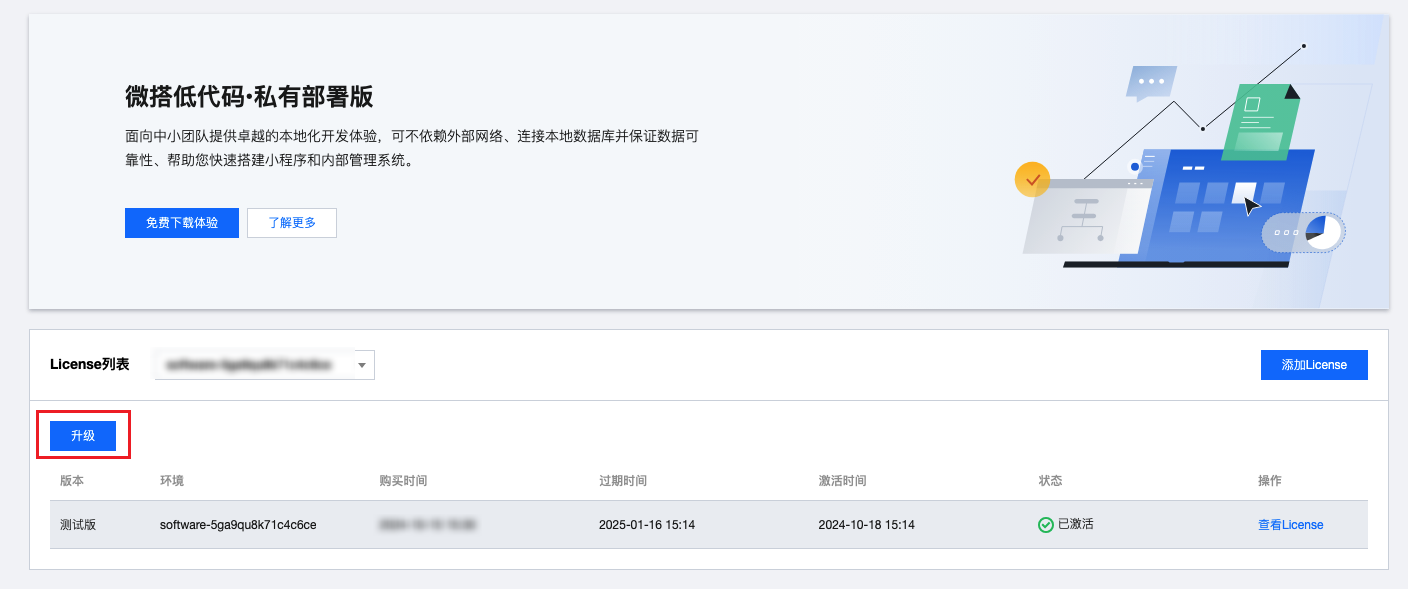
Step 2: Select Renewal Operation
Find the corresponding environment on the License management page and click the Renew or Upgrade button:
Step 3: Configure Renewal Parameters
Enter the renewal interface and select the private deployment version and duration to be renewed:
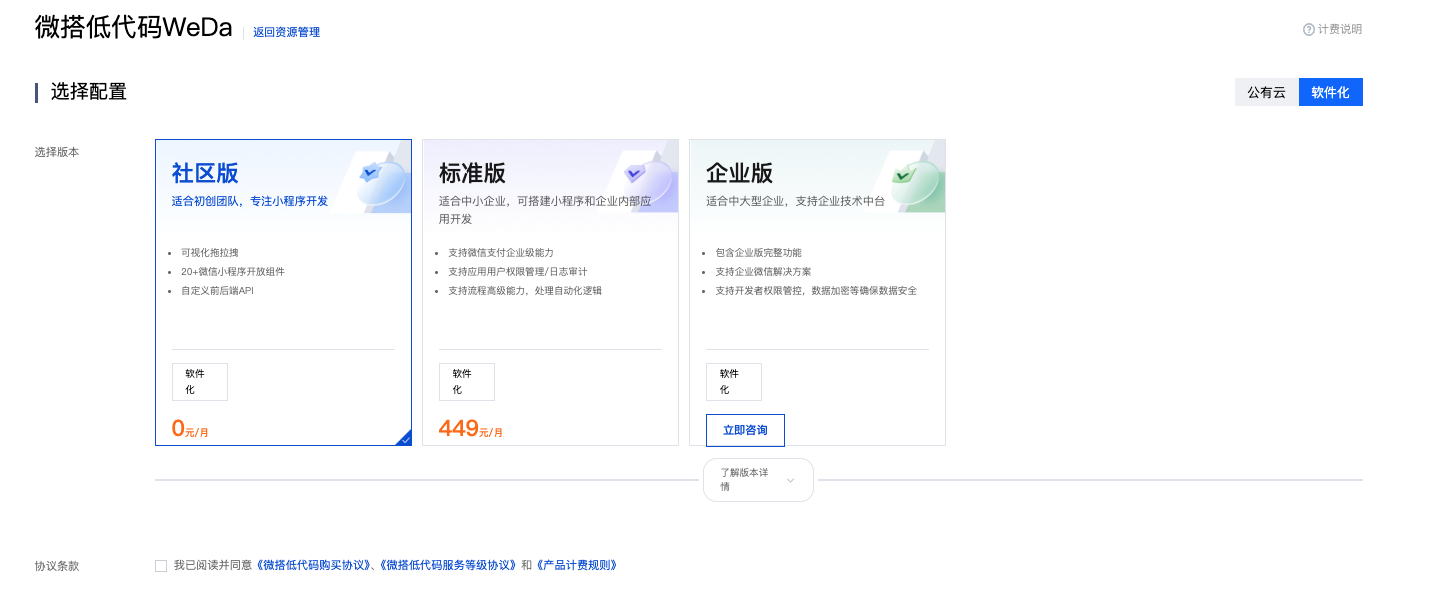
- Community Edition: Suitable for individual developers and small teams, basic features but limited-time free
- Enterprise Edition: Suitable for production environments, providing more advanced features and professional technical support
- Version Comparison: See Feature List for specific differences
Step 4: Get New License
After successful renewal, return to the License list to view the updated License:
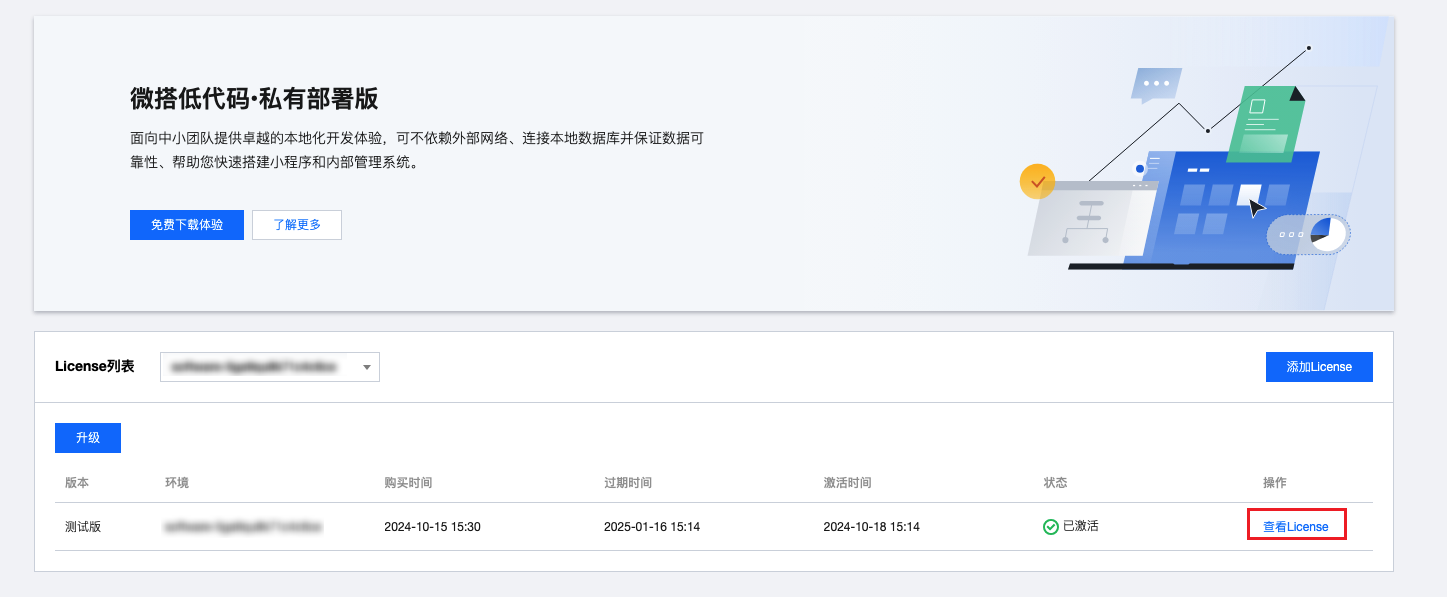
Apply New License
After obtaining the new License, you need to apply it to the private deployment environment. Please choose the corresponding application method according to your deployment method:
If you are using Kubernetes cluster deployment, please refer to Cluster Version License Renewal Guide for operation.
- Console Upload
- Command Line Update
Applicable Scenario: Recommended, simple and intuitive operation, suitable for most users
Operation Steps:
- Return to the local WeDa Private Deployment Platform
- In the authorization reminder message, click the Upload Authorization button:
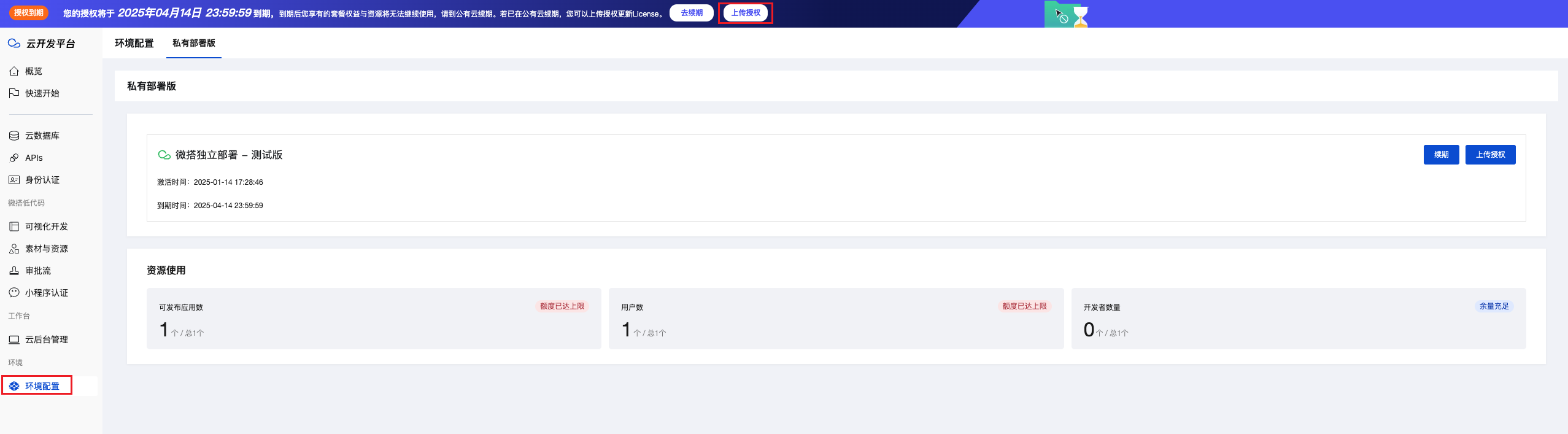
- Fill in the new License in the License renewal interface and click Start Renewal:
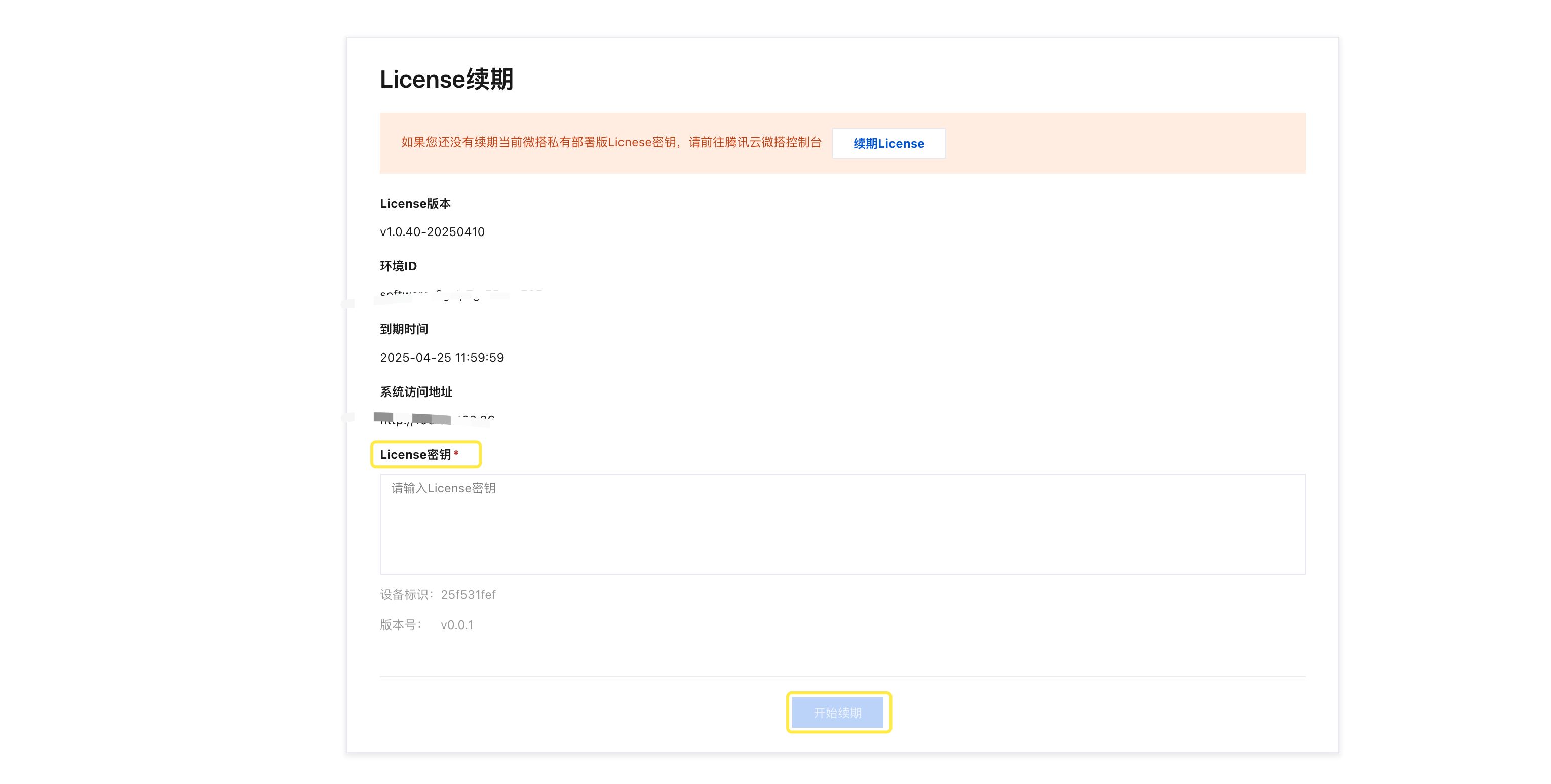
Applicable Scenario: Suitable for users familiar with command line operations, supports batch processing and automated deployment
Operation Steps:
-
Backup and Update License File:
# Switch to weda deployment directorycd /data/tencent/weda# Backup original License file (important)cp LICENSE.txt LICENSE.txt.backup.$(date +%Y%m%d_%H%M%S)# Edit License filevim LICENSE.txtNotes- Completely copy the new License content obtained from the console to the file
- Ensure the file content format is correct, without extra spaces or line breaks
- Please carefully check the content integrity before saving the file
-
Execute Upgrade Verification:
# Execute upgrade script in weda directory./upgrade.sh