Platform Access Guide
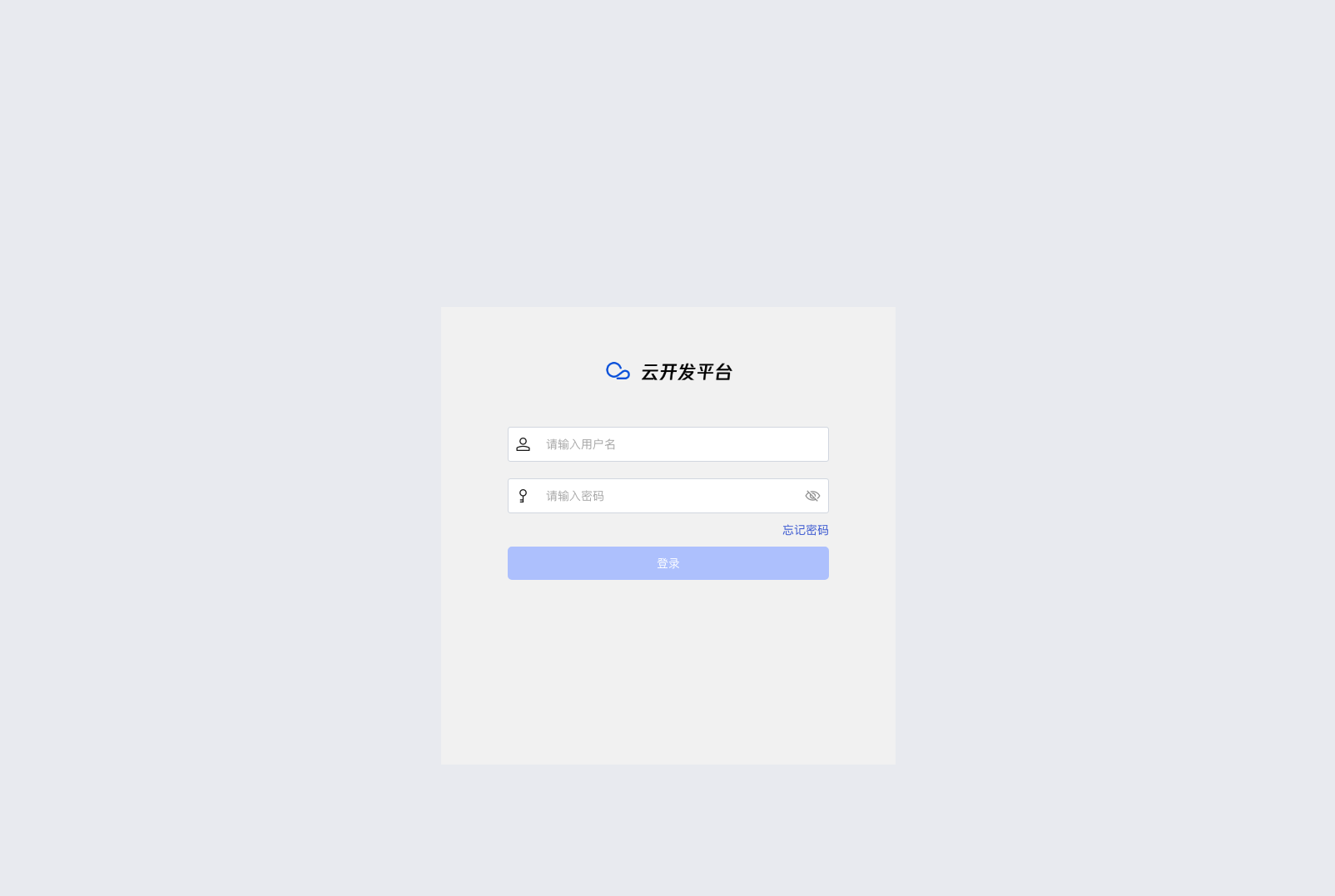
This document will guide you on how to access and log into the WeDa private deployment development platform to start your low-code development journey.
Platform Access
Access Address
After deployment completion, please wait 3-5 minutes for services to fully start, then access the platform through the following methods:
- Method 1: Click the "Access Platform Now" button on the installer page
- Method 2: Directly enter the access address in your browser
Development Platform Address: http://<Server IP>:<Actual Port (default 80)>/dev
Please replace <Server IP> with your actual server IP address
First Login
WeDa private deployment provides a built-in administrator account for quick start:
- Default Account:
admin - Default Password:
Weda@123456 - Important Notice: The system will require you to change the default password after first login
Quick Start Guide
Beginner Tutorial
We recommend starting your WeDa development journey with the following tutorial:
- Zero-to-Hero Tutorial: Build SCRM Customer Management System in 1 Day
Getting Help
If you encounter problems during use, you can get help through the following channels:
- AI Assistant: CloudBase Copilot - Provides real-time technical support
- Product Documentation:
Application Publishing Process
Publishing Applications
After completing application development, you can publish your application through the following steps:
-
Start Publishing Process
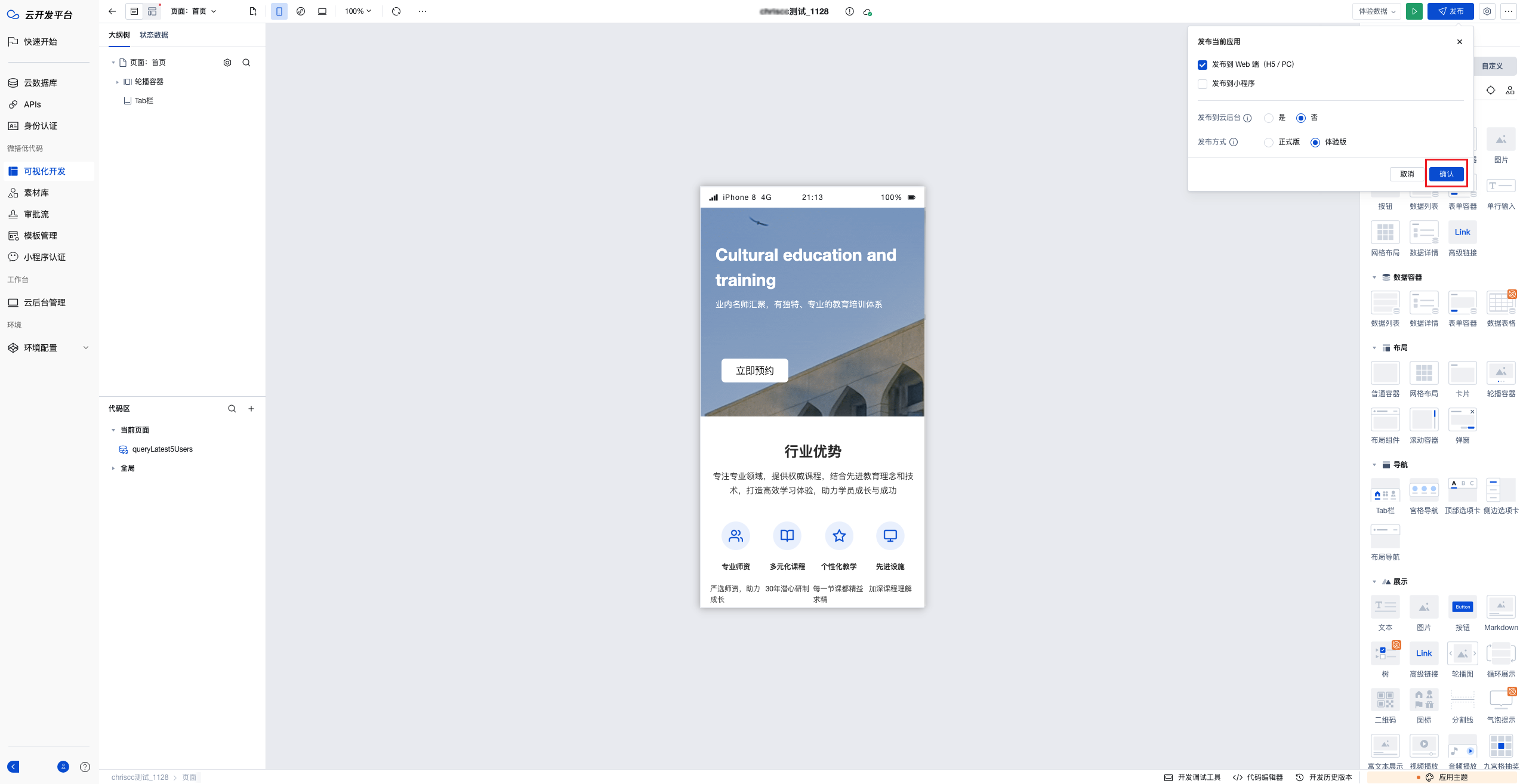
Click the "Publish" button in the upper right corner of the WeDa editor
-
Configure Publishing Parameters
Confirm the publishing settings in the pop-up publishing configuration dialog, then click "OK"
-
Complete Publishing
Wait for the publishing process to complete, the system will display "Application Published Successfully" message
- The publishing process usually takes a few minutes, please be patient
- After successful publishing, your application will be accessible through the generated access link
- If publishing fails, please check application configuration or contact technical support
Summary
Through the above steps, you have successfully:
- ✅ Accessed the WeDa private deployment development platform
- ✅ Completed first login and password change
- ✅ Learned about quick start resources and help channels
- ✅ Mastered the basic application publishing process
Now you can start using the WeDa low-code platform to create and publish your applications!