WeDa Private Deployment System Workflow Usage Guide
This document will guide you through configuring and using the system workflow functionality in the WeDa private deployment environment.
Feature Overview
System Workflow is an approval process solution provided by the WeDa platform, featuring the following characteristics:
- API Encapsulation: Encapsulates commonly used OpenAPI interfaces for approval processes
- Simplified Development: Shields complex interface calls during approval page rendering
- Ready to Use: Provides pre-configured approval process templates
- Flexible Extension: Supports custom approval processes and business logic
Configuration Steps
Step 1: Obtain Authentication Information
First, you need to obtain the system's SecretId and SecretKey for API call authentication.
- Log in to the WeDa private deployment management console
- Go to Console → Environment Configuration
- View and record the SecretId and SecretKey
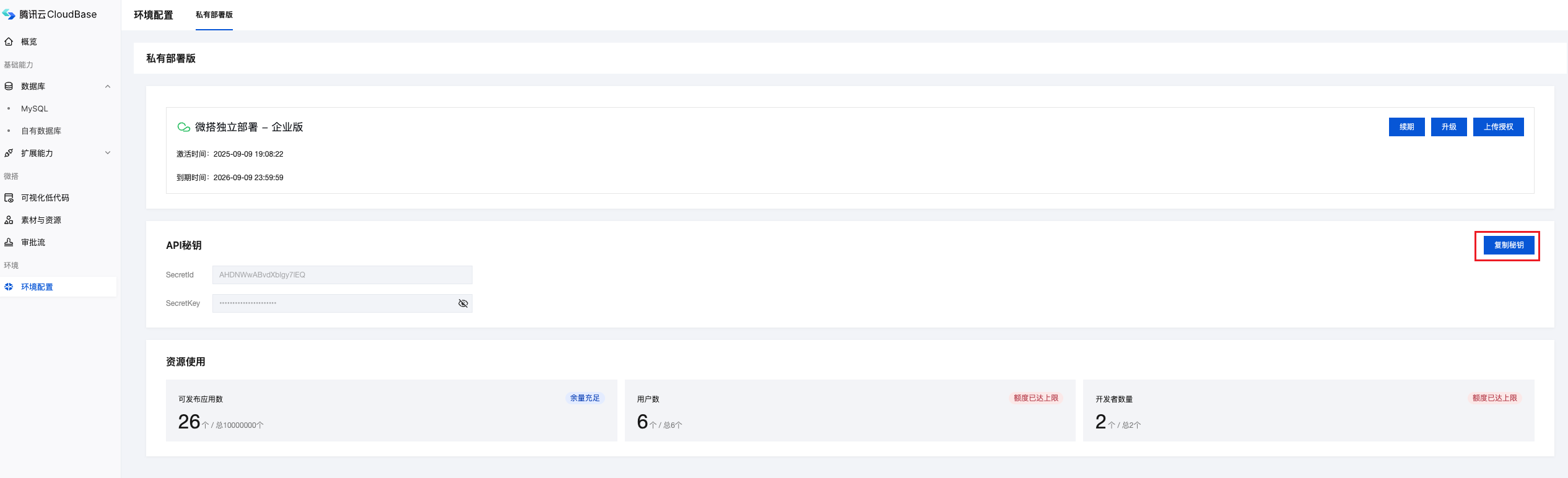
Please keep the SecretId and SecretKey secure and avoid disclosure to unauthorized personnel.
Step 2: Create System Workflow
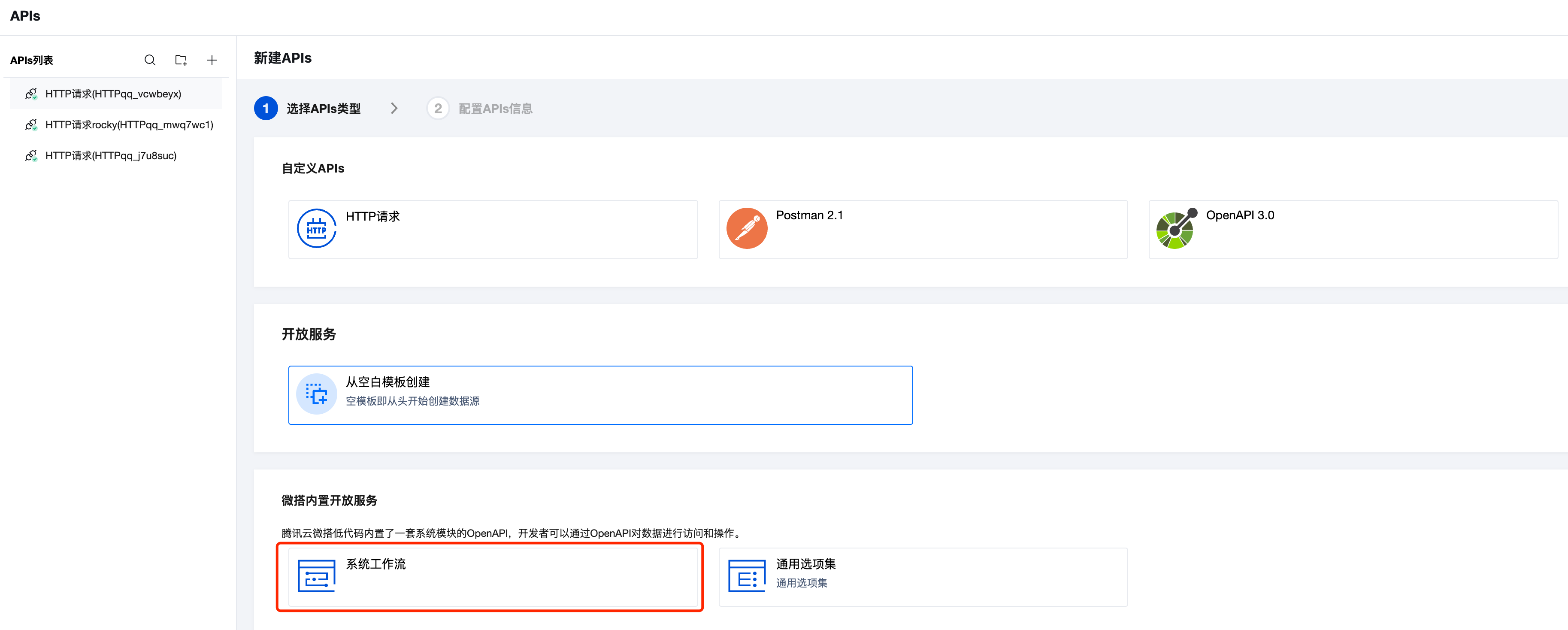
Create a system workflow in the WeDa low-code development platform:
- Go to Extended Capabilities → Resource Links → APIs Connector
- Click New Connector
- Select System Workflow type
Step 3: Configure Connector Information
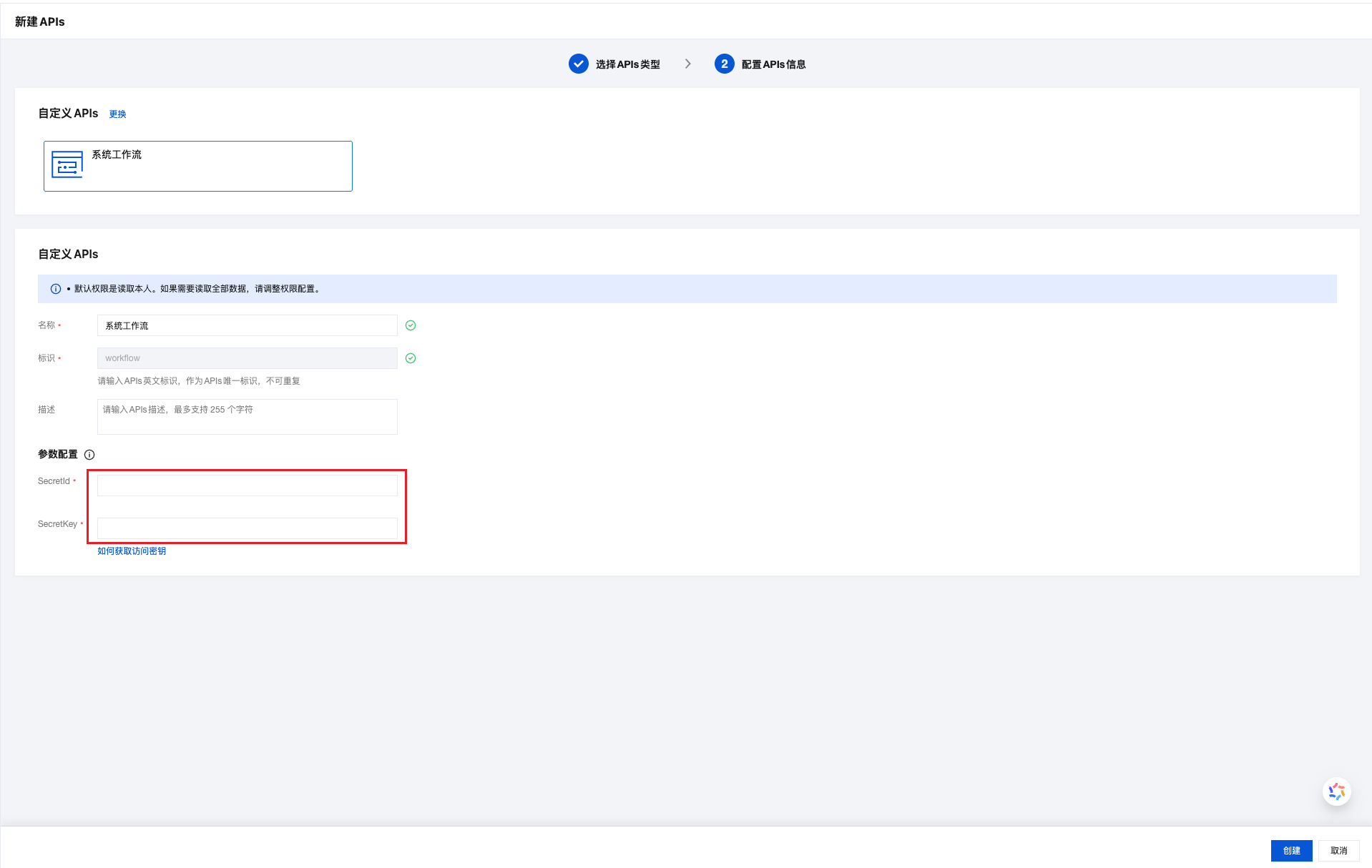
In the system workflow configuration interface, fill in the necessary connection information:
Configuration Item Description:
- Connector Name: Set an easily recognizable name for the workflow connector
- SecretId: Enter the SecretId obtained in Step 1
- SecretKey: Enter the SecretKey obtained in Step 1
- Service Address: The system will automatically configure this, usually no modification needed
Step 4: View Available APIs Methods
After configuration is complete, the system will automatically generate available workflow APIs methods:
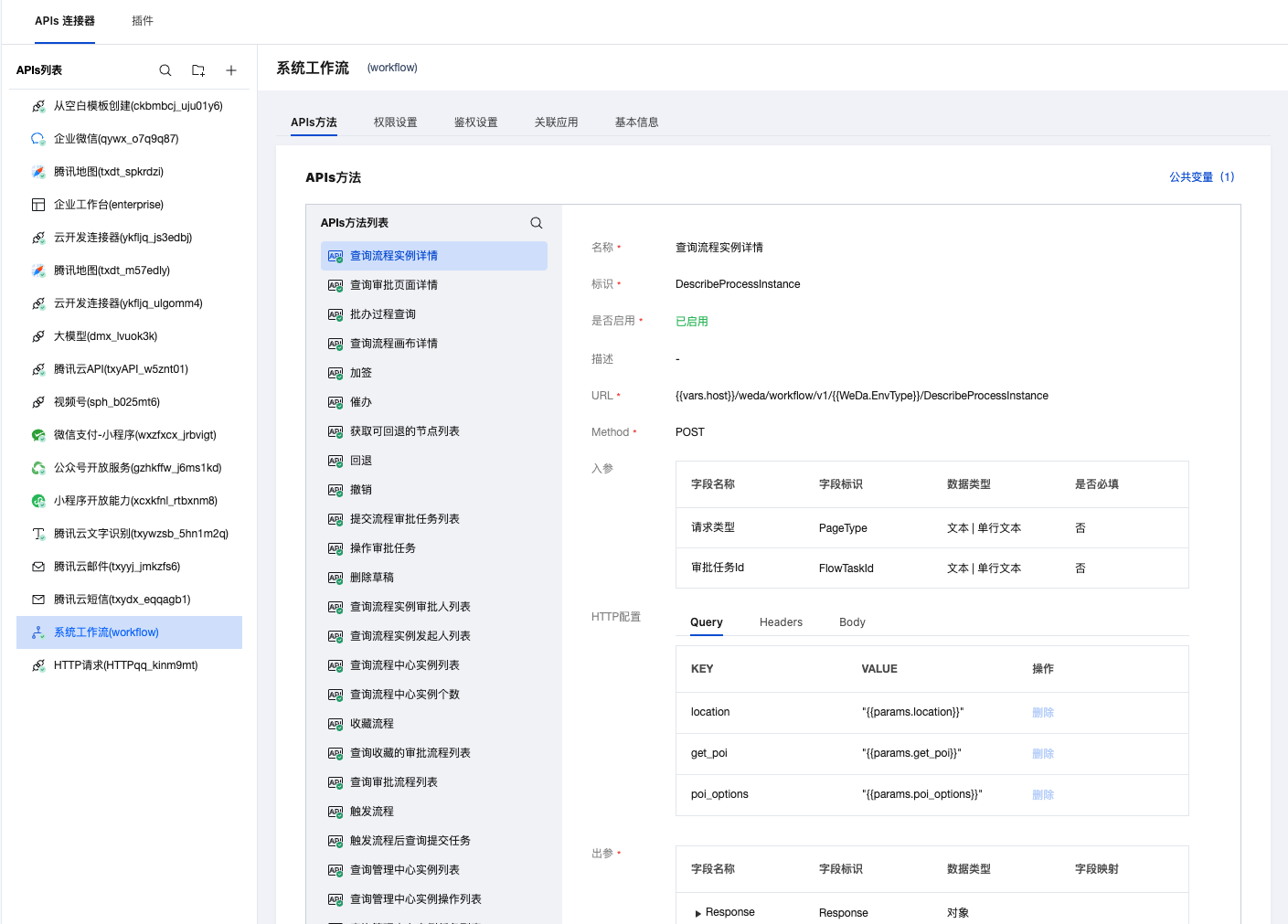
Main APIs methods include:
- Create Approval Process: Initiate new approval processes
- Query Process Status: Get the current status of approval processes
- Approval Operations: Execute approval operations such as approve, reject, etc.
- Process Management: Query and modify process configurations
External System Integration
OpenAPI Interface Calls
If you need to call approval process OpenAPI interfaces in external systems, please refer to the detailed interface documentation:
👉 Approval Process OpenAPI Call Guide
This documentation contains:
- Complete API interface list
- Request parameters and response format descriptions
- Authentication methods and signature algorithms
- Code examples and best practices
Best Practices
- Reasonable Process Planning: Design approval processes based on actual business needs, avoid excessive complexity
- Permission Management: Properly configure approver permissions to ensure process security
- Monitoring and Alerts: Regularly check process execution status and handle exceptions promptly
Summary
Through the above steps, you have successfully:
- ✅ Obtained system authentication information
- ✅ Created a system workflow connector
- ✅ Configured necessary connection parameters
- ✅ Understood available APIs methods
- ✅ Mastered external system integration methods
Now you can fully utilize the powerful system workflow functionality in the WeDa private deployment environment to provide complete approval process support for your business applications.