Obtaining License
WeDa private deployment requires a valid License authorization to function properly. This document will guide you through the License application and acquisition process.
Prerequisites
Before applying for a License, please ensure you have completed:
- Tencent Cloud account registration: Register - Tencent Cloud
- Understanding of WeDa private deployment versions and feature differences
Application Process
Step 1: Access Application Page
Go to WeDa Console to start applying for a License.
- Existing Users: Directly fill in relevant information in the Add License interface to obtain it
- New Users: The system will prompt you to install the WeDa environment first, then redirect to the application page
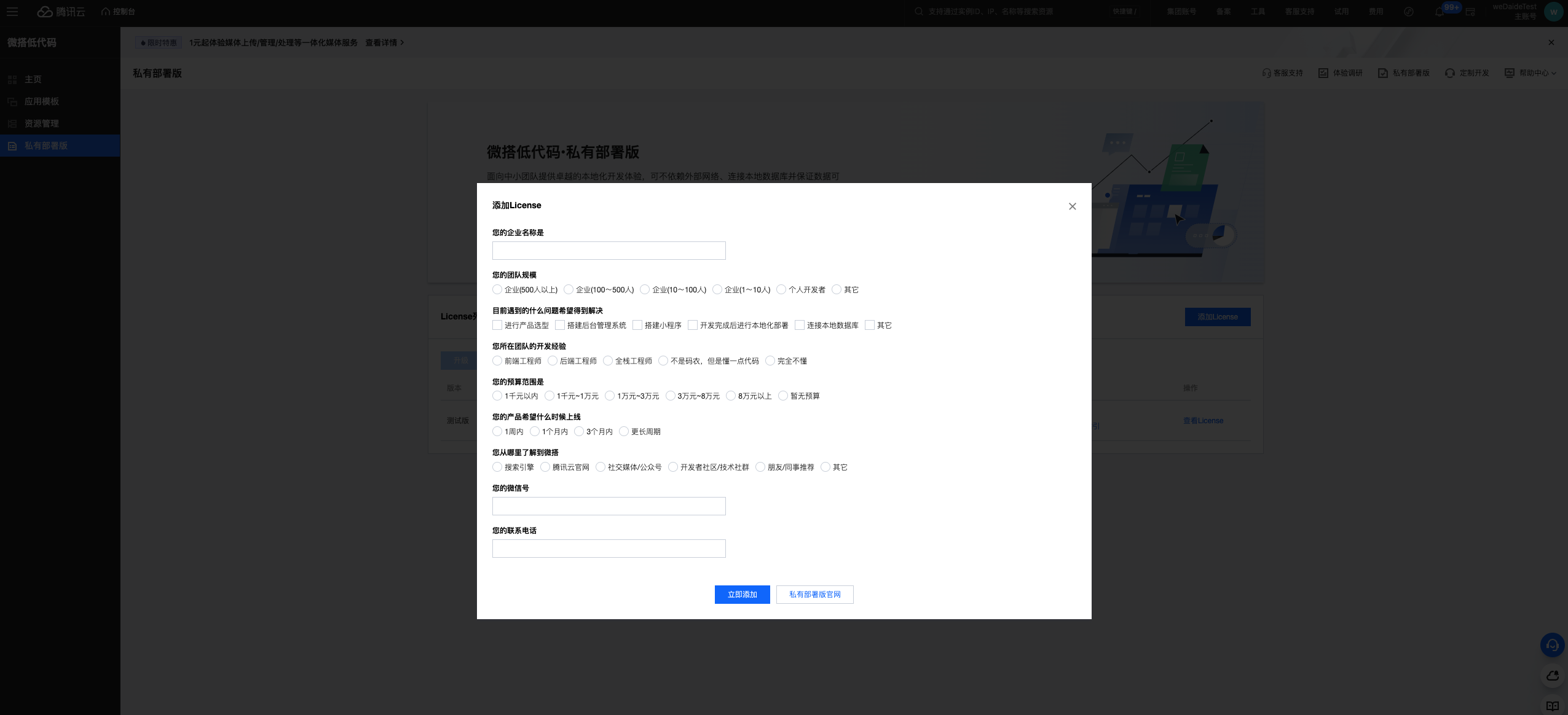
Step 2: Select Version Configuration
Select the version that suits your needs in the License configuration interface:
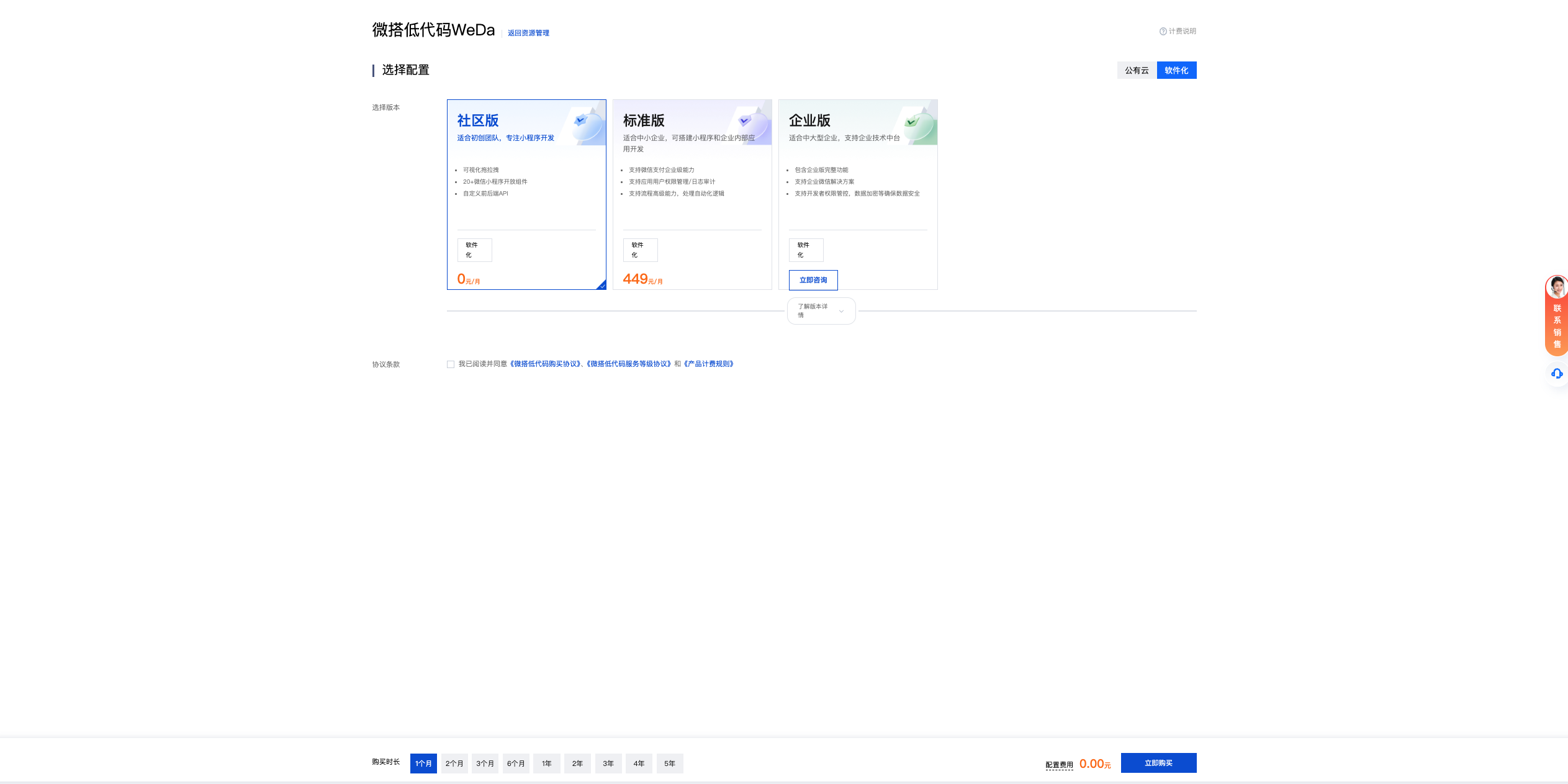
Community Edition License is currently available for free for a limited time, suitable for individual developers and small teams.
Step 3: Obtain License
After completing the configuration, the system will generate your License:
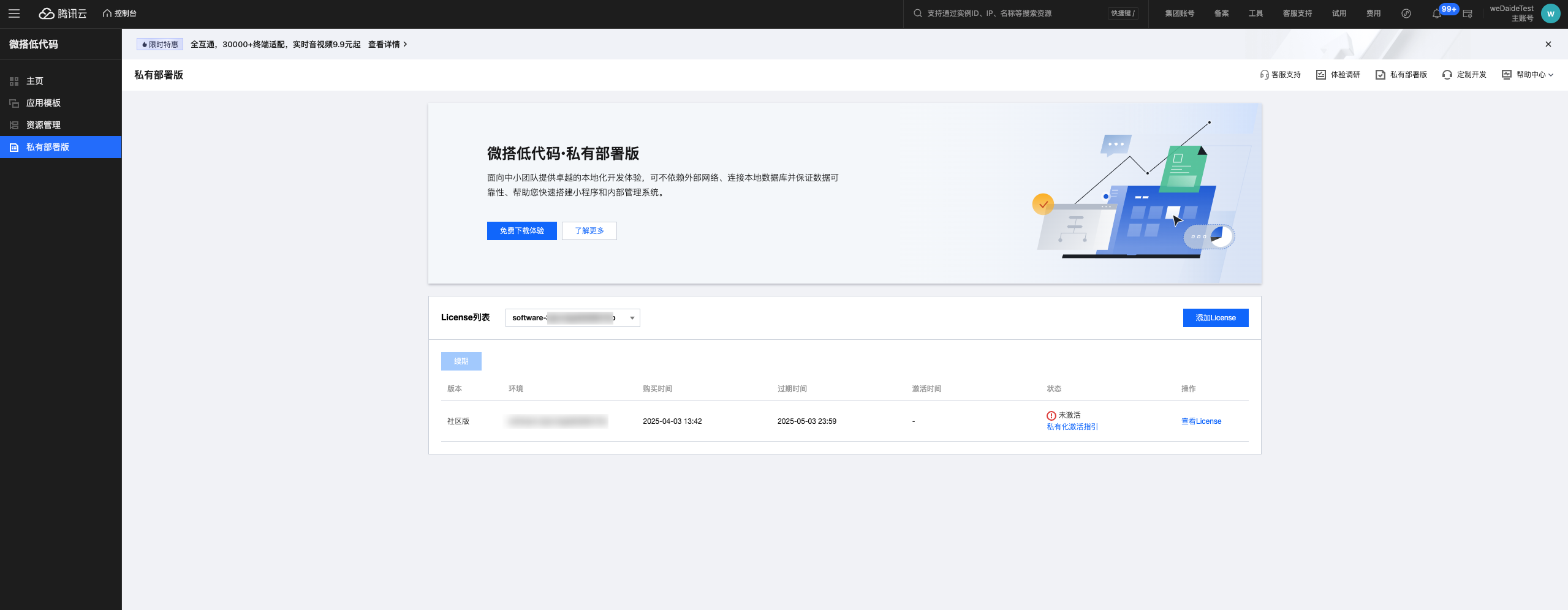
Step 4: Copy License
Click to view and copy the License content for use in subsequent installation processes:
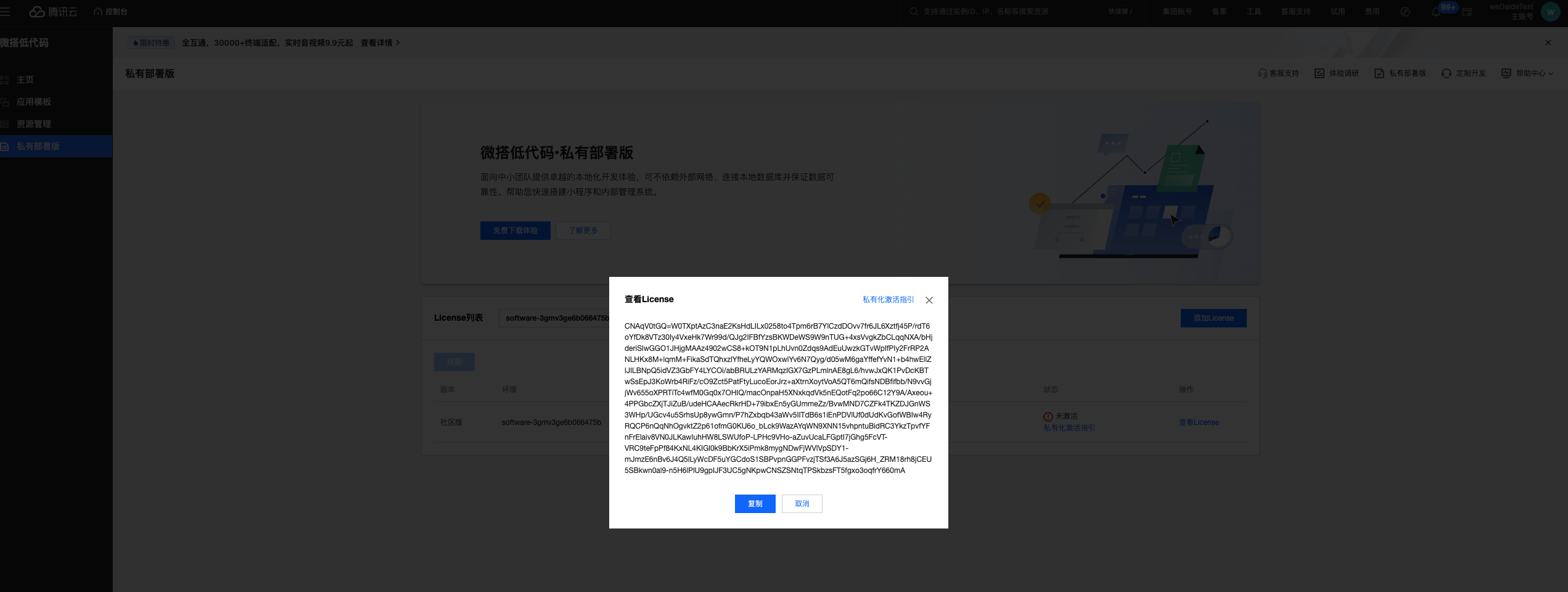
Next Steps
After obtaining the License, you can:
- Continue with WeDa private deployment installation and configuration
- View License Renewal Guide to understand the renewal process
- Refer to Capability List to understand feature differences between versions
Please keep your License information secure and avoid sharing it with others. Renew your License in time before expiration to ensure normal service operation.