MySQL Version Upgrade
CloudBase MySQL database versions include 5.7 and 8.0. Currently, when creating a MySQL database, it defaults to version 8.0.
If you are currently using version 5.7, you can upgrade via this document.
Upgrade Process
Exporting and importing table structures and data can be performed via the DMC platform.
- Export table structures and data
- Upgrade the database version
- Import table structures and data
Operation Steps
1. Log in to the DMC platform
Refer to the Database Management documentation and log in to the DMC platform.
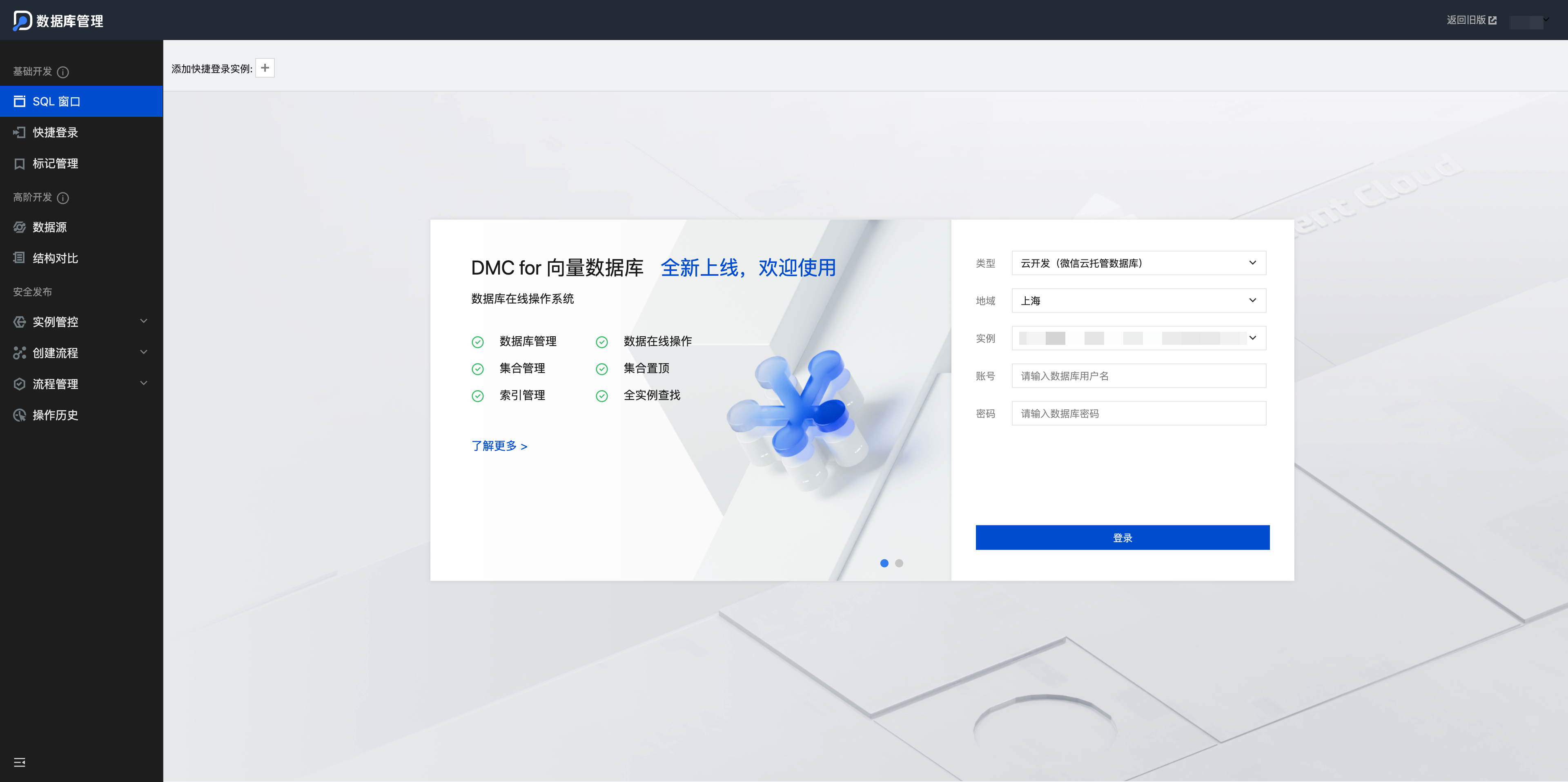
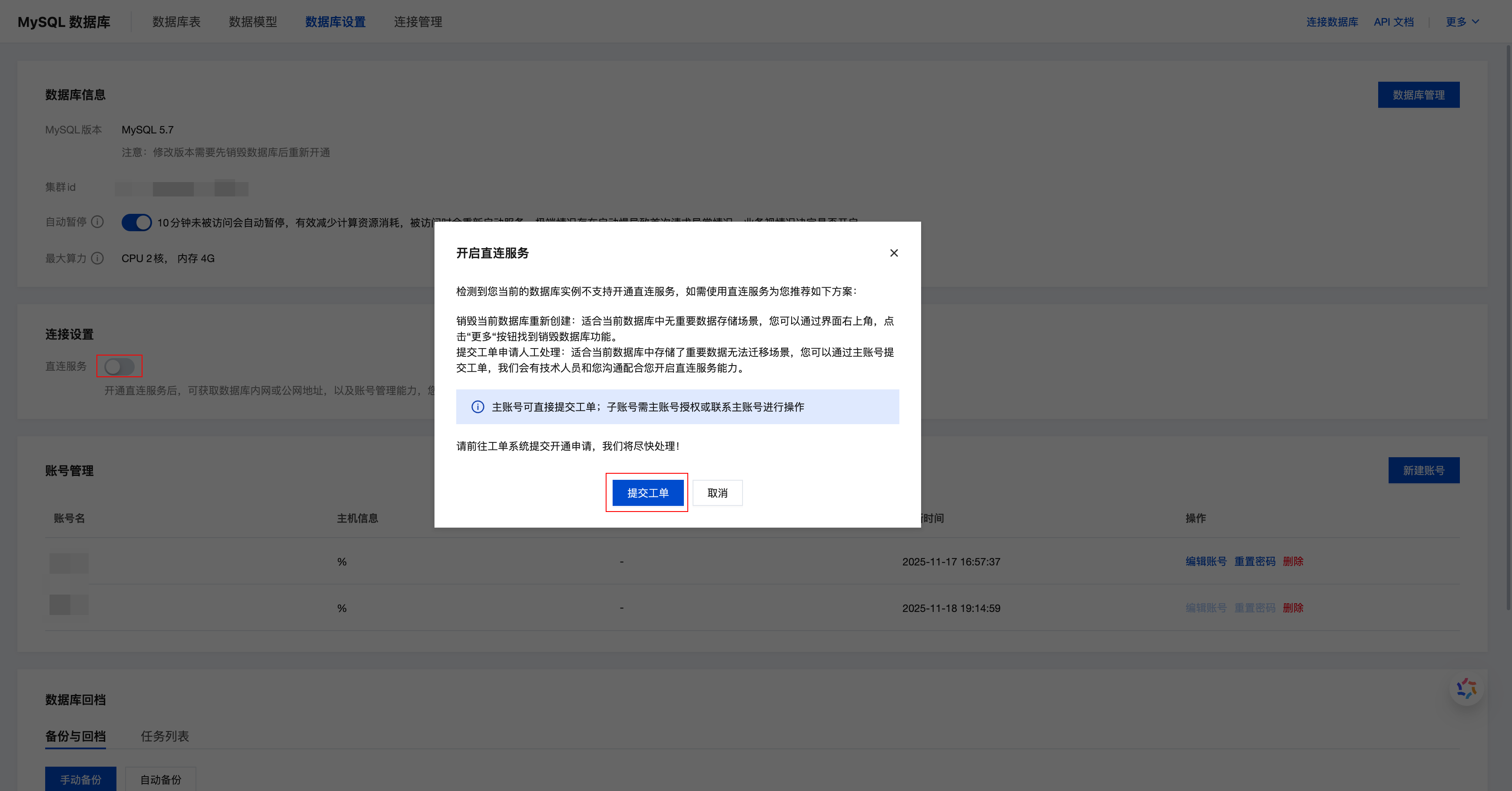
1.1 Submit a ticket
If you cannot select an instance normally on the DMC platform, please go to CloudBase Platform/MySQL Database/Database Settings, click Direct Connection Service, select Submit a ticket, and you will be able to select instances normally after the ticket is processed.
2. Export table structures and data
Click Floating Tool and select Import and Export
-
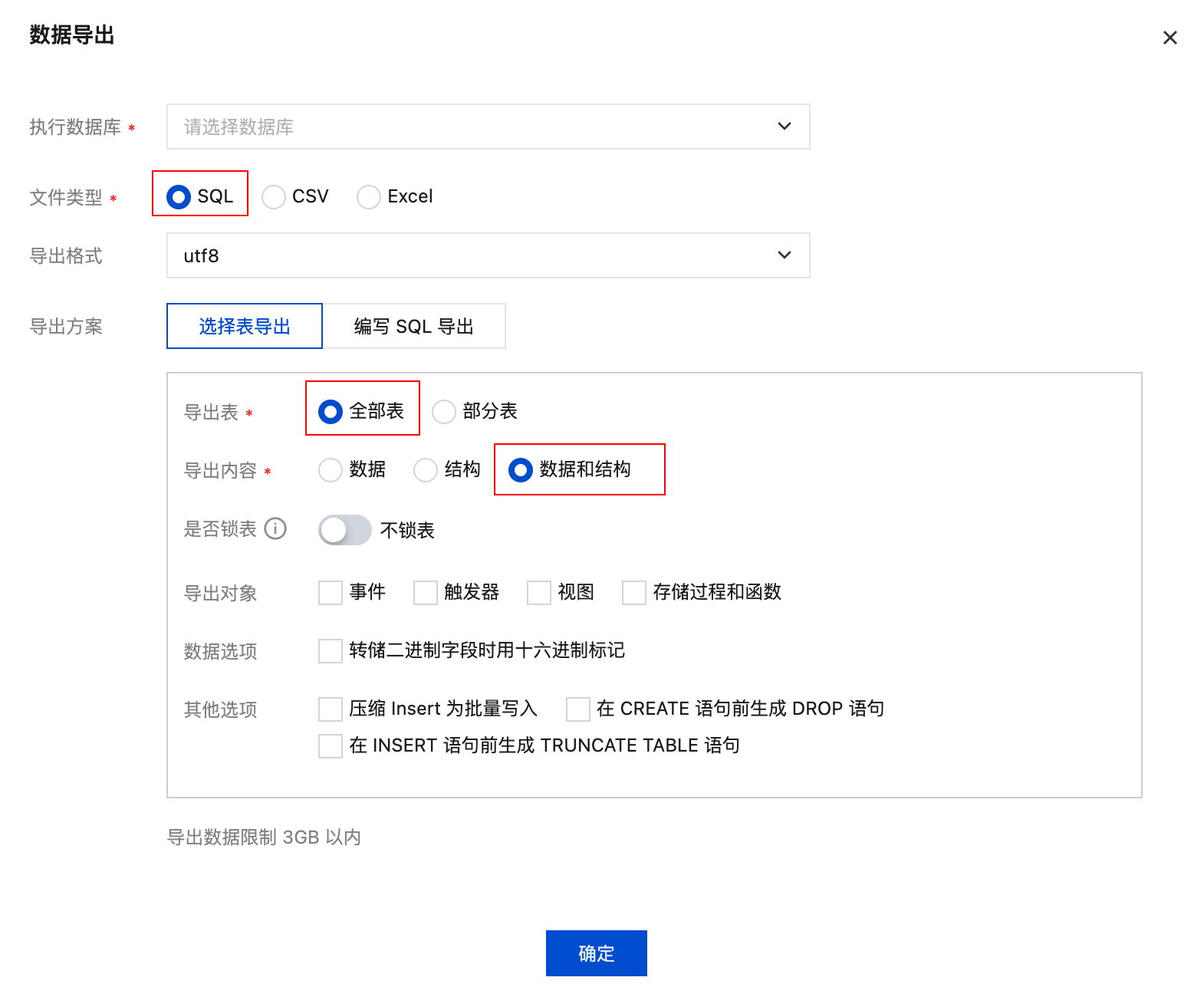
Click Data Export
-
Select the database named "current environment ID"
-
Select the file type as SQL
-
Select tables to export, and select the export content as Data and Structure
-
Click the OK button to export the table structures and data (in zip format), which will be .sql files after decompression.
3. Upgrade the database version
-
Click the Destroy Database button in the upper-right corner
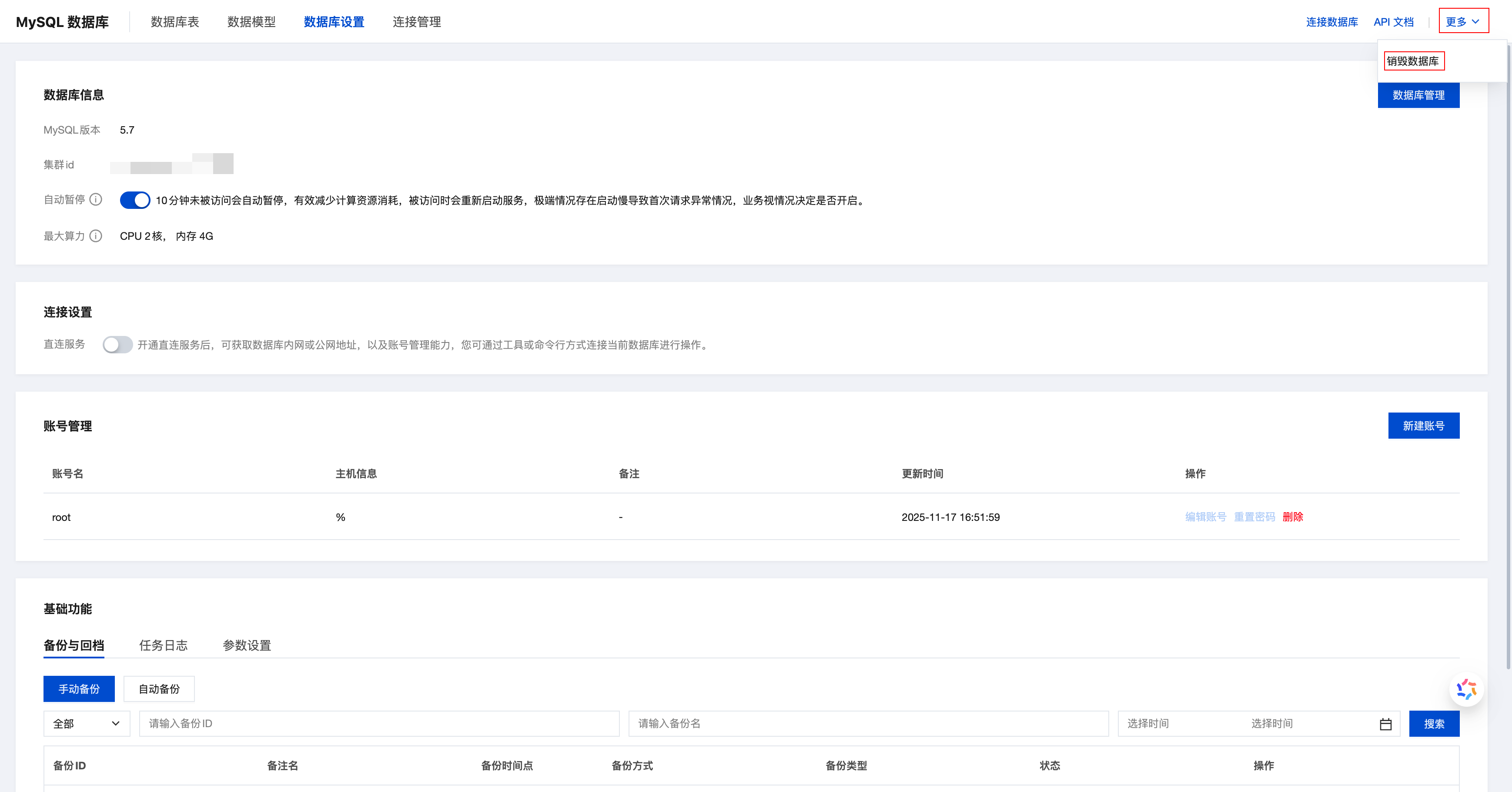
- Recreate MySQL 8.0
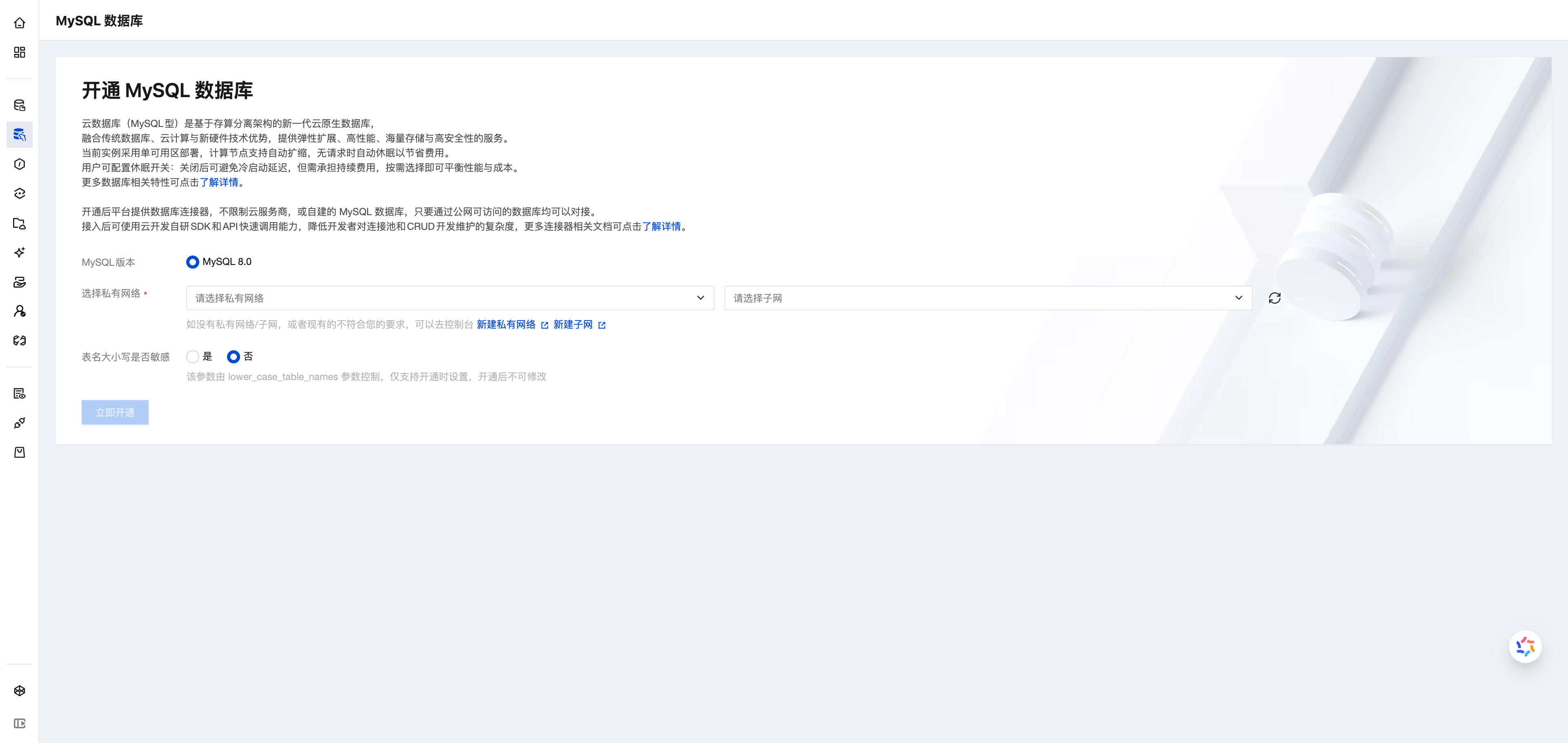
- After the activation is completed, the platform will regenerate the system default tables.
Importing Table Structures and Data
-
Refer to 1. Log in to the DMC platform to log in to the DMC platform.
-
Click Floating Tool and select Import and Export
-
Click Data Import
-
Select the database named "current environment ID"
-
Select the file type as SQL
-
Upload the .sql file exported from 2. Export table structures and data
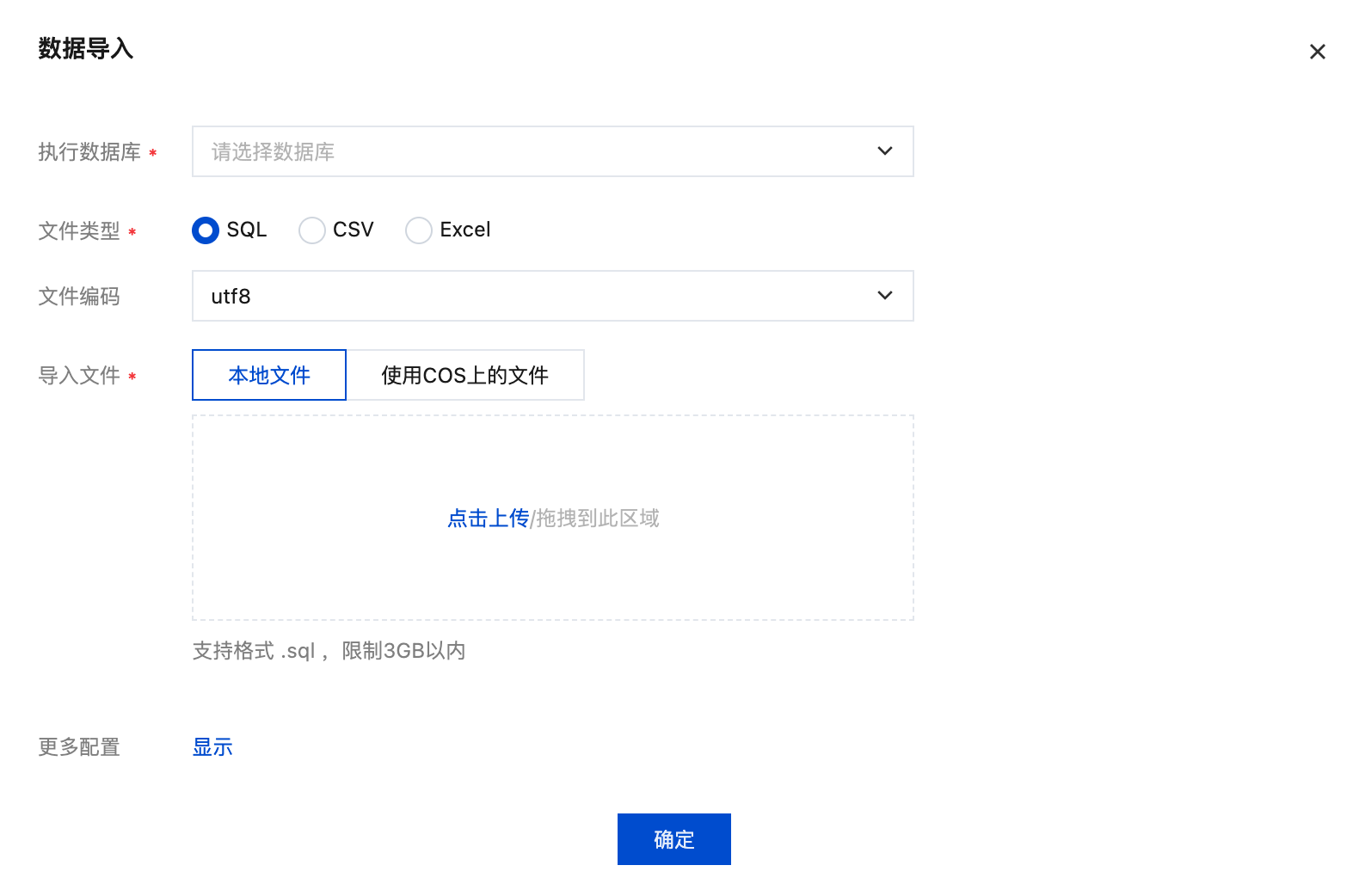
- Once the import is completed, the entire data migration process is finished. If any data models were deleted, simply create them manually.