Token Management
CloudBase Authentication implements user session management based on a dual-token mechanism using Refresh Token and Access Token. You can flexibly configure token expiration policies and session concurrency limits to achieve the best balance between security and user experience.
Configuration Parameters
| Parameter | Default | Configurable Range | Description |
|---|---|---|---|
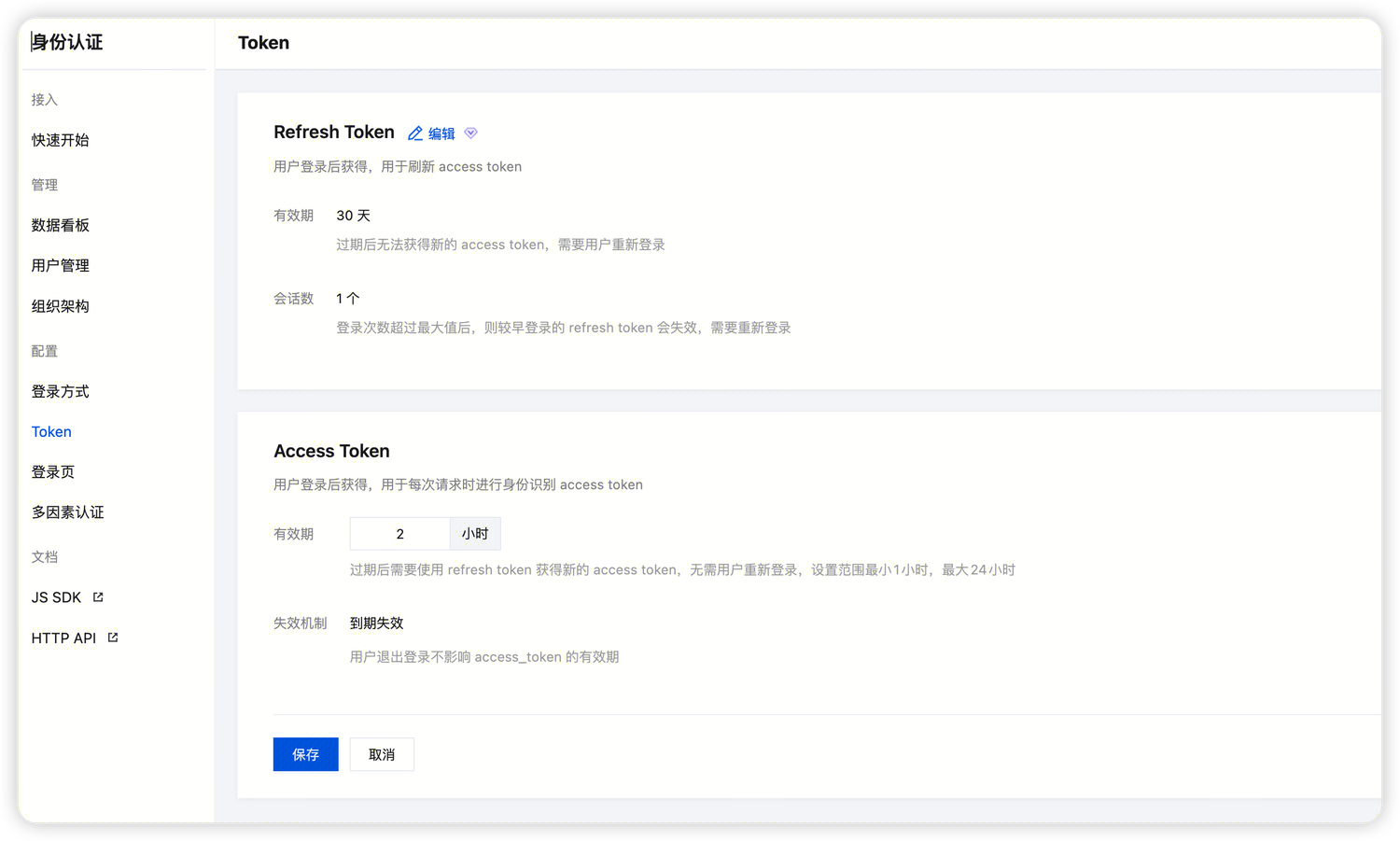
| Refresh Token Validity Period | 30 days | 1 hour - 30 days | After expiration, cannot obtain new Access Token, requires re-login |
| Access Token Validity Period | 2 hours | 1 - 24 hours | After expiration, use Refresh Token to obtain new token, no re-login required. |
| Maximum Sessions | 1 | 1 - 100 | When the number of sessions exceeds the set threshold, the system will automatically invalidate the oldest Refresh Token to effectively prevent account abuse. |
Configuration Operations
Go to CloudBase Console/Identity Authentication/Token Management to adjust your token strategy.
💡 Tip: Configuration changes take effect immediately, but do not affect already issued tokens; they only apply to newly logged-in users.
Best Practice Recommendations
-
Management Applications: It is recommended to set the Access Token validity period to
1 hourand the maximum number of sessions to1to reduce the risk of token leakage. -
Content/Social Applications: It is recommended to extend the Refresh Token to
30 daysto provide a seamless long-term login experience.