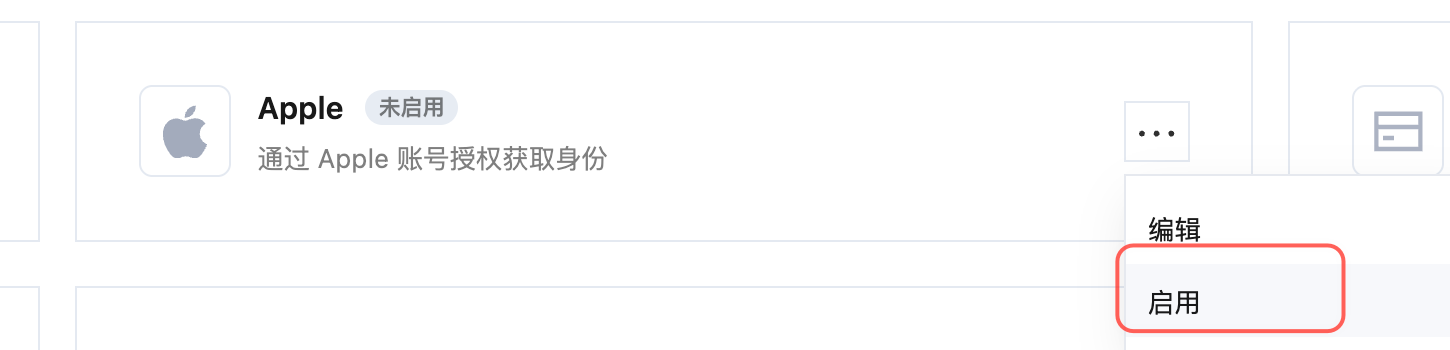
Apple Sign In
Apple social login currently supports Web and iOS mobile platforms, but does not support mini-program platforms.
Apple Identifiers ServiceId JWT key generation guide document
Step 1: Configure in Apple Developer Center
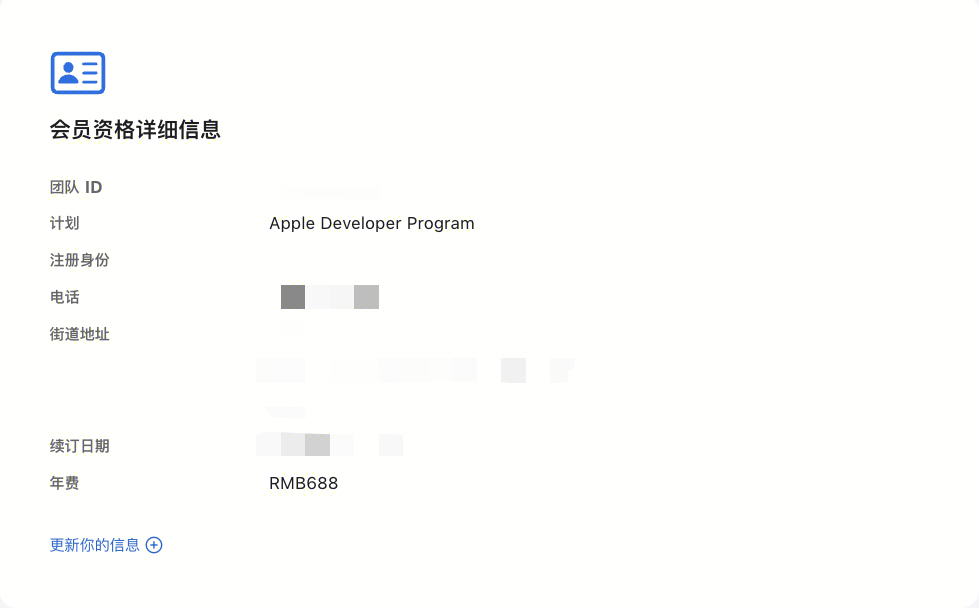
Get Team ID
- Go to the Membership page in Apple Developer Portal and record the Team ID:
Create an App ID
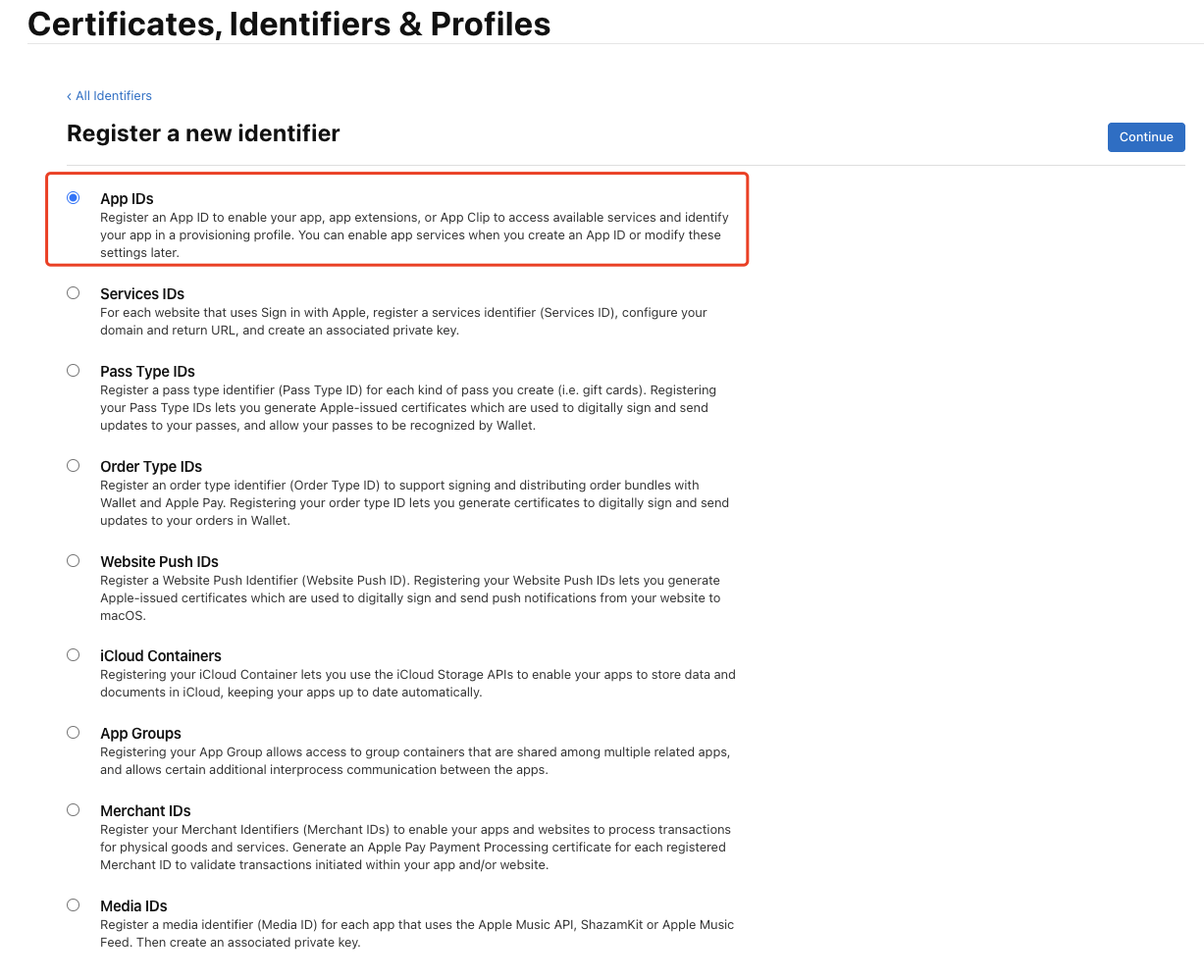
- In Apple Developer Portal, Certificates, Identifiers & Profiles > Identifiers App IDs page, click the ➕ icon to create an app:

- Select App IDs and click the Continue button:
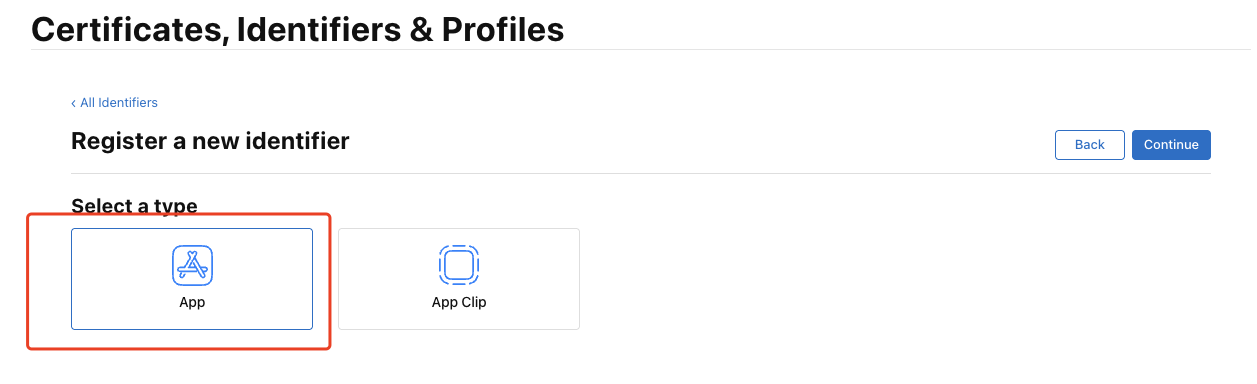
- Select the app type and click the Continue button:
- Fill in Description and Bundle ID, find Sign in with Apple below and check it. Please record this Bundle ID:
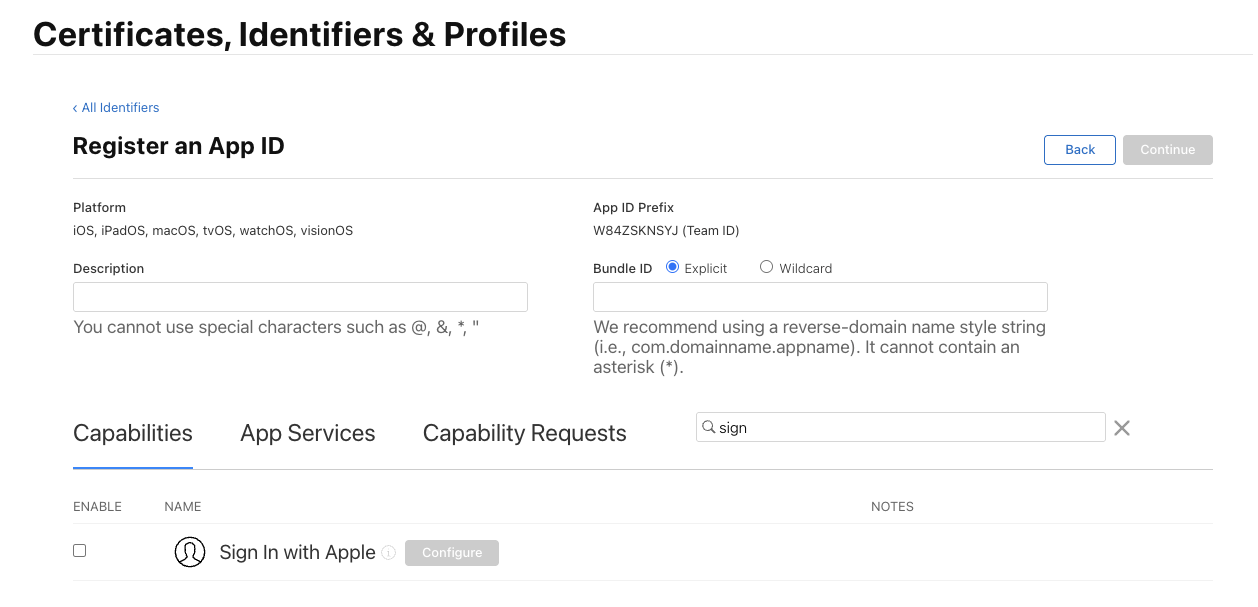
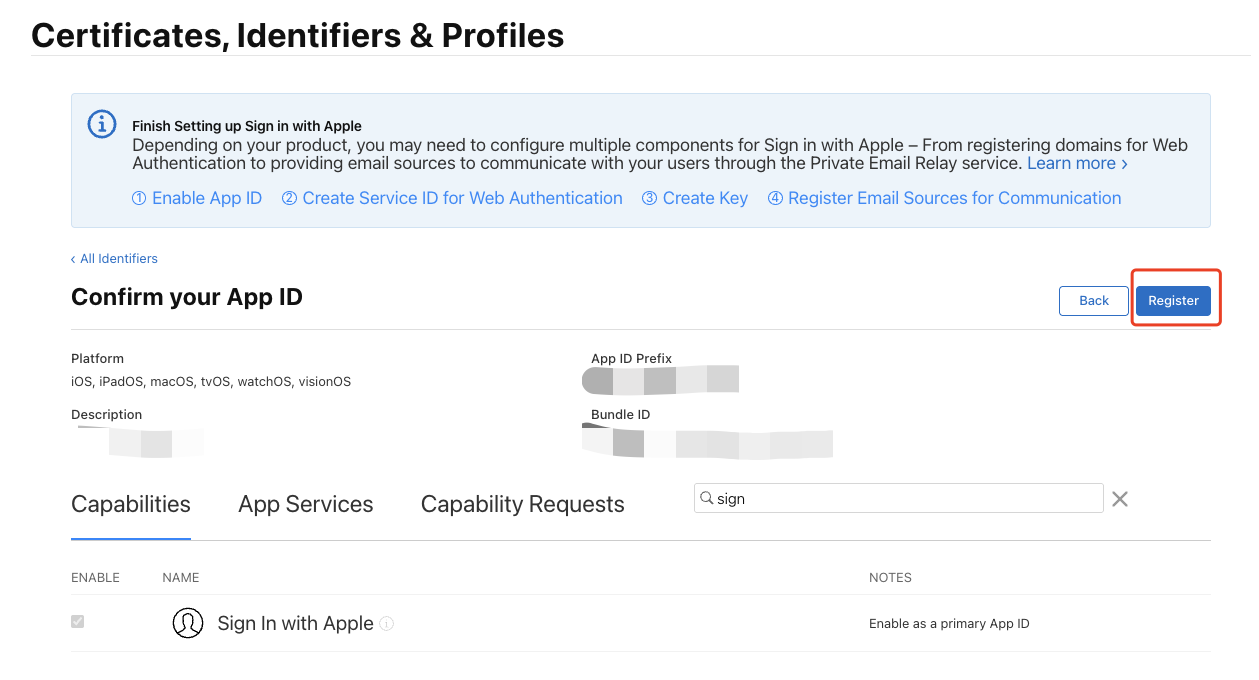
- Finally, click the Continue button, confirm the information on the opened page, and click the Register button to create the app.
Create a Service ID
-
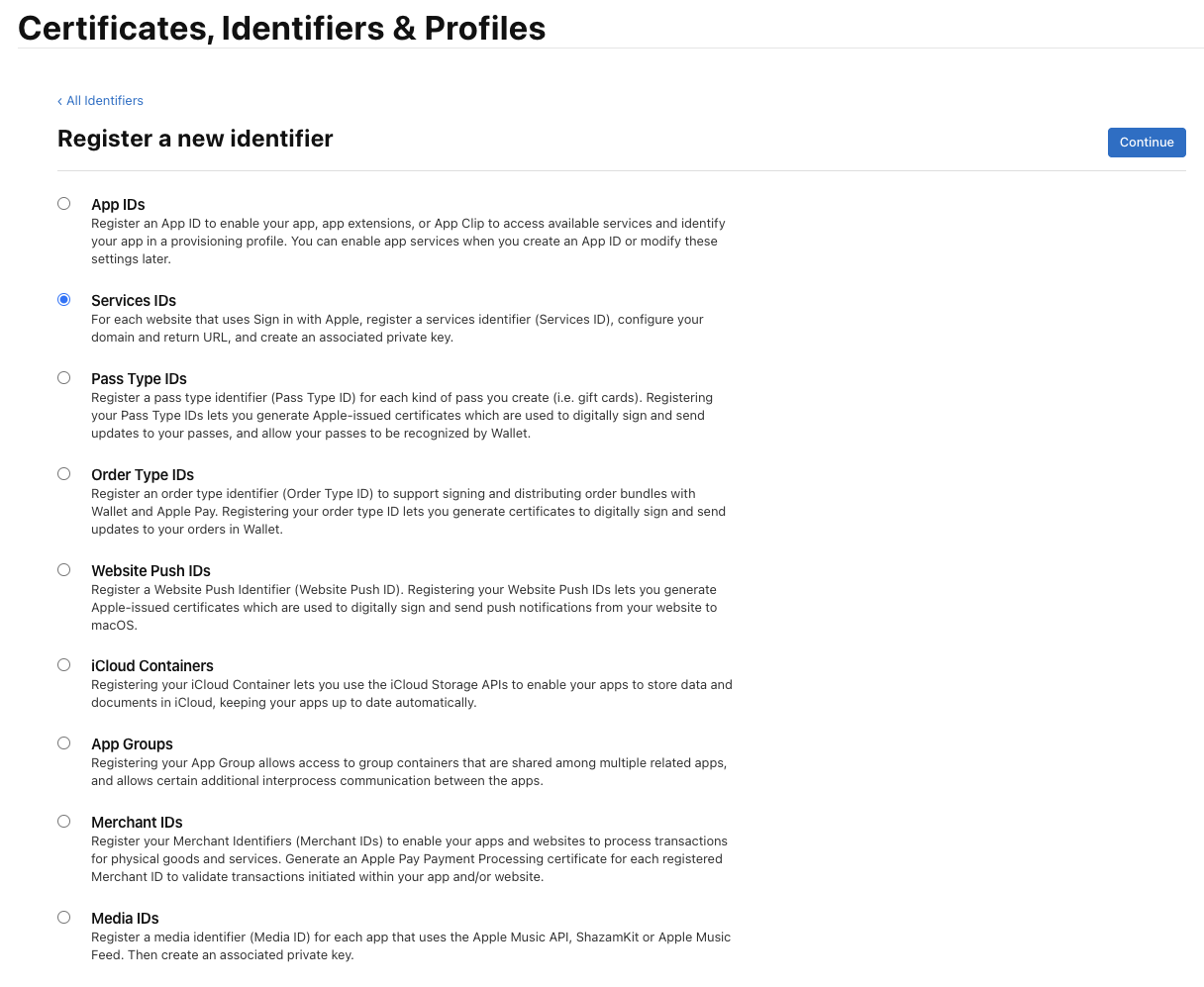
Return to Certificates, Identifiers & Profiles > Identifiers Services IDs page, click the ➕ icon, select Services IDs and click the Continue button:
-
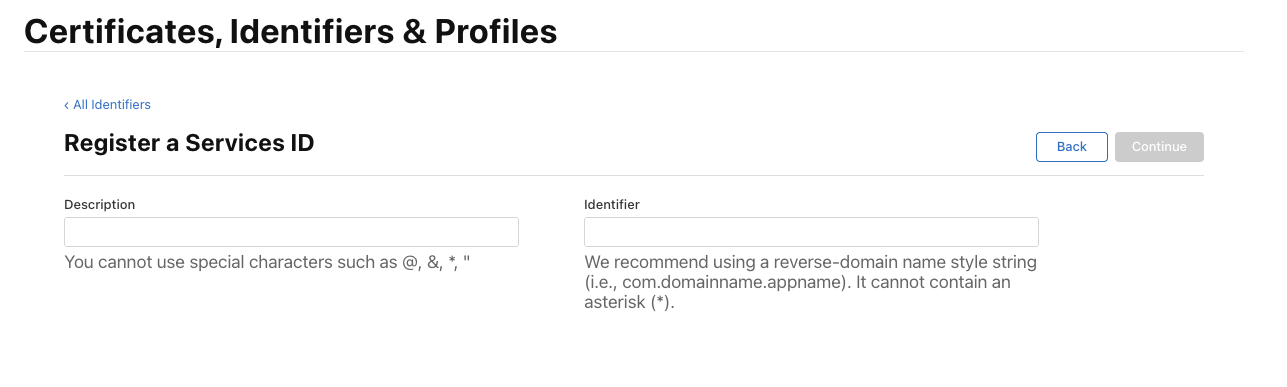
Fill in Description and Identifier, then click the Continue button, and click the Register button on the confirmation page to create a Service:
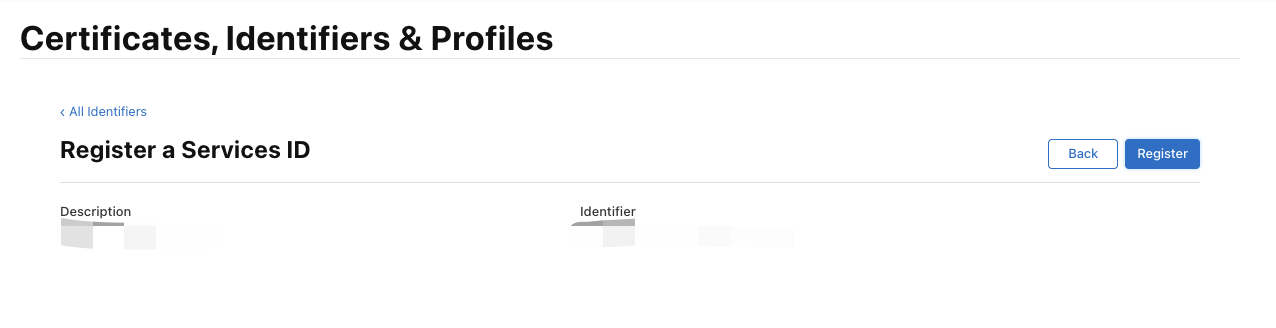
-
Find the Service you just created, select Sign In with Apple, and click Configure:
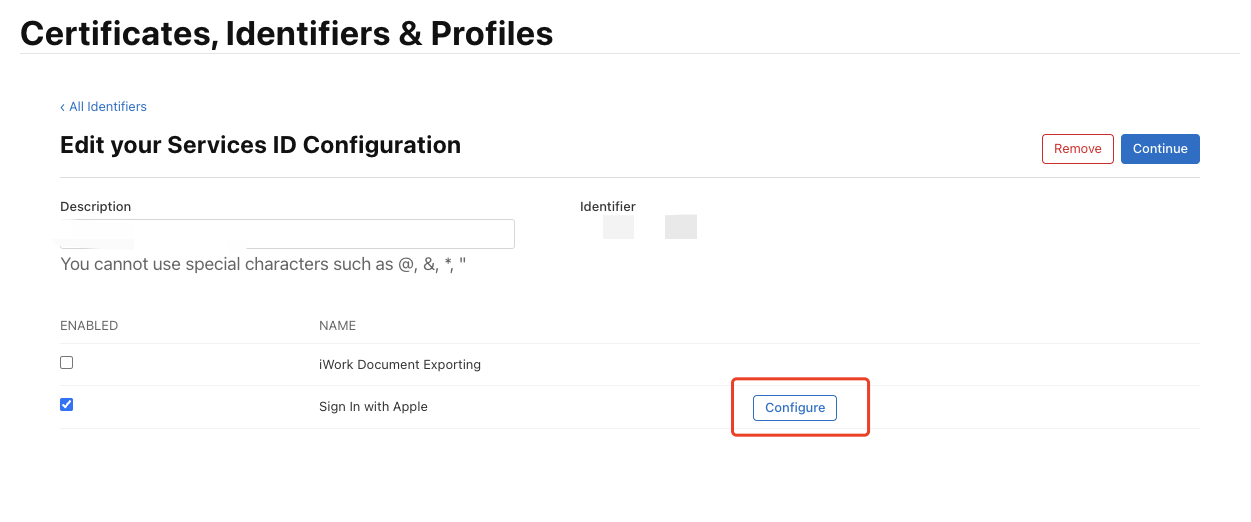 Fill in Domains and Subdomains and Return URLs:
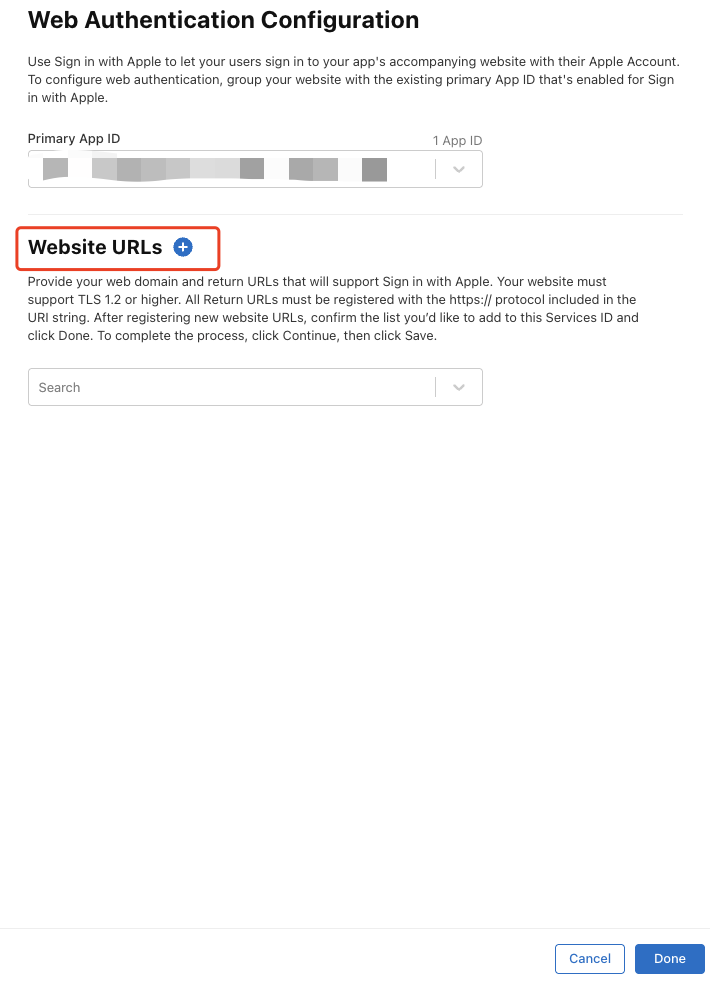 Domains and Subdomains: Enter the domain of the current environment, and add custom domains if available
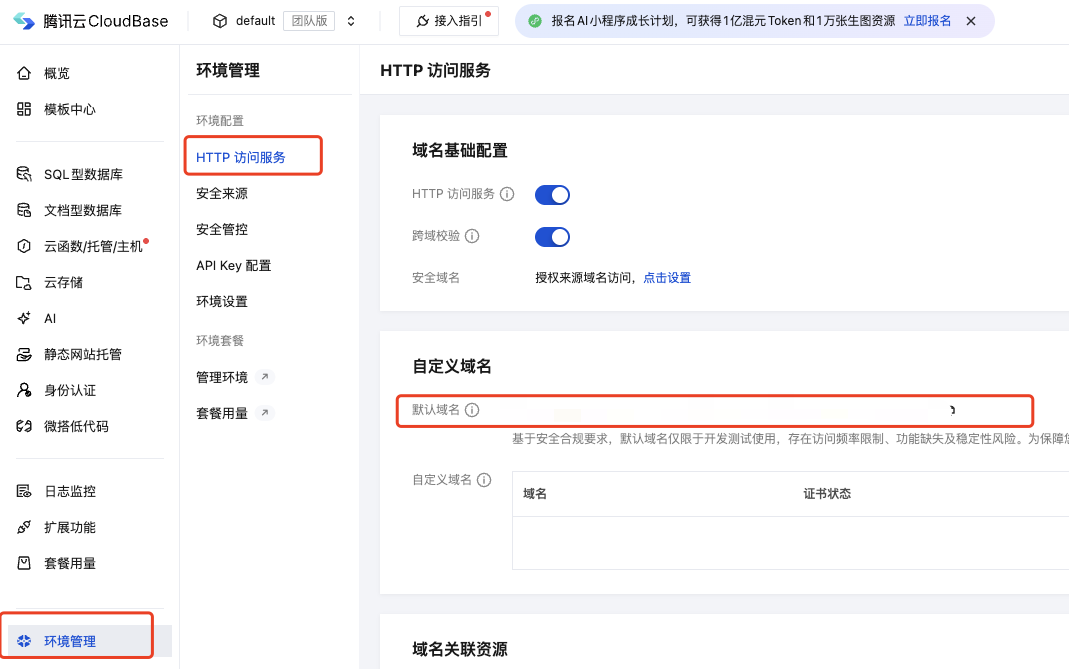
-
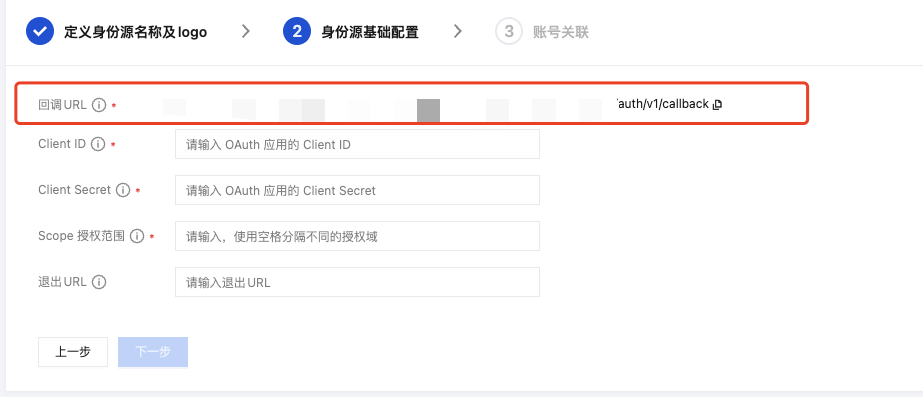
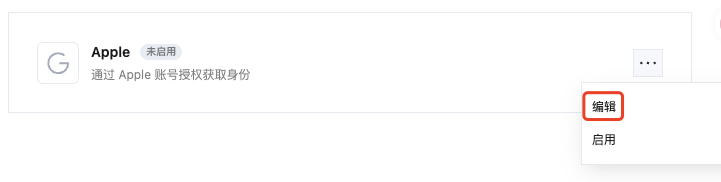
Return URLs: Enter the callback URL obtained from CloudBase Console > Login Methods > Apple Social Login: Click Apple login method to edit
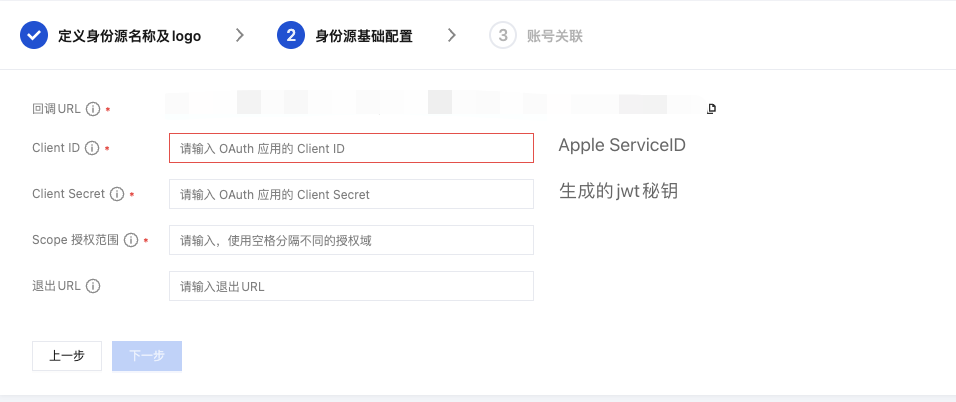
 In "2 Identity Provider Basic Configuration", get the callback URL
-
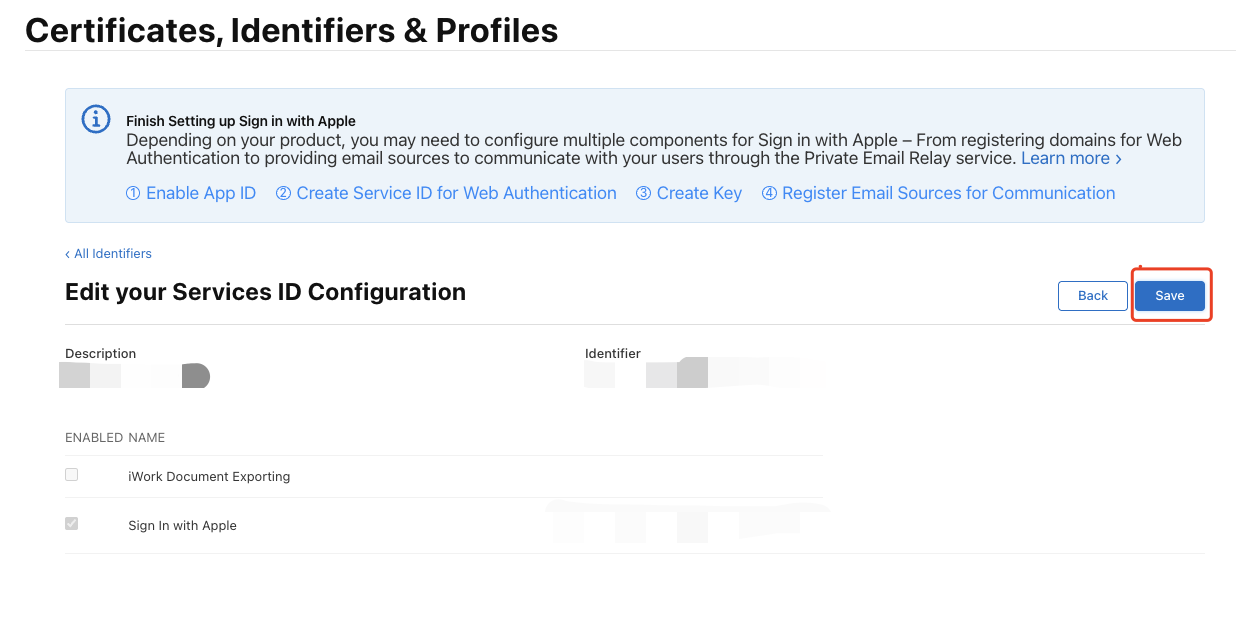
Click Save, Continue, and finally click Register, and record the Service ID.
Configure Signing Key
-
Return to Certificates, Identifiers & Profiles page > Keys page, click the ➕ icon:

-
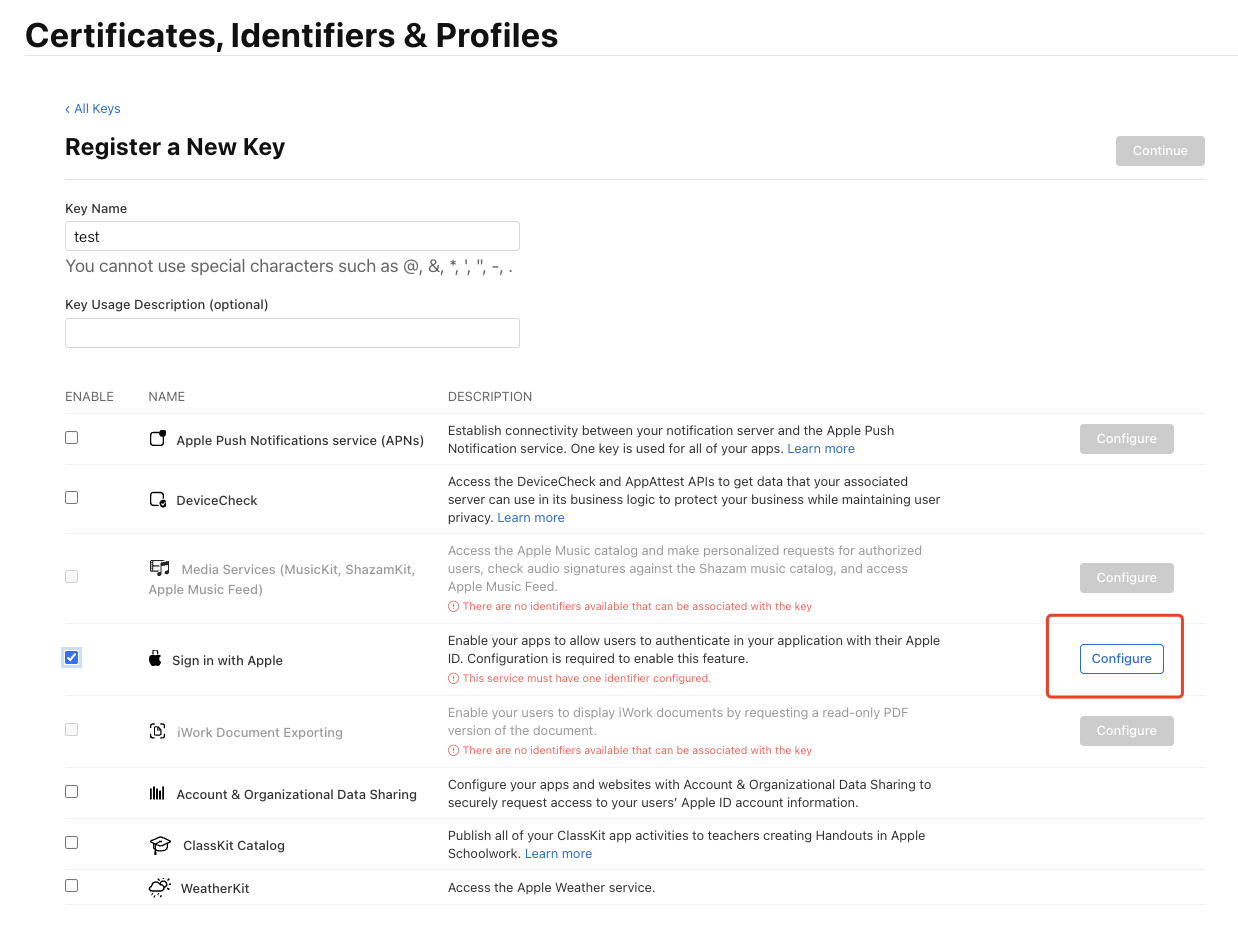
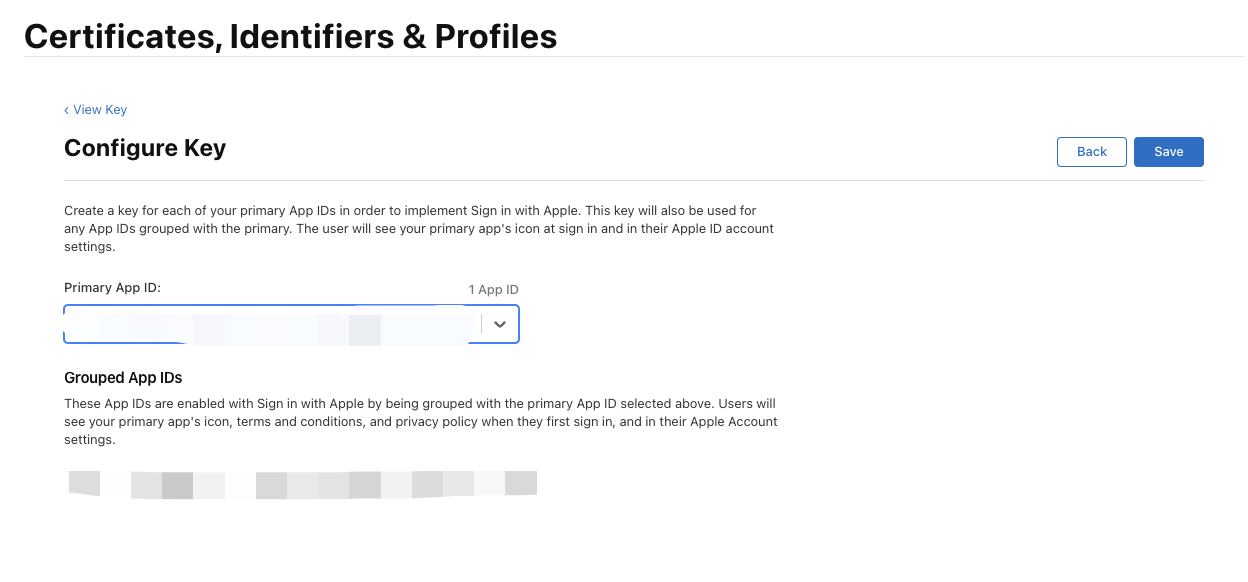
Enter a name and check Sign in with Apple, click Configure, ensure the selected Primary App ID is the one you just created:
-
Click Save, Continue, and finally click Register.
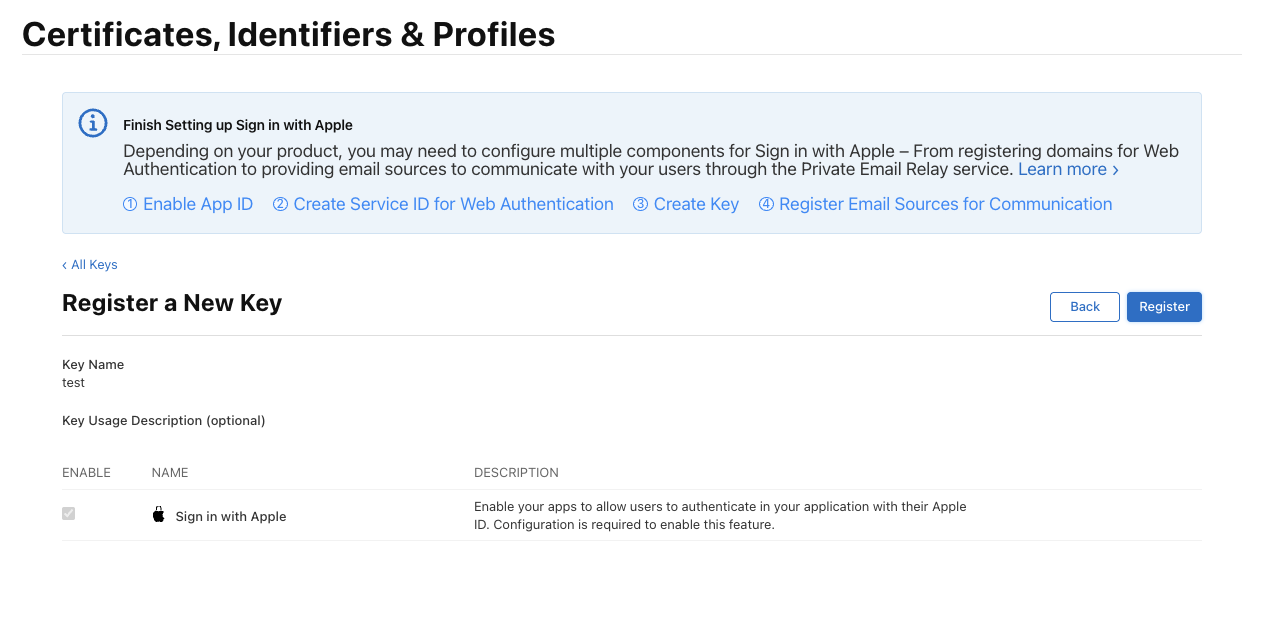 After creation, record the Key ID, and click Download to download the key:
Step 2: Generate JWT Key
Generate a JWT key based on the Apple account information generated in Step 1. The key is valid for a maximum of 180 days and needs to be updated regularly to prevent key leakage.
Here is a Python sample code:
#!/usr/bin/env python3
# -*- coding: utf-8 -*-
"""
Apple Sign In - Client Secret Generator
Generate the Client Secret JWT required for Apple Sign In
"""

import sys

# Check dependencies
try:
    import jwt
except ImportError:
    print("❌ PyJWT library is missing")
    print("Please run the following command to install:")
    print("  pip3 install PyJWT")
    print("\nOr:")
    print("  pip3 install PyJWT cryptography")
    sys.exit(1)

import time
from pathlib import Path

# ==================== Configuration ====================
# Please replace with your actual information
TEAM_ID = ""
CLIENT_ID = ""  # Service ID
KEY_ID = ""
PRIVATE_KEY_PATH = ""

# JWT validity period (days), maximum 180 days
EXPIRATION_DAYS = 180
# ==================================================

def generate_client_secret():
    """Generate Apple Client Secret JWT"""

    # Check if private key file exists
    key_file = Path(PRIVATE_KEY_PATH)
    if not key_file.exists():
        print(f"❌ Error: Private key file '{PRIVATE_KEY_PATH}' not found")
        print(f"   Current directory: {Path.cwd()}")
        print("\nPlease ensure:")
        print("1. The .p8 private key file has been downloaded from Apple Developer")
        print("2. Place the file in the same directory as the script, or modify PRIVATE_KEY_PATH to the correct path")
        sys.exit(1)

    # Read private key
    try:
        with open(PRIVATE_KEY_PATH, 'r') as f:
            private_key = f.read()
    except Exception as e:
        print(f"❌ Failed to read private key file: {e}")
        sys.exit(1)

    # Check if configuration has been modified
    if TEAM_ID == "YOUR_TEAM_ID" or CLIENT_ID == "com.yourcompany.service" or KEY_ID == "YOUR_KEY_ID":
        print("⚠️  Warning: Please modify the configuration information in the script first!")
        print("\nInformation to configure:")
        print(f"  - TEAM_ID: {TEAM_ID}")
        print(f"  - CLIENT_ID: {CLIENT_ID}")
        print(f"  - KEY_ID: {KEY_ID}")
        print(f"  - PRIVATE_KEY_PATH: {PRIVATE_KEY_PATH}")
        print("\nThis information can be obtained from the Apple Developer portal")
        sys.exit(1)

    # Construct JWT Header
    headers = {
        "kid": KEY_ID,
        "alg": "ES256"
    }

    # Construct JWT Payload
    now = int(time.time())
    expiration = now + (86400 * EXPIRATION_DAYS)  # 86400 seconds = 1 day

    payload = {
        "iss": TEAM_ID,
        "iat": now,
        "exp": expiration,
        "aud": "https://appleid.apple.com",
        "sub": CLIENT_ID
    }

    # Generate JWT
    try:
        client_secret = jwt.encode(
            payload,
            private_key,
            algorithm="ES256",
            headers=headers
        )

        # PyJWT 2.0+ returns a string, older versions return bytes
        if isinstance(client_secret, bytes):
            client_secret = client_secret.decode('utf-8')

        return client_secret, expiration

    except Exception as e:
        print(f"❌ Failed to generate JWT: {e}")
        print("\nPossible reasons:")
        print("1. Private key format is incorrect")
        print("2. Missing cryptography library, please run: pip3 install cryptography")
        sys.exit(1)

def main():
    print("=" * 60)
    print("🍎 Apple Sign In - Client Secret Generator")
    print("=" * 60)
    print()

    print("📋 Configuration:")
    print(f"  Team ID:     {TEAM_ID}")
    print(f"  Client ID:   {CLIENT_ID}")
    print(f"  Key ID:      {KEY_ID}")
    print(f"  Private Key: {PRIVATE_KEY_PATH}")
    print(f"  Validity:    {EXPIRATION_DAYS} days")
    print()

    print("🔄 Generating Client Secret...")
    client_secret, expiration = generate_client_secret()

    print("✅ Successfully generated!")
    print()
    print("=" * 60)
    print("📝 Client Secret (JWT):")
    print("=" * 60)
    print(client_secret)
    print("=" * 60)
    print()

    # Display expiration time
    from datetime import datetime
    expiration_date = datetime.fromtimestamp(expiration)
    print(f"⏰ Expiration Time: {expiration_date.strftime('%Y-%m-%d %H:%M:%S')}")
    print(f"   ({EXPIRATION_DAYS} days later)")
    print()

    print("💡 Usage Instructions:")
    print("1. Copy the JWT string above")
    print("2. In the Provider configuration, set it as the value of the 'client_secret' field")
    print("3. You need to regenerate a new Client Secret before it expires")
    print()

if __name__ == "__main__":
    main()
Step 3: CloudBase Apple Social Login Configuration
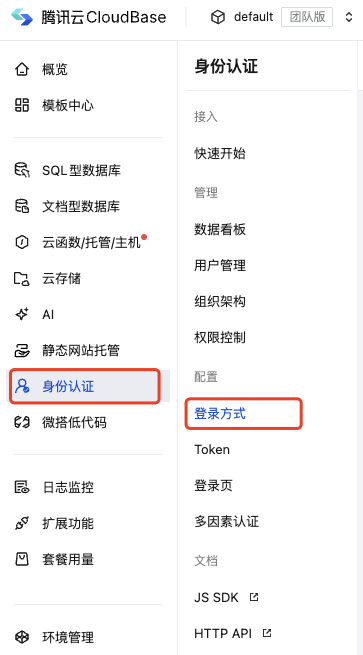
In CloudBase Console > Authentication > Login Methods > Apple Social Login, edit the configuration
 Click the edit button to enter the editing process
 Client ID is the ServiceID generated in the Apple account in the first step
Client Secret is the JWT key generated in the second step from the Apple account
Scope authorization scope can be adjusted according to your needs, default is
Client ID is the ServiceID generated in the Apple account in the first step
Client Secret is the JWT key generated in the second step from the Apple account
Scope authorization scope can be adjusted according to your needs, default is openid email name
 Configure account association settings, save the identity provider and enable it to start integration testing.