Access Static Hosting
This document explains how to configure domain association through the HTTP Gateway to access static website hosting resources.
If you need to bind a custom domain to a static hosting instance (recommended for production), in addition to "Method 1: Bind on the Resource Detail Page" below, the complete custom domain workflow (add domain, configure SSL certificate, choose CDN, domain ownership verification, DNS resolution, etc.) is documented in Custom Domain Configuration. All domains added through any entry point are listed and managed centrally in the HTTP Gateway.
Basic Configuration
You can bind a domain directly on the static hosting detail page (recommended), or configure it globally in the HTTP Gateway.
Method 1: Bind on the Resource Detail Page (Recommended)
- Go to Static Website Hosting and open the detail page of the target static hosting instance
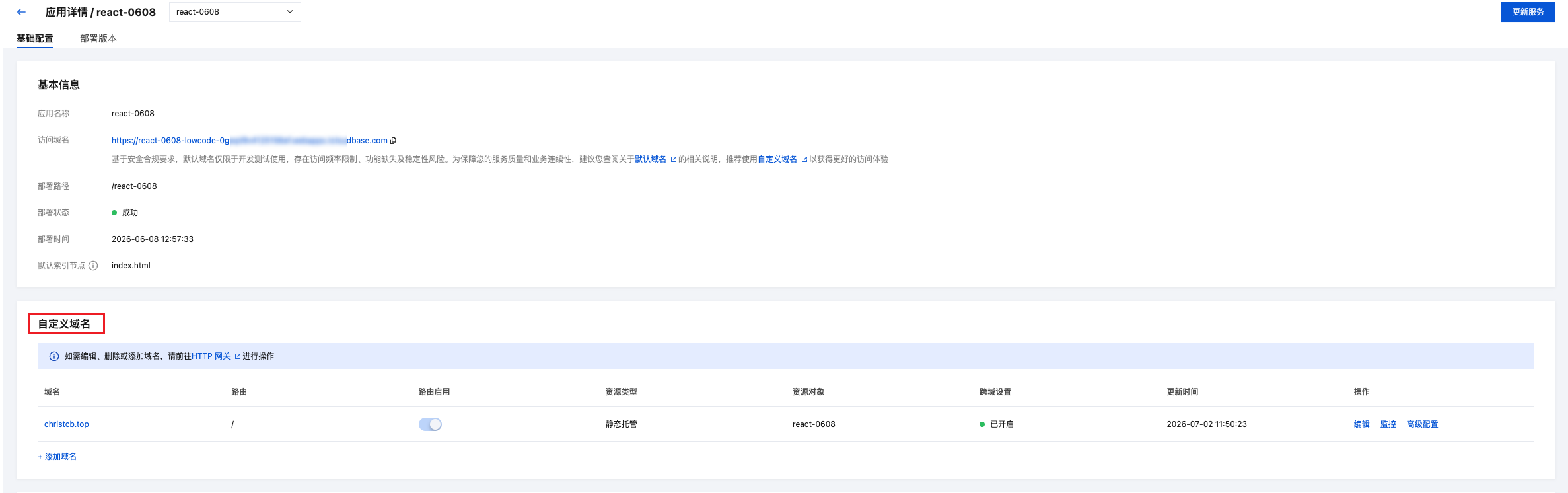
- In the "Custom Domain" section, click "Add Domain" to open the binding dialog
- Choose a binding mode:
- App mode: Map the entire static hosting service to the domain. Accessing the domain root reaches the static hosting. No trigger path is required. Ideal for scenarios where one domain/path serves a single static site
- Path mode: Mount the static hosting service under a specific path prefix. A trigger path (e.g.
/test) is required. Ideal for serving multiple resources under the same domain
- Select a custom domain and confirm. All bound domains are listed in the "Domain Management" section of the detail page
Method 2: Bind via the HTTP Gateway
If you prefer to manage domain-resource mappings from a global view, you can also configure them in the HTTP Gateway:
- Go to HTTP Gateway
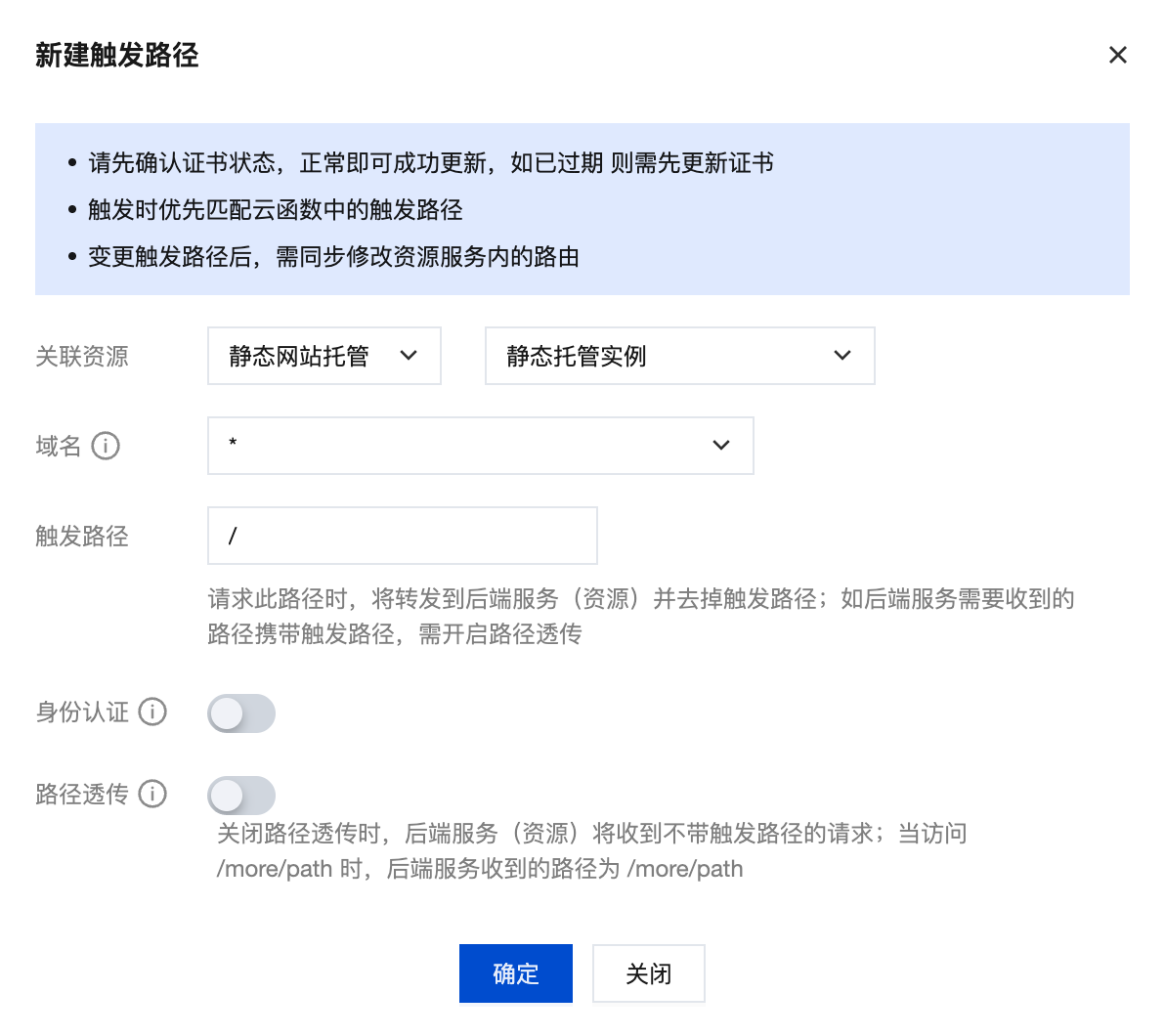
- Navigate to Route Management and click "New"
- Configure the following information:
| Configuration Item | Description | Example |
|---|---|---|
| Associated Resource Type | Select "Static Website Hosting", then choose static hosting instance | - |
| Domain | Select default domain, custom domain, or * (matches all domains) | Default domain |
| Trigger Path | Set HTTP access path, supports / or custom path | /test |
Tip: For production environments, it's recommended to bind a custom domain to get full service capabilities. Please refer to Custom Domain Configuration for configuration methods.
Custom Root Path Access
Configuration Description
If you need to access static hosting resources through a custom path, you can set a custom root path in "Trigger Path".
Configuration Example:
- Trigger path set to
/test - When accessing
https://your-domain/test, it will be mapped to the/directory of static website hosting
Code Adjustments
When using custom root path, you need to adjust relative path references in static resources by adding the custom root path prefix before all resource paths.
Adjustment Example:
<!-- Original path -->
<script src="/js/index.js"></script>
<link rel="stylesheet" href="/css/style.css">
<img src="/images/logo.png" alt="Logo">

<!-- Adjusted (trigger path is /test) -->
<script src="/test/js/index.js"></script>
<link rel="stylesheet" href="/test/css/style.css">
<img src="/test/images/logo.png" alt="Logo">
⚠️ Note: When using custom root path, you need to ensure that all absolute path references in static resources have the corresponding path prefix added, otherwise resource loading will fail.