Default Domain Access Restrictions and Intermediate Page
It is recommended to use the CloudBase "default domain" only in testing environments. Using the default domain in production environments may be shut down due to traffic triggering risk control. Please be sure to configure a "custom domain".
To ensure business security compliance and information security, when visitors use a browser to access CloudBase resources (including CloudBase Run, Static Hosting, HTTP Gateway, etc.) through "default domains" (such as *.tcloudbaseapp.com, *.run.tcloudbase.com, *.app.tcloudbase.com), requests directly accessed by users via browser (where the Sec-Fetch-Mode request header value is navigate) will display the "Access Reminder Intermediate Page", informing visitors that the current environment is for development and testing purposes only and that the content has not undergone compliance review. For other requests, a Content-Disposition: attachment response header will be added (opening directly in a browser will prompt a download).
Intermediate Page Example:
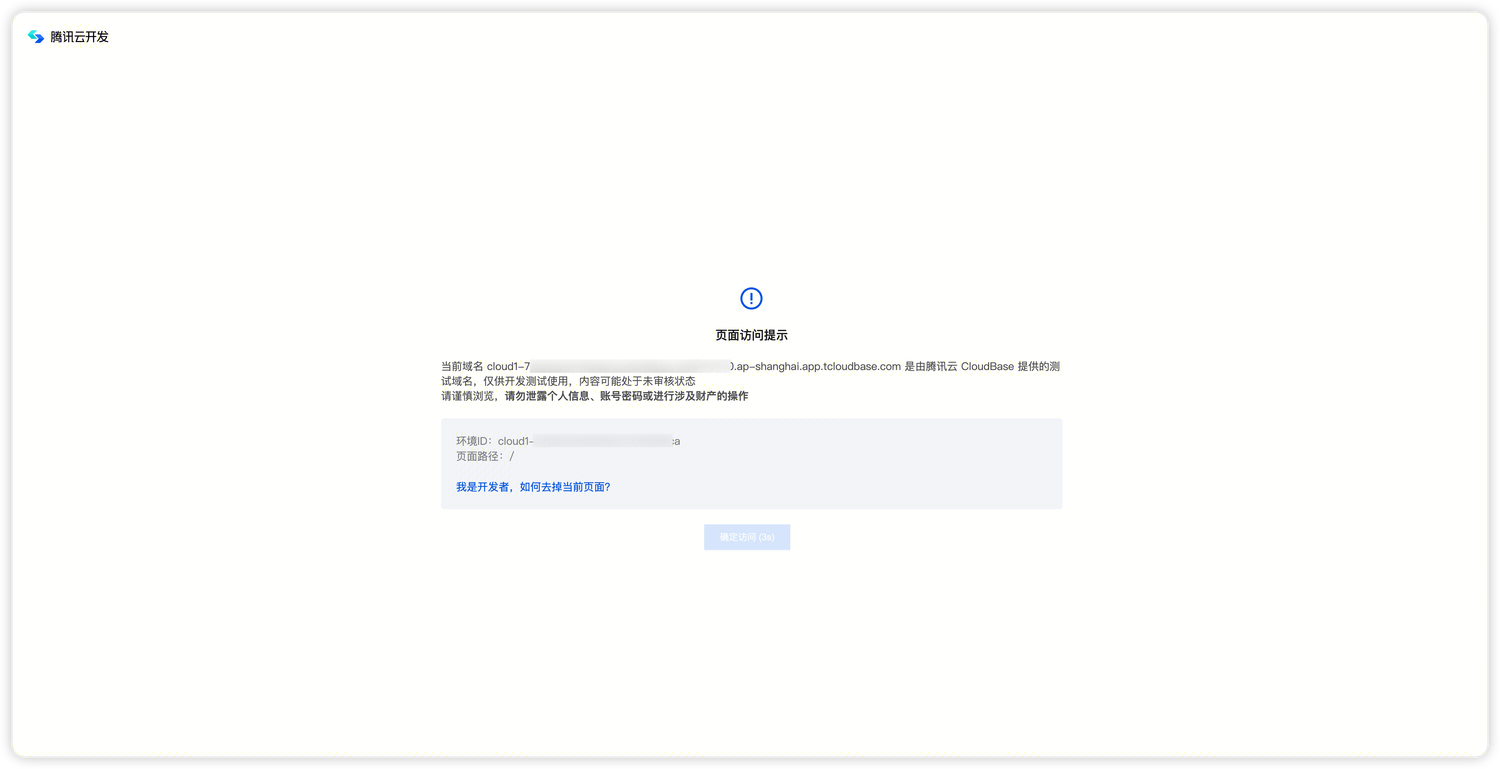
Intermediate Page Mechanism
Interactive Behavior
Visitors must read the risk notice and click "Confirm Access" before they can enter the actual business page.
Cookie Validity Period
After visitors click confirm, they will not see the access reminder for the same default domain again within the cookie validity period. The cookie validity period will be dynamically adjusted according to platform security requirements.
Risk Control Policy
- Security Reminder: Default domains are intended for development and testing. The intermediate page reminds visitors of this limitation.
- Traffic Monitoring: The platform monitors default domain access in real-time. If abnormal traffic fluctuations are detected, the platform reserves the right to take risk control measures such as blocking access
- Usage Recommendations: Default domains are recommended for development and testing only, and are strictly prohibited from use in production environments or distribution to large-scale users
How to Remove the Intermediate Page
The only compliant way to remove the intermediate page is to configure and use a custom domain. Custom domains are not subject to platform default domain risk control policies and can enhance brand professionalism.
For detailed configuration methods, please refer to the Custom Domain documentation.
FAQ
Will the default domain validity mechanism still affect usage?
No. After this update, if developers use default domains in compliance (without triggering the risk control threshold for abnormal access frequency), there will only be a soft access reminder intermediate page, and access will no longer be strictly prohibited.
What are the requirements for custom domains?
ICP filing is not required for custom domain access on the international site. Prepare a domain you own, complete domain ownership verification, configure DNS records, and provide a valid SSL certificate for HTTPS. See Custom Domain for details.
How to bind a custom domain?
Please refer to the Custom Domain documentation for configuration.