FAQ
Access Issues
After updating the application service, the page still shows the old version?
Cause
Static resources (HTML, CSS, JS, images, etc.) are cached by CDN nodes or the browser, so the accessed content is still the old version.
Solutions
Solution 1: Append a query parameter to force refresh (recommended for quick verification)
Append a random query parameter to the access URL to bypass CDN and browser caches, fetching the latest content immediately:
# Original access URL
https://my-env-123.xxx.tcloudbaseapp.com/

# Append a timestamp parameter to force refresh (parameter name is customizable, value must be unique)
https://my-env-123.xxx.tcloudbaseapp.com/?v=20260422
https://my-env-123.xxx.tcloudbaseapp.com/?t=1745304000
https://my-env-123.xxx.tcloudbaseapp.com/index.html?_=random123
The CDN treats URLs with different query parameters as different resources, triggering an origin fetch for the latest content. This approach is ideal for quickly verifying deployment results without waiting for CDN cache expiration or performing manual refreshes.
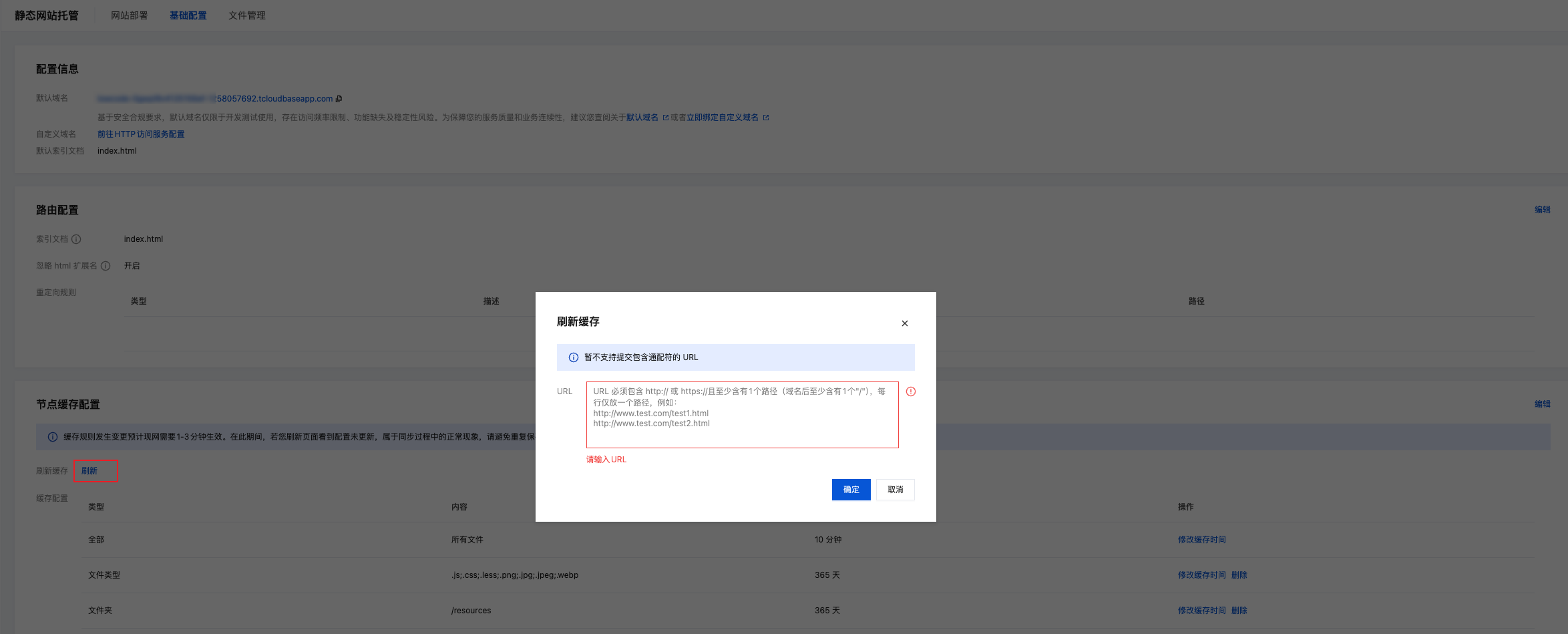
Solution 2: Manually refresh CDN cache (recommended for production)
Go to CDN Console - Refresh & Prefetch and submit a URL or directory refresh task. Once the refresh completes, all users can access the latest version.
Solution 3: Force refresh in the browser (for local debugging)
- Windows / Linux:
Ctrl + F5orCtrl + Shift + R - macOS:
Cmd + Shift + R - Or open browser DevTools (F12) → Network panel, then check Disable cache
For build artifacts, it is recommended to add content hashes to static resource filenames during the build stage (e.g., app.a1b2c3.js). Filenames change automatically whenever content changes, fundamentally preventing cache issues. Mainstream build tools (Vite, Webpack, Next.js, etc.) enable this capability by default.
What causes 514 errors when accessing static resources?
Cause
The IP access frequency limit has been triggered. IP access frequency limiting is a restriction on the total number of requests for static hosting resources, not the number of requests for a single file. When a user accesses a web page, the browser simultaneously requests all static resources on the page (HTML, CSS, JS, images, etc.), and each resource counts toward the IP's access frequency statistics.
For example, suppose your web page contains:
- 1 HTML file
- 3 CSS files
- 5 JS files
- 10 image files
When users access the page, it generates 19 concurrent requests. If the IP access frequency limit is set to 2 QPS, then 17 requests will be rejected, returning a 514 error.
Solutions
-
Check Page Resource Count
- Use browser developer tools to view the number of network requests
- Count the total number of resources during page load
-
Adjust QPS Settings
- Go to CloudBase Console → Environment Configuration → Security Control → Static Hosting Security Configuration
- Set the QPS threshold to 1.5-2 times the number of page resources
- For example: If the page has 20 resources, it is recommended to set QPS to 30-40
-
Set by Page Type
- Simple pages (5-10 resources): Recommended QPS 20-30
- Regular websites (15-30 resources): Recommended QPS 50-80
- Rich media pages (50+ resources): Recommended QPS 100-200
Setting the QPS limit too low will affect the page loading experience for normal users. It is recommended to configure it reasonably based on actual business needs.
Build Issues
Build fails with "command not found" error
Cause
Missing necessary build tools or incorrect command spelling.
Solutions
- Check if the corresponding script is defined in
package.json - Confirm that the build command is spelled correctly
- Check if required dependencies are installed
Build timeout
Cause
Too many project dependencies or complex build process.
Solutions
- Enable build cache
- Optimize dependencies and remove unnecessary packages
- Use a faster package manager (such as pnpm)
Deployment Path Issues
Blank page or 404 after deployment
Cause
Incorrect path configuration or routing mode issues.
Solutions
- Check if
base/publicPathconfiguration is correct - Single Page Applications (SPA) need to configure route redirects
- Confirm that the output directory configuration is correct
Static resource 404
Cause
Incorrect resource path references. Refer to Subpath Deployment Configuration
Solutions
- Use relative paths to reference resources
- Check if the
baseconfiguration matches the actual deployment path - Confirm that resource files have been correctly built to the output directory