WeDa Mini Program Native TabBar Configuration Guide
This article introduces how to configure the native TabBar for mini programs in CloudBase WeDa low-code platform to implement a customized bottom navigation bar.
What is Native TabBar
Native TabBar is a bottom navigation bar component provided by WeChat Mini Program, configured based on the tabBar property in the app.json file. CloudBase WeDa low-code platform supports customizing the app.json content, so you can manually configure the TabBar to achieve personalized bottom navigation effects.
Configuration Steps
Step 1: Prepare and Upload Icon Assets
First, you need to upload the icons used by the TabBar to cloud storage:
-
Prepare Icon Assets: Ensure the icons meet the following requirements
- Image format:
.png,.jpgor.jpeg - Image size: No more than 40KB
- Recommended size: 81px × 81px (one set for normal state and one for selected state)
- Image format:
-
Upload to Cloud Storage:
- Go to CloudBase Platform - Cloud Storage
- Upload the icon files to cloud storage
- Set permissions to "Readable by all users, writable only by creator and administrators"
-
Get Icon URL: After uploading, copy the online access address of the icon, ensuring the address ends with
.png,.jpgor.jpeg
Step 2: Configure TabBar Parameters
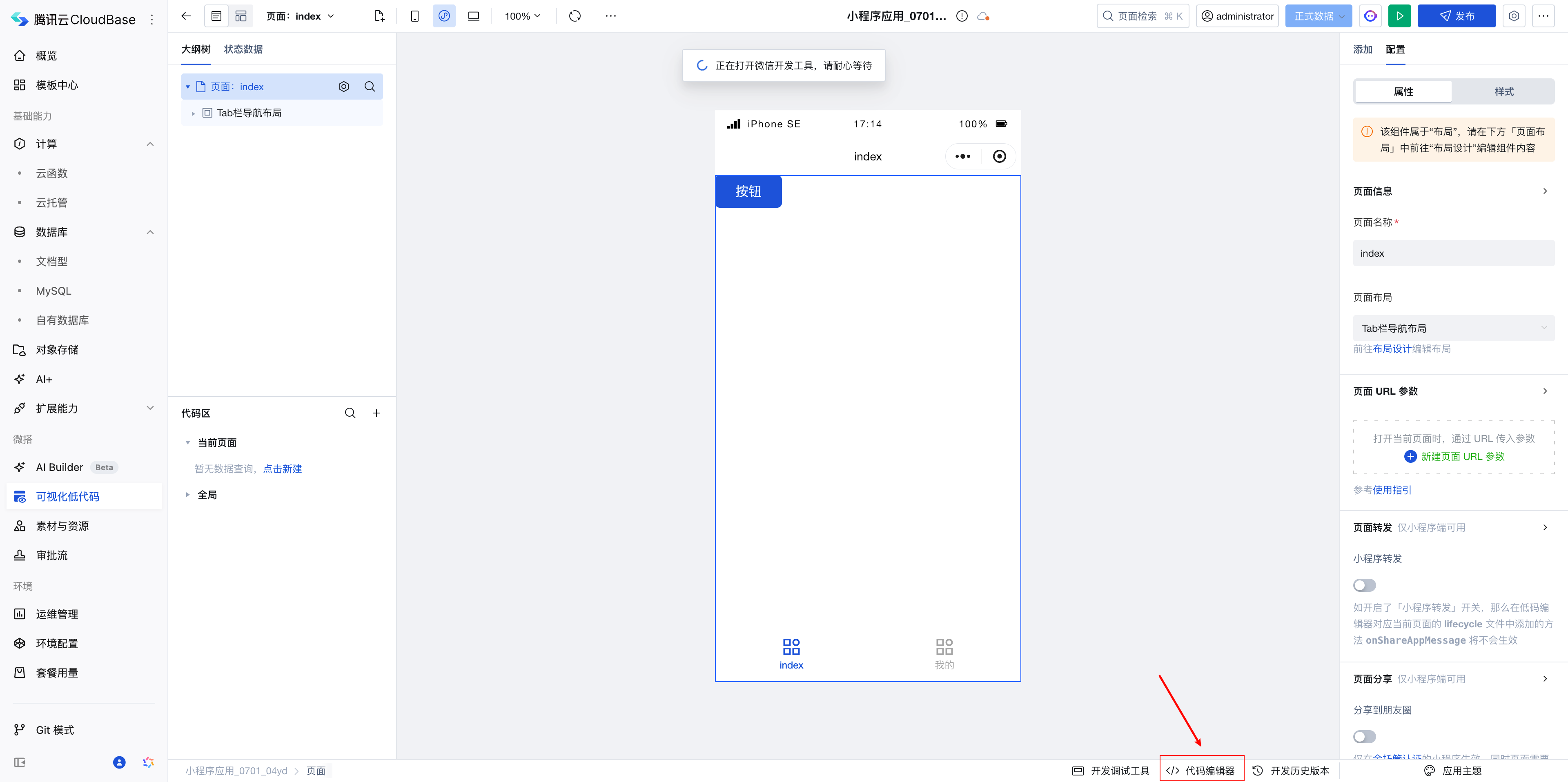
- On the application editing page, click the "Code Editor" button at the top
- Open Configuration File: Find the
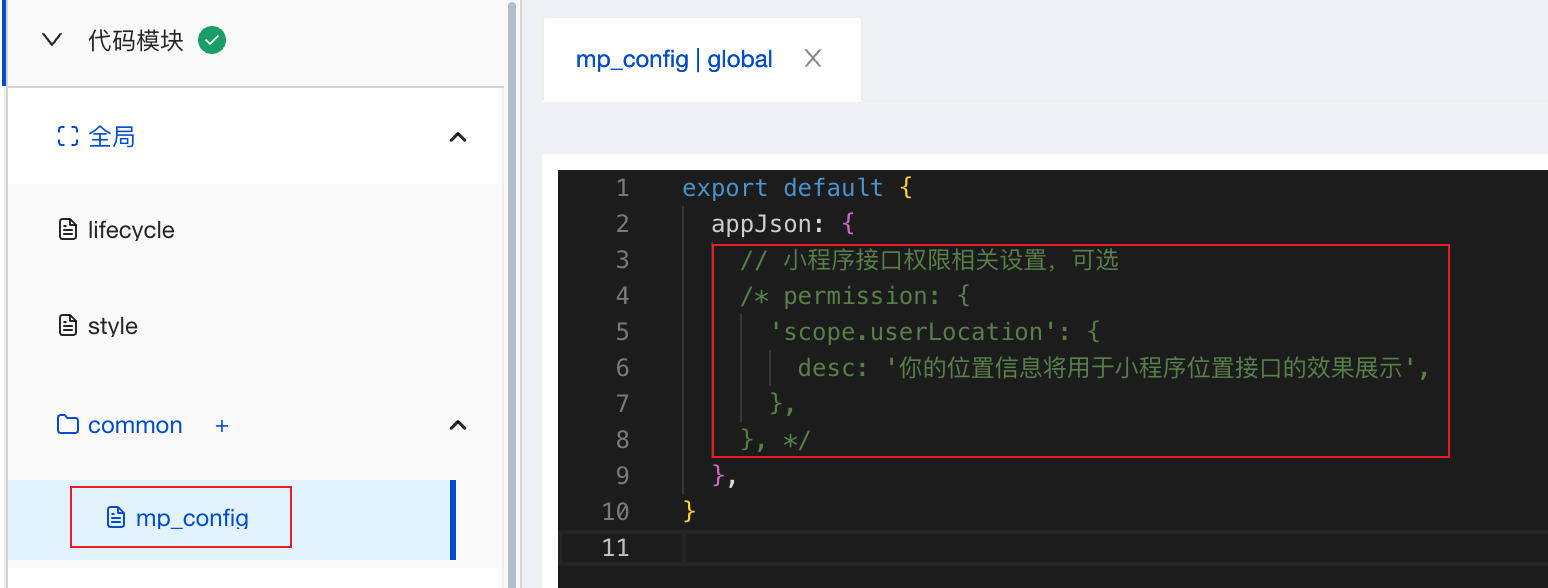
common/mp_config.jsonfile in the code editor, Add TabBar Configuration: Add thetabBarproperty in theappJsonobject
For specific tabBar properties, refer to the WeChat official documentation: Custom TabBar
- Get Page Path: The
pagePathof the page can be obtained from the page code

- Fill in Icon Addresses:
iconPath: Icon URL for unselected stateselectedIconPath: Icon URL for selected state
💡 Tip: CloudBase will automatically download icon files from cloud storage to the local project when generating the mini program source code.
Step 3: Complete Configuration Example
Add the following configuration in the appJson of the common/mp_config.json file:
{
  "appJson": {
    "tabBar": {
      "color": "#7A7E83",
      "selectedColor": "#3cc51f",
      "backgroundColor": "#ffffff",
      "borderStyle": "black",
      "list": [
        {
          "pagePath": "pages/index/index",
          "text": "首页",
          "iconPath": "https://6c6f-lowcode-9g2yhkab1a980408-1308771514.tcb.qcloud.la/ac18043f-6f5c-47f6-a225-63708f3e9e31.png",
          "selectedIconPath": "https://6c6f-lowcode-9g2yhkab1a980408-1308771514.tcb.qcloud.la/ac18043f-6f5c-47f6-a225-63708f3e9e31.png"
        },
        {
          "pagePath": "pages/my/index",
          "text": "我的",
          "iconPath": "https://6c6f-lowcode-9g2yhkab1a980408-1308771514.tcb.qcloud.la/ac18043f-6f5c-47f6-a225-63708f3e9e31.png",
          "selectedIconPath": "https://6c6f-lowcode-9g2yhkab1a980408-1308771514.tcb.qcloud.la/ac18043f-6f5c-47f6-a225-63708f3e9e31.png"
        }
      ]
    }
  }
}