Mini Program downloadFile Domain Configuration Guide
Background Information
In WeChat Mini Program development, when downloading files is required, you must use the official wx.downloadFile() API. According to WeChat Mini Program security rules, this API can only access domains pre-configured in the WeChat Official Accounts Platform backend. This article guides you on how to correctly configure the downloadFile legal domain.
Configuration Steps
Depending on how your Mini Program is associated with the CloudBase platform, there are two different configuration methods:
Method 1: QR Code Authorization for Associated Mini Program
If your Mini Program is associated with the CloudBase platform via QR code authorization, you can directly configure it on the CloudBase platform:
-
Log in to the Tencent CloudBase Console
- Access the CloudBase platform
-
Access the Authorized Mini Program Environment
- In [Materials and Management], locate the authorized Mini Program
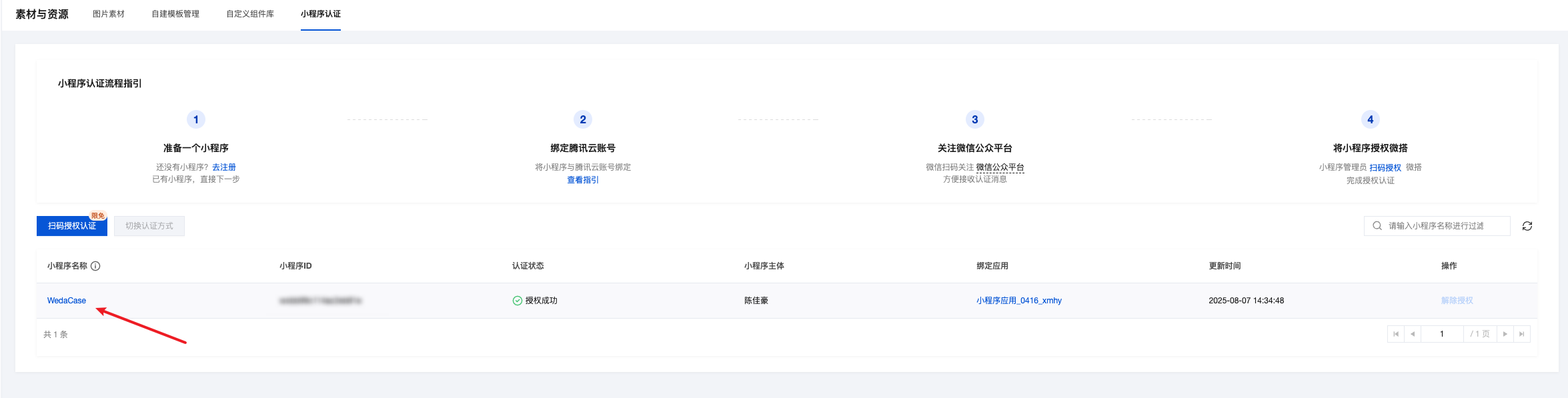
-
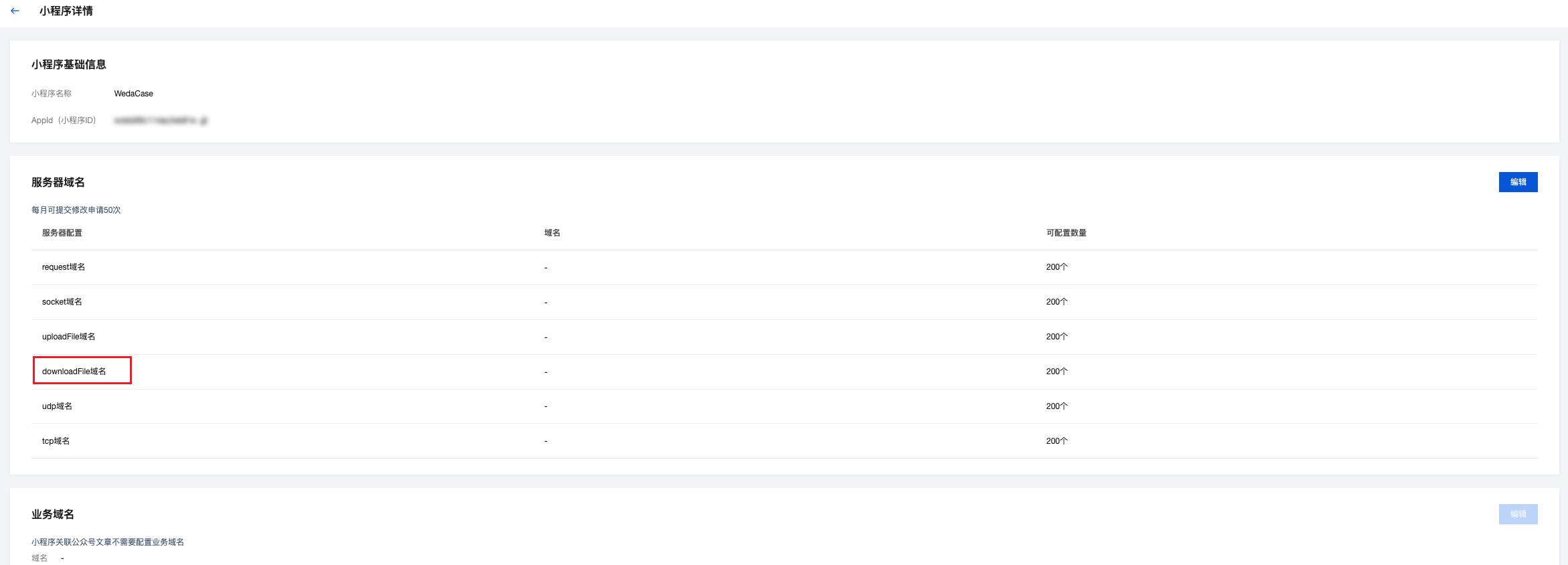
Configure the downloadFile domain
- Go to the Mini Program Domain Configuration Area
- Click the [Edit] button
- Add the required domain(s) in the [Valid downloadFile domain] input field
- Click the [Save] button to submit the configuration
-
Verify Configuration
- After configuration is complete, the CloudBase platform will automatically synchronize the domain(s) to the WeChat Official Account Platform.
- You can test the download functionality in the Mini Program development tools to verify if the domain configuration takes effect.
Method 2: Fully Managed Mini Program
If your Mini Program is in fully managed mode, you need to manually configure it on the WeChat Official Account Platform:
-
Preparations
- Domain(s) to be configured (must be HTTPS domain(s))
- Mini Program administrator account and password
-
Log in to the WeChat Official Account Platform
- Visit WeChat Official Account Platform
- Use the Mini Program administrator account to log in.
-
Go to the Development Settings page
- In the left menu bar [Development & Service], click [Development Management]
- In the secondary menu, click [Development Settings]
-
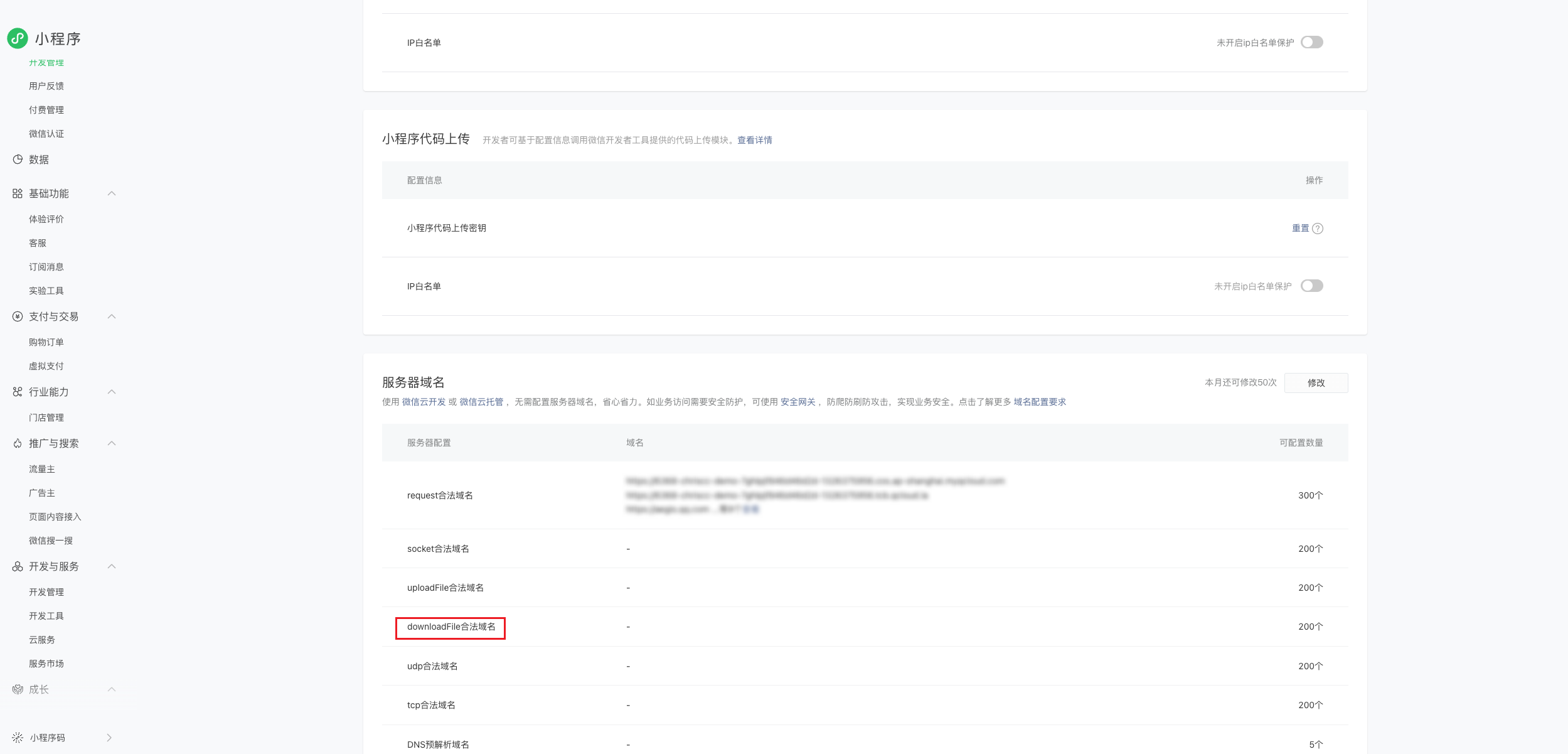
Configure the downloadFile valid domain
- In the Development Settings page, locate the [Server Domains] configuration section
- Under the [Valid downloadFile domain] configuration item, click the [Edit] button
- In the pop-up window, click the [Add] button
- Enter the domain you need to configure, for example:
https://example.com- Note: The domain must include the https:// prefix
- Click [OK] to save the settings
-
Verify Configuration
- After the configuration is complete, you can test the download functionality in the Mini Program development tools to verify whether the domain configuration takes effect.
Notes
-
Domain Requirements:
- Must be HTTPS; HTTP domains will not work
- Domain names cannot use IP addresses (including localhost)
- The domain name must undergo ICP filing
- The domain name requires a valid SSL certificate
-
Configuration Limitations:
- You can only modify the domain name 5 times per month; please proceed with caution.
- You can configure up to 20 downloadFile valid domains.
-
Development Debugging:
- In the development environment, you can check the [Do not verify valid domain names] option in WeChat Developer Tools for debugging.
- Domain configuration must be completed before the official launch.
-
Domain Propagation Time:
- Domain name configuration usually takes effect immediately after setup.
- If the changes do not take effect, you can try restarting the mini program or clearing the cache.
Frequently Asked Questions
1. Still unable to download files after configuration
- Check whether the domain name is correctly configured, including the https:// prefix
- Check whether the SSL certificate for the domain name is valid.
- Check whether the download link exactly matches the configured domain name
2. Prompts "Download failed, invalid domain"
- Verify whether the download domain you are using has been added to the allowlist
- Check whether the domain name format is correct; it must include the https:// prefix
3. Configuration does not take effect on the CloudBase platform after QR code authorization
- Check whether the mini program authorization is still valid
- Try reauthorizing the mini program
- Check whether there are sufficient domain name configuration attempts (monthly limit: 50 times)