Multi-layer Secondary Classification Storage and Implementation Solution
1. Preparations
Data Model Structure
-
Classification Data Model_Cascading Selection: Used to store classification information (supports first-level classification, second-level classification)
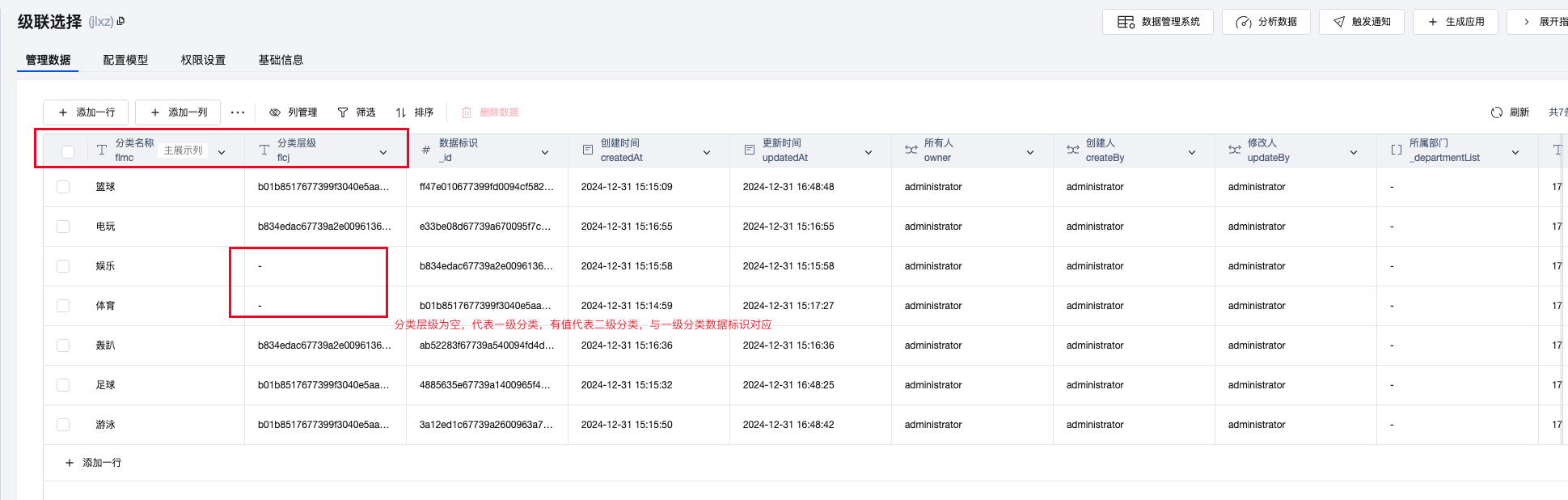
-
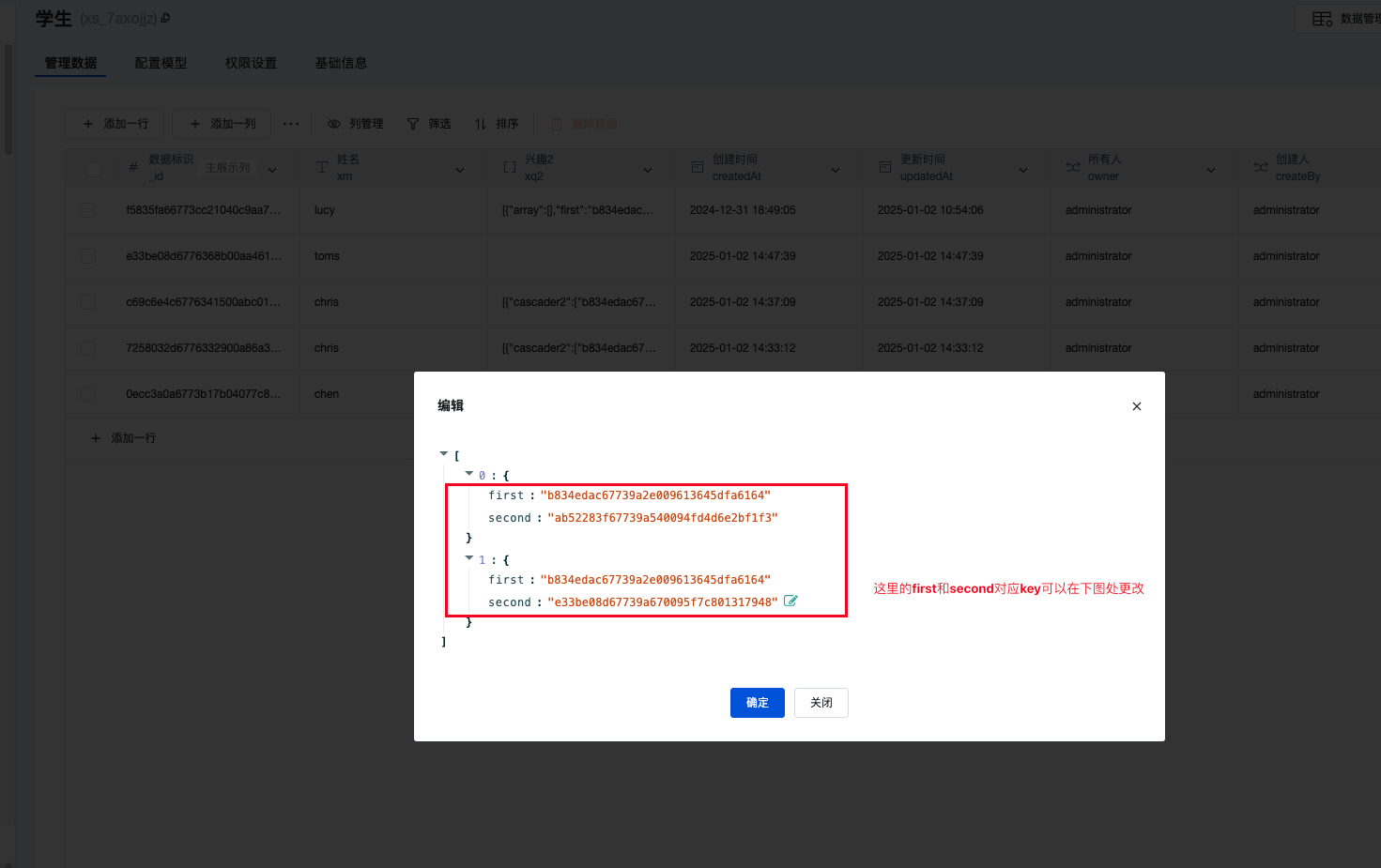
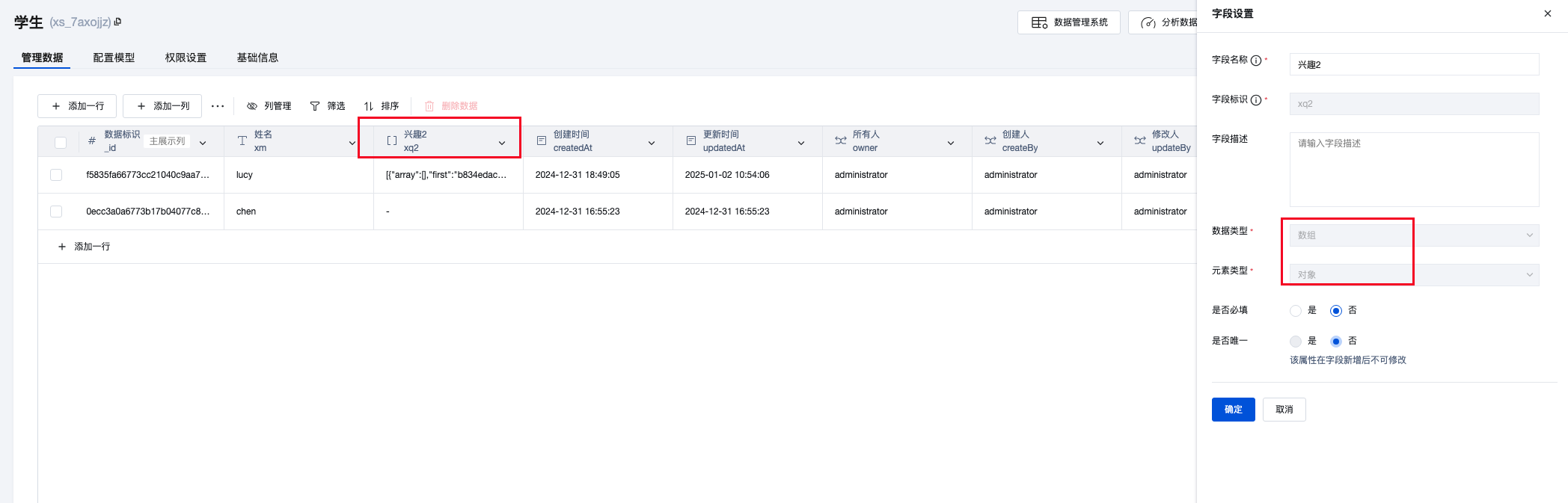
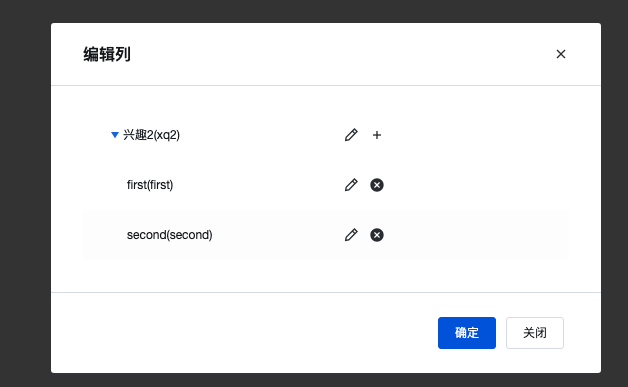
Business Data Model_Student: Used to store classification information selected by users in forms Take the field 'Interest 2' in the following figure as an example. ** The field type is array-object, and add first and second child elements in the object **
2. Frontend Build
-
query Processing for Querying Multiple Data Records
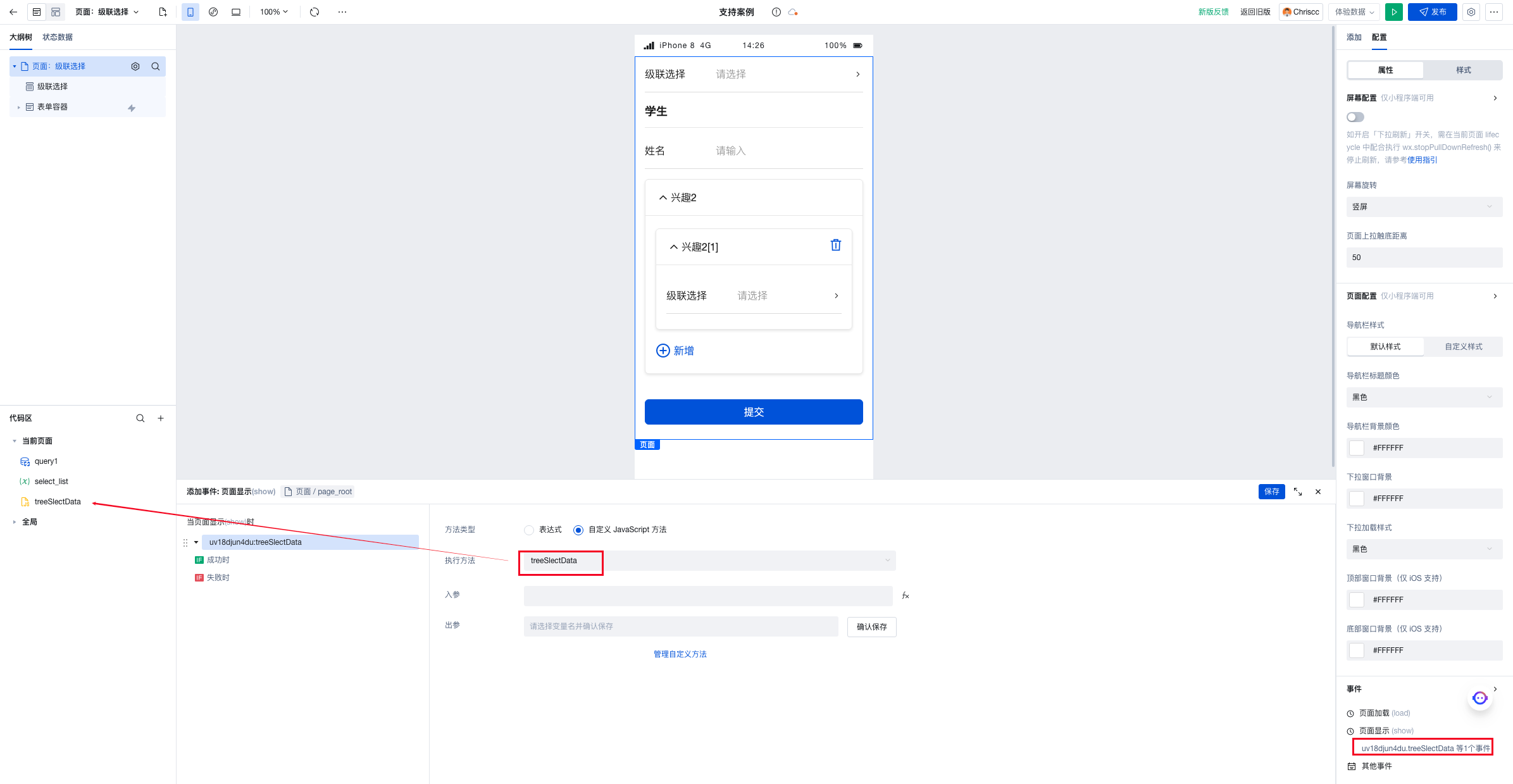
1.1. Create a new js method treeSlectData to process the data structure returned by query
1.2. The array variable select_list stores the query data processed by the aforementioned js method
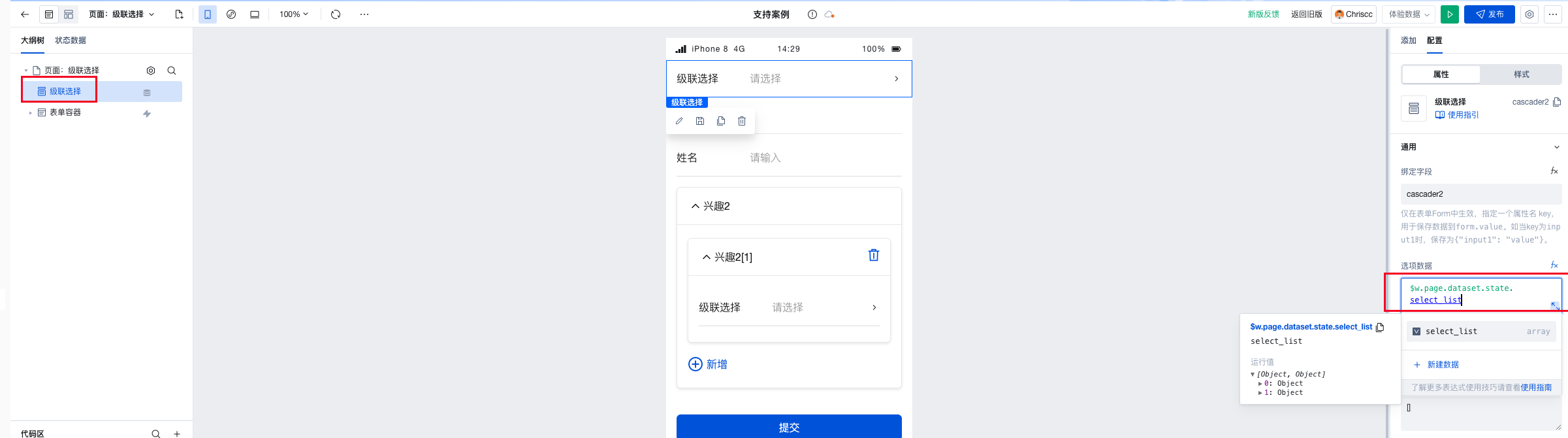
1.3. Cascading component binds to the variable select_list
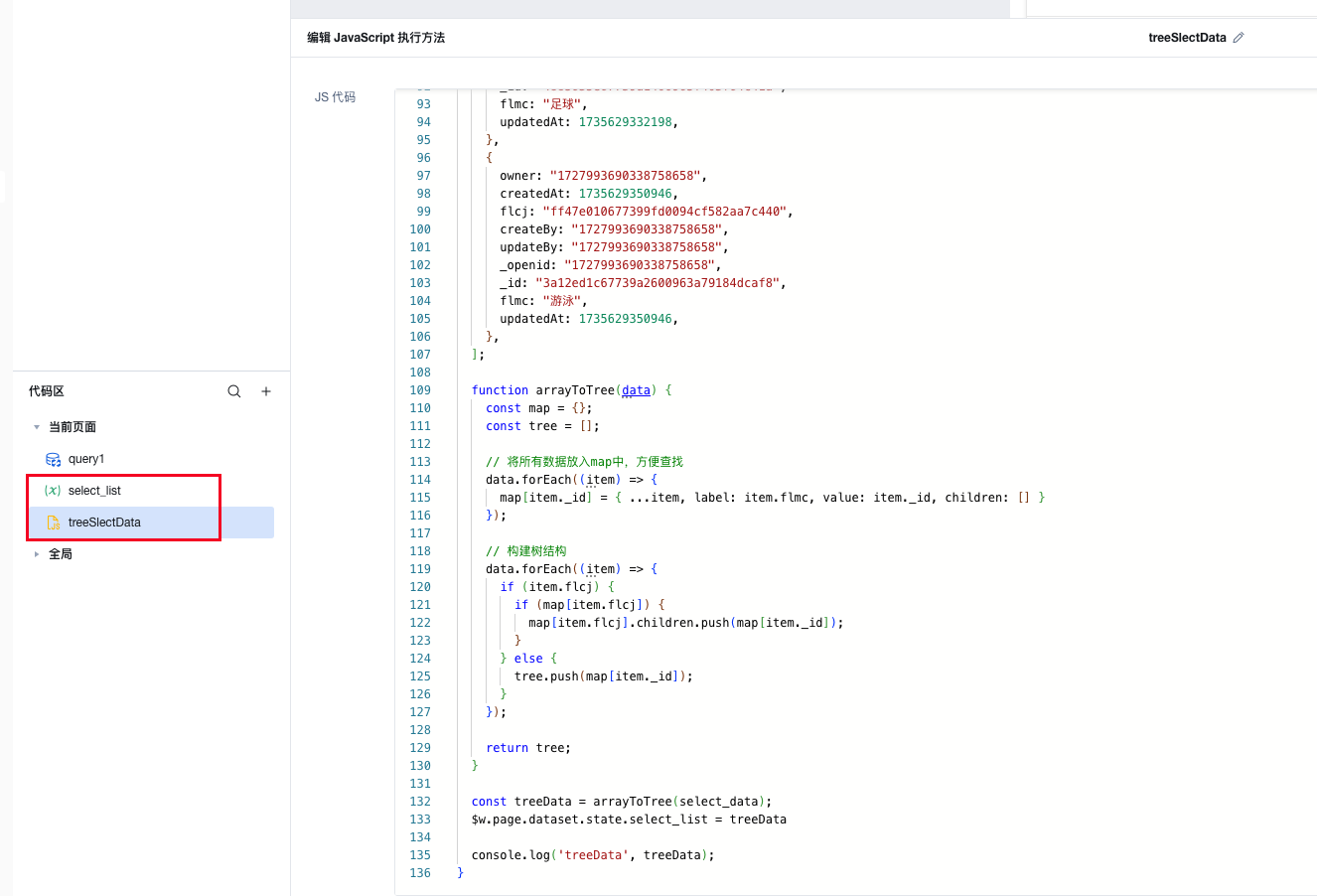
For demonstration purposes, the classification data in the js method is directly taken from $w.query.data.records
/**
 *
 * Can access or modify information such as variables, state, handler, lifecycle of the current page via $page
 * Can access or modify global application information such as variables and state via app
 * Specifically, you can use console.info to view more information in the editor's Console panel
 * Note: This method is only valid within its own page.
 * If you need async-await, please change it to export default async function() {}
 * Help Documentation https://cloud.tencent.com/document/product/1301/57912
 **/

/**
 * @param {Object} event - The event object
 * @param {string} event.type - Event name
 * @param {any} event.detail - Custom data carried by the event
 *
 * @param {Object} data
 * @param {any} data.target - Retrieves the data of event parameters
 **/
export default function ({ event, data }) {

	// Get multiple records query return values: $w.query.data.records

	const select_data = [

		{
			owner: "1727993690338758658",
			createdAt: 1735629358052,
			flcj: "",
			createBy: "1727993690338758658",
			updateBy: "1727993690338758658",
			_openid: "1727993690338758658",
			_id: "b834edac67739a2e009613645dfa6164",
			flmc: "Entertainment",
			updatedAt: 1735629358052,
		},

		{
			owner: "1727993690338758658",
			createdAt: 1735629396194,
			flcj: "b834edac67739a2e009613645dfa6164",
			createBy: "1727993690338758658",
			updateBy: "1727993690338758658",
			_openid: "1727993690338758658",
			_id: "ab52283f67739a540094fd4d6e2bf1f3",
			flmc: "Home Party",
			updatedAt: 1735629396194,
		},

		{
			owner: "1727993690338758658",
			createdAt: 1735629415179,
			flcj: "b834edac67739a2e009613645dfa6164",
			createBy: "1727993690338758658",
			updateBy: "1727993690338758658",
			_openid: "1727993690338758658",
			_id: "e33be08d67739a670095f7c801317948",
			flmc: "Video Games",
			updatedAt: 1735629415179,
		},

		{
			owner: "1727993690338758658",
			createdAt: 1735629299016,
			flcj: "",
			createBy: "1727993690338758658",
			updateBy: "1727993690338758658",
			_openid: "1727993690338758658",
			_id: "b01b8517677399f3040e5aa27a368d9f",
			flmc: "Sports",
			updatedAt: 1735629447882,
		},

		{
			owner: "1727993690338758658",
			createdAt: 1735629309635,
			createBy: "1727993690338758658",
			flcj: "b01b8517677399f3040e5aa27a368d9f",
			updateBy: "1727993690338758658",
			_openid: "1727993690338758658",
			_id: "ff47e010677399fd0094cf582aa7c440",
			flmc: "Basketball",
			updatedAt: 1735629452408,
		},

		{
			owner: "1727993690338758658",
			createdAt: 1735629332198,
			flcj: "b01b8517677399f3040e5aa27a368d9f",
			createBy: "1727993690338758658",
			updateBy: "1727993690338758658",
			_openid: "1727993690338758658",
			_id: "4885635e67739a1400965f403f64c41a",
			flmc: "Football",
			updatedAt: 1735629332198,
		},
		{
			owner: "1727993690338758658",
			createdAt: 1735629350946,
			flcj: "b01b8517677399f3040e5aa27a368d9f",
			createBy: "1727993690338758658",
			updateBy: "1727993690338758658",
			_openid: "1727993690338758658",
			_id: "3a12ed1c67739a2600963a79184dcaf8",
			flmc: "Swimming",
			updatedAt: 1735629350946,
		},
	];

	function arrayToTree(data) {
		const map = {};
		const tree = [];

		// Put all data into a map for easy lookup
		data.forEach((item) => {
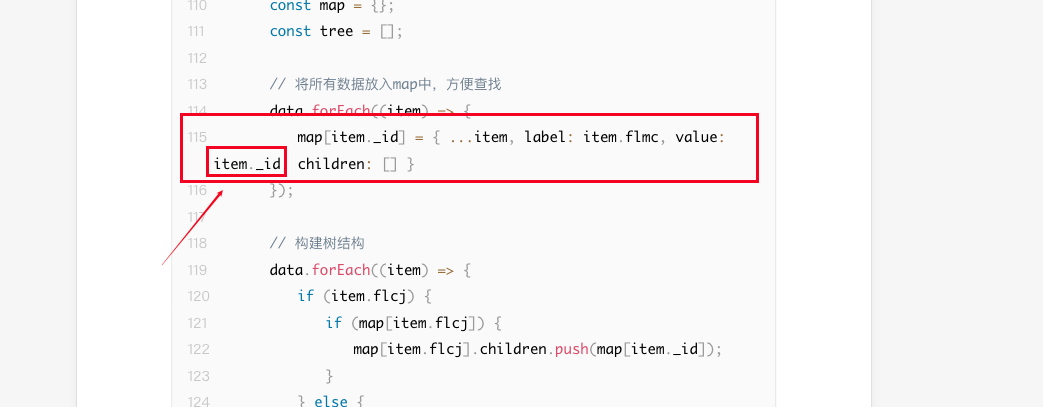
			map[item._id] = { ...item, label: item.flmc, value: item._id, children: [] }
		});

		// Build the tree structure
		data.forEach((item) => {
			if (item.flcj) {
				if (map[item.flcj]) {
					map[item.flcj].children.push(map[item._id]);
				}
			} else {
				tree.push(map[item._id]);
			}
		});

		return tree;
	}

	const treeData = arrayToTree(select_data);
   // Assign to a variable
	$w.page.dataset.state.select_list = treeData

	console.log('treeData', treeData);
}
- The above js method triggers and binds the cascading component
2.2. Bind the cascading component
2.3. Cascading Effect Display
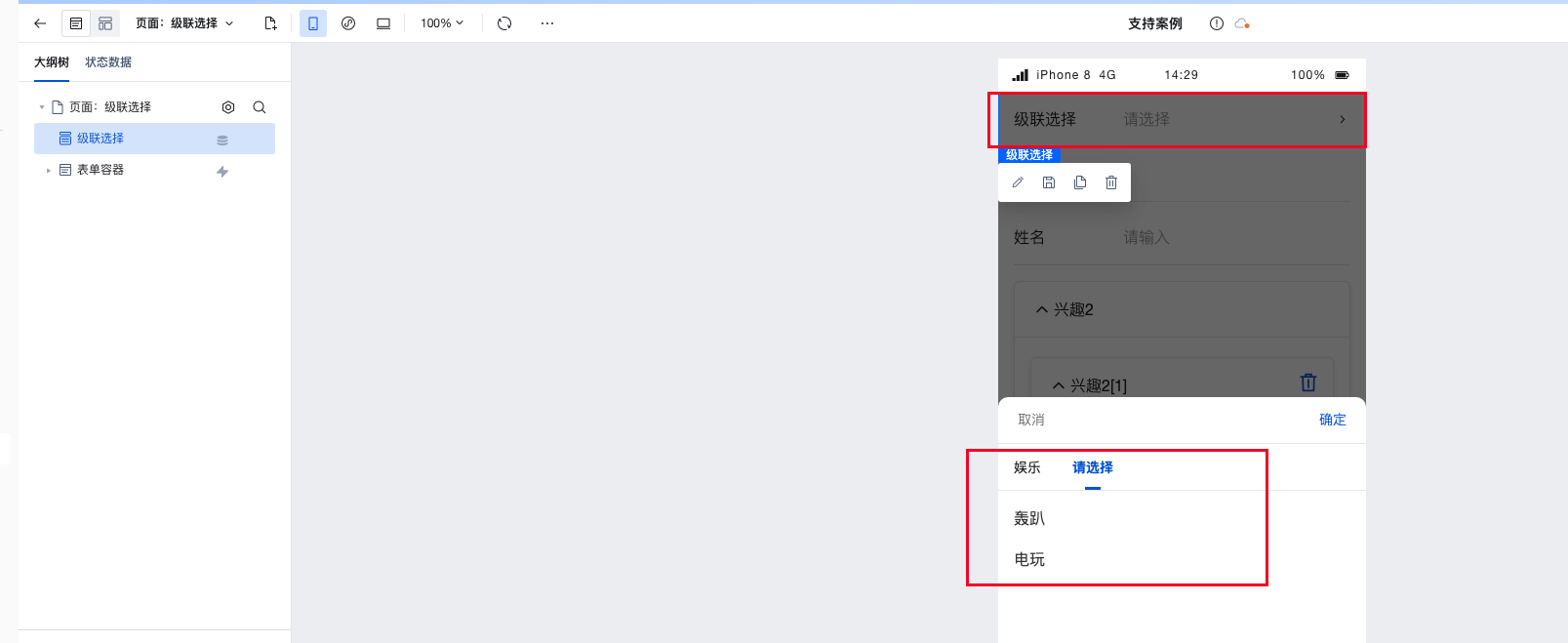
-
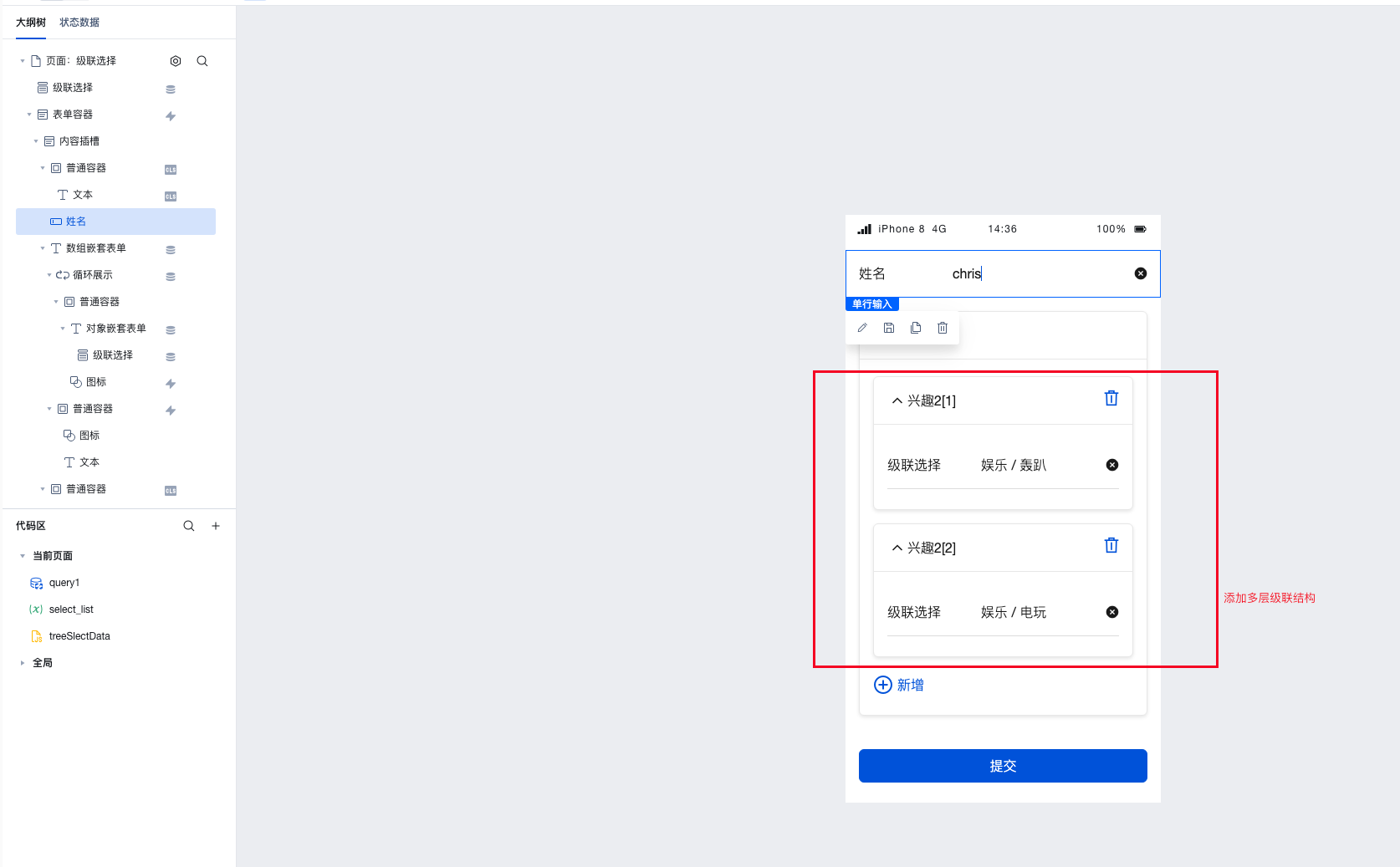
Form Container Refactoring Select "Business Data Model - Student" to generate the form structure, and follow the instructions in the figure below.
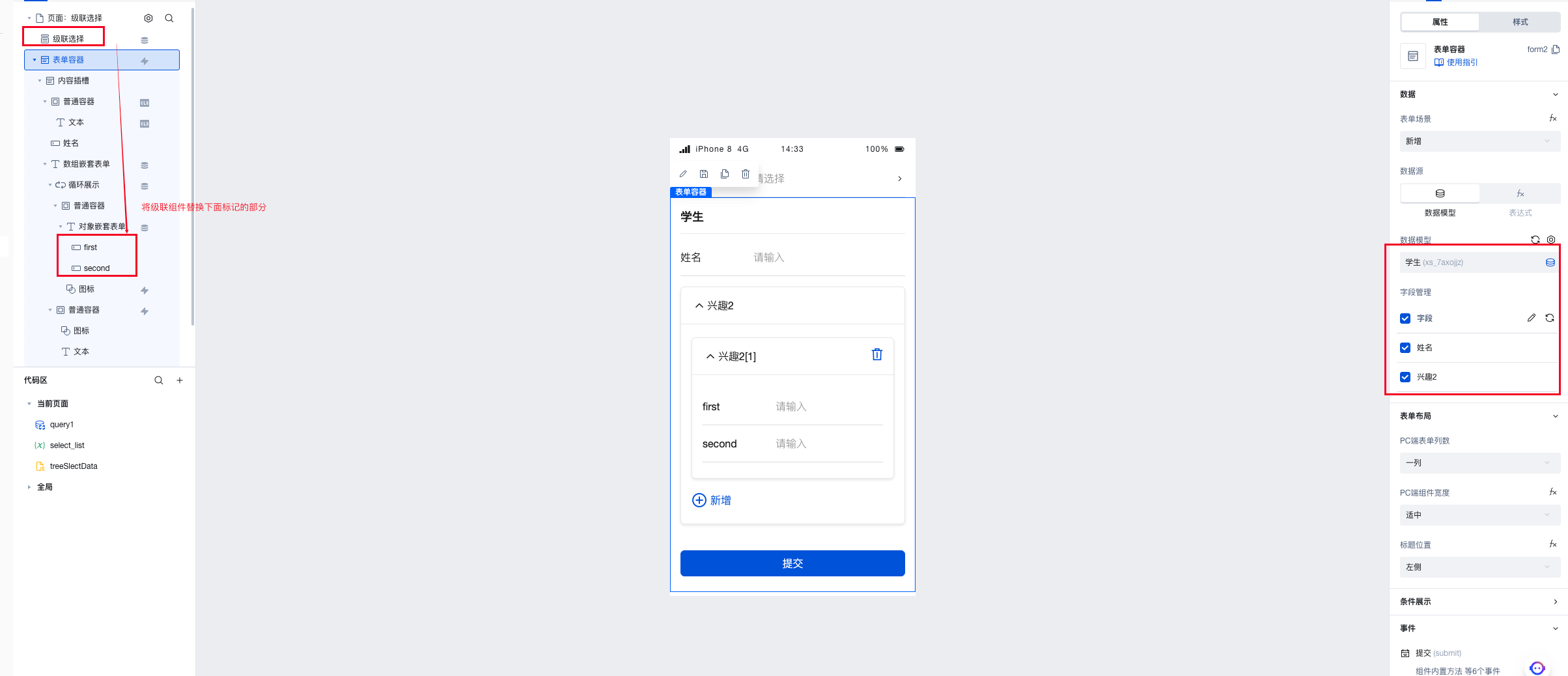
-
Form Submission
It is necessary to first refactor the form input parameters (to make the storage structure include first and second).
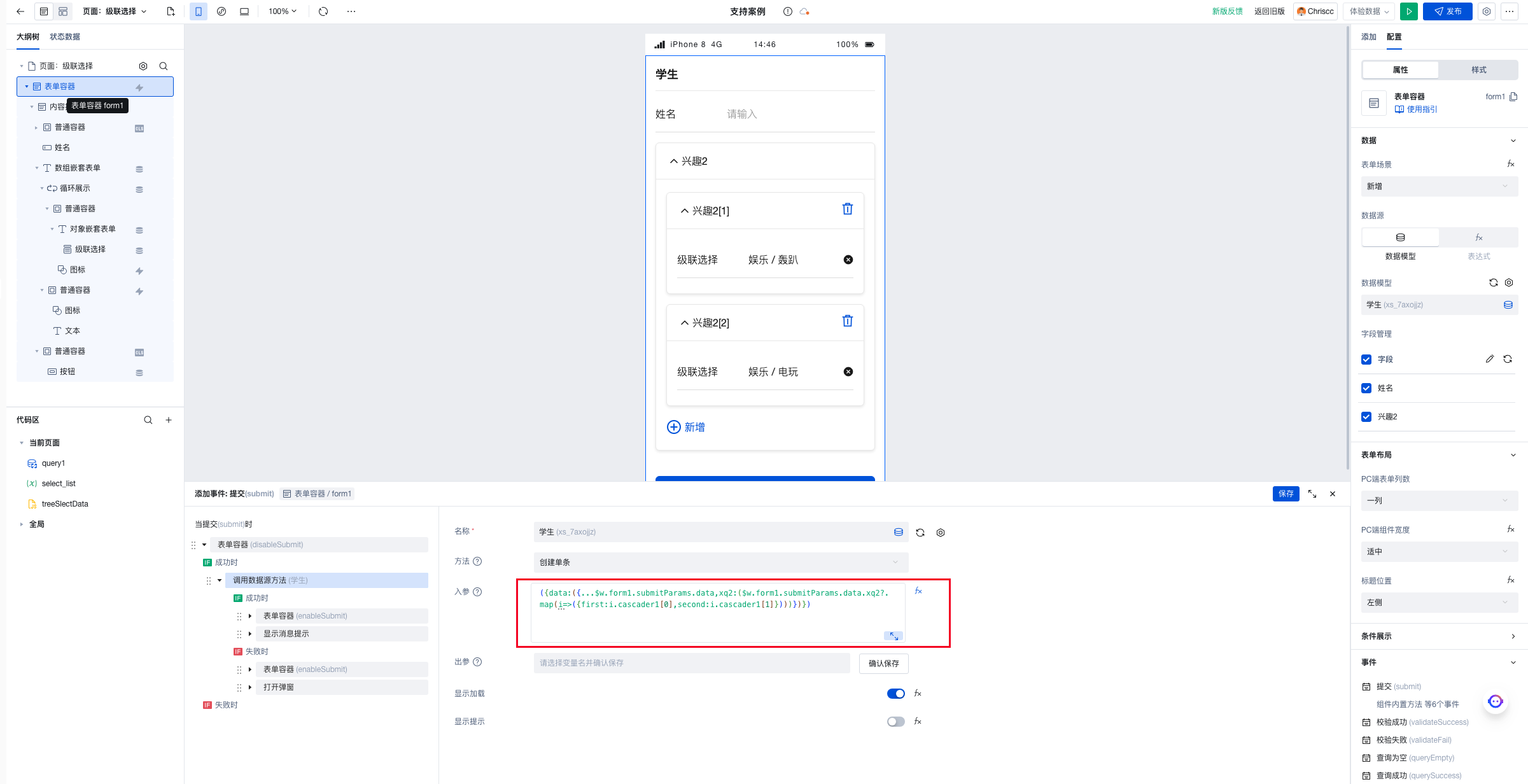
({data:({...$w.form1.submitParams.data,xq2:($w.form1.submitParams.data.xq2?.map(i=>({first:i.cascader1[0],second:i.cascader1[1]})))})})
- Go to the data model to reference the stored data