Batch Delete Task Mechanism
When you perform delete file or delete folder operations in CloudBase Console - Cloud Storage - File Management, the system now processes the request as an asynchronous delete task to prevent the page from being blocked by large batch deletions. This document describes how the asynchronous delete task works and how to view it.
What is the Batch Delete Task Mechanism
The batch delete task mechanism is an asynchronous batch delete capability provided by Cloud Storage. When the number of files / folders to delete is large, the system runs the deletion in the background, and you can continue with other operations in the console without waiting for the deletion to complete.
Compared with the previous synchronous deletion, the changes are:
| Change | Description |
|---|---|
| Execution mode | Synchronous delete → Asynchronous delete task |
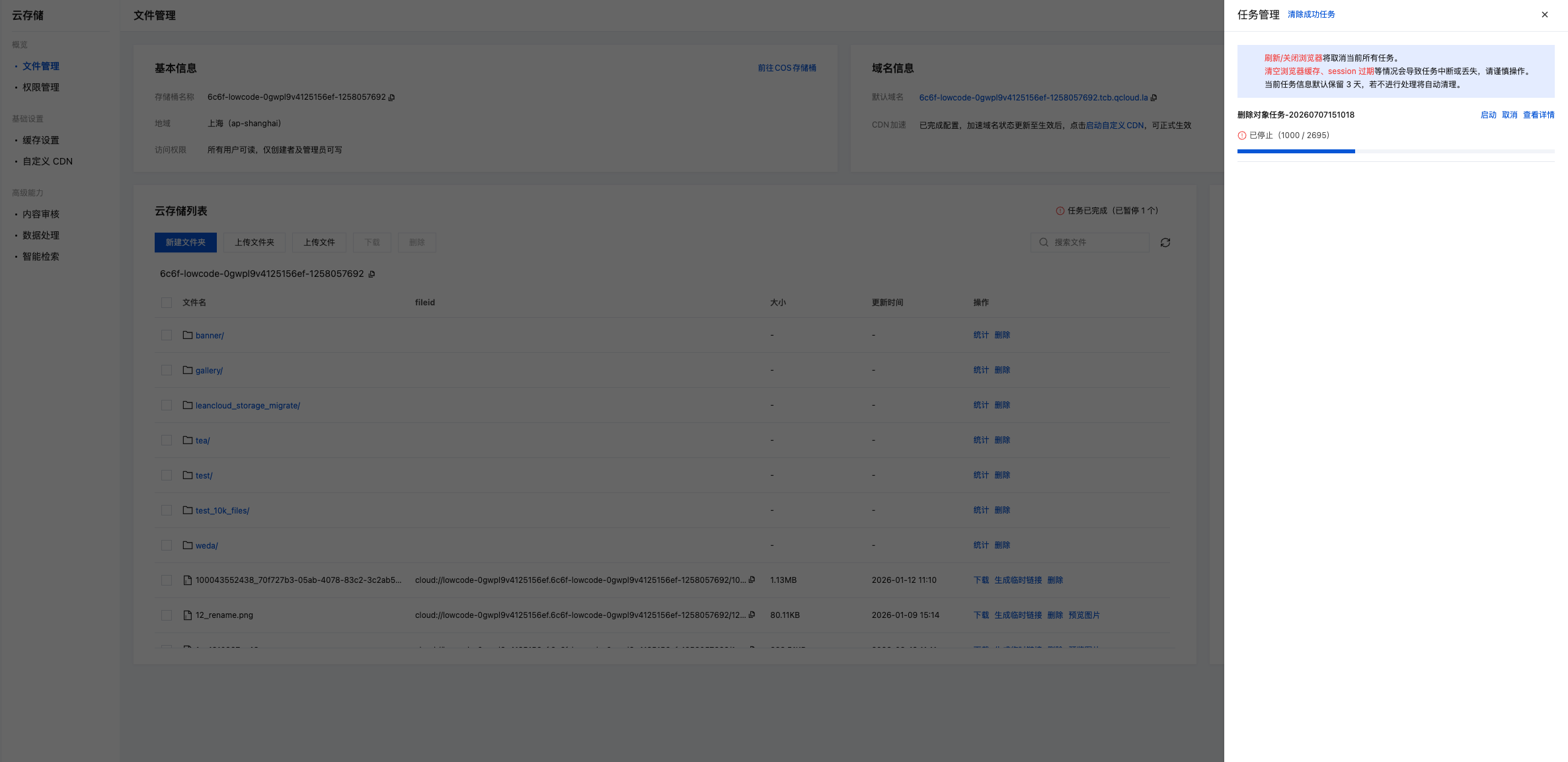
| Operation prompt | A "Task Management" dialog will pop up to show the progress of the current delete task |
| Task retention | After a delete task is completed, it will be kept in "Task Management" for 3 days for your reference |
Triggering Scenarios
The following operations will trigger a batch delete task:
- Selecting multiple files in the file list and clicking the "Delete" button
- Selecting multiple folders in the file list and clicking the "Delete" button
- Initiating a "Delete Folder" action on a single folder (when the folder contains a large number of files)
Viewing Task Progress and History
- Find the "Task Management" entry at the top right of the "File Management" page
- Click it to open the task management panel on the right side, which shows both the currently running delete tasks and historical tasks
- Task records are kept for 3 days and are automatically cleaned up afterwards
Notes
- Processing latency: Asynchronous delete tasks run in the background, and the files will not be removed from the bucket immediately. If you have a strong requirement for real-time deletion (for example, recreating a file with the same name immediately after deletion), please verify the status after the task is completed.
- Operate with care: Deletion is irreversible. Please double-check the selection before clicking "Delete".
- Task retention period: Delete task records are kept for only 3 days. If you need long-term auditing, consider archiving them with CDN Log Analysis or your own server-side logs.
- Rate limiting: Triggering asynchronous delete tasks too frequently within a short period of time may be rate-limited. Please try again later.