Create CloudBase Environment
A CloudBase environment is the foundation of your application's backend services. Each environment is isolated from others, has a unique environment ID, and contains independent database instances, storage space, cloud function configurations, and other resources.
Choose Your Setup Method
Choose the appropriate environment creation method based on your development scenario and integration approach:
| Creation Method | Scenario | Description |
|---|---|---|
| WeChat Developer Tools | WeChat Mini Program / Mini Game development | Create an environment visually in WeChat Developer Tools. The environment is automatically associated with the current Mini Program |
| CloudBase Console | Web apps, server-side apps, and general CloudBase projects | Manually create an environment in the CloudBase Console. Recommended for individual developers and regular projects |
CreateEnv Cloud API | Platform integration, SaaS multi-tenancy, and automated batch creation | Create environments through Cloud API calls. Recommended when your business system needs to automatically create and manage environments |
The following sections introduce common creation methods.
If this is your first time creating a CloudBase environment, you need to activate the CloudBase service first, including accepting the service terms and authorizing the service role permissions. After the service is activated, you can continue creating a specific CloudBase environment.
Method 1: WeChat Developer Tools (Recommended for Mini Program Developers)
- Open WeChat Developer Tools and click the "CloudBase" button at the top

- Follow the prompts to create a CloudBase environment when entering for the first time
- The initially created environment automatically becomes the default environment
- After starting to create an environment, you need to wait a few minutes for resource initialization
Method 2: CloudBase Console
- New User Setup Steps
- Existing User Setup Steps
CloudBase provides a free development environment for new users, which is free during development but requires payment for production use. However, the free environment has some functional limitations. If you need more features, it's recommended to upgrade to the paid version. For detailed information, please refer to the Pricing Documentation
-
Go to CloudBase Console, follow the guide, check the service terms, and authorize the CloudBase service role permissions.
-
After authorization is complete, the system will automatically provision the Personal Free Tier, a new environment for free trial, and open the CloudBase platform
- Go to CloudBase Console
- Click the "Create New Environment" button to enter the environment order page
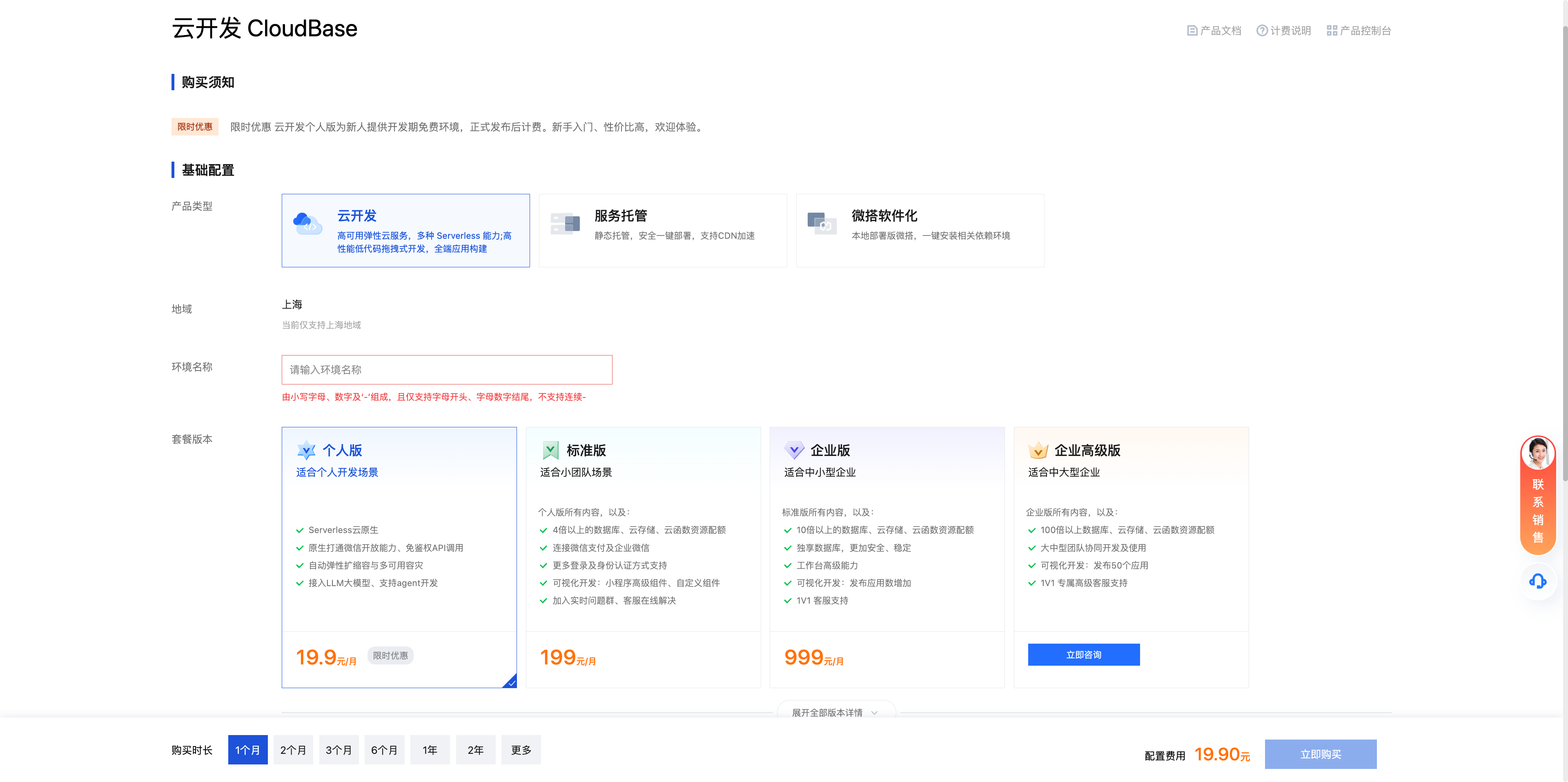
- After payment is complete, you can enter the CloudBase platform
Method 3: Create Through the CreateEnv Cloud API
If you need to create CloudBase environments in a platform system, SaaS product, or automated workflow, you can call the CreateEnv Cloud API. This method is suitable for scenarios where you need to programmatically create environments in batches, manage tenant environments, or integrate CloudBase environment creation with your own business system.
For more platform integration methods and parameter descriptions, see CloudBase for Platform Overview.
Environment Management
After creating an environment, you can manage it visually in the CloudBase Console, or manage it through the CLI and APIs.
CloudBase Console
Visit the CloudBase Console to manage CloudBase environments and resources under the current account.
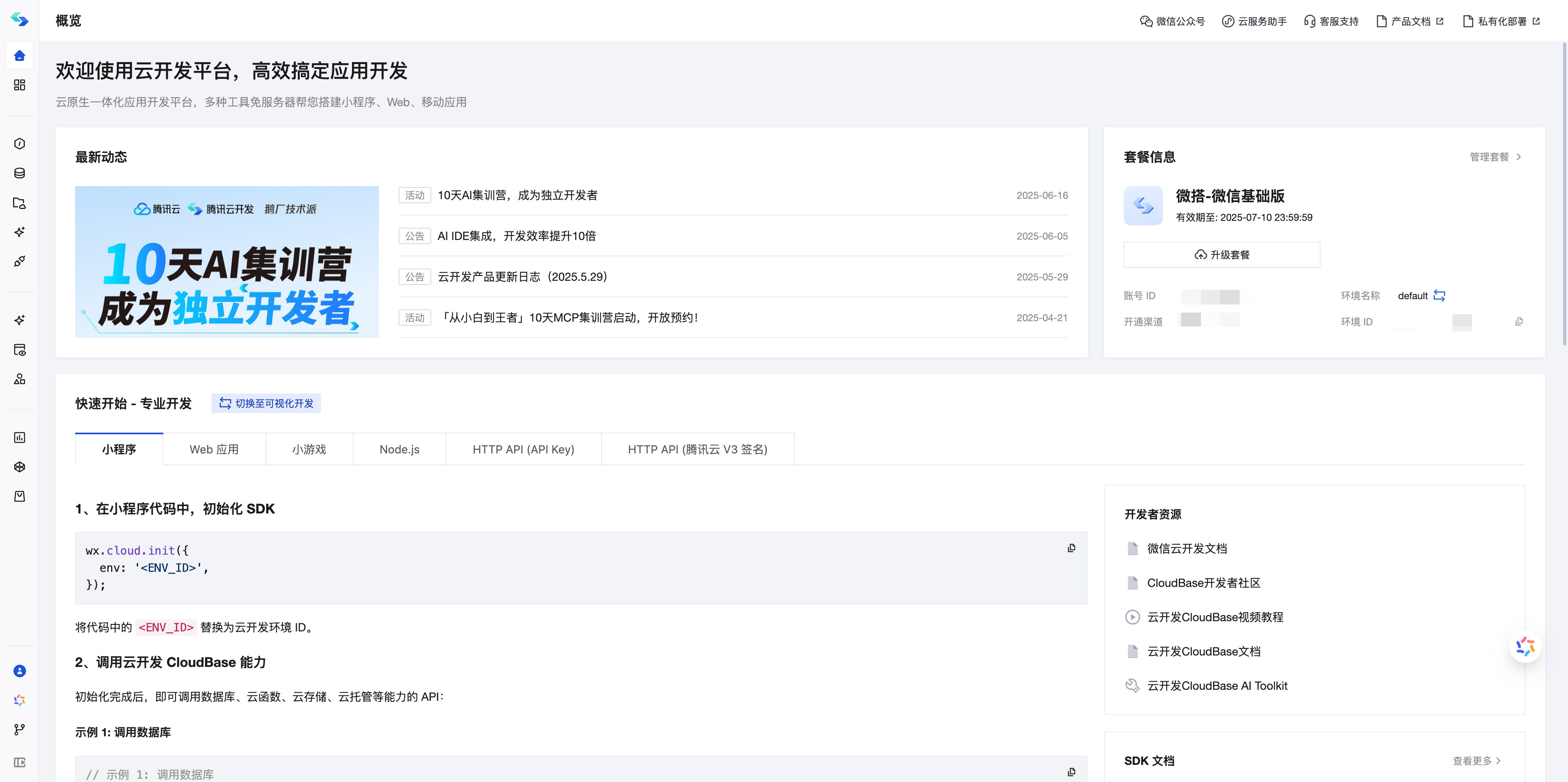
Common management operations include:
| Operation | Description |
|---|---|
| View environment information | View basic information such as the environment name, environment ID (EnvId), region, and plan version |
| Manage cloud resources | Manage resources inside the environment, such as databases, cloud functions, cloud storage, CloudBase Run, and static website hosting |
| Configure access and security | Configure access control capabilities such as security domains, login methods, and permission policies |
| View usage and billing | View API calls, resource usage, plan quotas, and billing information, and upgrade plans or purchase extra resources as needed |
| Destroy environment | When an environment is no longer needed, you can destroy it from the console to release the related resources |
Manage with CLI and APIs
If you need to manage environments from the command line, backend services, or platform systems, you can use the following methods:
- Manage environments with CloudBase CLI: see CLI Environment Management
- Manage environments with Manager Node SDK: see Environment Management API
- Create and manage tenant environments with Cloud APIs: see CloudBase for Platform Overview
Use an Existing Tencent Cloud Account's CloudBase Environment in a WeChat Mini Program
If you have already created a CloudBase environment under a Tencent Cloud account and want to use that environment in a WeChat Mini Program, you need to first bind the Mini Program's WeChat Official Accounts Platform account to the Tencent Cloud account. After the binding is complete, you can select and convert the existing Tencent Cloud-side environment in WeChat Developer Tools.
After this is done, the WeChat Mini Program can use the CloudBase environment under the Tencent Cloud account.
Step 1: Log in to the Tencent Cloud Console
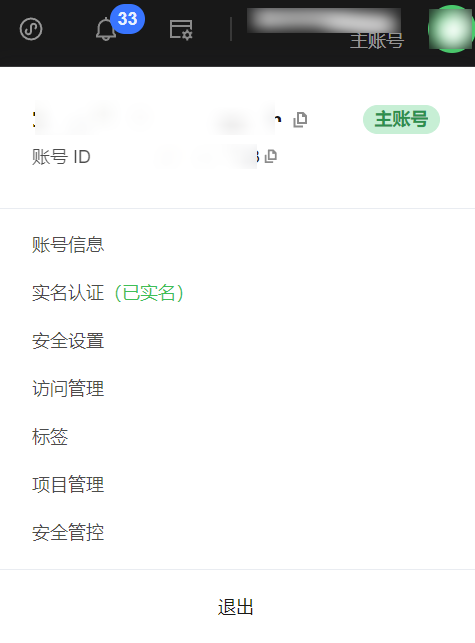
Log in to CloudBase Console. In the username dropdown menu, click Account Info to enter the account center.
⚠️ Note: If you are currently logged in as a sub-account, switch to the main account before continuing.
Step 2: Bind the WeChat Official Accounts Platform Account
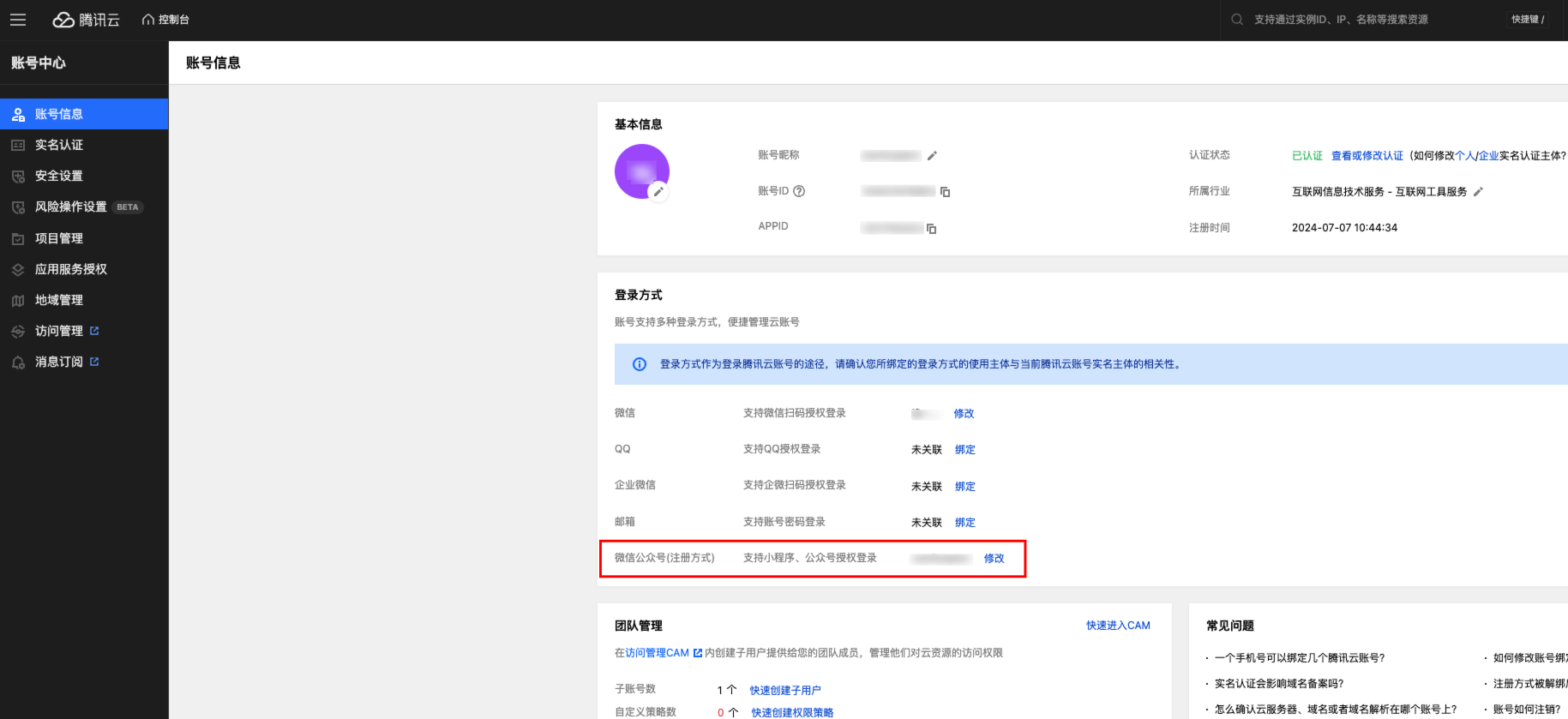
In Login Methods, click Associate on the right side of WeChat Official Accounts Platform.
Step 3: Authorize the Binding
After logging in with WeChat using the QR code that appears, click "Go to Authorize" in the account association window.
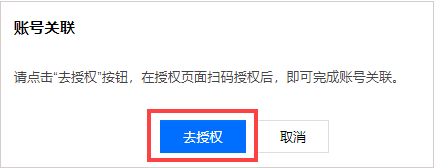
Follow the prompts to complete authorization. This binds the WeChat Official Accounts Platform account to the Tencent Cloud account.
Step 4: Open WeChat Developer Tools and Enter the CloudBase Console
After the account binding is complete, open WeChat Developer Tools and enter the CloudBase Console.
Step 5: Use an Existing Tencent Cloud Environment
- In the CloudBase Console, go to Settings, expand the Environment Name dropdown list, and click "Manage My Environments".
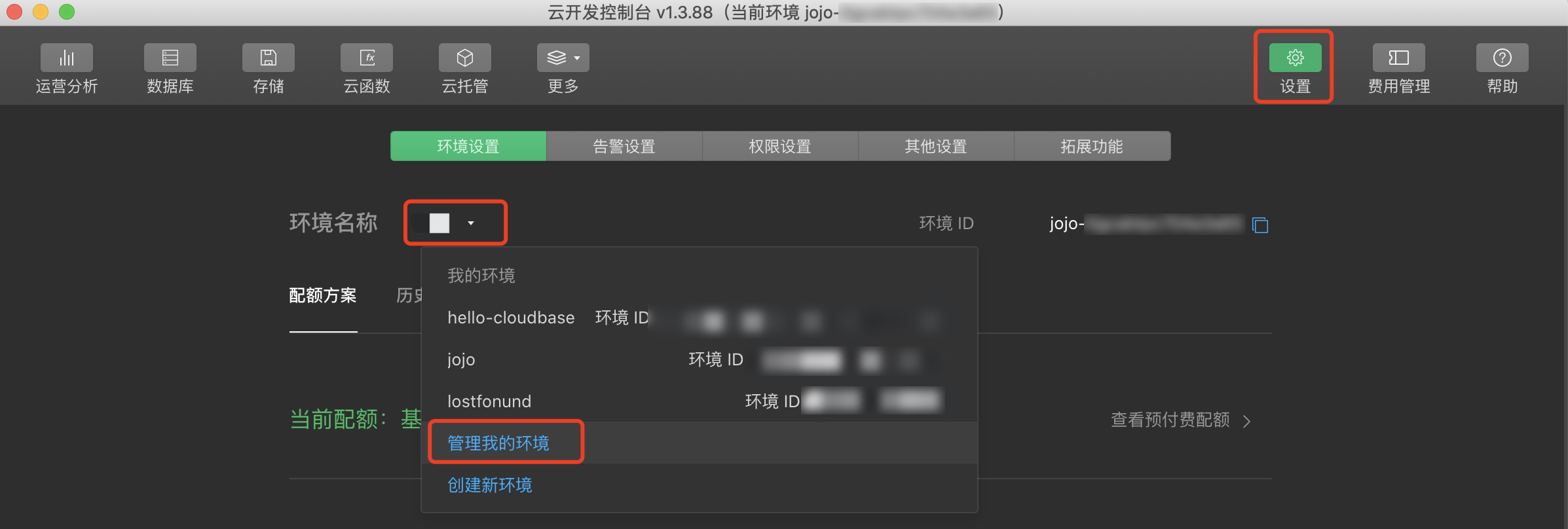
- In the "WeChat Developer Tools > Environment Management" sidebar, click "Use Existing Tencent Cloud Environment".
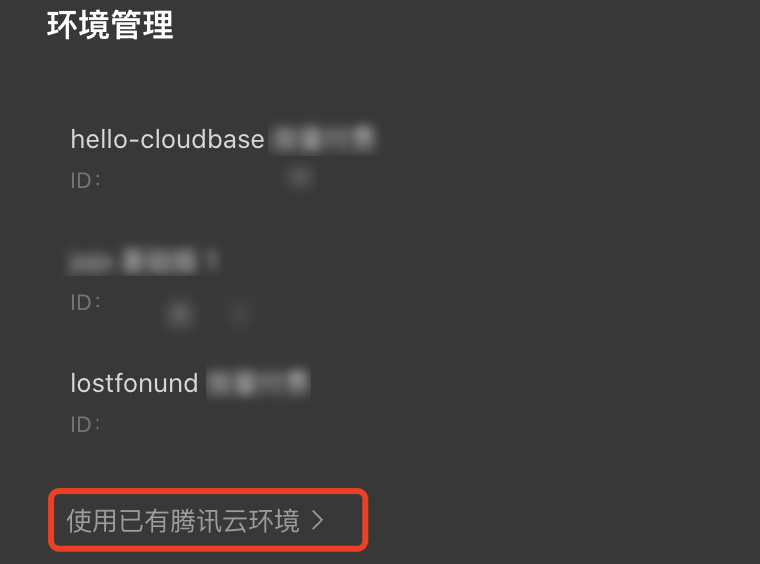
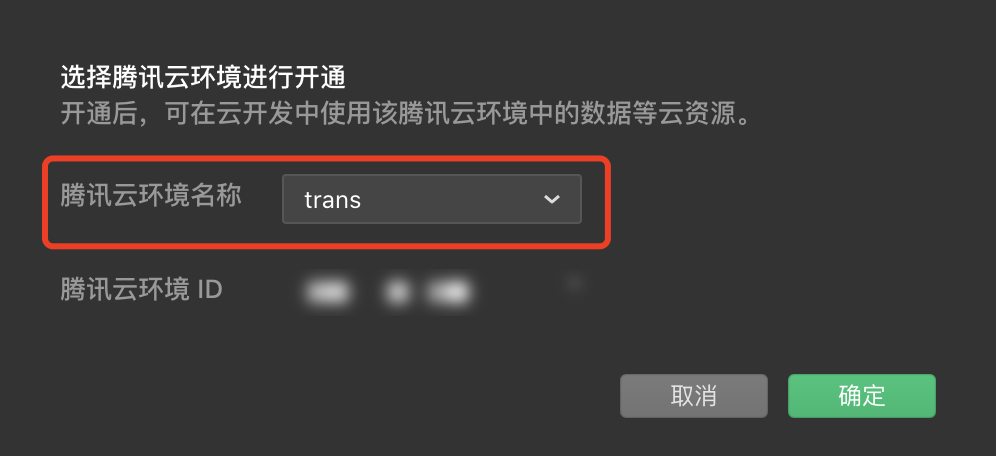
- Select the Tencent Cloud-side environment you want to use, confirm the environment conversion, and scan the code to complete verification.
Next Steps
After the environment is set up, please choose the corresponding quick start guide based on your development needs:
- WeChat Mini Program Development
- Web Application Development
- Mini Game Development
- Backend Service Hosting Development
- Develop with AI Tools
FAQ
Can I create multiple resource environments?
A resource environment is a collection of resources used during Mini Program development, including databases, file storage, etc. The resources of each environment are independent and isolated from each other. You can create multiple environments according to your needs for development, testing, production, and other scenarios. If you have multiple applications corresponding to different business data, you also need to create multiple environments. Currently, on the WeChat side (WeChat Developer Tools), you can create two free environments, and on the Tencent Cloud side, you can create one free environment.
Can different clients use the same resource environment?
Currently, environments created on the WeChat side support the development of Mini Program and Web sides; environments created on the Tencent Cloud side currently only support the development of the Web side.
What to do when the environment's API call limit is reached?
To ensure reasonable use of resources, CloudBase has limits on the number of API calls for each environment. The call count for each environment is calculated independently and is counted on a daily basis.
- When the daily API call count exceeds 80% and 90%, notifications will be sent through different channels such as WeChat, SMS, internal messages, and email. If you are developing a Mini Program and this alert is triggered on the WeChat side, the sending channel will be WeChat; otherwise, it will be Tencent Cloud. You can upgrade your environment version to enjoy more API call quotas and avoid affecting normal business operations.
- If the daily API call limit has been exhausted, calling the API will result in an error [API call limit reached]. The call count will reset the next day and return to normal.
What is the concept of CloudBase environment, how to switch between different environments, and how to synchronize data
Switching between different environments in the SDK only requires passing the corresponding env parameter during init. Cloud functions and file storage can use CLI tools to simplify cross-environment data copying functionality. For databases, you still need to export from the console and then import to the target environment.
What is the relationship between Mini Program side and Tencent Cloud side CloudBase
Both are supported by Tencent Cloud. Currently, there are the following differences: environments created on the Mini Program side can be accessed on both sides (except for cloud function management); environments created on the Tencent Cloud side can only be accessed on the Tencent Cloud side.
Is it possible to manage CloudBase without the cloud console
Use the command-line tools provided by CloudBase to manage CloudBase resources.
How to migrate CloudBase environment across accounts
CloudBase environments do not support cross-account migration. For data migration, please refer to Data Migration