How to Integrate Internal and External Data
WeDa provides multiple ways to integrate business data. You can use WeDa's built-in database or connect to your existing business databases.
 Refer to the following documentation to select the integration approach that suits your needs.
1. Using WeDa's Database
1.1 Data Model Approach
View Data Model Overview
Data Model Approach
Users can use the context.callModel method to operate on data. Specific model methods include: create (wedaCreate), batch create (wedaBatchCreate), delete (wedaDelete), batch delete (wedaBatchDelete), update (wedaUpdate), batch update (wedaBatchUpdate), get item (wedaGetItem), get records (wedaGetRecords). For detailed usage, please refer to the documentation
Data Model Approach V2
Users can use the $w.cloud.callDataSource method to operate on data. Specific model methods include: create (wedaCreateV2), batch create (wedaBatchCreateV2), delete (wedaDeleteV2), batch delete (wedaBatchDeleteV2), update (wedaUpdateV2), batch update (wedaBatchUpdateV2), get item (wedaGetItemV2), get records (wedaGetRecordsV2) For detailed usage, please refer to the documentation
1.2 APIs
Users can operate on data through custom APIs. Refer to the Custom API Overview
HTTP Request
Data can be operated on using the data source management API. Detailed usage can refer to the documentation
Custom Code
Users can invoke external HTTP services, WeDa data models, APIs, custom APIs, or CloudBase cloud functions using the built-in APIs or npm packages in custom code. For detailed usage, please refer to the documentation
Cloud Function
A Cloud Function is a special type of Javascript function, built upon the capabilities of CloudBase Cloud Functions. It can access all features of the CloudBase Node SDK via the function's context parameter. For detailed usage, please refer to the documentation
1.3 Data Import/Export
Users can import and export data for a single data model in the data management console.
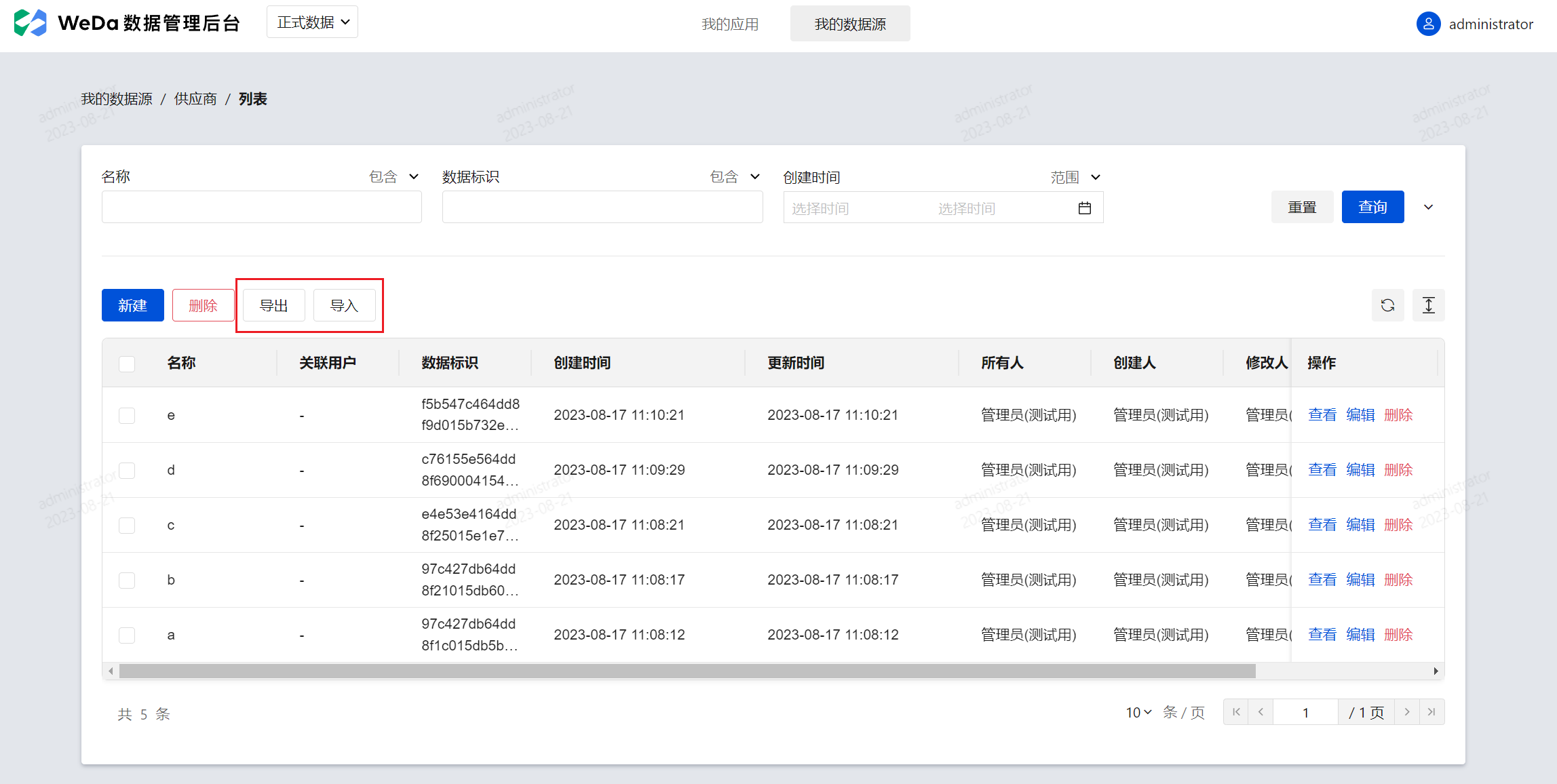 For detailed usage, please refer to the documentation
2. Use Custom MySQL Database
MySQL Connector
Users can connect to self-managed MySQL databases via the MySQL connector to retrieve or manipulate data in the databases. For detailed usage, please refer to the documentation