Configure WeChat Service Account Customer Support
Quick configuration enables CloudBase AI to integrate with Service Account customer service to achieve intelligent customer service features.
Prerequisites
- You have registered WeChat official accounts (Service Account)
- You have enabled the CloudBase environment (click to activate)
- You have created an Agent (click to create)
Step 1: Obtain the Service Account AppId
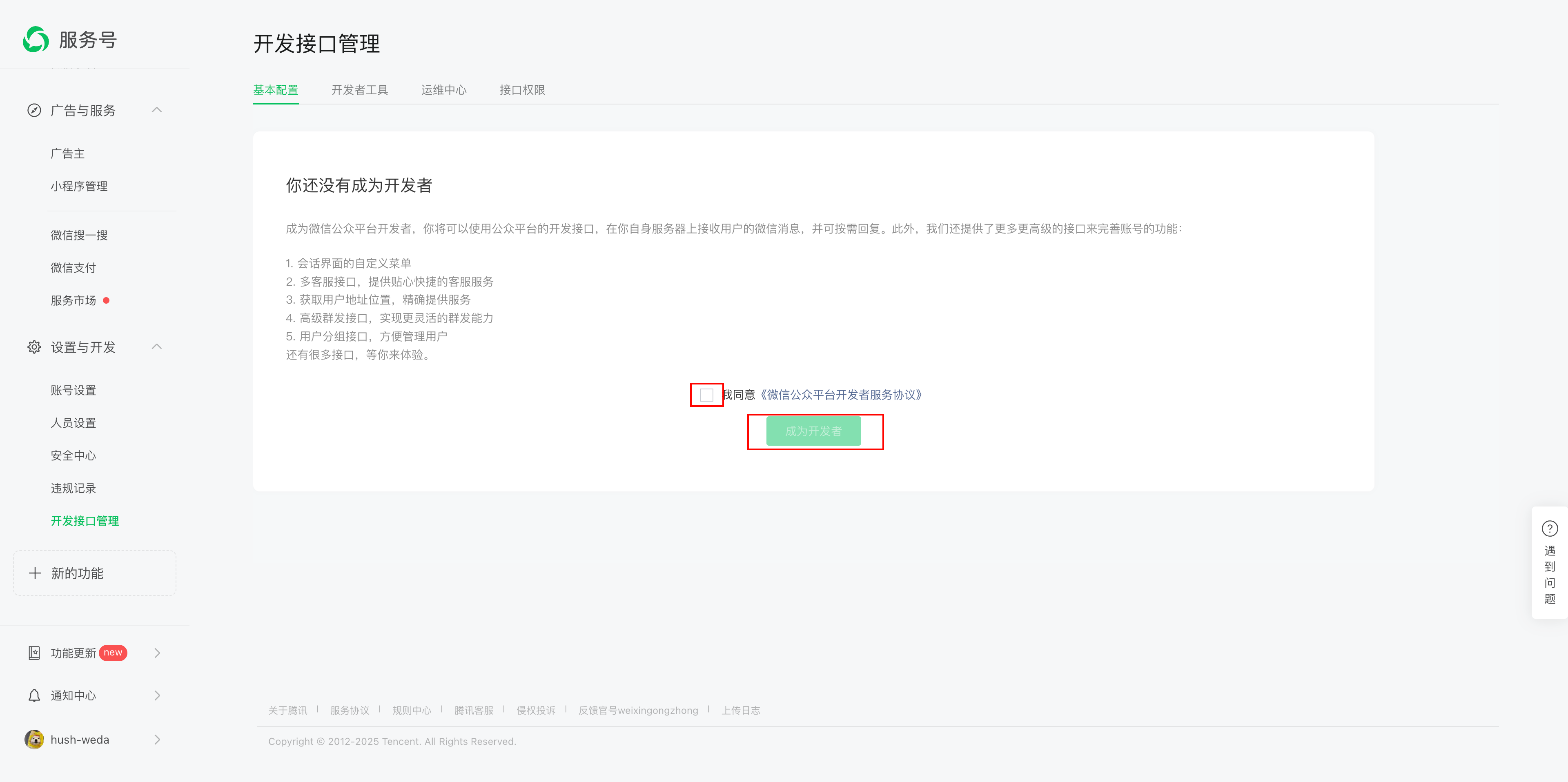
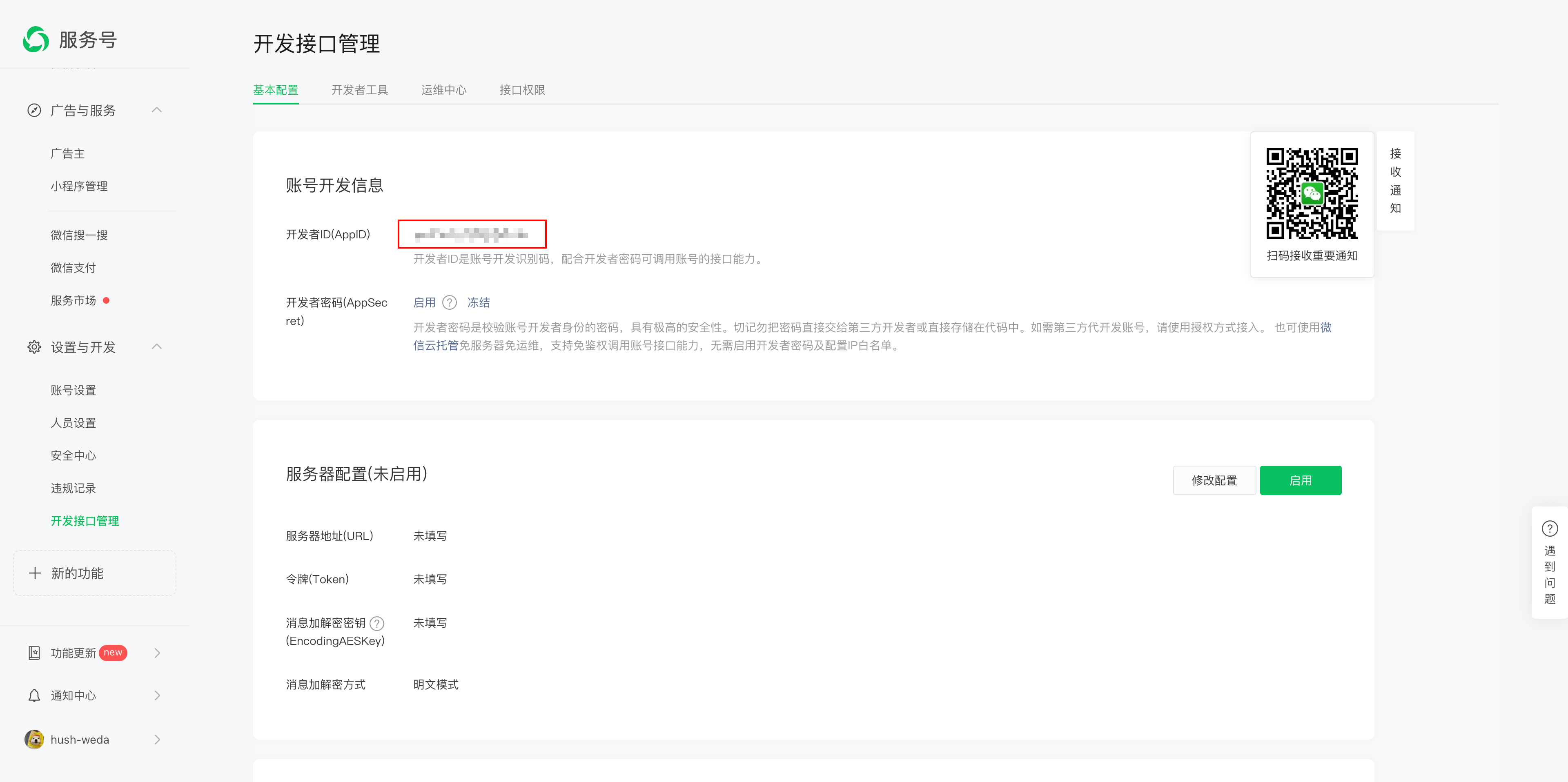
Go to the Service Account backend and view the AppId in Settings & Development > Development Interface Management.
On first entry, you need to become a developer first:
After becoming a developer, you can view the AppId:
Step 2: Authorize Service Account
- Go to the CloudBase AI console and select the Agent module.
- Locate the "WeChat Platform" in the "Integration Guide"
- Select "Service Account" and click "Authorize Now"
- Enter the AppId obtained in the previous step and click Next.
- Use the Service Account administrator's WeChat to scan the QR code and complete authorization.
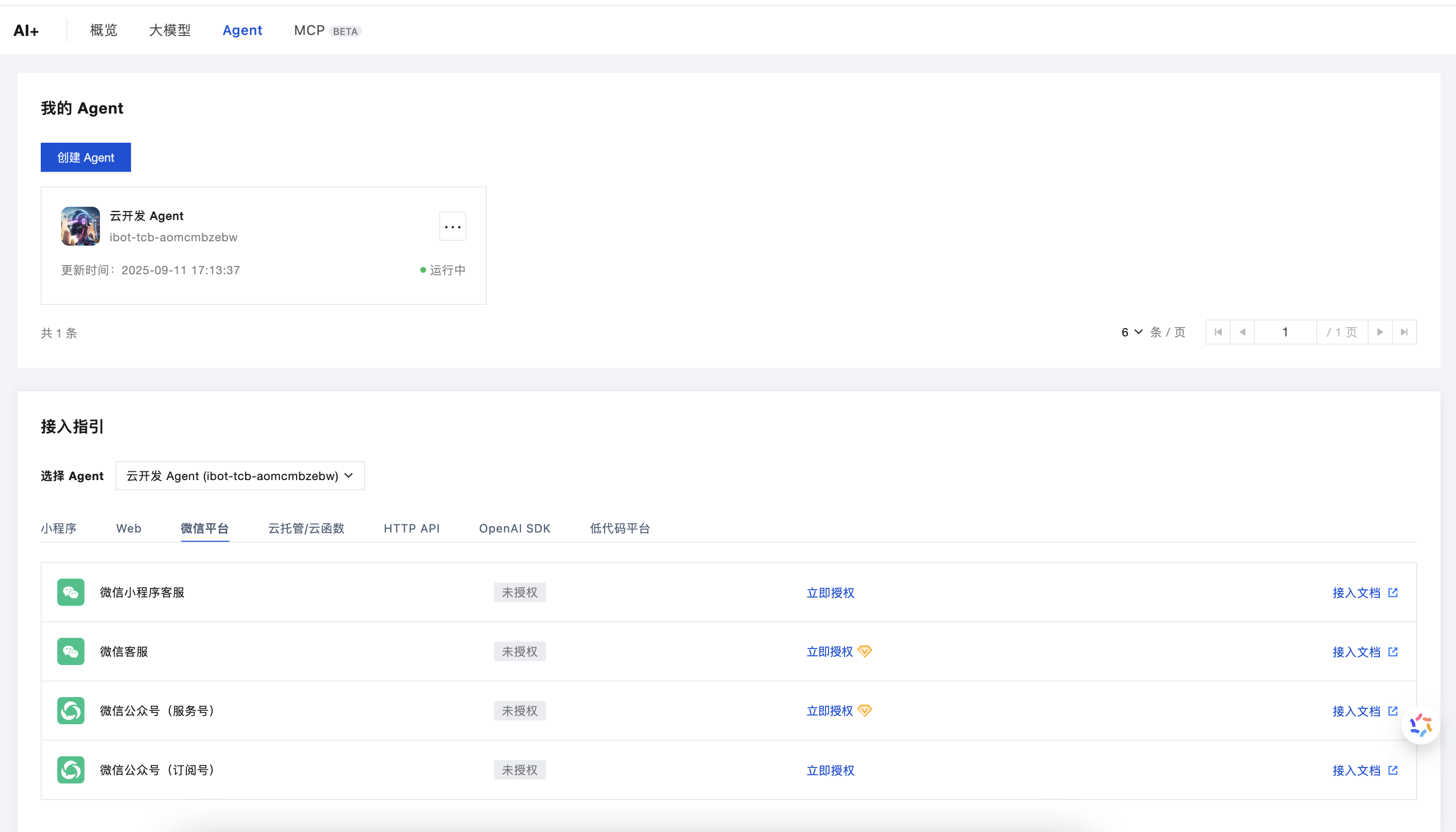
📝 Note: This authorization allows CloudBase to act as an agent for Service Account customer service, enabling AI auto-reply to messages.
Step 3: Development
After authorization is completed, the Agent needs to be modified to support the WeChat platform message format. Refer to the corresponding development documentation based on your Agent type:
- Agents with the
agent-prefix: See WeChat Platform Adapter Development Documentation - Agents with the
ibot-prefix: See Integration of ibot- prefixed Agents with WeChat callback messages
Step 4: Testing
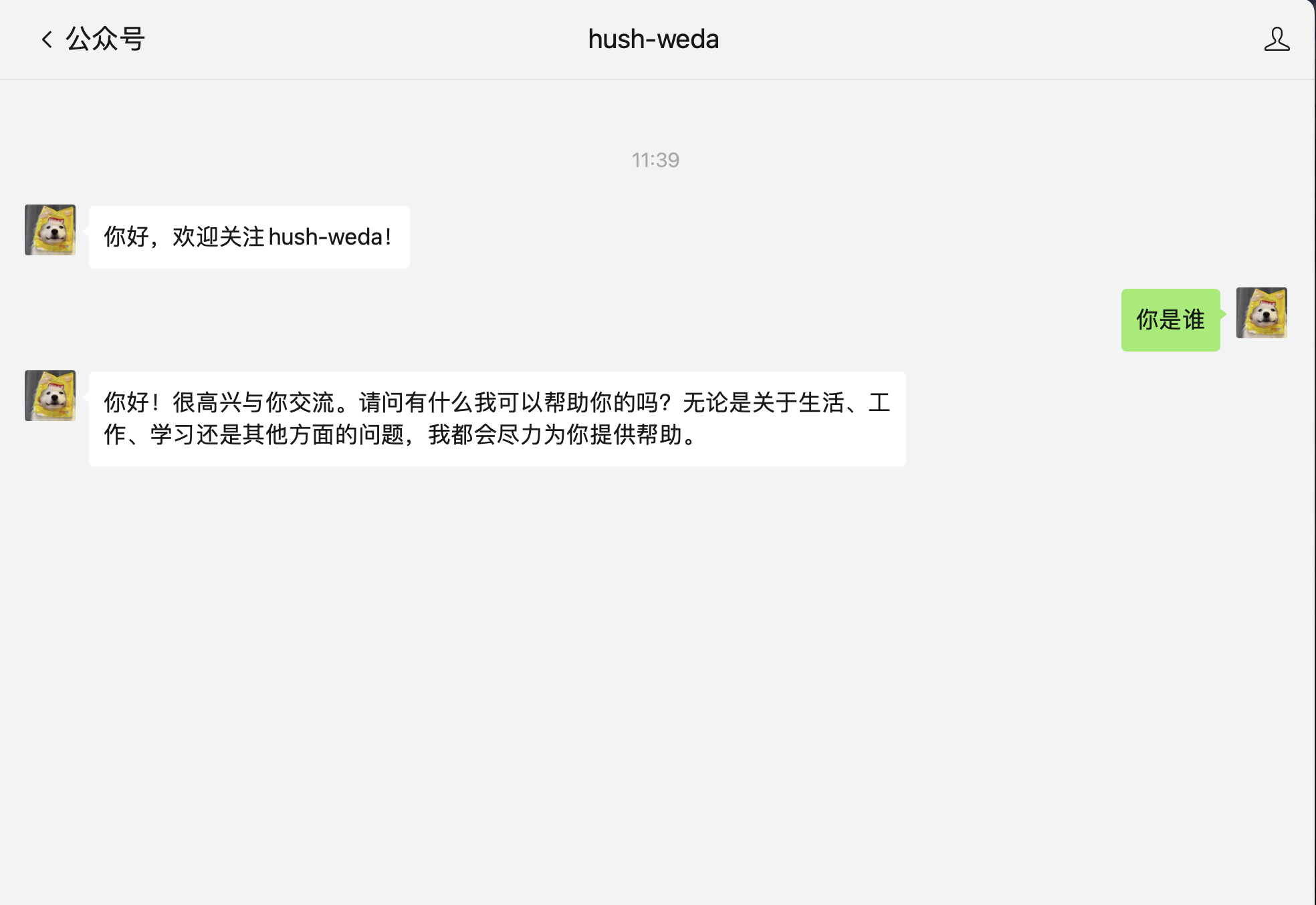
After completing development and deployment, you can test the intelligent customer service feature:
- Open your Service Account conversation window
- Send any message
- Wait for the AI Agent to automatically reply
Optimization Suggestions
Improve Response Speed
Add the following settings to the Agent prompt to significantly improve response speed:
- The Agent responds to questions in a minimalist style
- Simplify complex questions and extract the key information
- Strictly limit the length and relevance of responses to avoid redundancy
- Do not output in Markdown format; output plain text directly
⚠️ Note: After changing the prompt, historical conversation records may affect the model's output effectiveness.
Model Selection
- Recommended: Hunyuan model, DeepSeek V3 (fast response speed)
- Not recommended: DeepSeek R1 and other deep thinking models (response time is slow)
Better Experience
For a richer conversation experience (such as Markdown rendering and multi-turn conversation display), you can consider embedding H5 pages or Mini Programs in the Service Account menu.