Chapter 1: Setting Triggering Methods
The triggering method is the starting point of the workflow. This chapter will guide you on how to trigger the workflow upon receiving a WeChat Pay event.
Prerequisites
When using the Merchant Transfer feature on the merchant platform, you need to configure the outbound IP whitelist in the WeChat Pay Merchant Platform.
Configuration Path: Merchant Platform - Merchant Transfer - Transfer Distribution - IP Whitelist Settings
IP Addresses to Add:
175.24.211.44
175.24.212.162
175.24.213.48
175.24.214.104
175.24.214.93
49.234.25.245
49.234.27.58
49.234.3.160
49.234.34.31
49.234.35.33
123.207.203.14
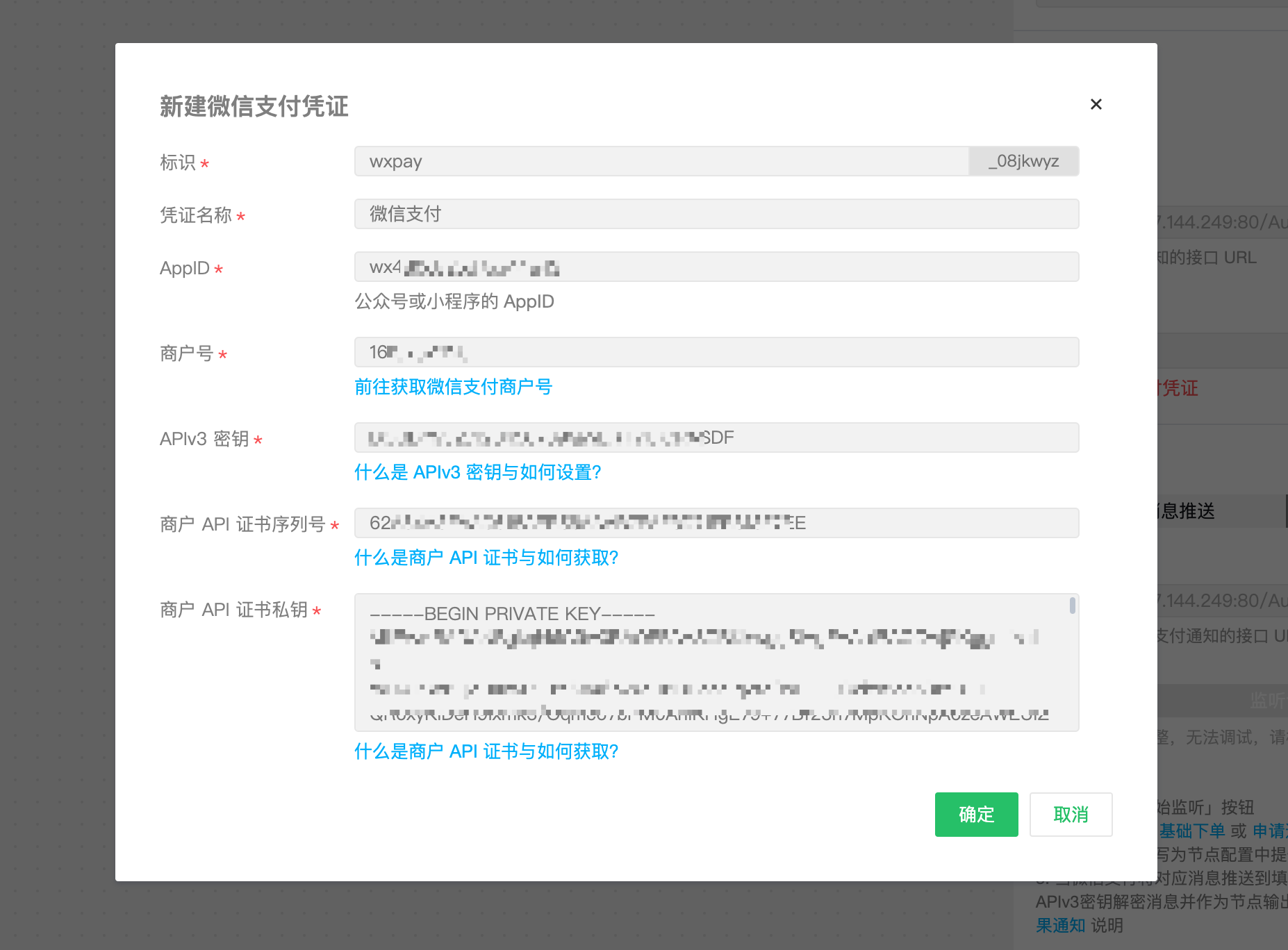
Step 1: Prepare WeChat Pay Merchant ID, Certificate, and APIv3 Key
- Obtain the APPID: Go to the WeChat Official Accounts Platform to create an official account or a mini program account and obtain the APPID
- Obtain the Merchant ID: Go to the WeChat Pay Merchant Platform to access WeChat Pay and obtain the Merchant ID, then bind the Merchant ID to your official account or mini-program APPID. See the guide
- Obtain the certificate: Log in to WeChat Pay Merchant Platform - Account Center - Account Settings - API Security - Apply for API Certificate to request a certificate. See the guide
- Obtain the APIv3 key: Log in to WeChat Pay Merchant Platform - Account Center - Account Settings - API Security - Set APIv3 Key to configure the key. See the guide
Step 2: Configure Trigger Node
Configure the "upon receiving a WeChat Pay event" trigger node and save. This includes:
Receive Push URL: Automatically generated, used to receive message or event pushes from the WeChat server.WeChat Pay credentials: Use the information obtained in Step 1 to create and select the WeChat Pay account credentials.

Step 3: Debug Trigger Method
In this step, we will verify whether the trigger method is configured correctly.
Listening to Message Push
After completing Steps 1 and 2, go to the Debug - Message Push Listening panel and click the "Listen for Requests" button to start listening for WeChat Pay event pushes. Trigger methods include: Basic Order Placement and Request Refund. When calling the API, set the 'notify_url' parameter to the 'Debug URL'.

If the message or event push is received correctly, you can see the parsed result data:

Next Steps
Next, we will learn how to use conditional branches to determine event types and implement different business logic. Please proceed to Chapter 2: Implementing Conditional Judgments