Complete Filing for a Domain
For a mainland deployment that requires filing, follow the steps below if your custom domain has not been filed yet.
International site
ICP filing is not required to connect a custom domain on the international site. See Custom Domain for domain ownership verification, DNS configuration, and HTTPS setup.
Step 1: Prepare Tencent Cloud Resources That Support ICP Filing
In addition to a CloudBase environment, you can also purchase other Tencent Cloud products to obtain filing authorization:
- CloudBase environment (Personal Plan or above, validity > 6 months, fixed IP enabled)
- Lighthouse (monthly subscription of 3 months or more)
- CVM (monthly subscription with public bandwidth, 3 months or more)
Step 2: Complete the ICP Filing Process
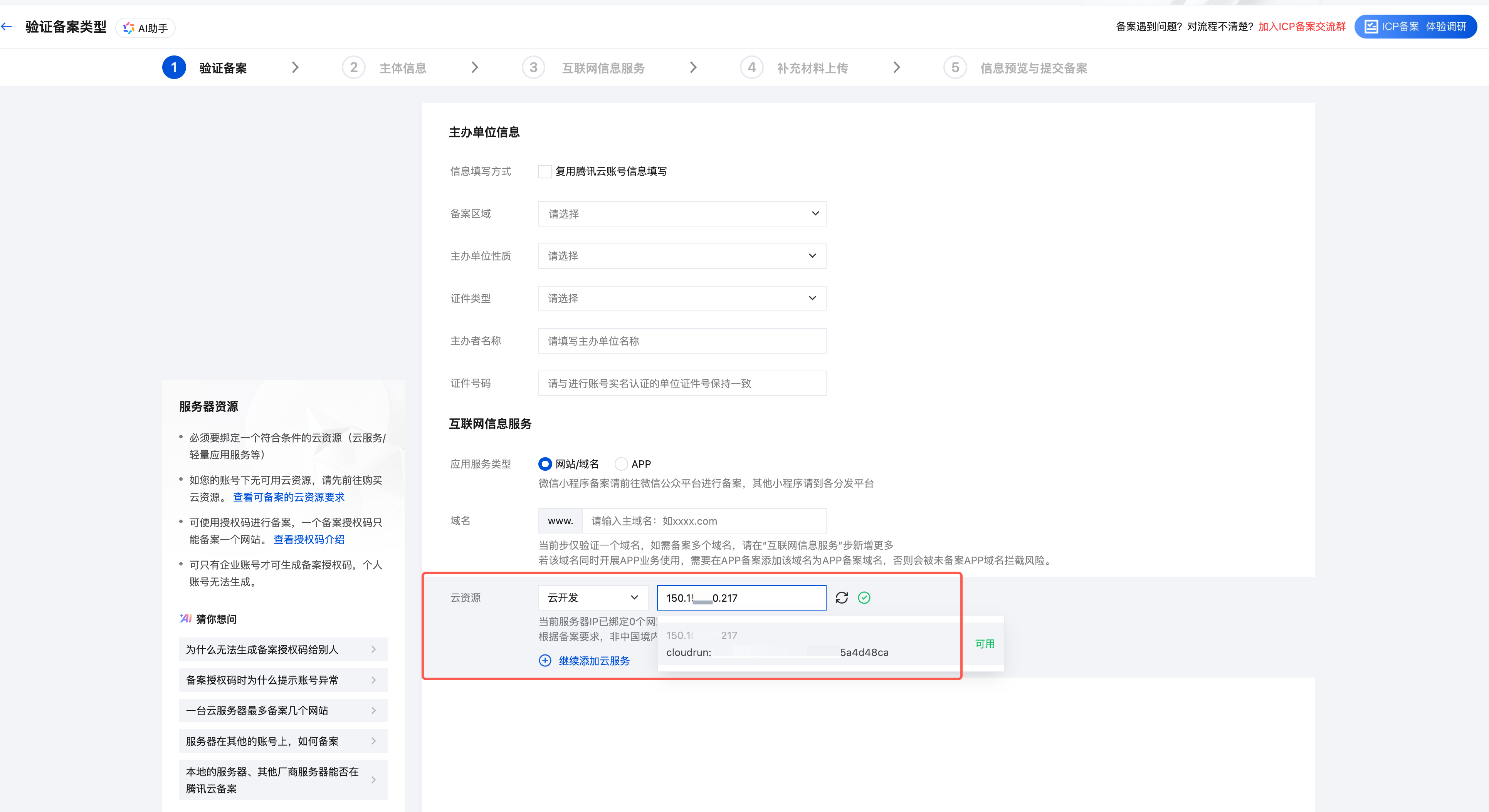
- Log in to the Tencent Cloud ICP Filing Console.
- Select your filing resource (such as a CloudBase environment), and fill in the entity information and website/app information.
- Upload the required qualification materials and complete real-name verification (such as facial recognition).
- Submit the application for preliminary review. Once Tencent Cloud approves it, the system will help you submit it to the provincial Communications Administration for review.
- Wait for the Communications Administration review. Once approved, you will receive an ICP filing number. This usually takes 1 to 20 working days, depending on the province.
Step 3: Bind the Filed Domain in CloudBase
- After the filing is approved, return to the CloudBase console.
- In the left navigation pane, select HTTP Gateway.
- Add your custom domain and configure CNAME resolution to the address provided by CloudBase.
Tip
In addition to managing domains centrally in the HTTP Gateway, you can also add a filed custom domain directly from the detail page of a specific cloud function / CloudRun / static hosting. The two entry points are equivalent — all added domains are listed and managed in the HTTP Gateway.