AI-generated cloud functions
Feature Introduction
AI-generated cloud functions
You can input keywords, and AI generates corresponding cloud function code to help developers quickly implement business functionalities.
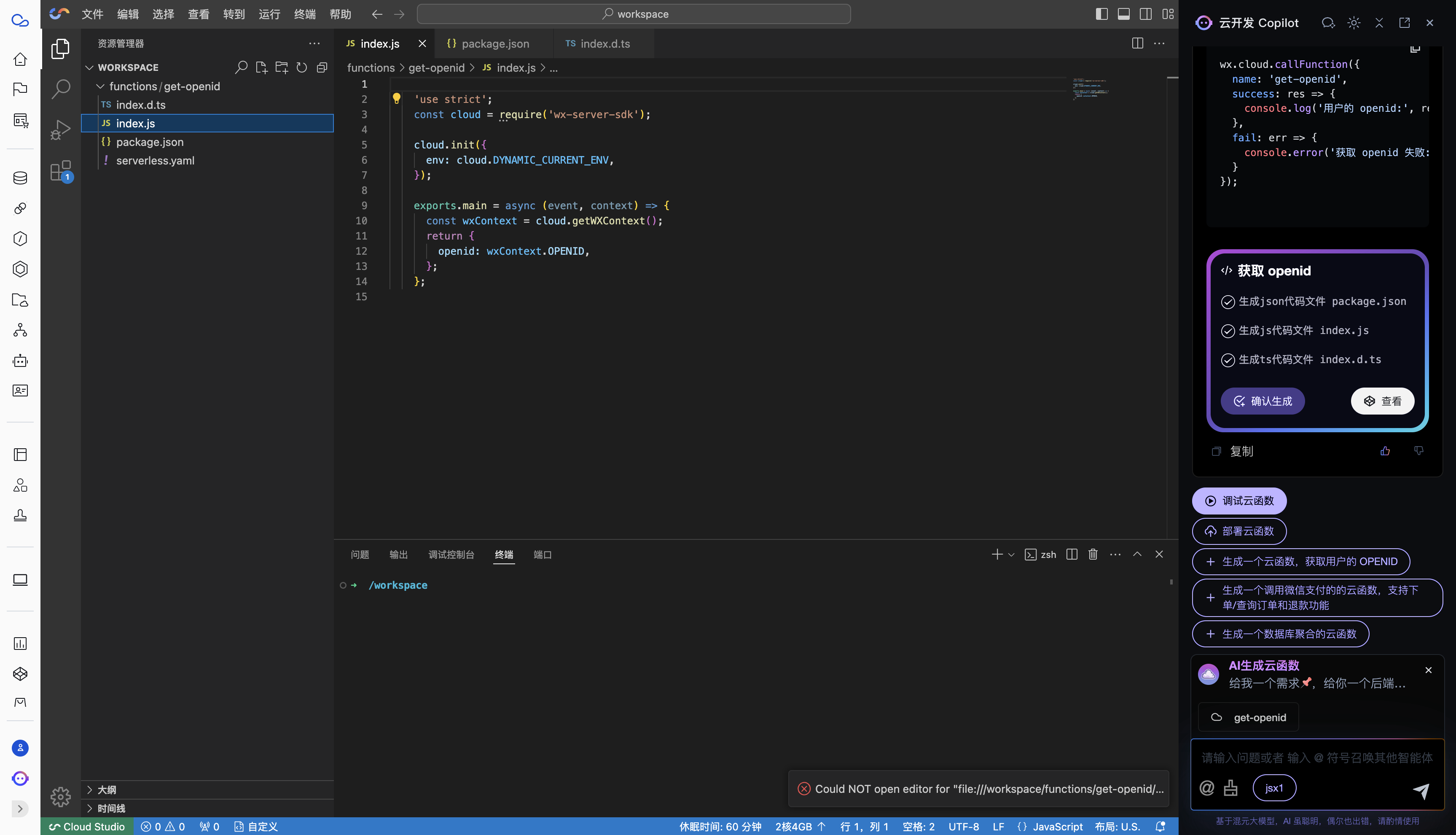
Cloud Function Debugging
After generation is completed, click the Debug button in Cloud Development Copilot, where the generated cloud function code can be edited and debugged in the cloud-based IDE.
Cloud Function Deployment
After generation is completed, click the "Deploy" button in Cloud Development Copilot to deploy the cloud function to the cloud development environment.
Modify Cloud Function Code
You can input prompts to have AI modify the current cloud function implementation.
In the cloud function list, click "Cloud Development" to open an existing cloud function. Cloud Development Copilot supports modifying the current function code.
Usage Steps
1. Open Cloud Development Copilot
- Access Cloud Development Copilot (requires a Tencent Cloud account)
- Or access Cloud Development Copilot Guest Edition
2. Switch to AI-generated cloud functions
Type @, select AI-generated cloud function, enter keywords, and click Generate.
3. Confirm Generation
After generation is completed, click the "Confirm Generation" button to open the generated cloud function code in the cloud-based IDE for editing and debugging.
If the generation is unsatisfactory, you can input new requirements to make modifications.
4. Cloud Function Debugging
Click the Debug button in Cloud Development Copilot to edit and debug the generated cloud function code in the cloud-based IDE.
5. Cloud Function Deployment
After debugging is completed, click the "Deploy" button in Cloud Development Copilot to deploy the cloud function to the cloud development environment.