AI-generated data model
Feature Introduction
AI-generated data model
It can automatically generate corresponding data models based on user input requirements, helping developers quickly implement business functionalities.
Usage Steps
1. Open Cloud Development Copilot
- Access Cloud Development Copilot (requires a Tencent Cloud account)
- Or access Cloud Development Copilot Guest Edition
2. Switch to the AI-generated data model
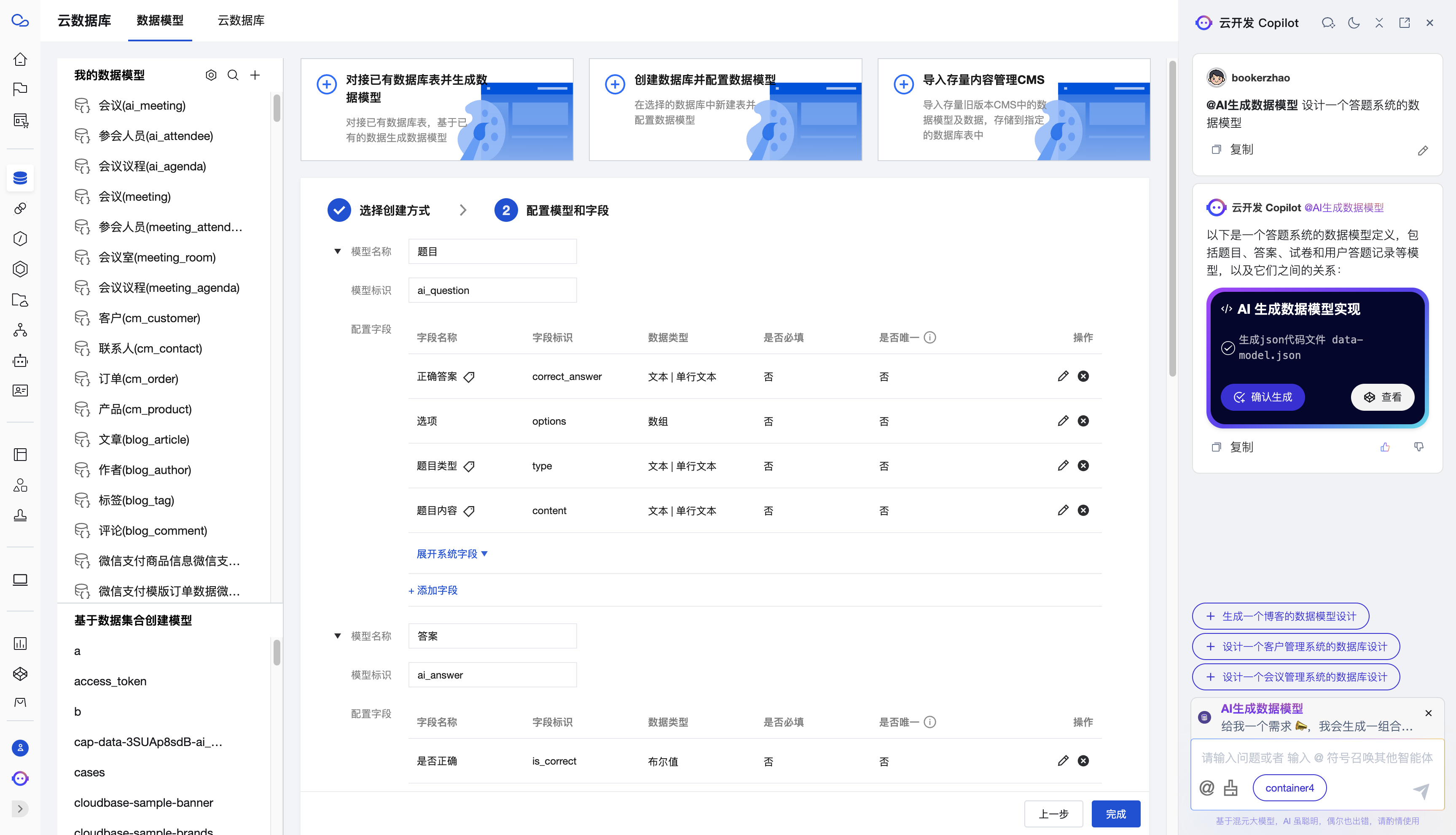
Type @, select AI-generated data model, enter keywords, and click Generate.
3. Preview the effect and confirm generation
In the Copilot preview window, you can view the description of the generated data model. After confirming it is correct, click Confirm Generation to open the data model creation page.
You can modify and adjust the already generated table structures and fields, then click Save to generate the data model.
4. Data Model Debugging
After generation is completed, you can view the generated data model in the Cloud Development Console, and debug and modify the data model.
You can refer to the viewing guide in the interface to perform CRUD operations (Create, Read, Update, Delete) on the data model.