Chapter 1: Setting Triggering Methods
The triggering method is the starting point of the workflow. This chapter will guide you on how to trigger the workflow upon receiving a WeChat message event push.
Quick Experience
Since triggering WeChat messages or event pushes requires owning and configuring a WeChat Official Account Platform account, which poses a high barrier, we provide a "simulated message push" method. This simulates message events pushed by the WeChat server for rapid development and debugging.
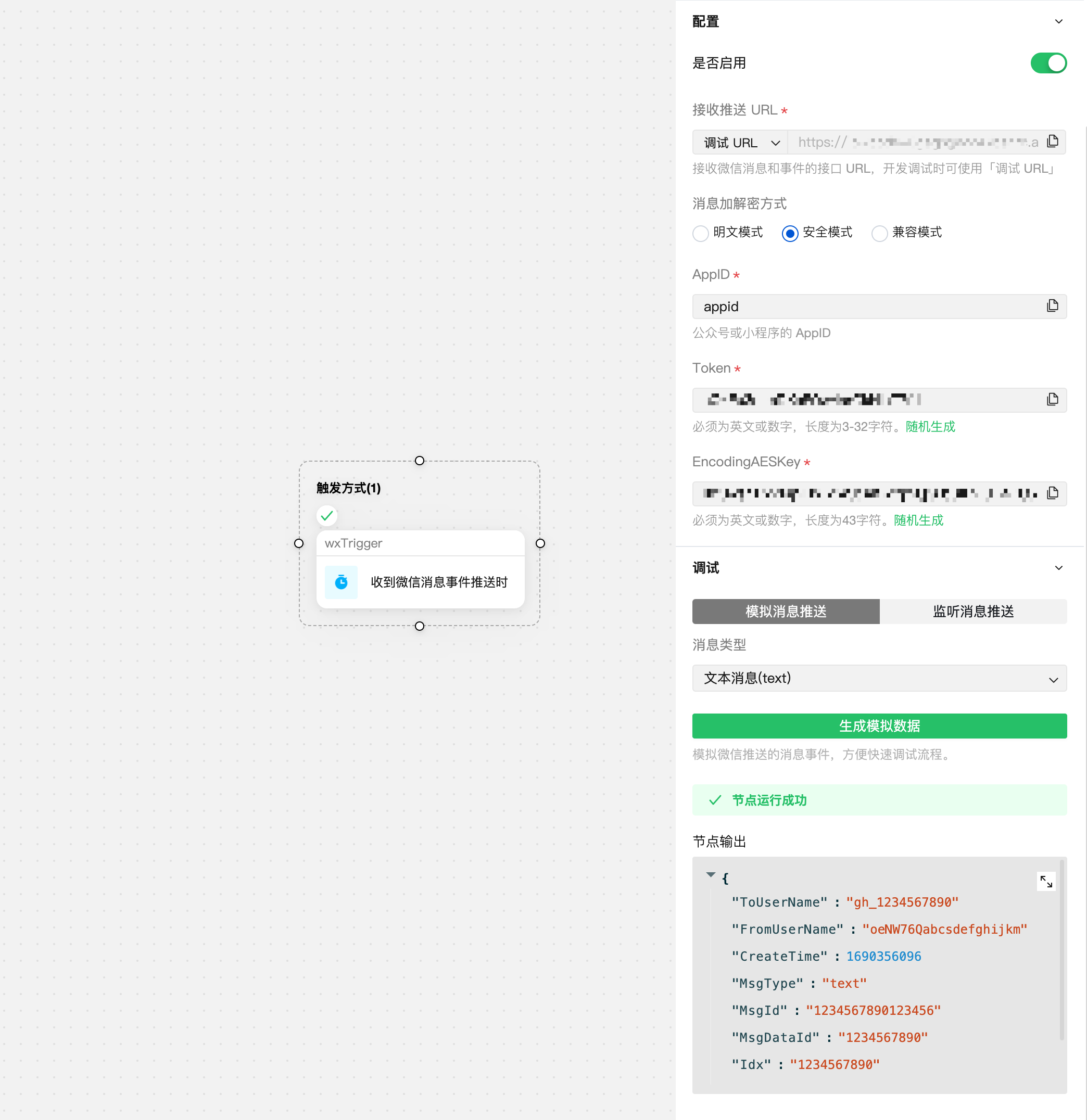
Complete Setup and Debugging
Step 1: Prepare a WeChat Official Account
Go to the WeChat Official Accounts Platform to create an official account or a mini program account. We also recommend going to the WeChat Official Account Test Application System to apply for a test account and experience it.
Step 2: Configure Trigger Node
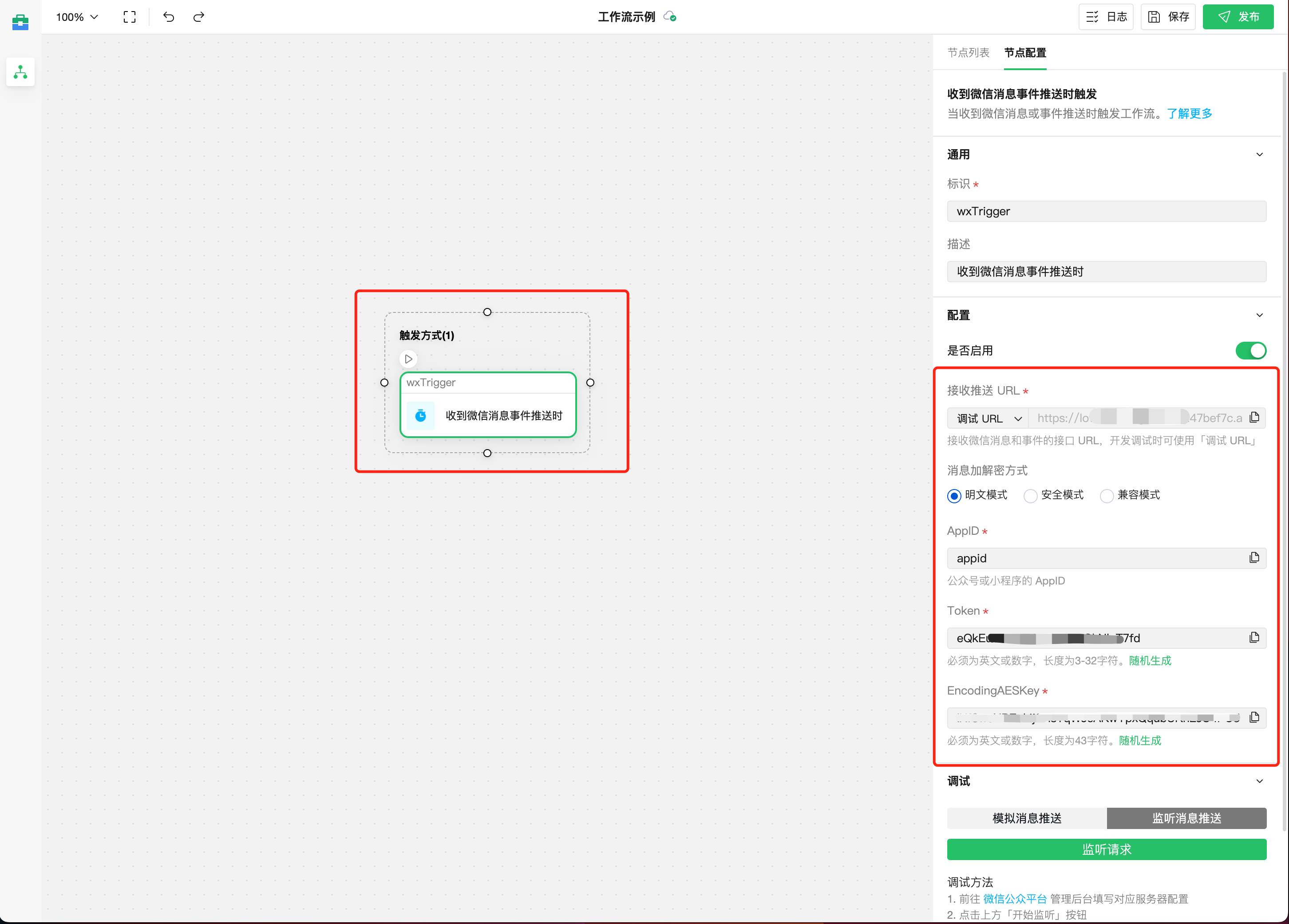
Configure the "upon receiving a WeChat message event push" trigger node and save. This includes:
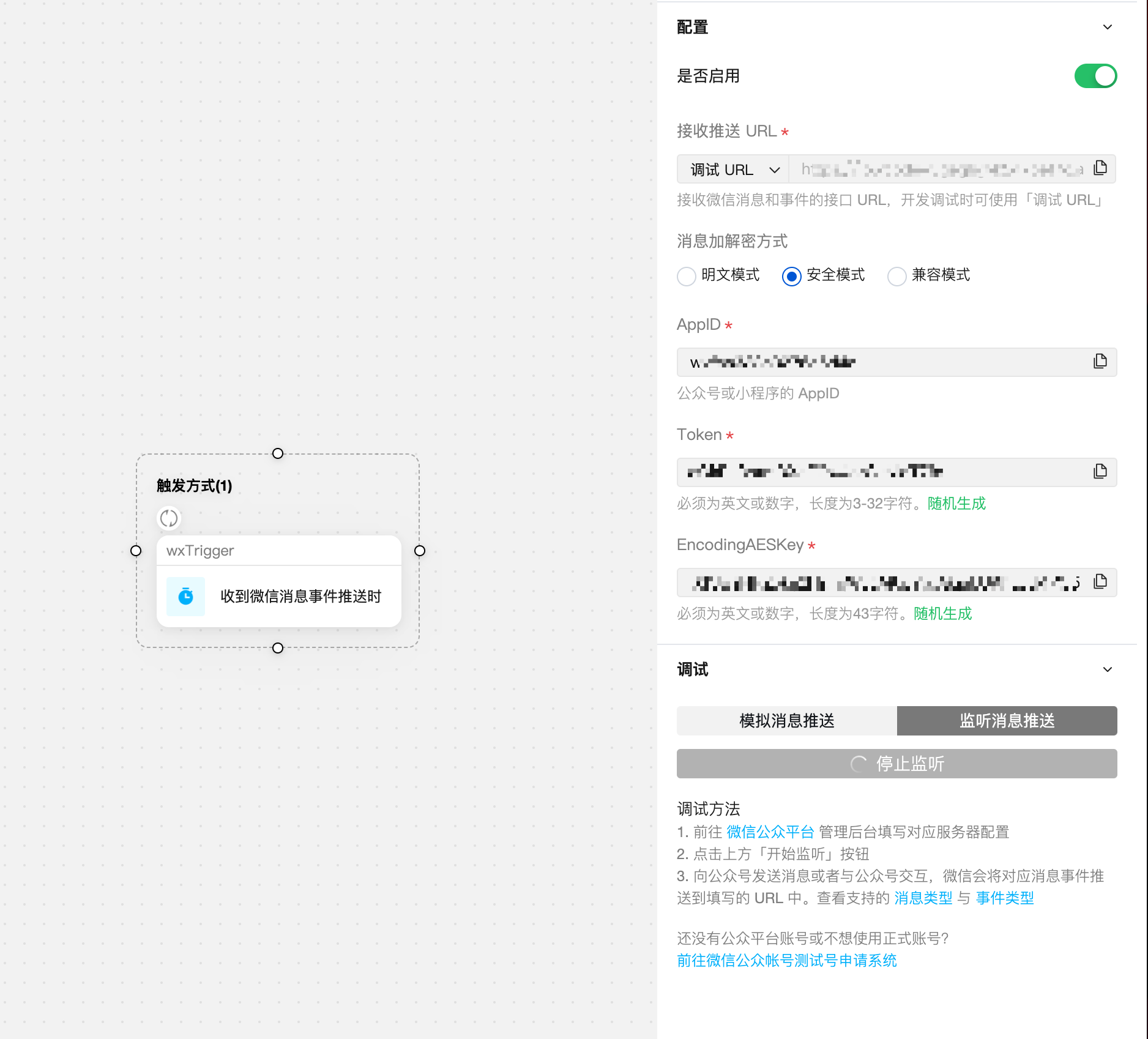
Receive Push URL: Automatically generated, used to receive message or event pushes from the WeChat server.Message Encryption Method: Secure mode is recommendedAppID: AppId of the Official Account or Mini Program- Token: Used for WeChat message encryption and decryption, can be randomly generated.
EncodingAESKey: Used for WeChat message encryption and decryption, can be randomly generated.
Step 3: Configure WeChat Server Settings
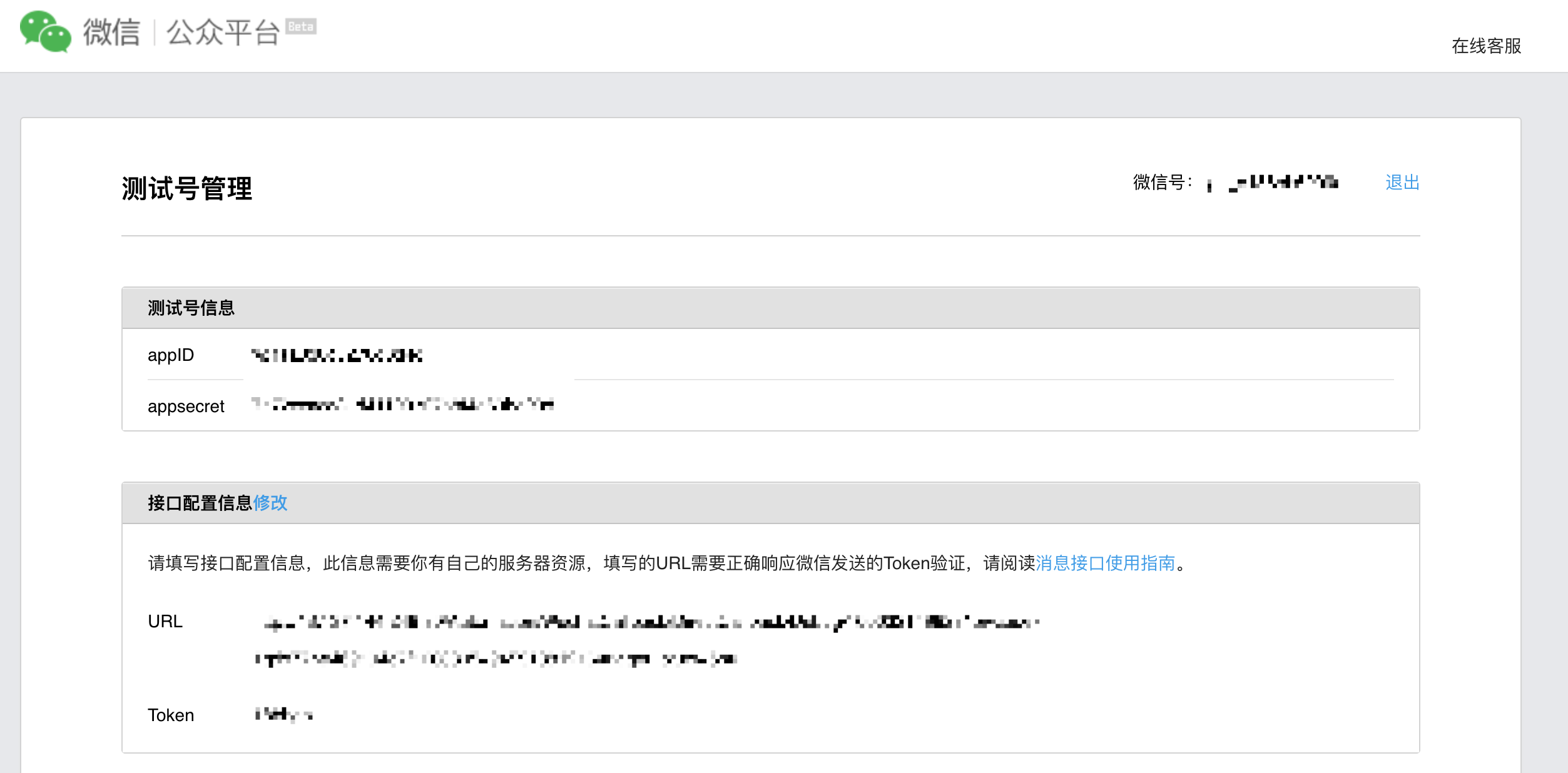
WeChat Official Account Test Account (Recommended)
Go to the WeChat Official Account Test Application System, and in the "Interface Configuration Information" card, fill in the debug URL and Token from Step 2 respectively.
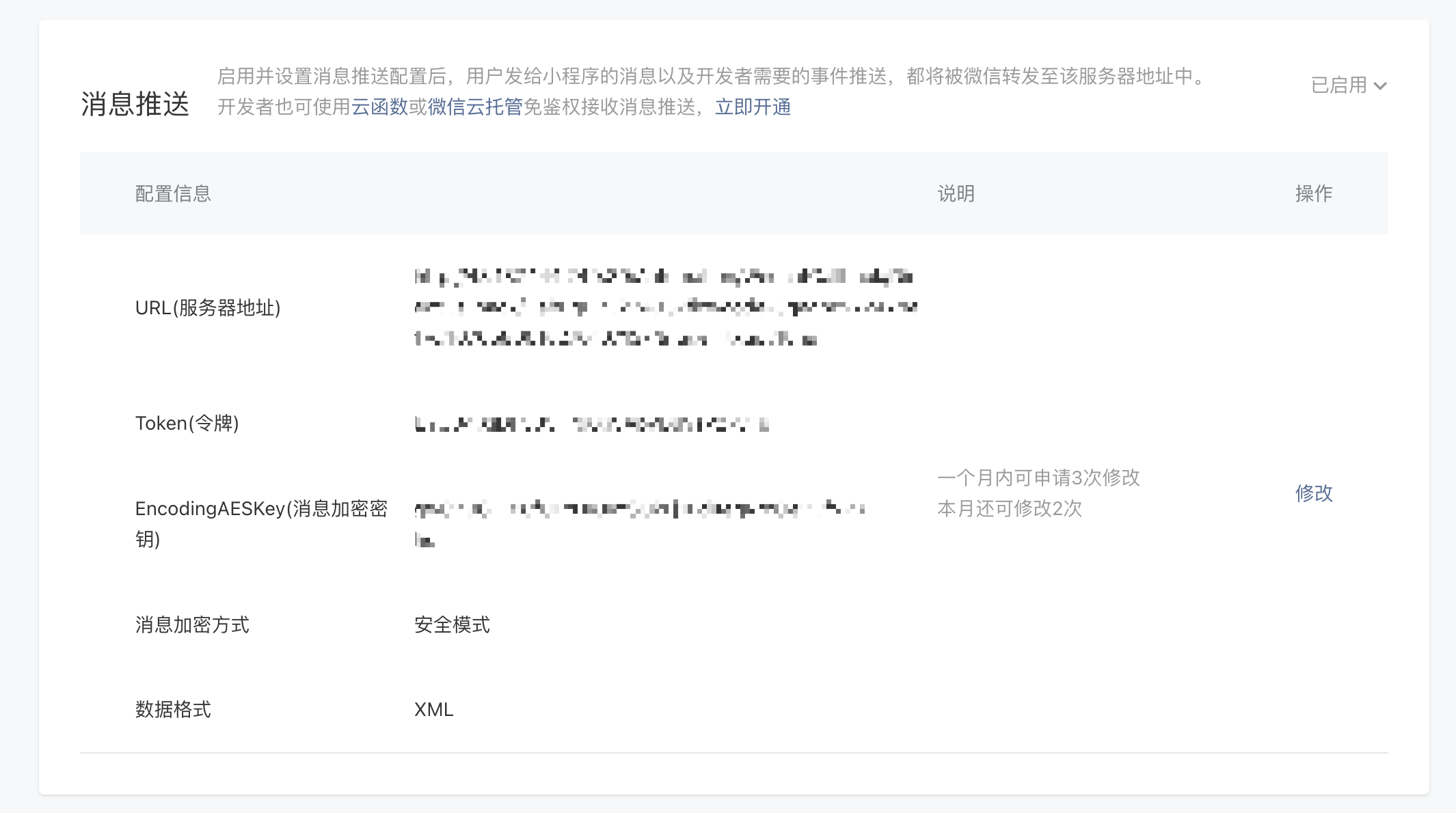
Mini Program
Go to the WeChat Official Platform Admin Console, and in the "Message Push" card on the Development - Development Management page, enable and fill in the debug URL, Token, and EncodingAESKey from Step 2 respectively. Select Secure mode for message encryption method and XML for data format.
The Message Push settings for Mini Programs can only be modified 3 times per month. We recommend using a test account for development and debugging, and configuring the Mini Program Message Push settings after development is complete.
Official Account
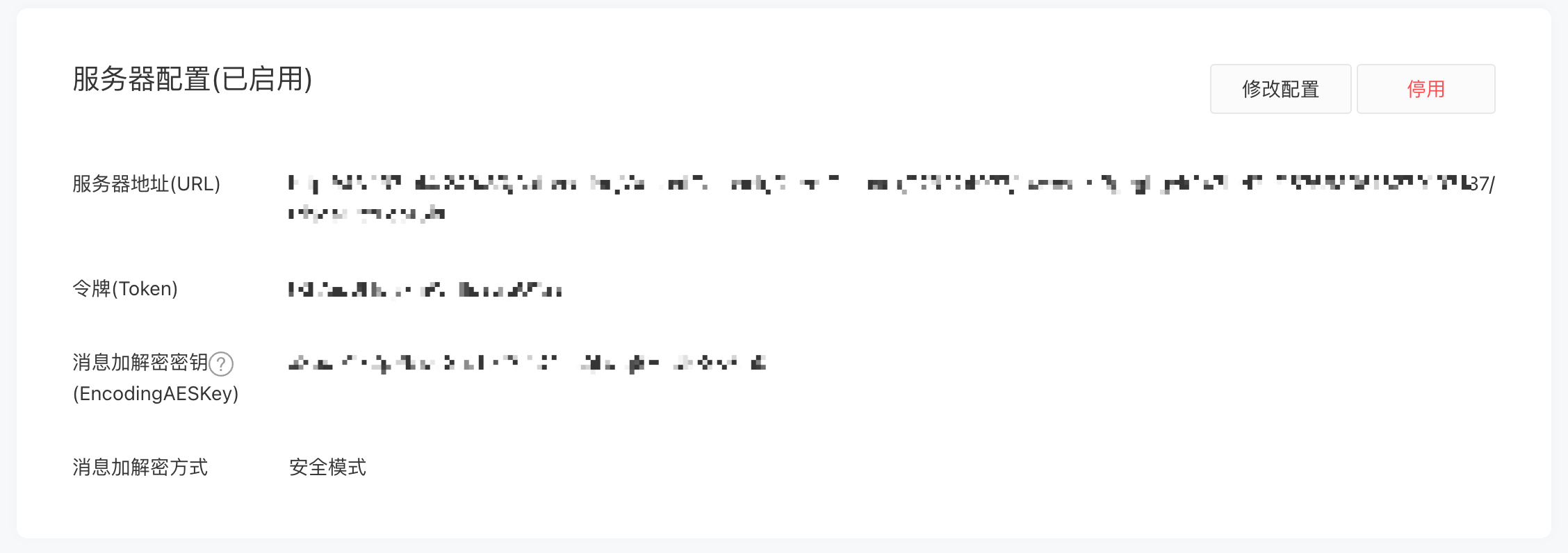
Go to the WeChat Official Platform Admin Console, and in the "Server Configuration" card on the Settings & Development - Basic Configuration page, enable and fill in the debug URL, Token, and EncodeingAESKey from Step 2 respectively. Select Secure mode for message encryption method.
Step 4: Debug Trigger Method
In this step, we will verify whether the trigger method is configured correctly.
Listening to Message Push
After completing Steps 2 and 3, go to the Debug - Message Push Listening panel and click the "Listen for Requests" button to start listening for WeChat message or event pushes. Trigger methods include:
- Official Account: Trigger methods include following/unfollowing the Official Account, sending messages to the Official Account, etc. View supported message and event types.
- Mini Program: Use customer service messages, etc., in the Mini Program. See How to Use Customer Service Messages;
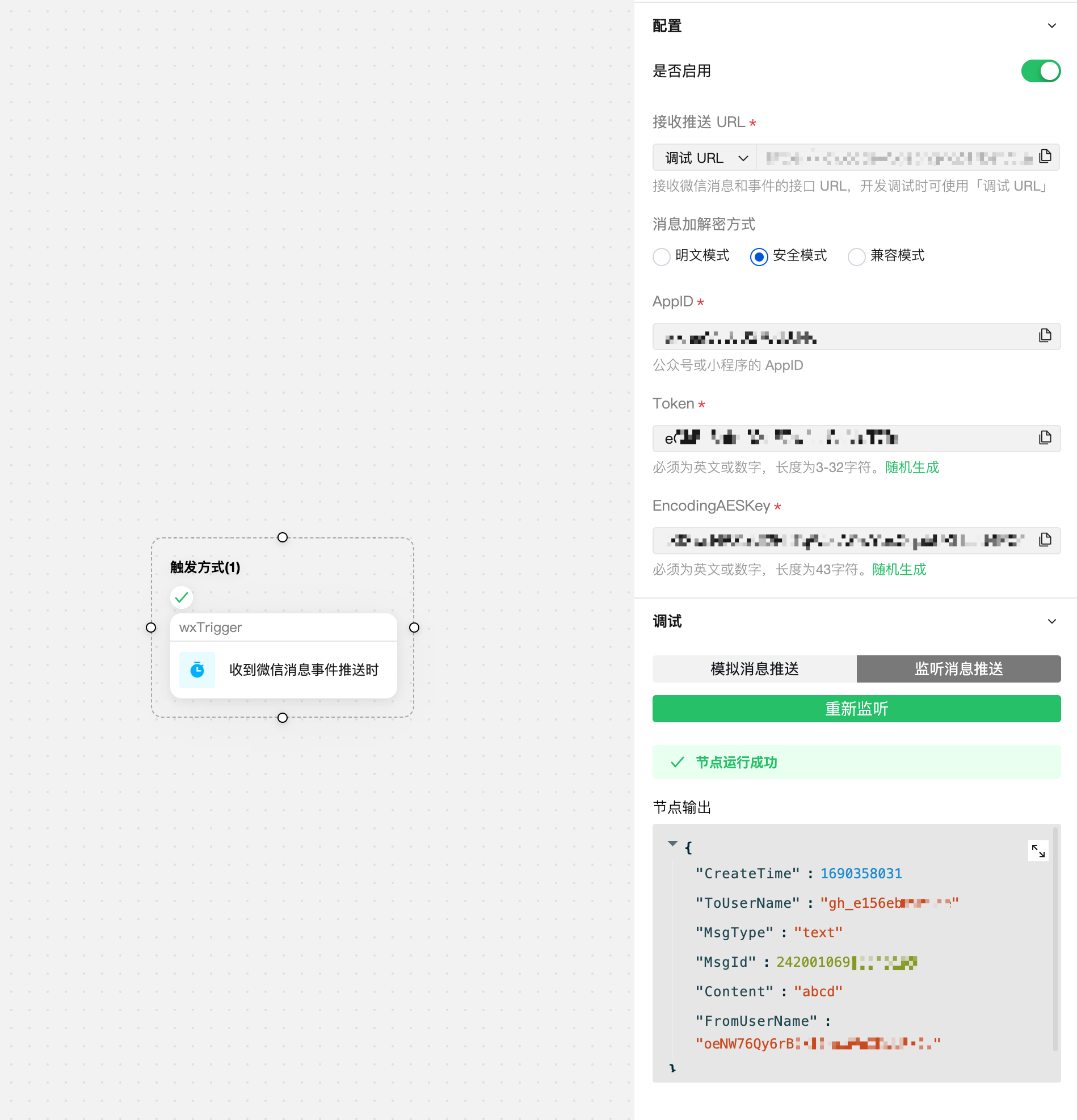
If the message or event push is received correctly, you can see the parsed result data:
Next Steps
Next, we will learn how to use conditional branches to determine message/event types and implement different business logic. Please proceed to Chapter 2: Implementing Conditional Judgments