How to Use Data Models
How to Use the Data Model API in APIs
Step 1: Find the APIs Module
Open the CloudBase console and find the data model API feature in the APIs module.

Step 2: Create APIs
Click the "Create API" button, select the data model API type, and configure relevant parameters.
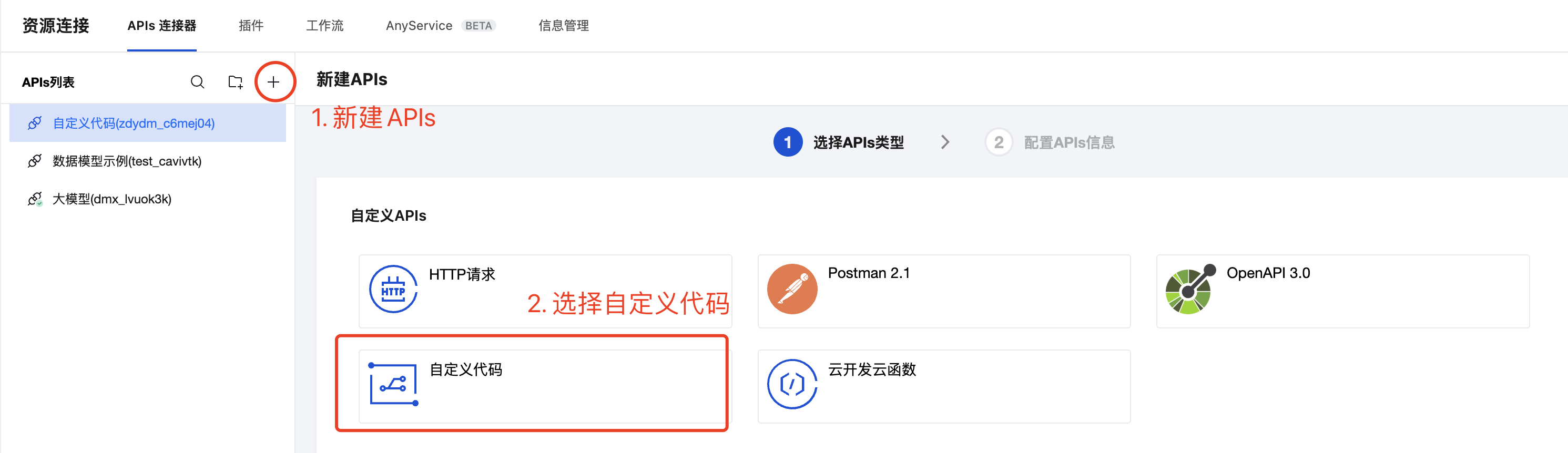
Step 3: Use APIs
Call the created APIs in the code to perform CRUD operations on the data model.
For detailed usage, please refer to Data Model CRUD
How to Use the Data Model API in Visual Low-Code
Step 1: Find Visual Low-Code
Go to the CloudBase console and select the "Low-Code Development" module.

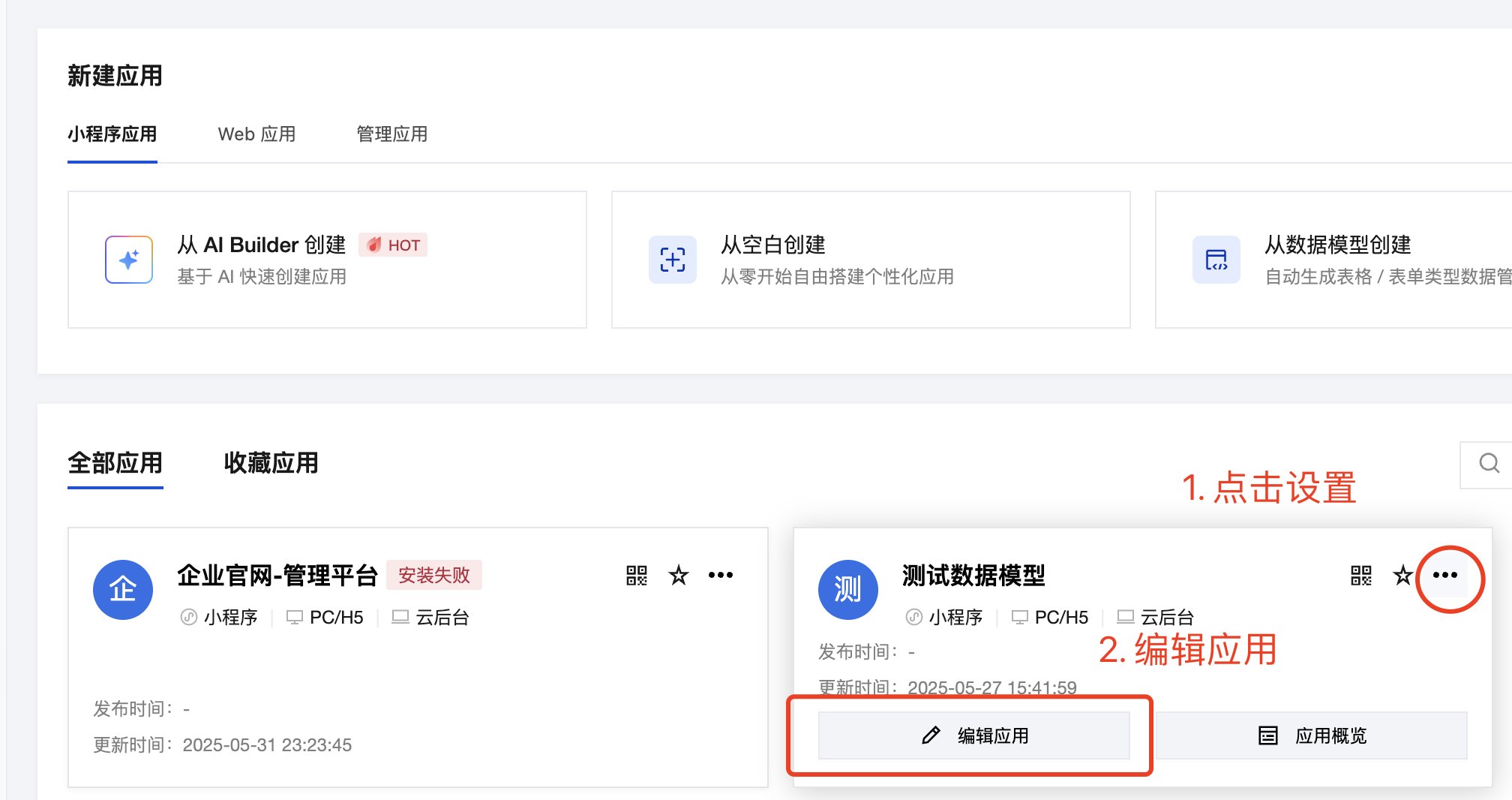
Step 2: Edit the Application
Select the target application and click "Edit" to enter the development interface.
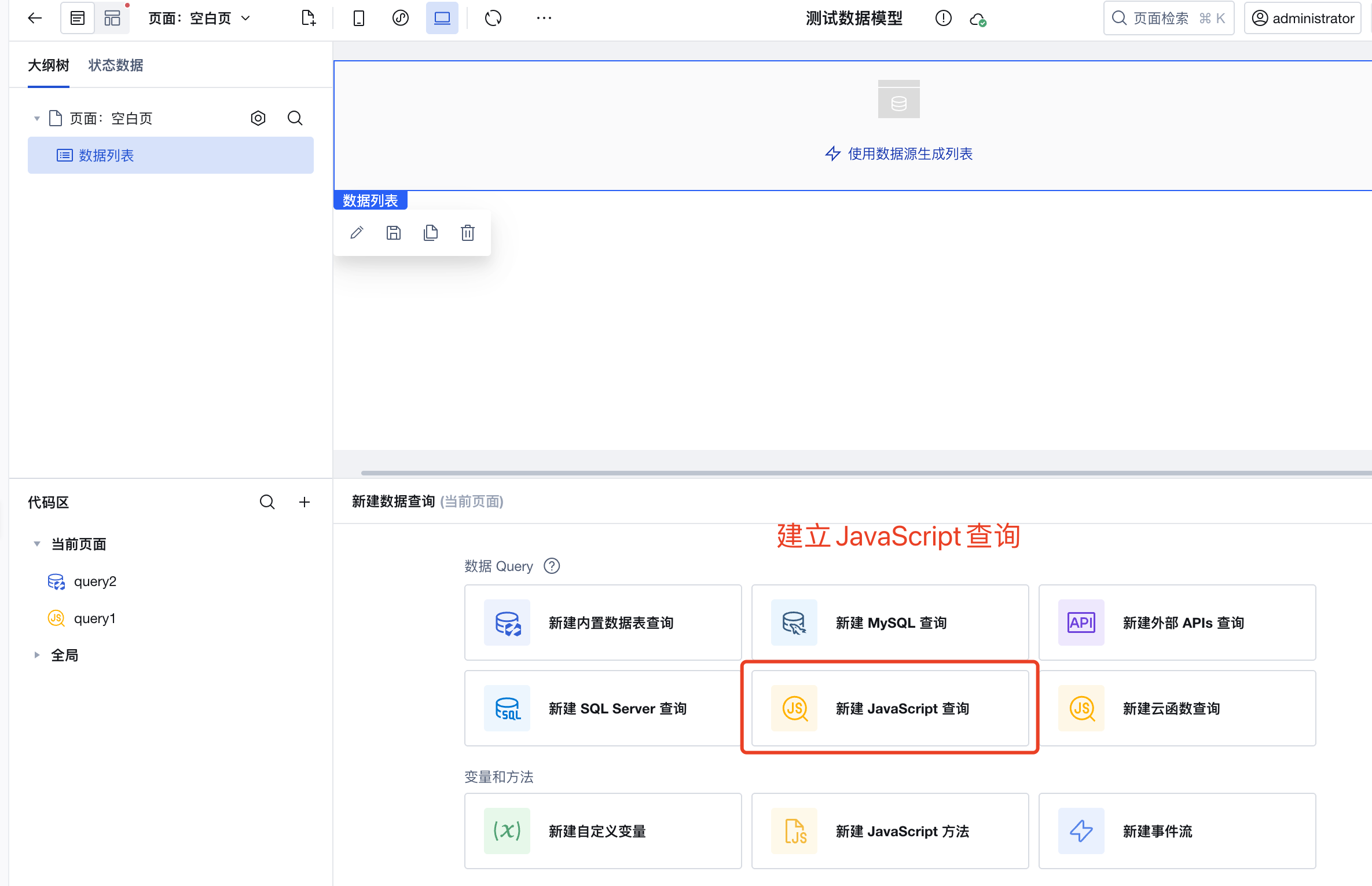
Step 3: Create a query
In the data source panel, click the "New Query" button.
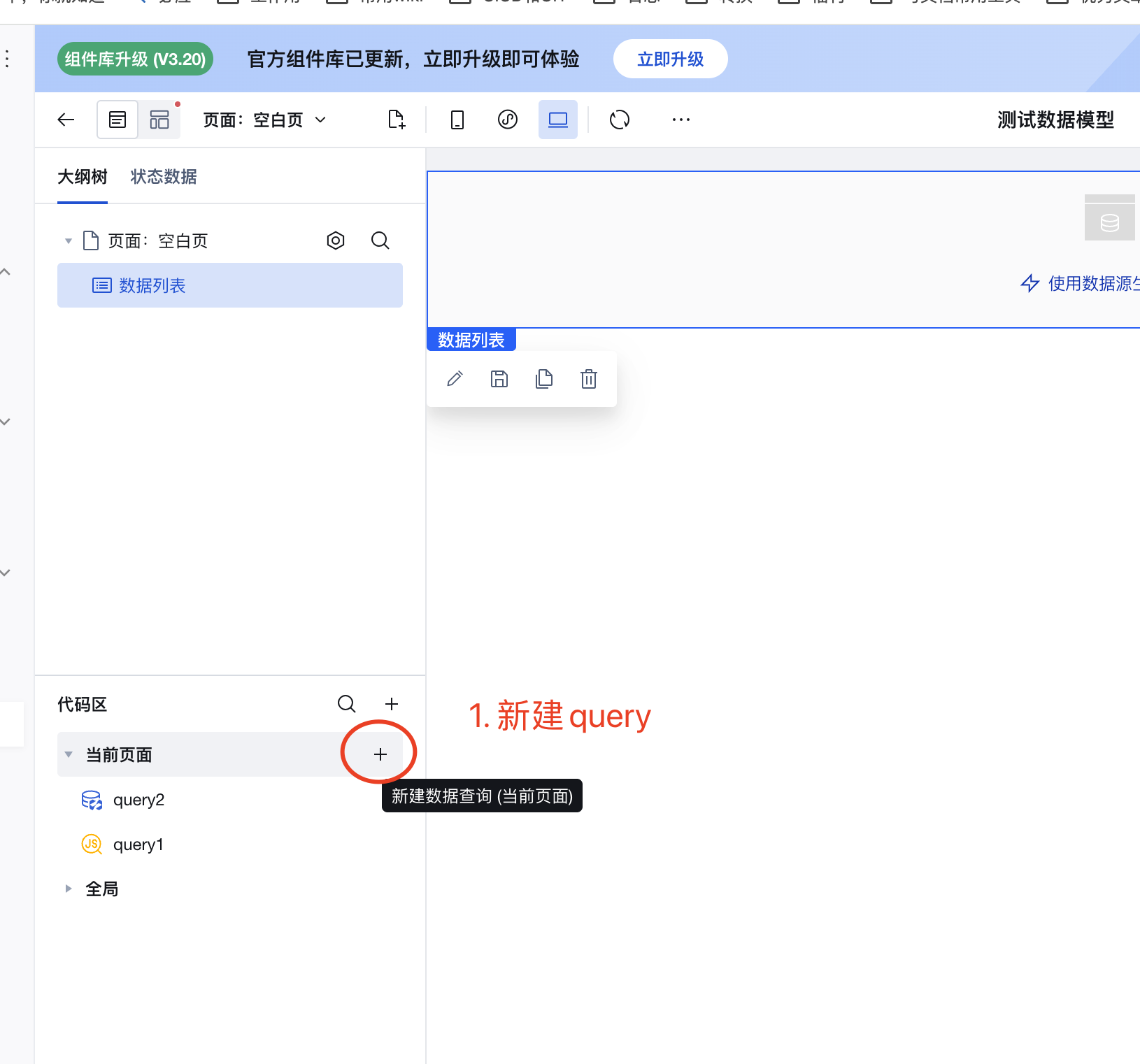
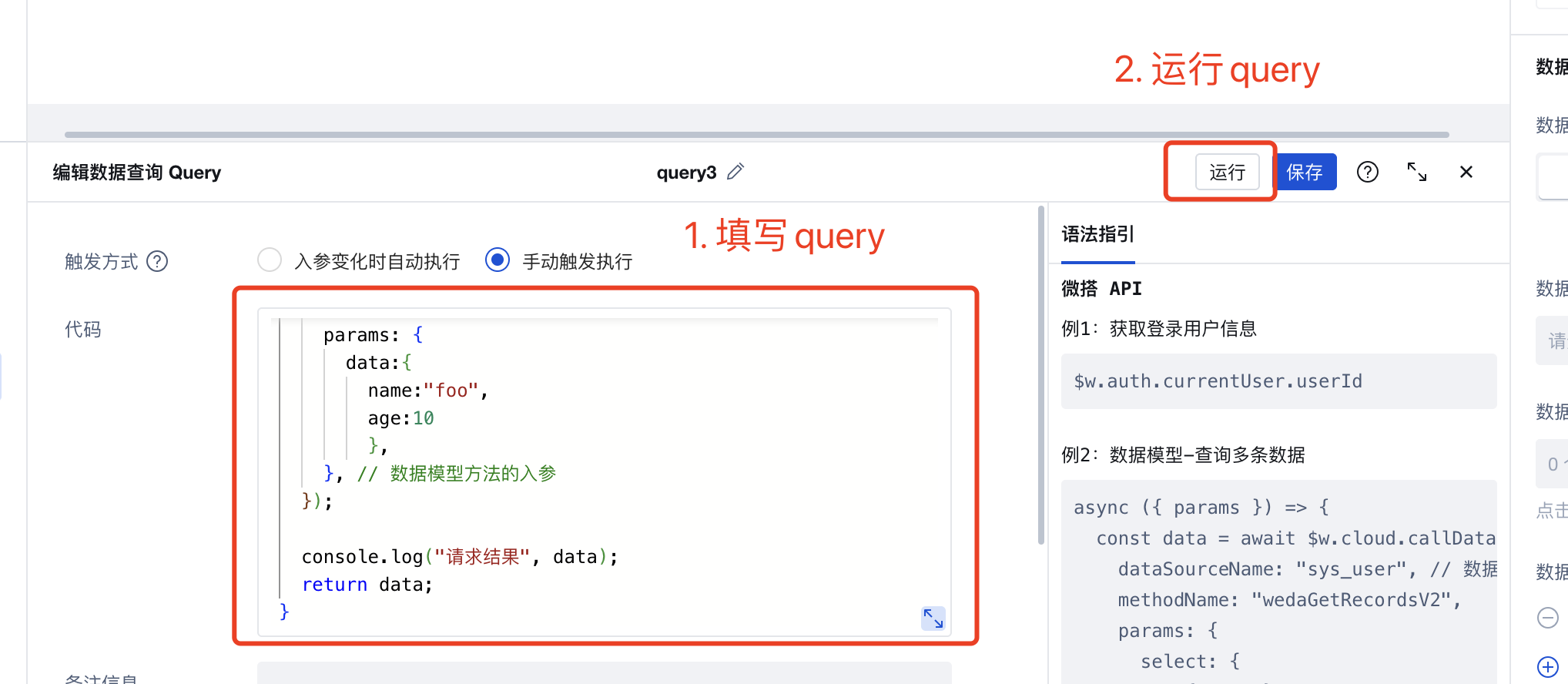
Step 4: Create a JS Query
Select the "JS Query" type and write data model operation code.
Step 5: Use JS Query
Bind the created JS query in page components to enable data display and interaction.
For detailed usage, please refer to Data Model CRUD