Policy Management
Requests for v3 edition have been aligned with HTTP API. When calling Serverless Cloud Function (SCF), cloud hosting, or cloud storage, HTTP API enforces strict permission management. Therefore, prior to using v3 version SDK, please confirm whether policy management meets expectations.
The following uses Serverless Cloud Function (SCF) as an example to introduce how to configure a policy in detail.
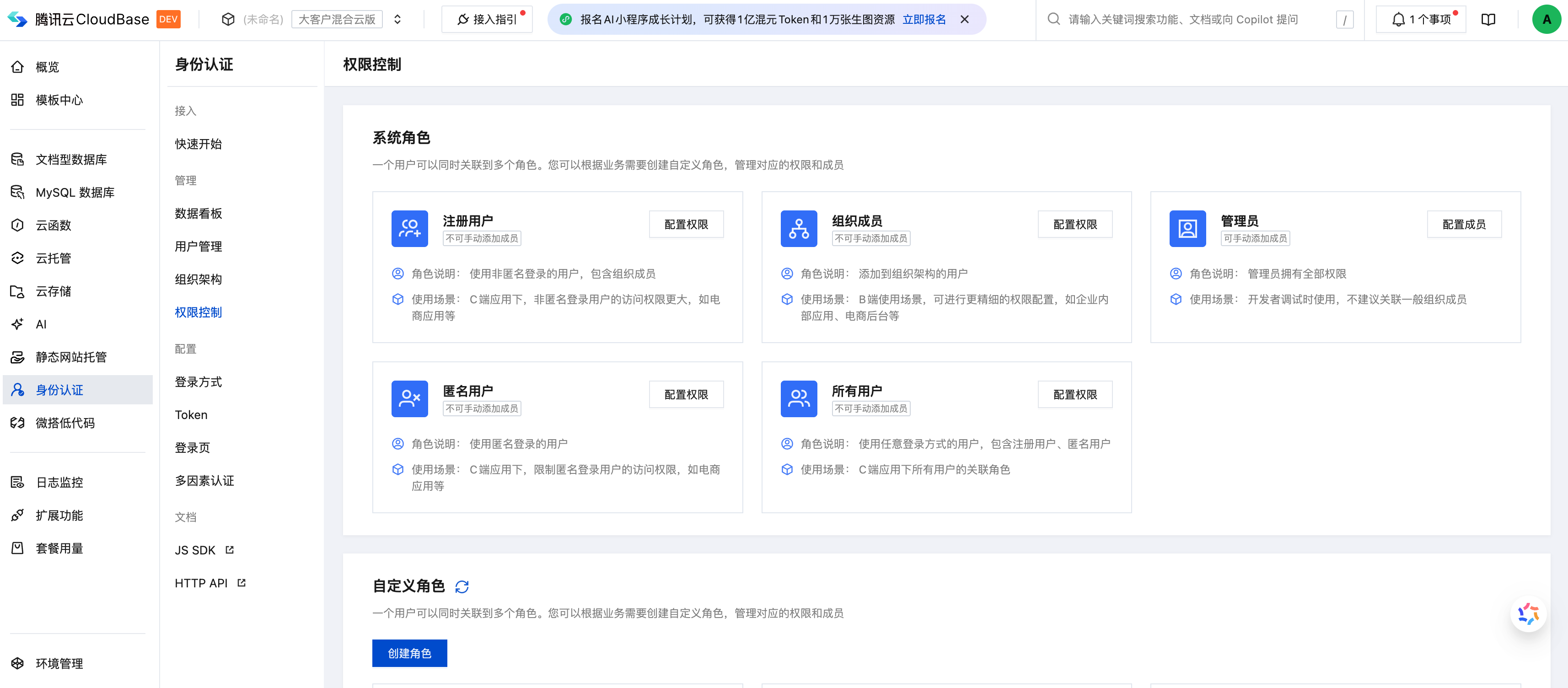
Enter the control page for permission
- From the Cloud Development Platform/Identity Verification/Permission Control menu, click
Permission Controlto enter the page.
- On the
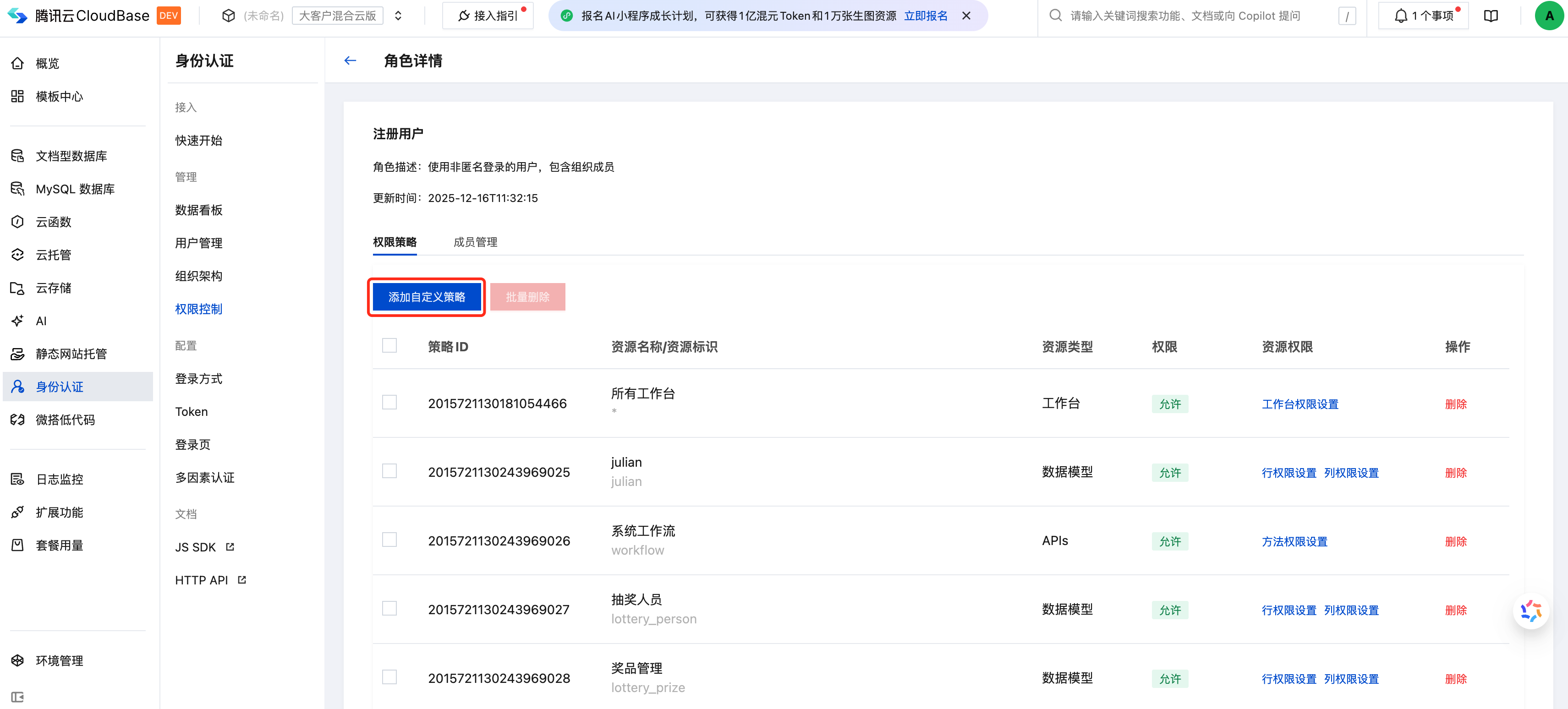
Permission Controlwebpage, click theConfigure Permissionsmenu for the corresponding role to see the related open API policies in the policy list. If there is no corresponding open API policy, clickCreate Custom Policyto proceed.
Policy Configuration
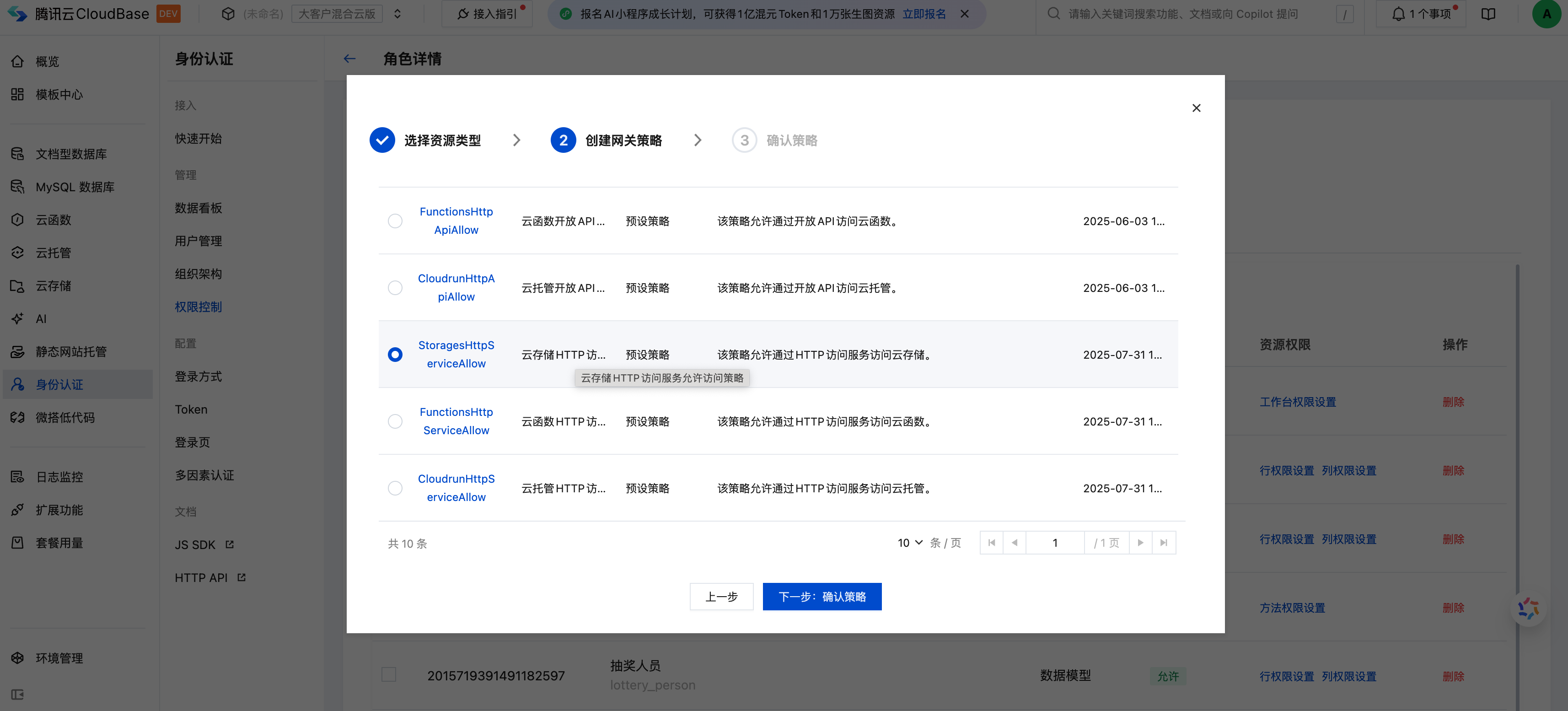
Click the Create Custom Policy operation for a role to perform role association configuration, select gateway as the resource type in the pop-up, and click Next.
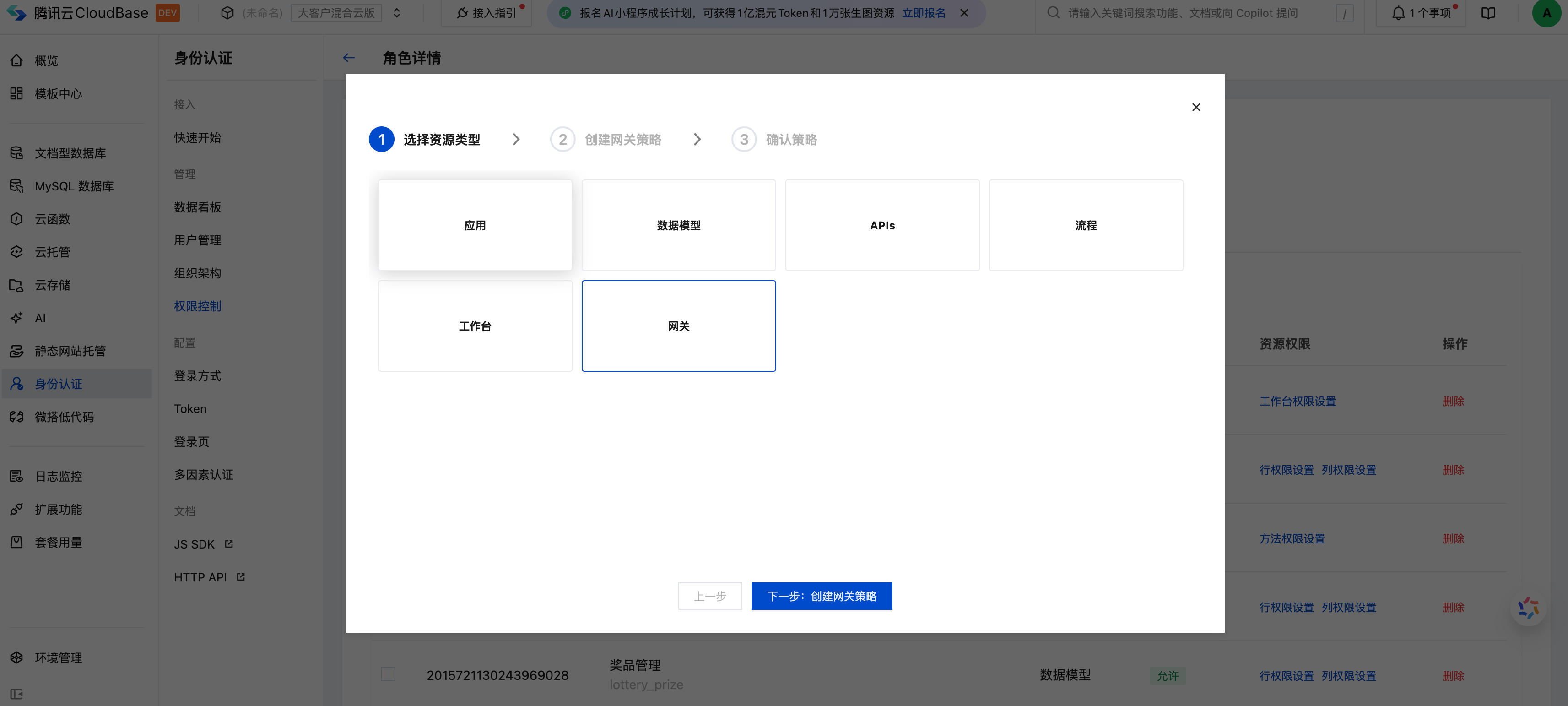
Select the corresponding open API in the list to configure policy. The mapping relationship of policy identifier is as follows:
-StoragesHttpApiAllow => cloud storage -FunctionsHttpApiAllow => SCF -CloudrunHttpApiAllow => cloud hosting
After confirming the role association, it will take effect in 3 minutes.
Policy verification
- Associated corresponding role
- Unassociated corresponding role
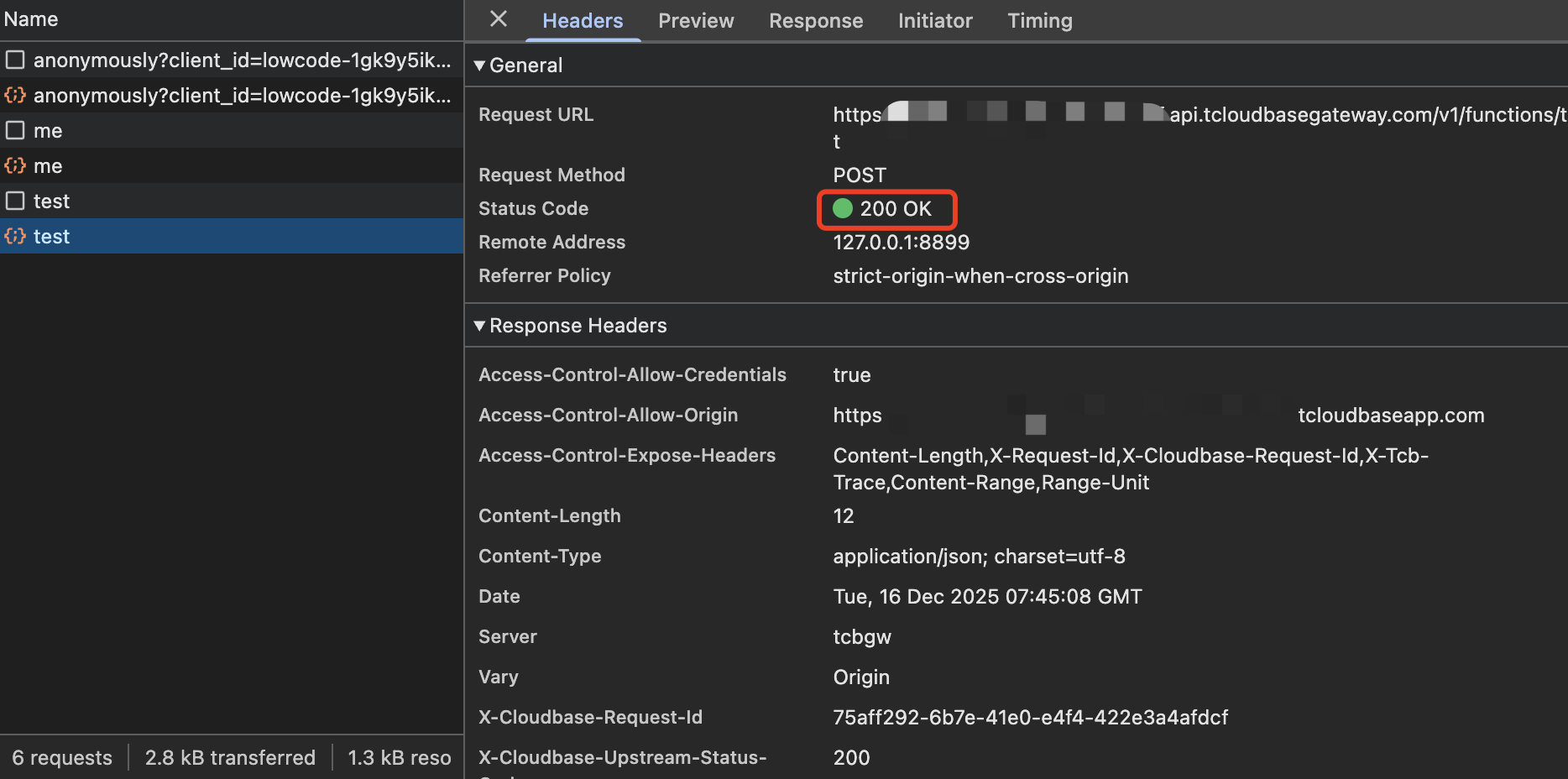
Assuming that the associated role ** of FunctionsHttpApiAllow is set to include default guest **, i.e. anonymous users can call cloud functions, the cloud function call result will be returned successfully when the following operations are performed:
// Initialize it.
const app = cloudbase.init({
env: "your-env-id", // Replace this value with your environment ID
});

Anonymous user logged in as default visitor.
await app.auth.signInAnonymously();

Call the SCF named test
await app.callFunction({ name: "test" });

Return 200 OK
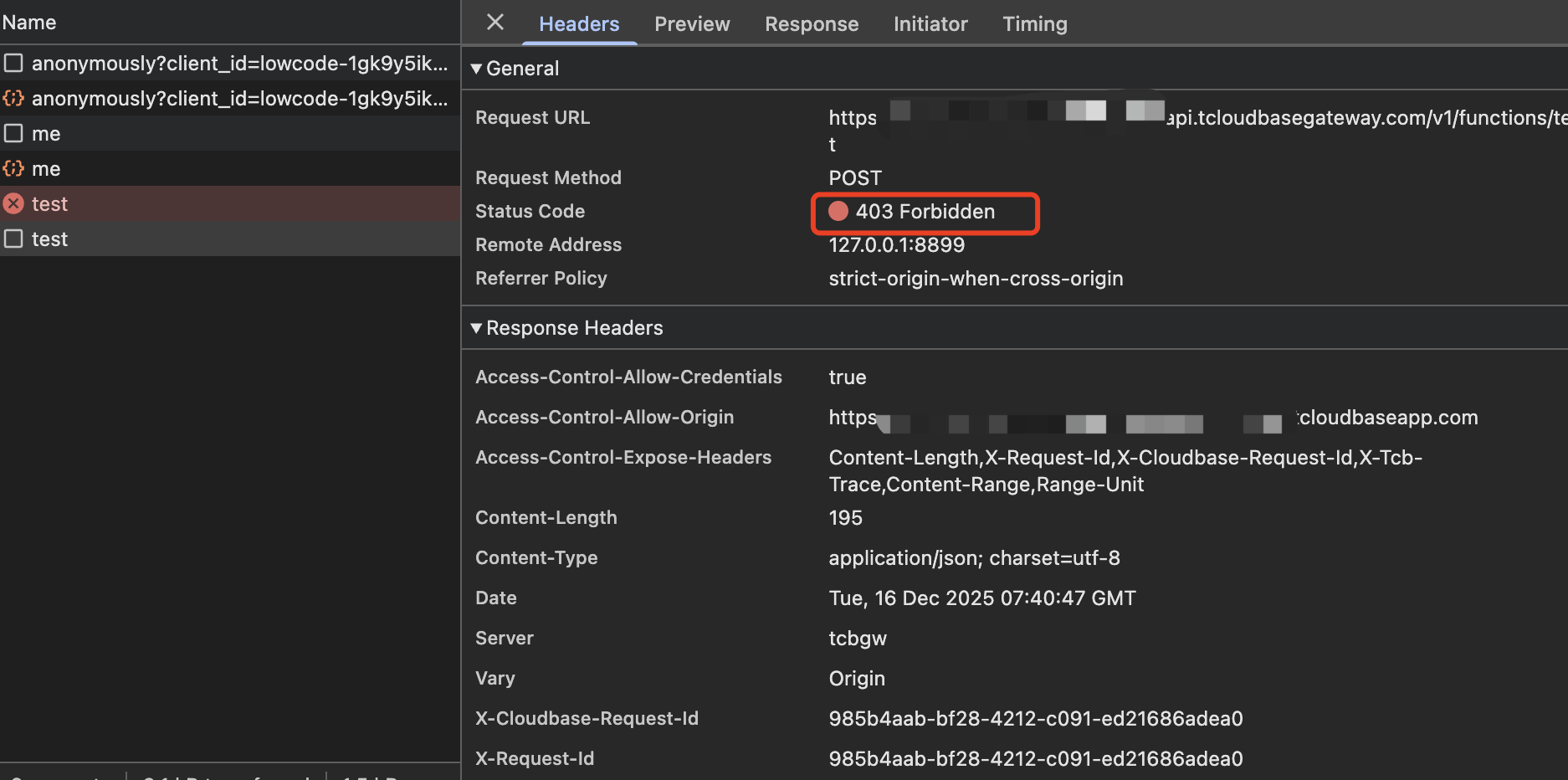
Assuming that the associated role of FunctionsHttpApiAllow is set to exclude default visitor, i.e. anonymous user has no permission to call SCF, the following operations will be blocked when executed.
// Initialize it.
const app = cloudbase.init({
env: "your-env-id", // Replace this value with your environment ID
});

// Anonymous user login as default visitor role
await app.auth.signInAnonymously();

// Call the cloud function test
await app.callFunction({ name: "test" });

// Return 403 Forbidden