CloudBase AI 插件
一键把 CloudBase 接入 AI 编程助手:同时捆绑 MCP Server 与 Agent Skills,安装后即可查库、管云函数、部署托管等,无需再分别配置。
相比单独装 Skills,插件还带上 Hooks 等能力,Skill 激活更稳定,推荐优先用插件。
最快上手: 复制下面的 AI Prompt,粘贴到你的 AI IDE。
帮我把 CloudBase 接好,按下面做:
1. 打开 https://docs.cloudbase.net/skill.md,按说明完成接入。
2. 接入完成后告诉我,并建议最相关的下一步。
安装
方式 1:一键安装(推荐)
通过兼容 Open Plugin Specification 的 plugins CLI 安装,会自动检测本机 AI 工具。优先用这条路径,不要手写 MCP JSON。
默认 --scope user(全局):
npx plugins add TencentCloudBase/cloudbase-plugin -y --scope user

# Sites 插件(可选)
npx plugins add TencentCloudBase/cloudbase-sites-plugin -y --scope user
支持的 AI IDE(npx plugins targets)
--target ID | AI IDE | 说明 |
|---|---|---|
claude-code | Claude Code | ~/.claude |
cursor | Cursor | ~/.cursor |
codex | Codex | ~/.codex |
grok | Grok Build | ~/.grok(仅 per-user) |
kimi | Kimi Code | ~/.kimi-code(仅 per-user) |
github-copilot | GitHub Copilot CLI | ~/.copilot(独立 copilot CLI,不是 gh copilot) |
vscode | Visual Studio Code | Agent plugins(Preview,仅 per-user) |
不写 --target 时,会安装到本机所有已检测到的上述目标。查看检测结果:
npx plugins targets
只装某一个工具时:
npx plugins add TencentCloudBase/cloudbase-plugin -y --scope user --target cursor
安装后重启 / reload 对应工具即可。
Agent 总入口(决策树 + 验收):https://docs.cloudbase.net/skill.md
Claude Code / Codex 的原生 marketplace 请用主仓库
TencentCloudBase/CloudBase-MCP;cloudbase-plugin仓库由 CI 同步 OPS 标准内容,不含 marketplace 元数据。
⚠️ 已通过方式 2(
claude plugin install/codex plugin add等)安装过时,不要再对同一 IDE 执行npx plugins add,以免重复实例。二选一即可。
GitHub 不可达时(CNB 镜像)
owner/repo 短名会固定解析到 GitHub。若 git clone GitHub 失败,改用 完整 CNB URL(由 CI 从 OPS 产物同步,不含 marketplace 元数据):
npx plugins add https://cnb.cool/tencent/cloud/cloudbase/cloudbase-plugin.git -y --scope user

# Sites 插件(可选)
npx plugins add https://cnb.cool/tencent/cloud/cloudbase/cloudbase-sites-plugin.git -y --scope user
不要用 monorepo 镜像
CloudBase-AI-ToolKit做npx plugins add:其 marketplace 结构与 OPS 专用仓不同,CLI 可能装不上。
若插件仍无法安装,可退回 Skills CNB 或 npm MCP,见 skill.md。
方式 2:按 IDE 手动安装
适用于 CodeBuddy(插件市场)、WorkBuddy、Kimi Code(/plugins 插件市场)、Kimi Work(设置→插件面板)、ZCode,或希望走 IDE 原生插件机制的场景:
- Codex App
- Codex CLI
- Claude Code
- CodeBuddy
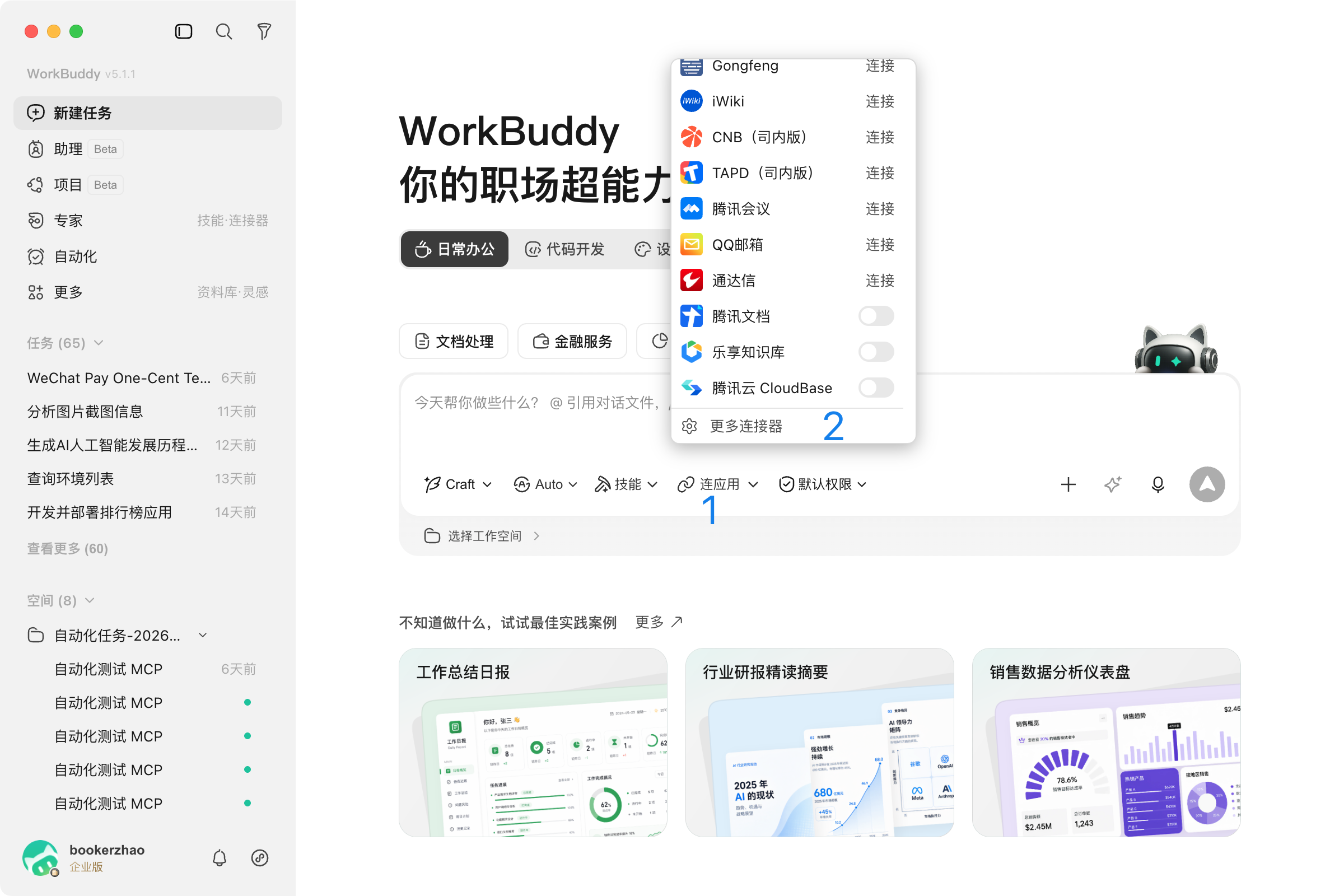
- WorkBuddy
- Kimi Code
- Kimi Work
- ZCode
- 在 Codex App 右上角点
+→ 添加插件市场 - 来源填
TencentCloudBase/CloudBase-MCP,Git 引用main - 稀疏路径填两行(不要留空,否则会全量 clone,体积大且易失败):
.agents/pluginsplugin
- 在 Tencent CloudBase 市场中安装
cloudbase - 新开线程验证
codex plugin marketplace add TencentCloudBase/CloudBase-MCP --ref main \
  --sparse .agents/plugins \
  --sparse plugin
codex plugin add cloudbase@tencent-cloudbase
Codex 认的是
.agents/plugins/marketplace.json(优先)或.claude-plugin/marketplace.json。稀疏只拉plugin不够;全量 clone 约百兆级,弱网易失败。
新开线程后可用 codex plugin list 确认。
claude plugin marketplace add TencentCloudBase/CloudBase-MCP
claude plugin install cloudbase@tencent-cloudbase
安装后执行 /reload-plugins。默认 --scope user;团队共享可用 --scope project。
- 打开 CodeBuddy 插件市场 → 添加市场源
- 填入
https://github.com/TencentCloudBase/CloudBase-AI-Toolkit - 安装并启用
cloudbase插件
CLI(CodeBuddy Code)等价命令:
codebuddy plugin marketplace add TencentCloudBase/CloudBase-AI-Toolkit
codebuddy plugin install cloudbase@tencent-cloudbase
登录:
- 有腾讯云账号:直接对话,按提示完成 Device 登录
- 无腾讯云账号:先
npm i -g @cloudbase/cli,再执行
tcb login --cloudbase-api-key <cloudbaseApiKey> -e <cloudbaseEnvId>
详见 CodeBuddy 配置指南。
- 在 Kimi Code 中输入
/plugins打开插件面板 - 切换到 Curated 标签页
- 找到 Tencent CloudBase(id:
cloudbase),回车选择 install - 安装完成后重启 Kimi Code 或新开对话
详见 Kimi Code 配置指南。
- 打开 Kimi Work,点击左侧 设置(齿轮图标)
- 进入 插件 面板
- 在列表中找到 Tencent CloudBase,点击右侧开关启用
详见 Kimi 配置指南。
ZCode(≥ 3.4.1)设置 → 插件 → 开发者工具 → 启用 cloudbase-skills。
也可在 MCP 服务器 中手动添加:命令 npx,参数 -y @cloudbase/cloudbase-mcp@latest。详见 ZCode 配置指南。
其他 IDE
不走上述原生插件路径的工具(Cursor、WindSurf 等)可配置 MCP + Skills。选择你的工具查看步骤:
Configure your AI tool to connect with CloudBase capabilities. Supports local and hosted connection. See connection modes.
Step 1: Install / Configure CloudBase
Install in one click:
 Add to Cursor
Or manual configuration:
Or add this configuration to .cursor/mcp.json:
1{2 "mcpServers": {3 "cloudbase": {4 "command": "npx",5 "args": ["@cloudbase/cloudbase-mcp@latest"],6 "env": {7 "INTEGRATION_IDE": "Cursor"8 }9 }10 }11}Step 2: Chat with AI
Enter the following in your AI chat in order:
Read https://docs.cloudbase.net/skill.md and tell me what it can doUse CloudBase Skills: 帮我按照 Spec 工作流开发一个 CloudBase 新功能CodeBuddy / WorkBuddy / Kimi Code / Kimi Work / ZCode 尚未实现 Open Plugin Specification,因此暂不支持
npx plugins一键安装;请用各自原生路径(CodeBuddy 用插件市场,WorkBuddy 用连接器,Kimi Code 用/plugins插件市场,Kimi Work 用设置→插件面板,ZCode 用内置插件)。
插件里有什么
| 能力 | 说明 |
|---|---|
| MCP Server | 环境、数据库、云函数、托管、存储、云托管、认证、权限、日志等,详见 MCP 工具 |
| Agent Skills | 平台、Web / 小程序、云函数、认证、数据库、AI 模型、UI 等专业知识,详见 如何使用 Skill |