实现文字横向循环滚动
在很多场景中需要展示通知、公告或重要信息时,横向循环滚动的文字效果能够有效吸引用户注意力,本篇文档主要介绍在微搭中如何利用基础组件和自定义样式实现文字横向循环滚动功能。
应用场景
- 首页公告滚动展示
- 商品促销信息轮播
- 系统通知消息滚动
- 跑马灯效果实现
实现效果
实现一个文字从右向左连续循环滚动的效果,文字滚动到末尾后会无缝衔接从头开始滚动。
实现步骤
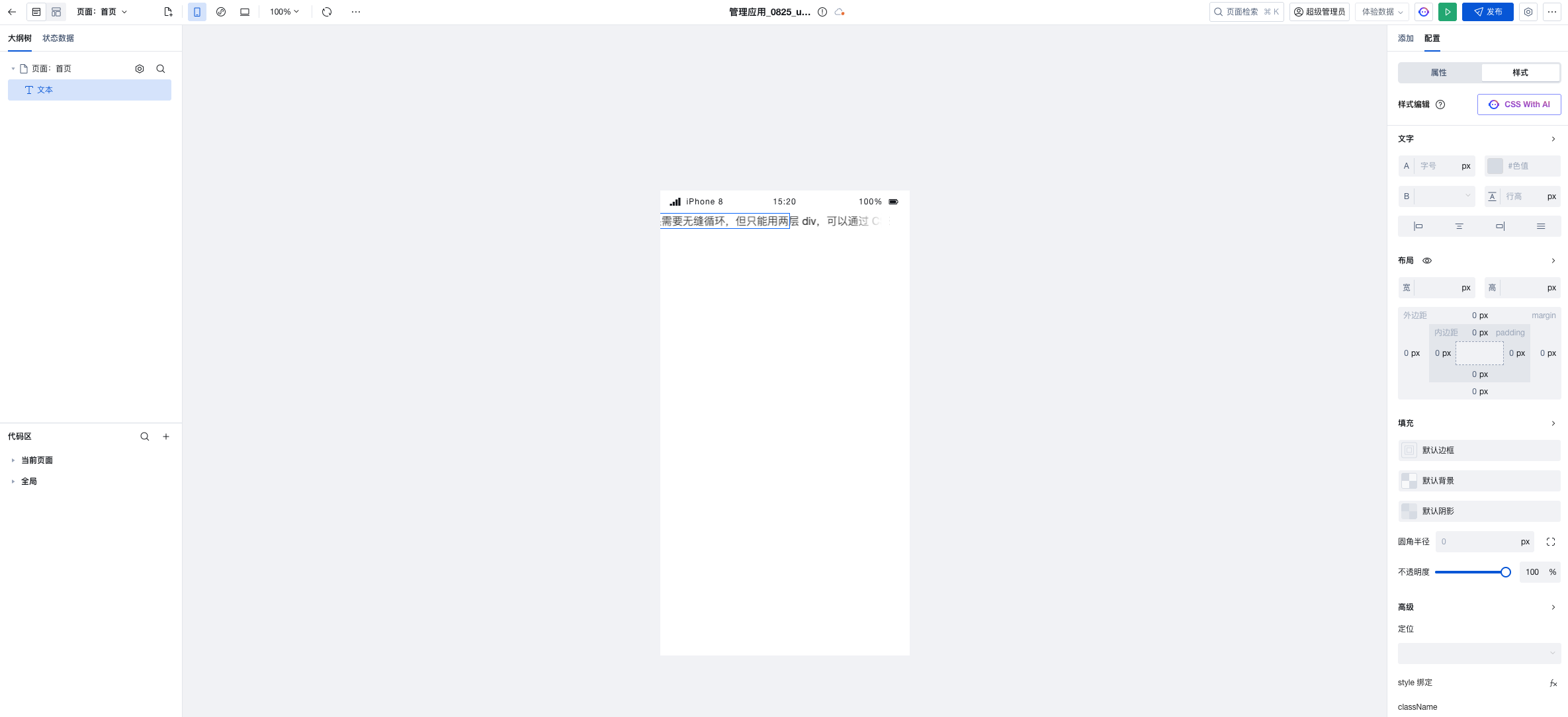
1. 添加文本组件
在页面中添加一个"普通容器"组件作为滚动区域的容器,设置样式:
- 布局:设置容器宽度为 100% 或固定宽度
- 溢出:设置水平溢出为
hidden(隐藏溢出内容) - 其他样式:可设置背景色、内边距等
2. 设置文本组件自定义样式
为文本组件设置以下样式:
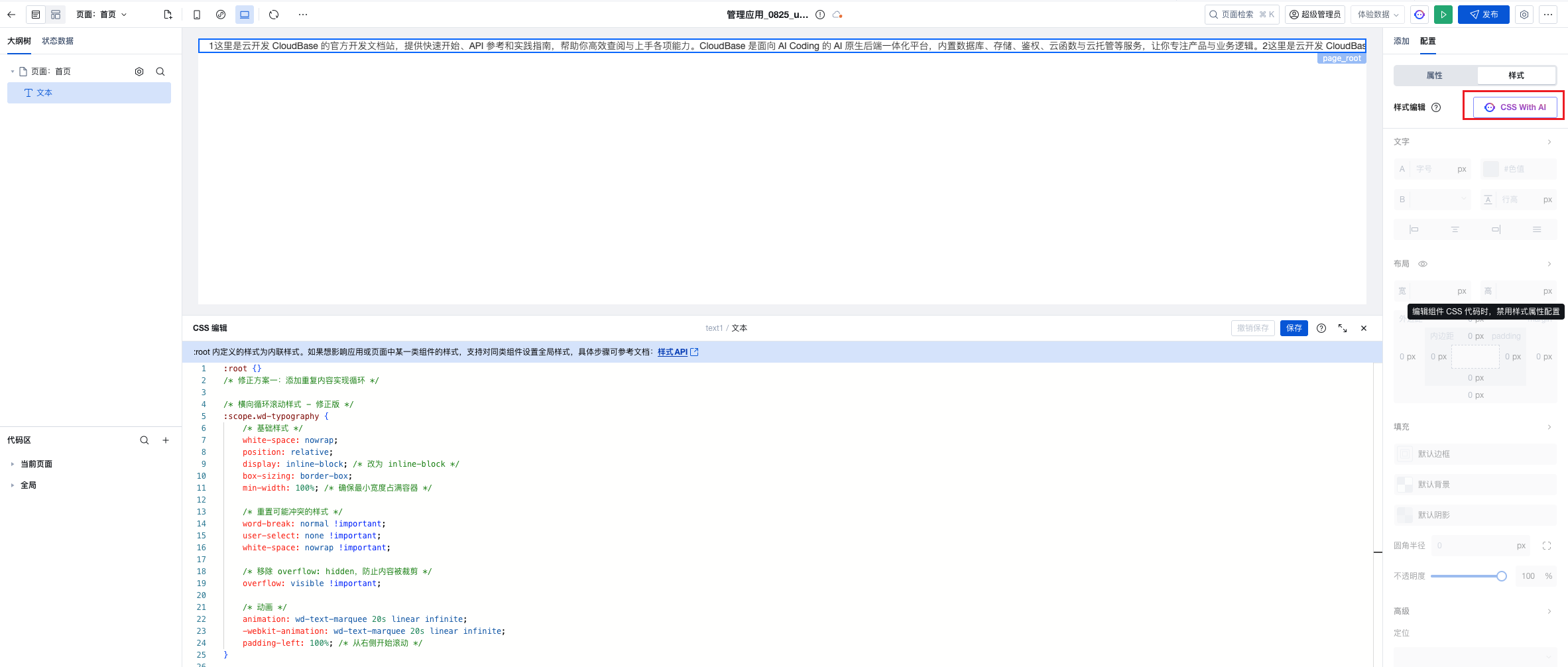
/* 横向循环滚动样式 - 修正版 */
:scope.wd-typography {
    /* 基础样式 */
    white-space: nowrap;
    position: relative;
    display: inline-block; /* 改为 inline-block */
    box-sizing: border-box;
    min-width: 100%; /* 确保最小宽度占满容器 */

    /* 重置可能冲突的样式 */
    word-break: normal !important;
    user-select: none !important;
    white-space: nowrap !important;

    /* 移除 overflow: hidden,防止内容被裁剪 */
    overflow: visible !important;

    /* 动画 */
    animation: wd-text-marquee 20s linear infinite;
    -webkit-animation: wd-text-marquee 20s linear infinite;
    padding-left: 100%; /* 从右侧开始滚动 */
}


/* 为文本创建副本以实现无缝循环 */
:scope.wd-typography::before {
    content: attr(title);
    display: inline-block;
    padding-right: 40px;
    white-space: nowrap;
}

/* 定义动画 */
@keyframes wd-text-marquee {
    0% {
        transform: translateX(0);
    }
    100% {
        transform: translateX(-50%);
    }
}

@-webkit-keyframes wd-text-marquee {
    0% {
        -webkit-transform: translateX(0);
        transform: translateX(0);
    }
    100% {
        -webkit-transform: translateX(-50%);
        transform: translateX(-50%);
    }
}

/* 鼠标悬停暂停 */
.wd-typography-container:hover :scope.wd-typography {
    animation-play-state: paused;
    -webkit-animation-play-state: paused;
}
参数说明:
-
基础样式设置:
white-space: nowrap:强制文本不换行,保持在一行显示display: inline-block:设置为行内块元素,使宽度由内容决定min-width: 100%:确保最小宽度占满容器,避免内容过短position: relative:相对定位,为伪元素提供定位参考overflow: visible:允许内容溢出可见,防止被裁剪
-
启动位置:
padding-left: 100%:让文字从容器右侧外开始,实现从右向左的滚动效果
-
动画设置:
animation: wd-text-marquee 20s linear infinite:应用滚动动画wd-text-marquee:动画名称20s:动画持续时间,可根据文字长度调整,时间越长滚动越慢linear:匀速运动,保持恒定速度infinite:无限循环播放
-
无缝循环实现:
::before { content: attr(title) }:使用伪元素复制文本内容,创建副本padding-right: 40px:副本与主内容之间保持间距transform: translateX(-50%):移动 50%(因为有副本,总宽度是两倍),实现无缝循环
-
交互优化:
animation-play-state: paused:鼠标悬停时暂停动画(可选功能)-webkit-前缀:兼容 WebKit 内核浏览器(Safari、Chrome 等)
6. 预览效果
保存后预览页面,可以看到文字从右向左连续滚动的效果。
进阶技巧
1. 动态更新滚动内容
如果需要动态更新滚动的文字内容,可以绑定变量:
- 创建普通变量
noticeText,默认值为需要滚动的文字 - 将文本组件的内容绑定到变量
$w.page.dataset.state.noticeText - 通过变量赋值动作更新内容
2. 多条消息轮播滚动
如果有多条消息需要轮播展示,可以:
- 创建数组变量
noticeList存储多条消息 - 使用定时器定期切换当前显示的消息
- 结合滚动动画实现多条消息的轮播效果
示例代码:
// 在 onPageLoad 中
let currentIndex = 0;
const noticeList = ['公告一:...', '公告二:...', '公告三:...'];

// 每 5 秒切换一条消息
setInterval(() => {
  currentIndex = (currentIndex + 1) % noticeList.length;
  $w.page.dataset.state.noticeText = noticeList[currentIndex];
}, 5000);
3. 添加图标或装饰
在文字前添加图标组件(如喇叭图标),增强视觉效果:
- 在普通容器中添加图标组件
- 设置图标为绝对定位,固定在左侧
- 调整文本组件的
padding-left为图标预留空间
3. 响应式适配
针对不同屏幕尺寸调整滚动速度:
/* 移动端加快滚动速度 */
@media (max-width: 768px) {
  .scroll-text {
    animation: scroll-left 10s linear infinite;
  }
}
常见问题
1. 文字滚动不连续,出现空白?
原因:文字长度不够或动画时间设置不当。
解决方案:
- 方案一:在 CSS 中确保设置了
padding-left: 100% - 方案二:在代码中复制文字内容,确保文字长度足够
2. 滚动速度太快或太慢?
解决方案:调整 animation 中的时间参数(如 15s),时间越长滚动越慢
3. 在小程序中不生效?
注意事项:确保自定义样式代码添加在全局样式中,小程序支持 CSS 动画效果
4. 文字滚动时出现卡顿?
优化建议:
- 使用 CSS 动画方案(GPU 加速)
- 减少页面其他动画效果
- 避免在滚动时进行复杂的数据操作