Public Network Access to Origin
Here, we use the service https://postman-echo.com as an example.
Create Service
-
Go to CloudBase/AnyService
-
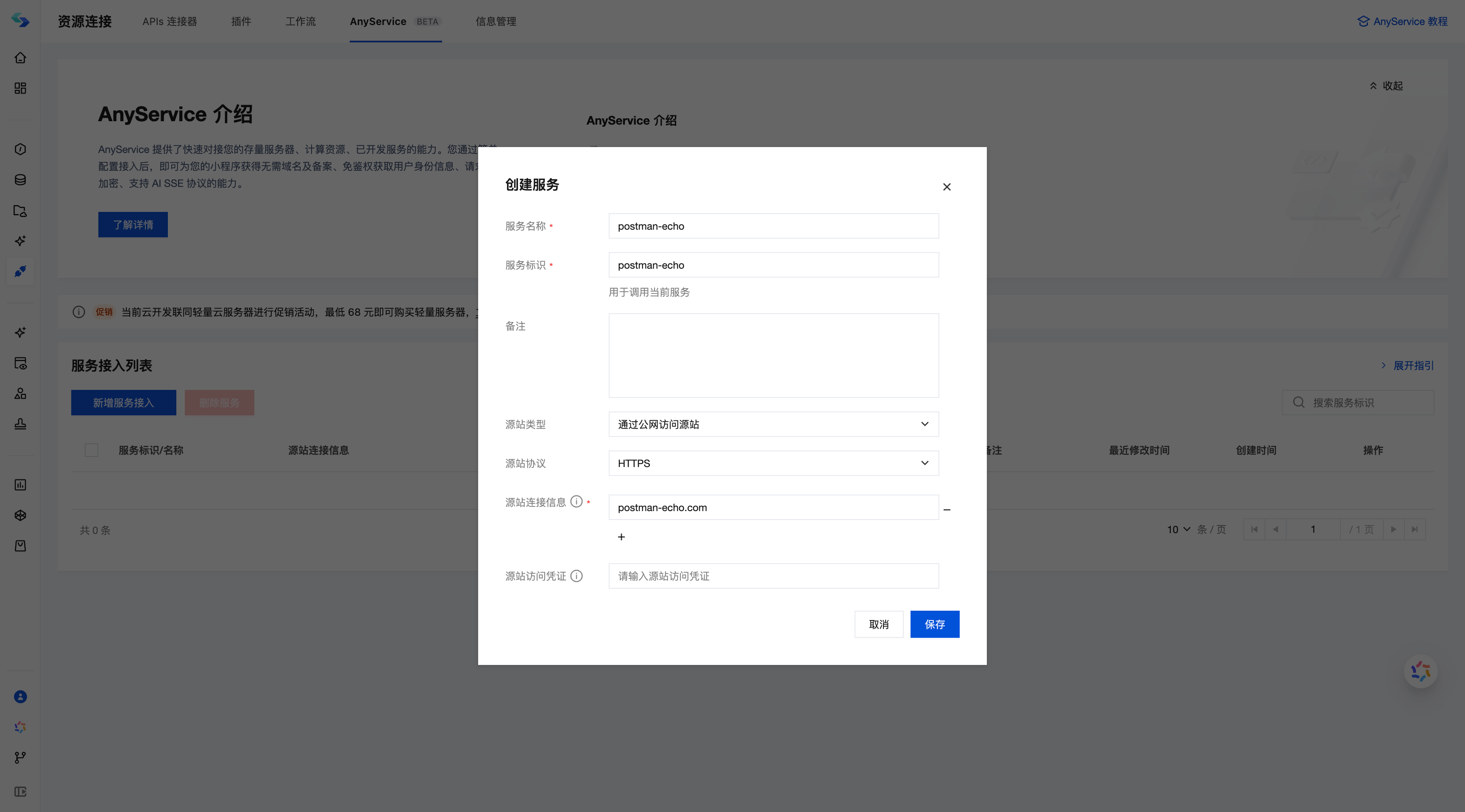
Click Create New Service Connection and fill in the relevant information according to the form requirements:
- Service Name: postman-echo
- Service Identifier: postman-echo
- Origin Type: Public network access origin
- Origin Protocol: https
- Origin Connection Information: postman-echo.com
After completing the form, confirm and save to finalize the service connection creation.
Mini Program Request Validation
The env parameter in the wx.cloud.init initialization for Mini Programs must match the environment where the anyService is created.
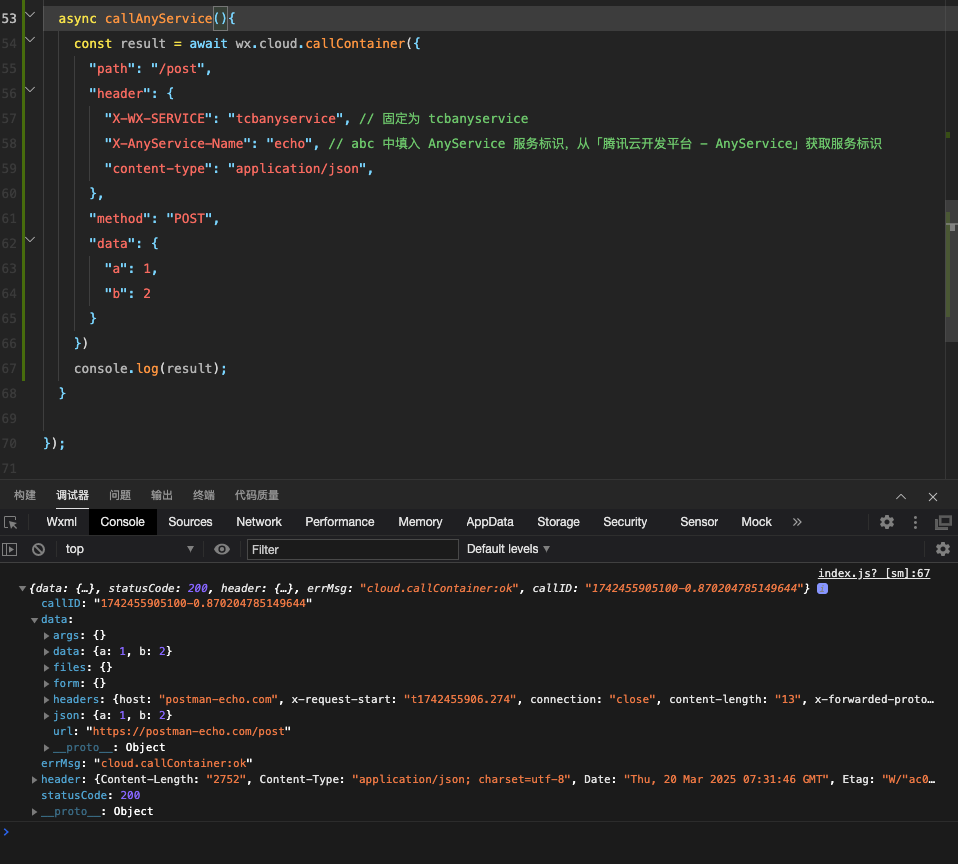
Add the following code in the Mini Program:
// Initialize the environment before invocation or in the Mini Program's onLaunch
wx.cloud.init({
    env: 'test-xxxxx',
    traceUser: true,
})

const result = await wx.cloud.callContainer({
    "path": "/post",
    "header": {
        "X-WX-SERVICE": "tcbanyservice", // Set to tcbanyservice
        "X-AnyService-Name": "postman-echo", // Fill in the AnyService service identifier in "X-AnyService-Name". Obtain it from "Tencent CloudBase Platform - AnyService"
        "content-type": "application/json",
    },
    "method": "POST",
    "data": {
        "a": 1,
        "b": 2
    }
})
console.log(result);
//
Example running results are as follows: