Log Search
CloudBase log search feature helps you quickly locate and analyze issues during application runtime. It supports multiple search methods, including full-text search, key-value search, and fuzzy matching, enabling you to efficiently find specific log information.
Activate the search feature
- Sign in to the CloudBase platform and select the target environment.
- Select Log Monitoring in the left navigation pane and open the Log Management tab at the top of the page.
- After the log service is activated, you can start using the search features.
Log Format
The log printing format automatically includes system default fields, which are as follows (see Log Field Reference for the complete fields of each log type):
| Field | Type | Default | Description |
|---|---|---|---|
| level | string | Required | Log level (log/info/warn/error) |
| requestId | string | Required | Request ID |
| module | string | Required | Module name |
| resourceName | string | Required | Resource name |
| errorCode | string | Required | Error code |
| errorMessage | string | Required | Error message |
| request | string | Required | Request parameters |
| response | string | Required | Response parameters |
| msg | string | Optional | Brief log content |
| user | string | Required | User identifier |
| src | string | Required | Source: system/app |
| startTime | string | Required | Request start time |
| timeCost | string | Required | Request duration |
| service | string | Required | Service invocation |
Cloud Function
| Field | Type | Default | Description |
|---|---|---|---|
| function_name | string | Required | Function name |
| request_id | string | Required | Request ID |
| qualifier | string | Required | Version |
- If a user custom-prints log object content, custom log fields will be added and a key-value index will be created.
- If user-defined log fields contain system default fields, the custom log content will take precedence during log search.
- Restrict user-defined log fields from containing the following keywords:
"__FILENAME__","__TIMESTAMP__","__LOGSETID__","__TOPICID__".
Detailed Explanation of Search Methods
1. Full-text search
Full-text search is the most commonly used log lookup method. The system automatically splits log content into multiple terms using delimiters, allowing you to input keywords for exact or fuzzy matching.
Usage Scenarios:
- Search for logs containing specific error messages
- Search for logs containing a specific function name or variable name
- Locate operation records containing a specific user ID
Example:
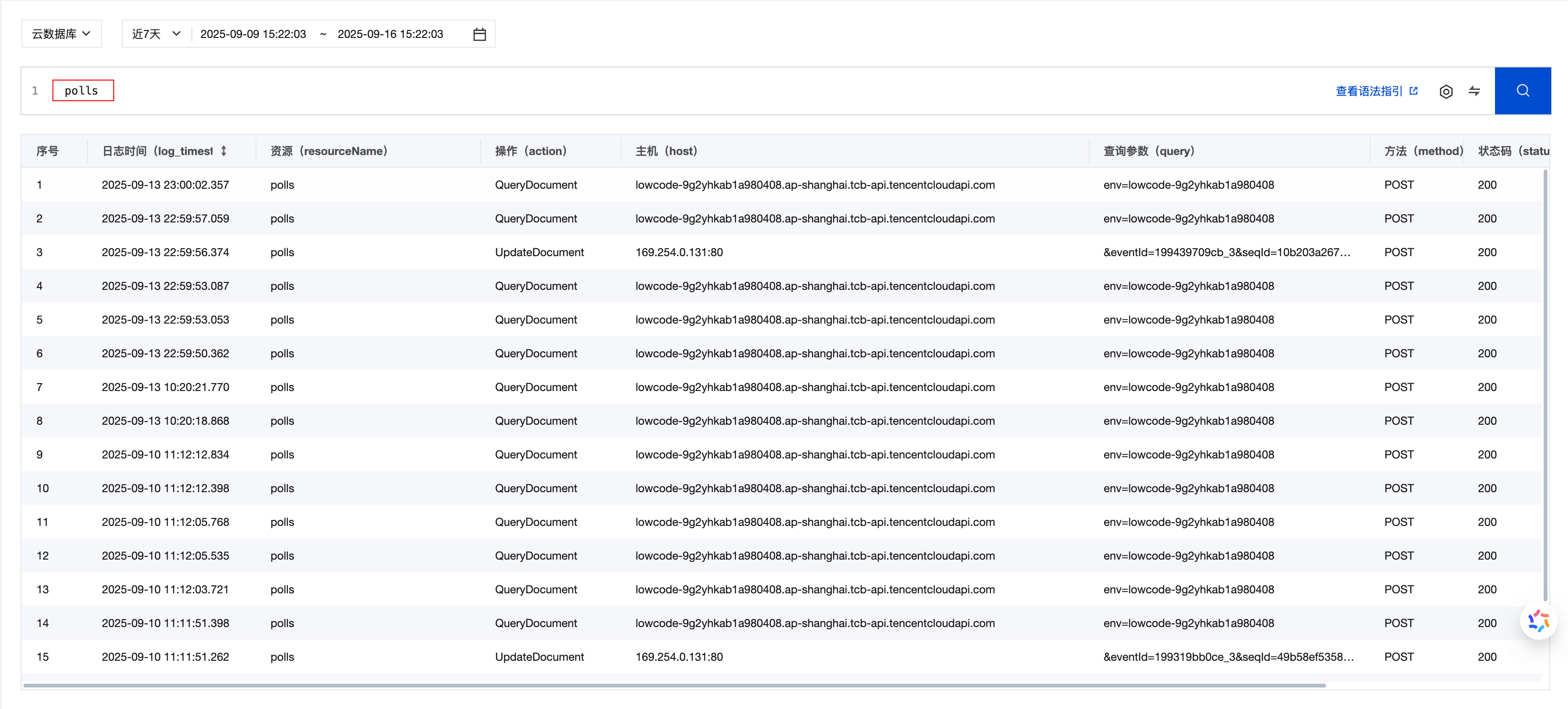
polls # Search for all logs containing "polls"
2. Key-value Search
Key-value search allows you to perform precise lookups based on structured fields in logs. Log content is stored in JSON format, and you can use the key:value format to search for specific field contents.
Common Fields:
| Field | Description | Example |
|---|---|---|
function_name | Cloud function name | function_name:"user-login" |
request_id | Request ID | request_id:"abc123" |
status_code | Status code; 200 means success and 202 means an intermediate state | status_code>200 AND status_code!=202 |
src | Log source: system for system logs, app for user code logs | src:app |
log | Log content | log:"Error" |
duration | Execution duration (ms) | duration:>5000 |
memory | Function memory configuration | memory:512 |
user_id | User identifier | user_id:"1307589412" |
namespace | Environment ID | namespace:"my-env" |
qualifier | Function version | qualifier:"$LATEST" |
retry_num | Retry count | retry_num=0 |
Usage Scenarios:
- Search for logs that exceed the execution time limit:
duration:>5000 - Search for logs of a specific function:
function_name:"user-login" - Search for operations of a specific user:
user_id:"1307589412"
Example:
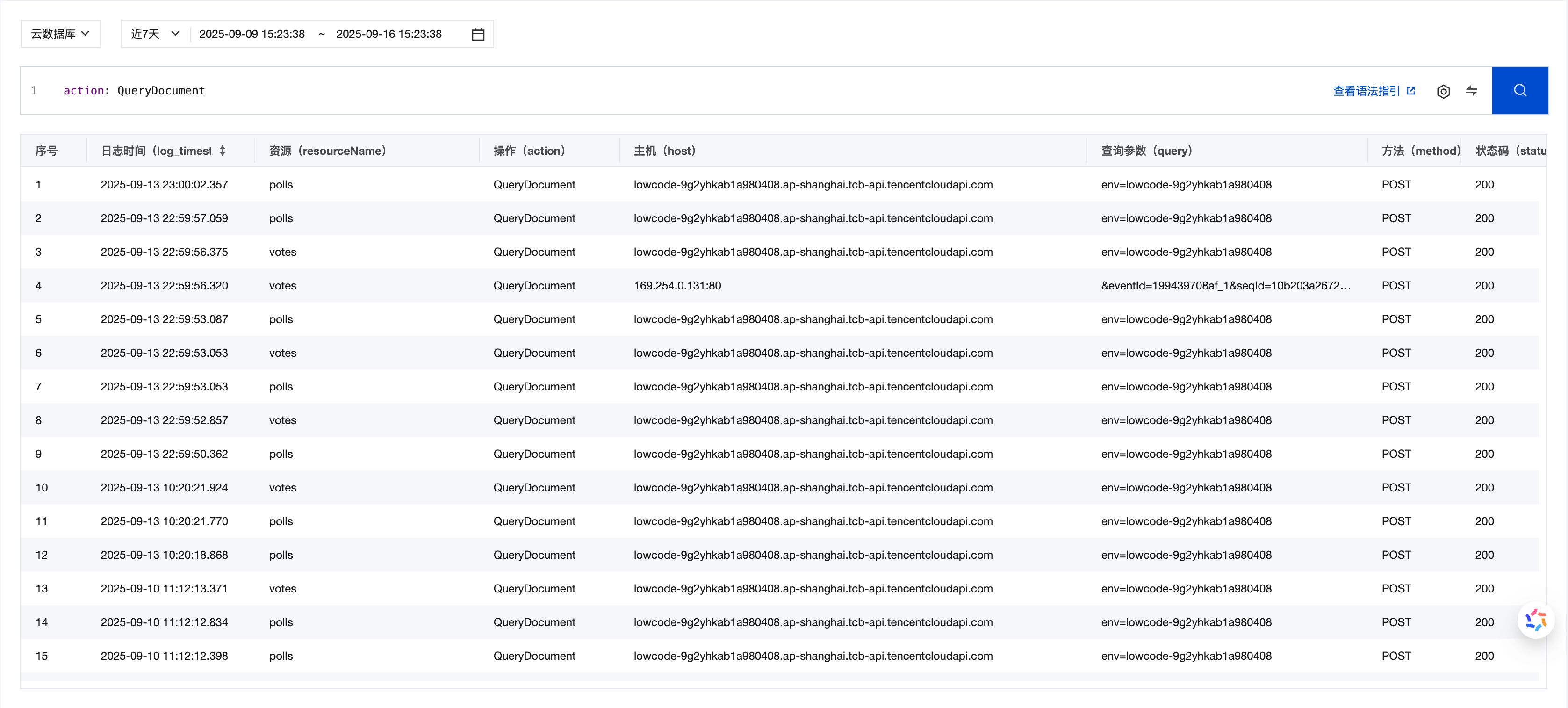
action: QueryDocument # Search for all logs where action is 'QueryDocument'
3. Fuzzy Keyword Search
Fuzzy search uses wildcards to match uncertain characters and is suitable for scenarios where partial information is known.
Wildcard Description
| Wildcard | Description | Example | Matching Results |
|---|---|---|---|
* | Matches zero or more arbitrary characters (not supported at the beginning) | abc* | abc, abcd, abcdef |
? | Matches any single character | ab?c | abdc, abec, ab1c |
The * wildcard cannot be used at the beginning of a query. Use suffix matching or the complete keyword instead.
Use Cases
Multi-Version Function Lookup:
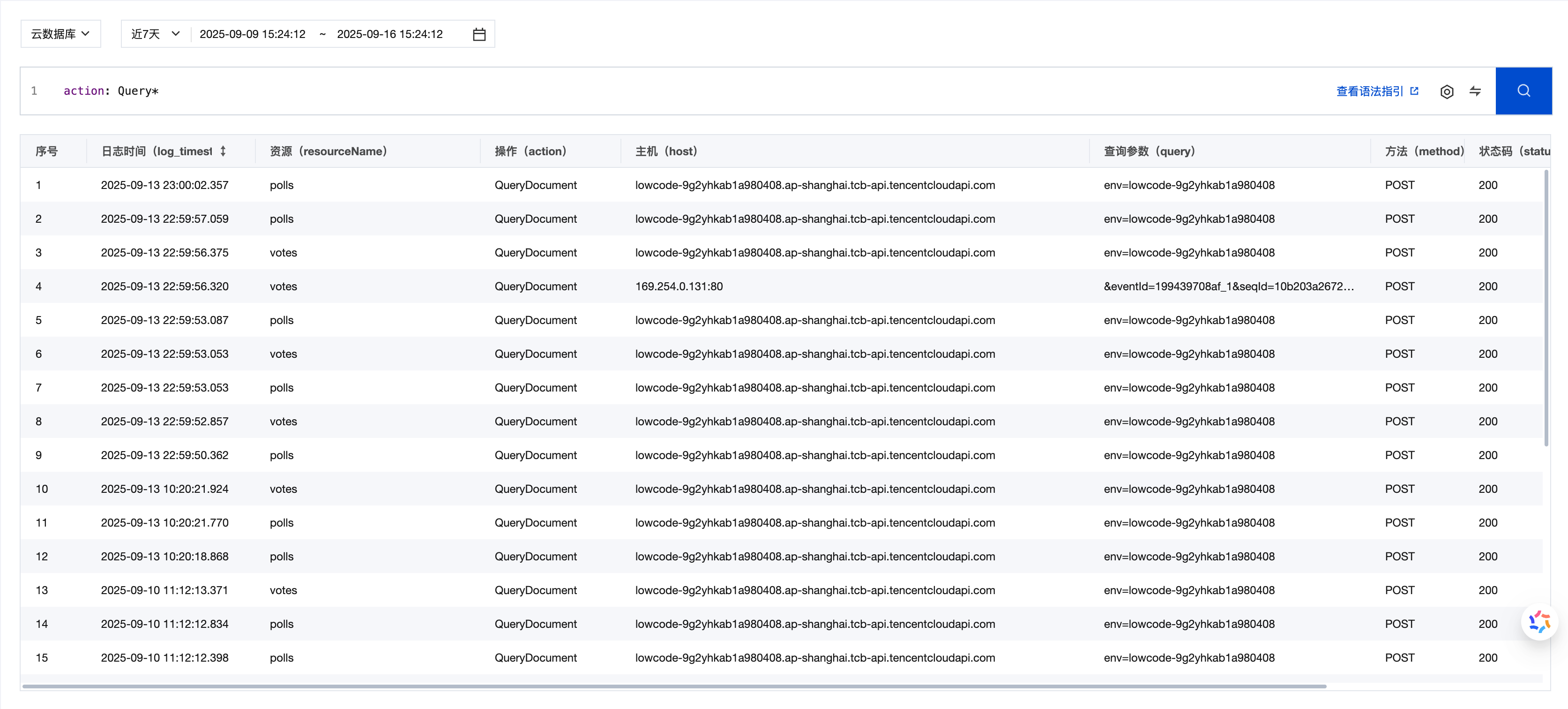
action: Query* # Search for all logs where actions start with 'Query'
Advanced Query Syntax
Logical Operators
| Operator | Syntax | Description | Example |
|---|---|---|---|
| AND | A and B or A B | Returns logs containing both A and B | error and timeout |
| OR | A or B | Returns logs containing A or B | error or warning |
| NOT | not B | Returns logs that do not contain B | not debug |
| MINUS | A not B | Returns logs that contain A but not B | error not timeout |
Special Characters Handling
| Syntax | Description | Example |
|---|---|---|
'text' | Text within single quotes is treated as literal characters | 'and' finds logs containing "and" |
"text" | Text within double quotes is treated as literal characters. | "error:404" finds logs containing "error:404" |
\ | Escape character that escapes special symbols | \: represents the colon character itself |
Key-value Pair Query
key:value                      # Basic key-value pair query
function_name:"user login"     # Values containing spaces need to be enclosed in quotes
"error level":high             # Keys containing spaces need to be enclosed in quotes
Composite Query Example
Troubleshooting
status_code>200 AND status_code!=202          # Search for failed invocation logs
function_name:"user-login" AND log:"error"    # Search for error logs of the user-login function
Performance Analysis
duration:>5000                                # Search for logs with execution time exceeding 5 seconds
src:app AND log:"timeout"                     # Search for timeout logs in business code
User Behavior Tracking
user_id:"1307589412" AND log:"login"          # Search for login logs of a specific user
request_id:"abc123"                           # Search for logs of a specific request
Searching Logs with CloudBase CLI
Besides the console, you can run the same search statements with the CloudBase CLI, which fits batch queries, scripting, and AI-based analysis:
# Search logs; -l controls the number of returned records and --json is easy to consume in scripts
tcb logs search -q 'function_name:"user-login" AND log:"error"' -l 20 --json

# Query CloudRun logs
tcb logs search --service tcbr -q '"error" AND "timeout"' -l 20 --json
For the full CLI parameters, field list, and typical scenarios, see CLI Log Search.
Practical Search Scenarios
1. Troubleshooting
# Search for recent failed invocations
status_code>200 AND status_code!=202

# Search for timeout errors of a specific function
function_name:"payment-process" AND log:"timeout"

# Search for exceptions in business code
src:app AND log:"error"
2. Performance Monitoring
# Search for slow invocations
duration:>3000

# Search for memory exceptions
log:"out of memory"

# Count invocations per function
src:system | select function_name, count(*) as c group by function_name order by c desc limit 20
3. User Behavior Analysis
# Search for all operations of a specific user
user_id:"1307589412"

# Search for login-related logs
log:"login" OR log:"logout"

# Search for gateway access logs
logType:accesslog