Cloud function
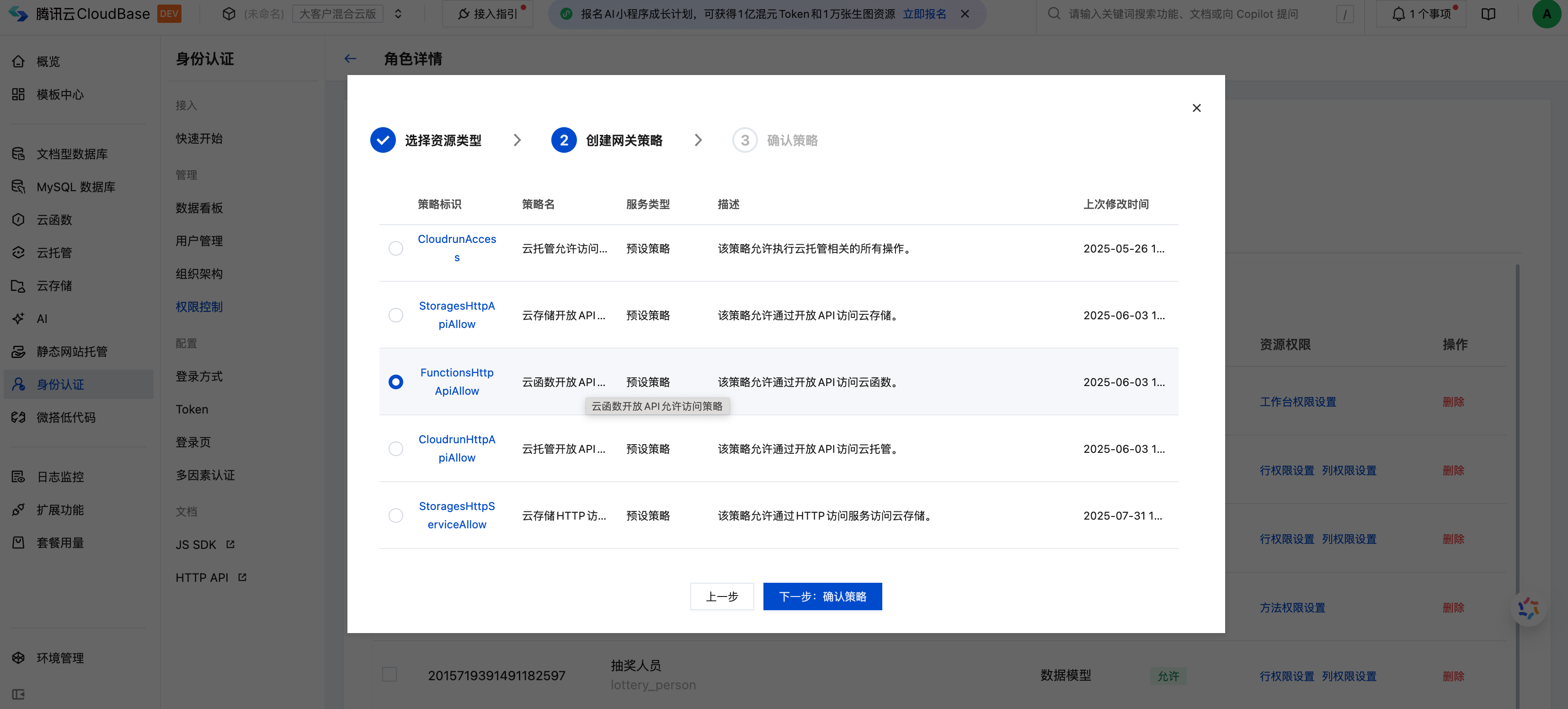
When calling cloud storage-related APIs, version v3 uses the open capability of [cloud function HTTP API](/HTTP-API/functions/cloud function). Before using, please go to [CloudBase Platform/identity Authentication/Permission control](tcb.cloud.tencent.com/dev? envId=#/identity/auth-control/detail? roleIdentity=registerUser&tab=strategy) Verify that the policy management configuration for FunctionsHttpApiAllow is as expected. For more information, see Policy Management Documentation.
callFunction
callFunction<T = any>(object: Object): Promise<Result<ICallFunctionResponse<T>>>
1. API Description
API feature: Execute a cloud function.
In GATEWAY mode, success or failure is decided by HTTP statusCode: 2xx is success even if the body contains a code field. Non-2xx responses parse JSON / HTML / plain-text error bodies. With init({ throw: false }) the SDK returns {code, message, requestId}; by default it throws.
2. Input Parameters
Functional cloud hosting can also pass parameters. After inputting the type:'cloudrun' parameter, it will invoke the functional cloud hosting service.
3. Output Parameters
4. Example code
- Basic SCF Function Call
- Functional cloud hosting call
import cloudbase from "@cloudbase/js-sdk";
// Initialize SDK instance
const app = cloudbase.init({
  env: "xxxx-yyy",
});

app
  .callFunction({
    name: "test",
    data: { a: 1 },
  })
  .then((res) => {
const result = res.result; //SCF execution result
  });
import cloudbase from "@cloudbase/js-sdk";
// Initialize SDK instance
const app = cloudbase.init({
  env: "xxxx-yyy",
});

app
  .callFunction({
    name: "test",
// Functional cloud hosting parameter
    type: "cloudrun",
    method: "POST",
    path: "/abc",
    data: {
      key1: "test value 1",
      key2: "test value 2",
    },
  })
  .then((res) => {
const result = res.result; //SCF execution result
  });
Node.js Utils
The methods below only work in a Node.js environment.
sendTemplateNotification
app.sendTemplateNotification(params: object, opts?: object): Promise<object>
Sends a template message notification.
- Configure the notification policy in advance in CloudBase console / Notification management
- Set the trigger to "Manual"
- Basic example
const cloudbase = require("@cloudbase/js-sdk");

const app = cloudbase.init({
  env: "your-env-id",
});

exports.main = async (event, context) => {
  const result = await app.sendTemplateNotification({
    notifyId: "your-notify-id",
    data: { orderId: "ORD-001", amount: 200 },
    url: "https://your-domain.com/order/detail",
  });
  console.log(result);
};
parseContext
app.parseContext(context: object): object
Parses the context argument of a cloud function entry and turns the runtime environment variables into a structured object.
- Only available inside a cloud function
The context argument of the cloud function entry
- Basic example
const cloudbase = require("@cloudbase/js-sdk");

exports.main = async (event, context) => {
  const app = cloudbase.init({ env: "your-env-id" });

  const envObj = app.parseContext(context);
  console.log(envObj);
};