Agent Bucket App Integration Guide
Tencent Cloud COS Agent Bucket has launched its "App Management" module, along with its first official application — the Drive App.
Think of it as your own "app store": with a few clicks in the console, you can deploy a dedicated, self-owned application — no code to write, no cloud resources to manage.
| Aspect | Description |
|---|---|
| Data ownership | Stored in your own bucket, fully under your control |
| User management | Users are created and managed by you |
| Quota allocation | Storage quotas are allocated by you |
| Access domain | A dedicated access domain can be configured |
| Code required | Zero code, all operations in the console |
| AI-ready | Skill and MCP services to connect with AI Agents |
Before you start, make sure a CloudBase environment and a Tencent Cloud COS Agent Bucket resource are available.
This guide covers three parts: capabilities, deployment steps, and post-deployment usage.
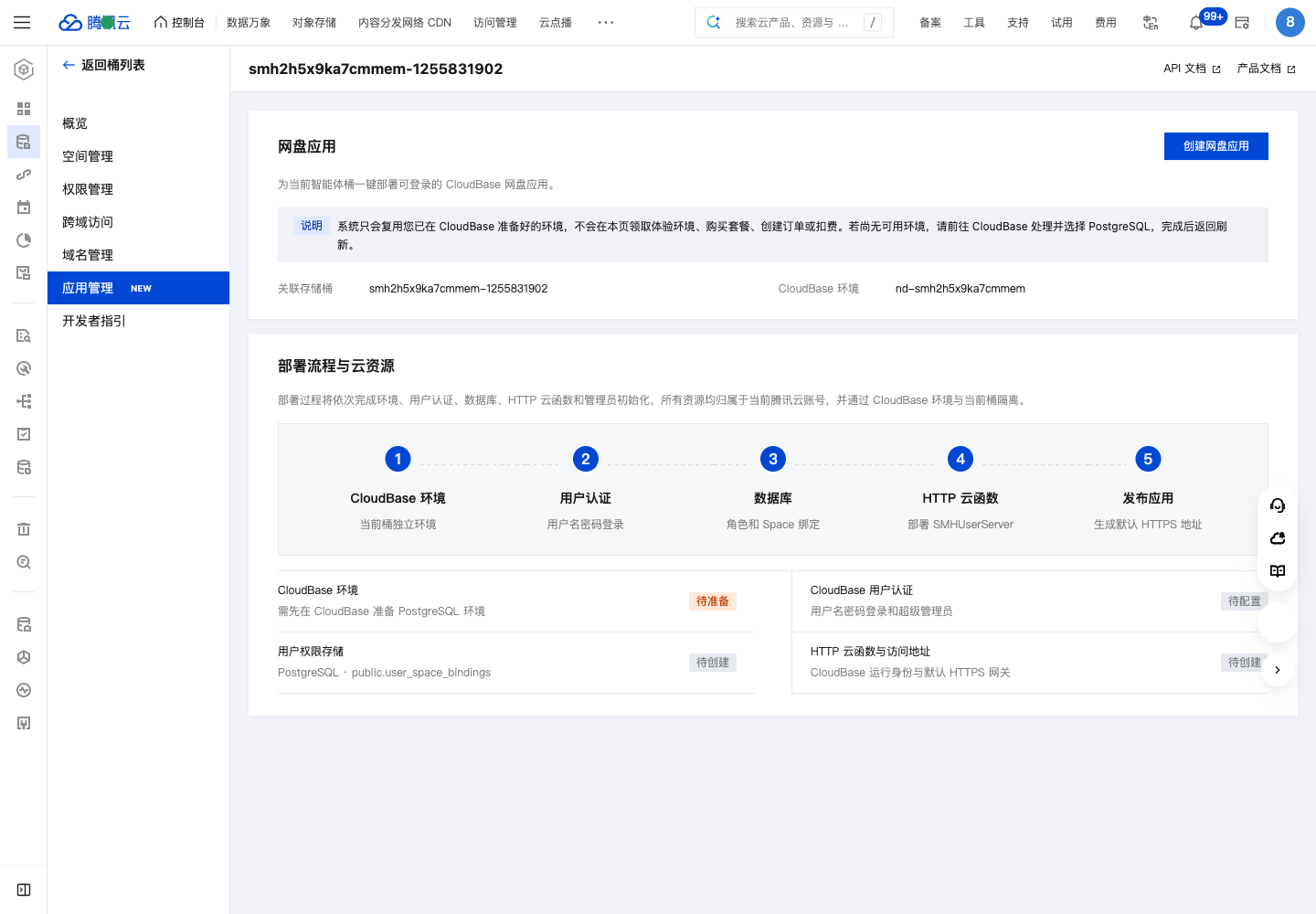
Why "App Management"
Self-built applications are costly to build and hard to maintain independently
Building a multi-user storage product on COS is never difficult in terms of storage itself — what truly troubles developers is the application logic beyond storage:
| Capability you must build yourself | The work involved |
|---|---|
| Account system | Credential management, secure storage, registration and sign-in |
| Spaces and permissions | User space isolation, team sharing, storage quota division |
| Entitlement management | User entitlements, quota adjustments, usage statistics — all needing a backend |
| Multiple clients | Beyond a web page, PC and mobile apps are also essential |
| Service deployment | Backend services, databases, domains, HTTPS, and other operations work |
None of these tasks are difficult on their own, but developing each module and assembling them into a product deliverable to users typically takes a small team weeks or even months. Maintaining your own drive or other application service is never a simple matter.
In the AI era, you need a storage foundation shared by people and Agents
With the rapid development of AI and the explosion of Agent products, the way we produce and work is shifting from individual production and team collaboration to people working with AI. Data no longer comes only from humans — AI outputs have become an important part of today's data storage.
Whether you are an independent developer or an enterprise team, you need a centralized storage product to interact with AI Agents — from materials awaiting processing, to the final artifacts produced by AI, to the sharing and remixing of outputs. Building your own AI-native storage product has become an urgent need.
To address the problems above, Agent Bucket distills general application-building capabilities into official applications:
- One-click deployment: Create a complete application product from the console, with no underlying business code to write
- Out of the box: User authentication, database, cloud functions, and other resources are provisioned automatically
- Open for customization: Upper-layer business logic, product integration, and interaction restructuring via open APIs / SDKs
- AI-ready: Official Skills enable interoperability between storage and AI tools
The first application released is the Drive App, a scenario with high demand and broad applicability.
What the Drive App Can Do
The drive app deployed through Agent Bucket's "App Management" is not just a simple demo, but a complete standalone product. It consists of an admin side and a user side, covering Web, PC, and mobile.
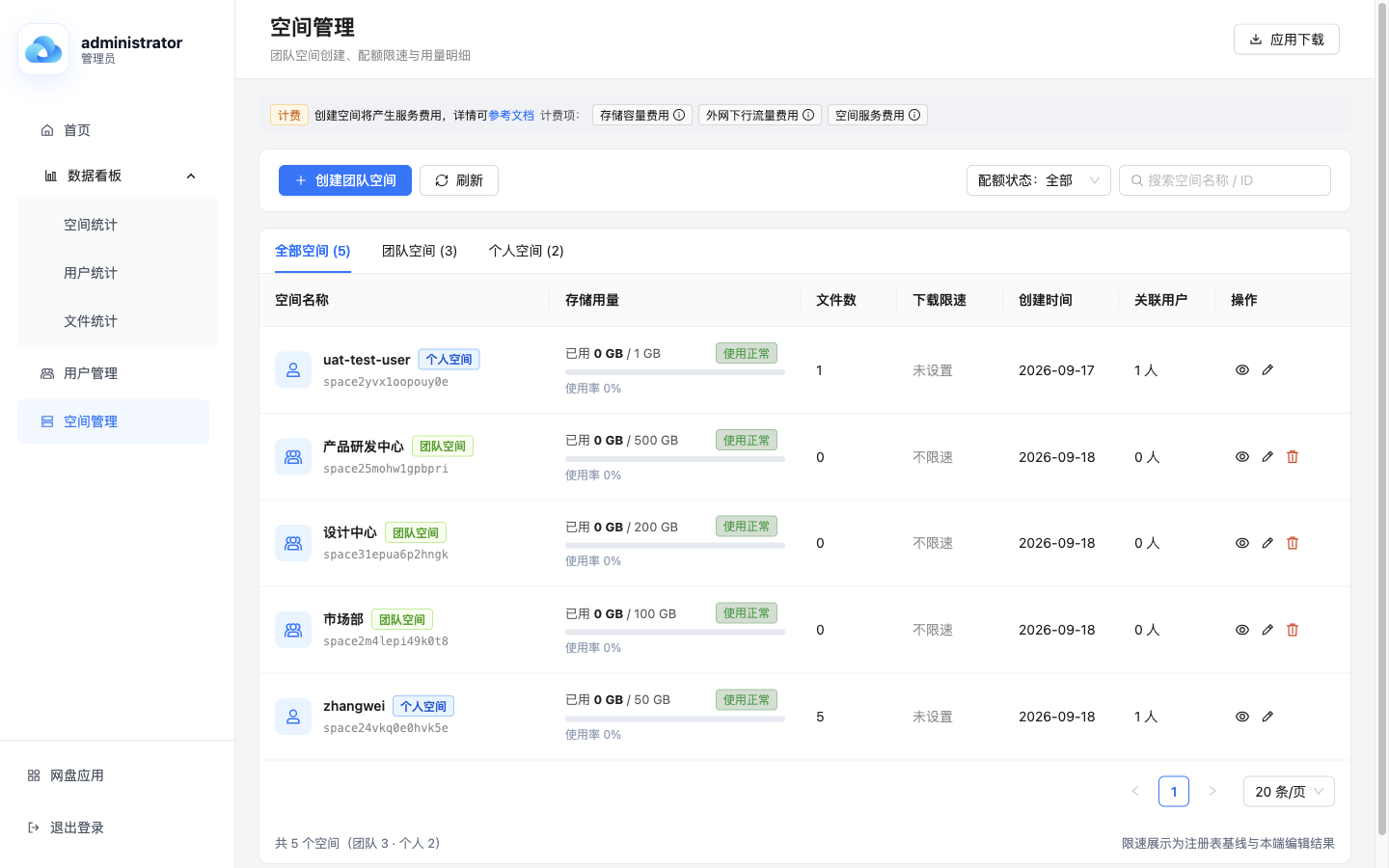
Admin side: an out-of-the-box operations console
The admin side provides a complete set of operations capabilities for centralized monitoring and management:
- Dashboard: An overview of user count, space usage, file trends, and other key metrics
- User management: Create users and maintain account status
- Space management: Divide spaces and adjust storage quotas
Administrators do not need to log in to a separate backend system — after signing in to the drive, simply enter "Management Center" from the sidebar.
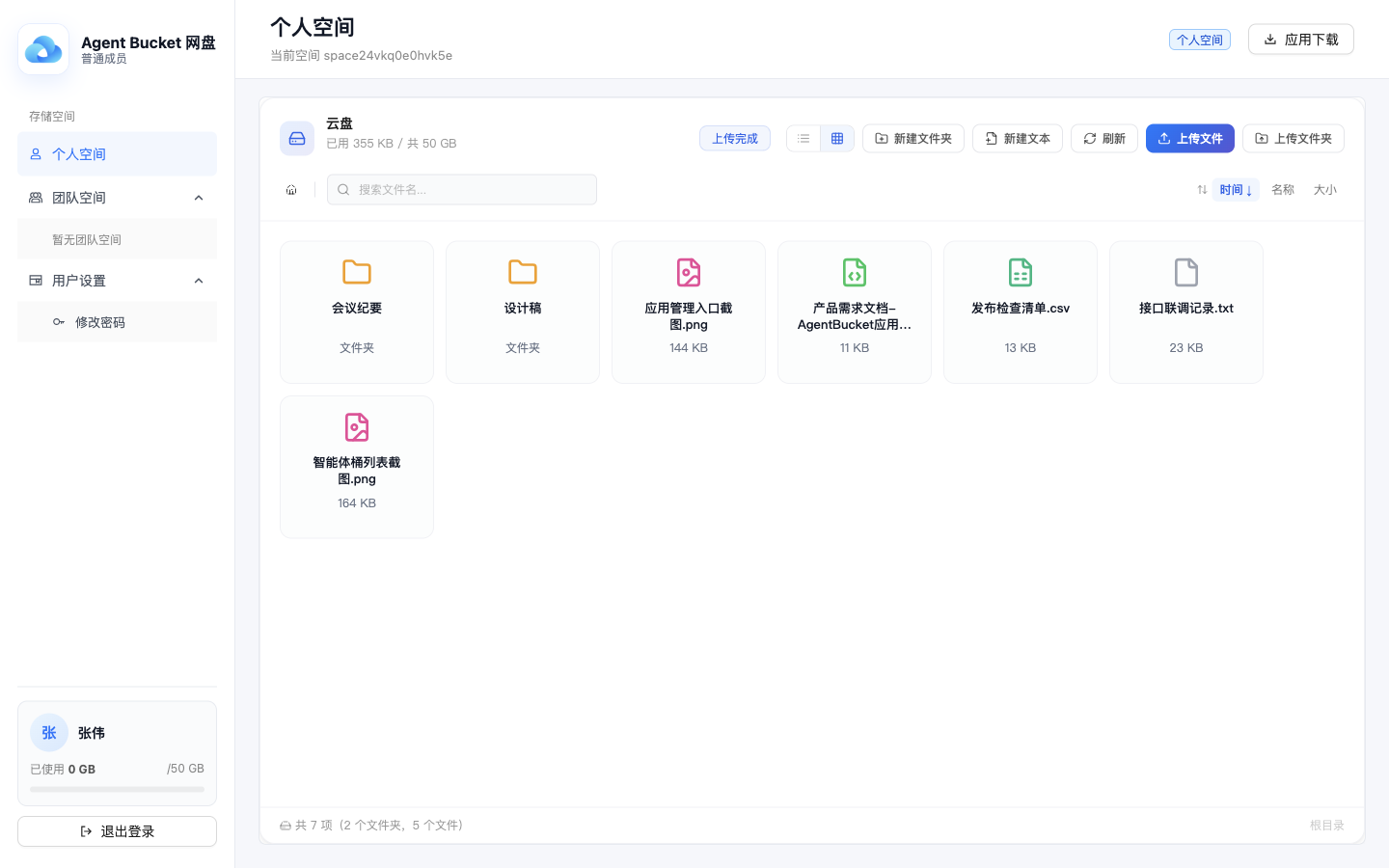
User side: personal and team spaces, a new form of people-AI storage interaction
The user side provides complete storage and collaboration capabilities:
- Personal spaces: Private file storage and management
- Team spaces: Collaboration and sharing with clear permissions
- File management: Upload, download, organize, and search
- External sharing: Generate share links for outside users with one click
It also provides open APIs and SDKs and official Skills for further integration.
Three platforms, one download entry
The drive currently provides multiple clients so users can choose as needed:
| Platform | Description |
|---|---|
| Web | Access the drive domain directly from a browser |
| PC | Supports macOS / Windows clients |
| Mobile | Supports Android clients |
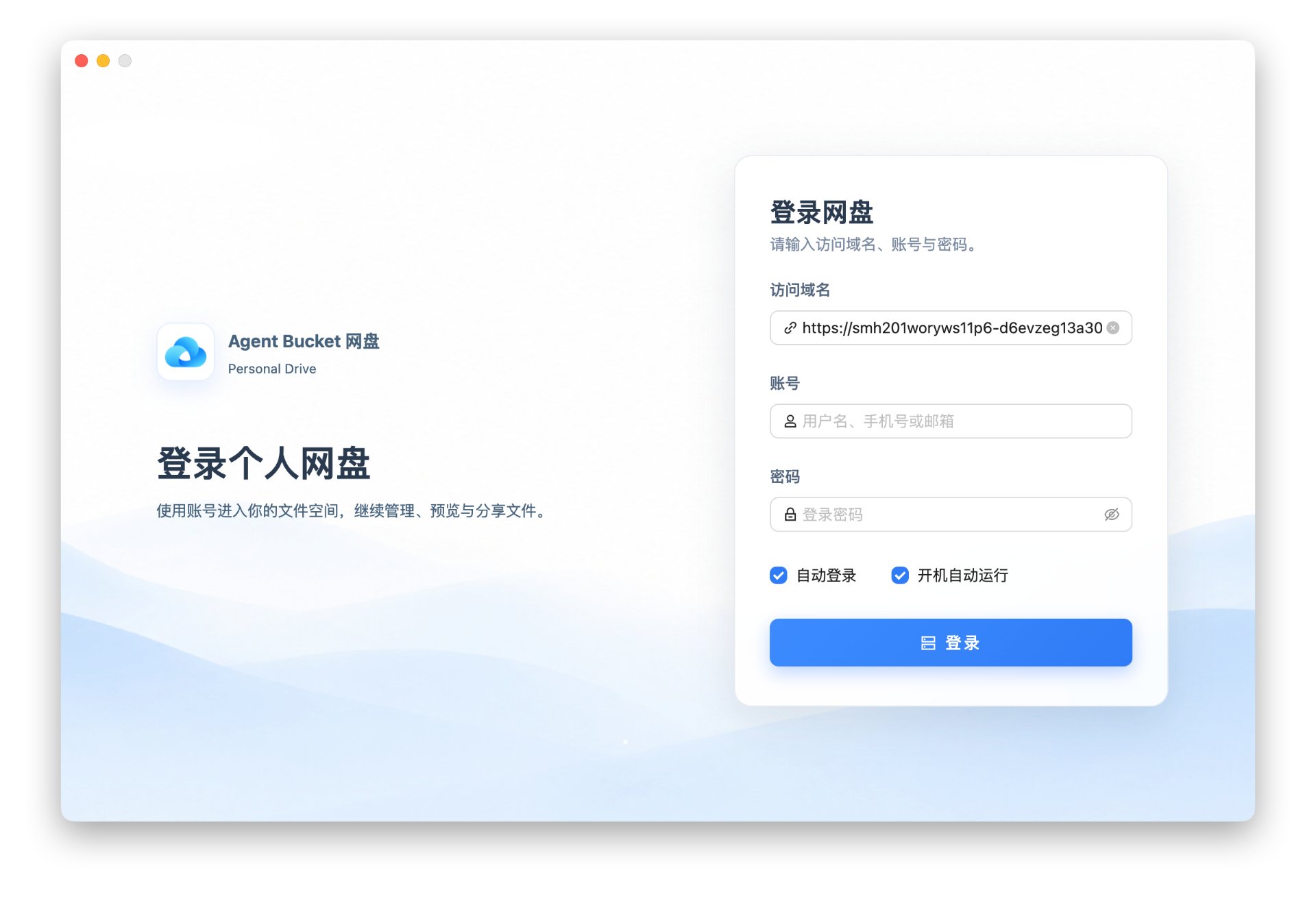
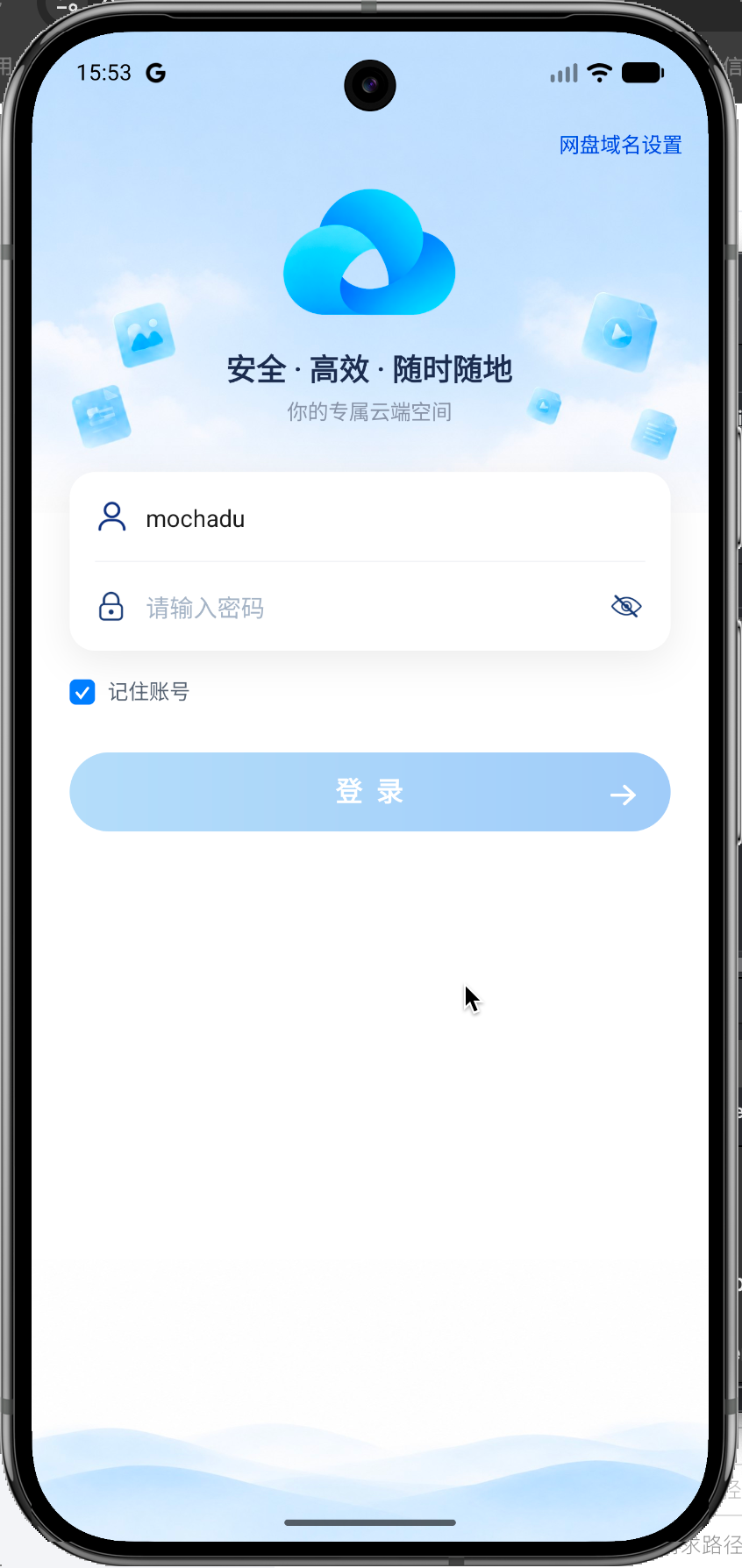
When using the PC or mobile client for the first time, simply enter the drive access domain once. You can obtain this domain directly from the page where you create the drive app in the console.
Three Steps to Deploy
Deployment requires no coding and no cloud resource configuration — you simply click through the console, and the platform builds the drive app's backend resources for you.
The diagram below shows the complete flow from creation to delivery to end users, covering three stages:
| Stage | Actor | Description |
|---|---|---|
| 1. Select resources and environment | You | Create the "Drive App" in the COS console or Integration Center, and specify the target CloudBase environment |
| 2. One-click deploy | Platform | Automatically creates user authentication, database, HTTP Cloud Function, and super administrator |
| 3. Start using | You | Get the access domain, create users and allocate quotas, then distribute to end users |
Stage 2 is handled entirely by the platform, making it the most hands-off part of the whole flow.
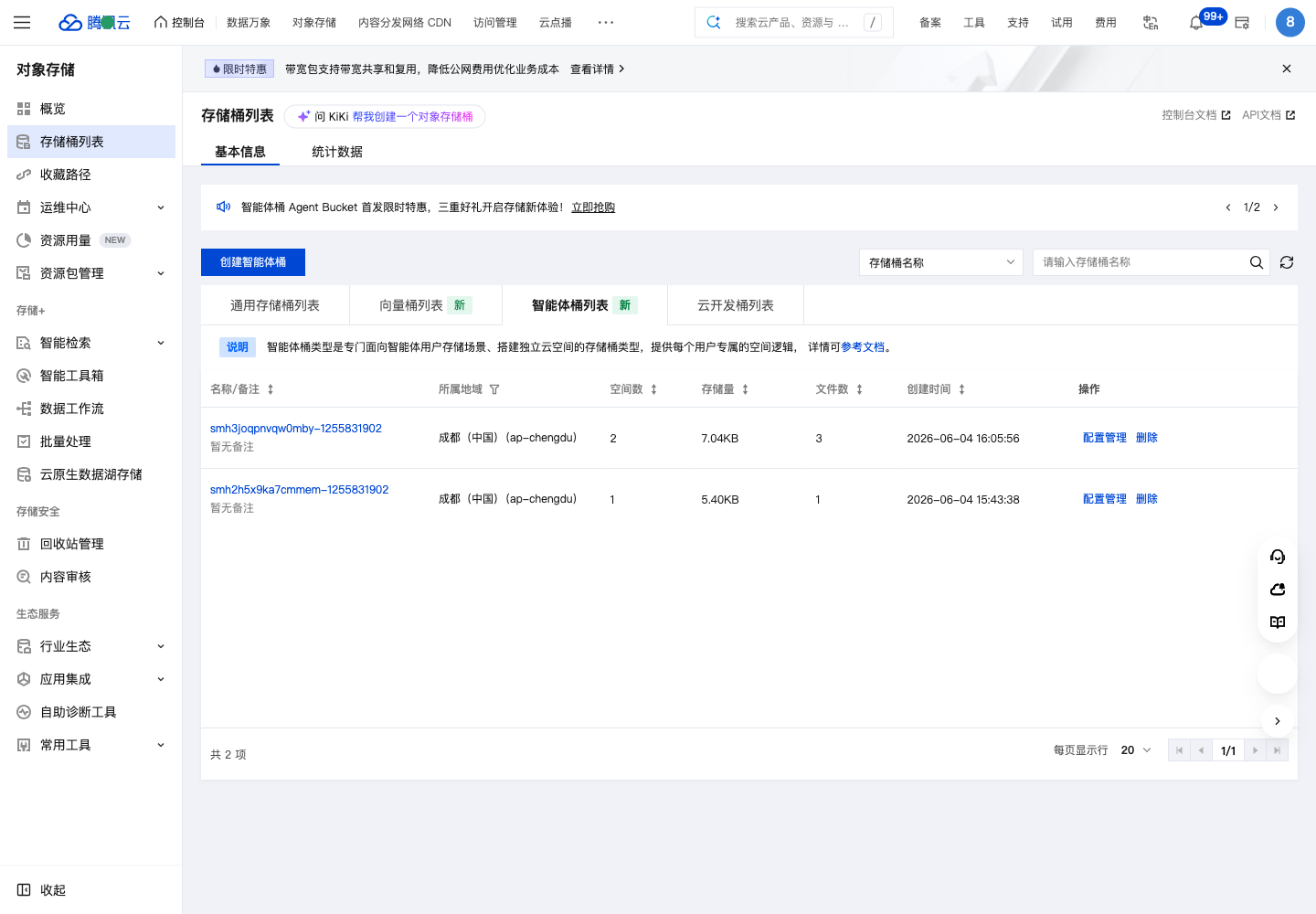
Step 1: Select the Agent Bucket resource
In the Agent Bucket of the COS console, or from the Integration Center entry of CloudBase, create the "Drive App".
Step 2: Prepare the deployment environment
Select the corresponding CloudBase environment.
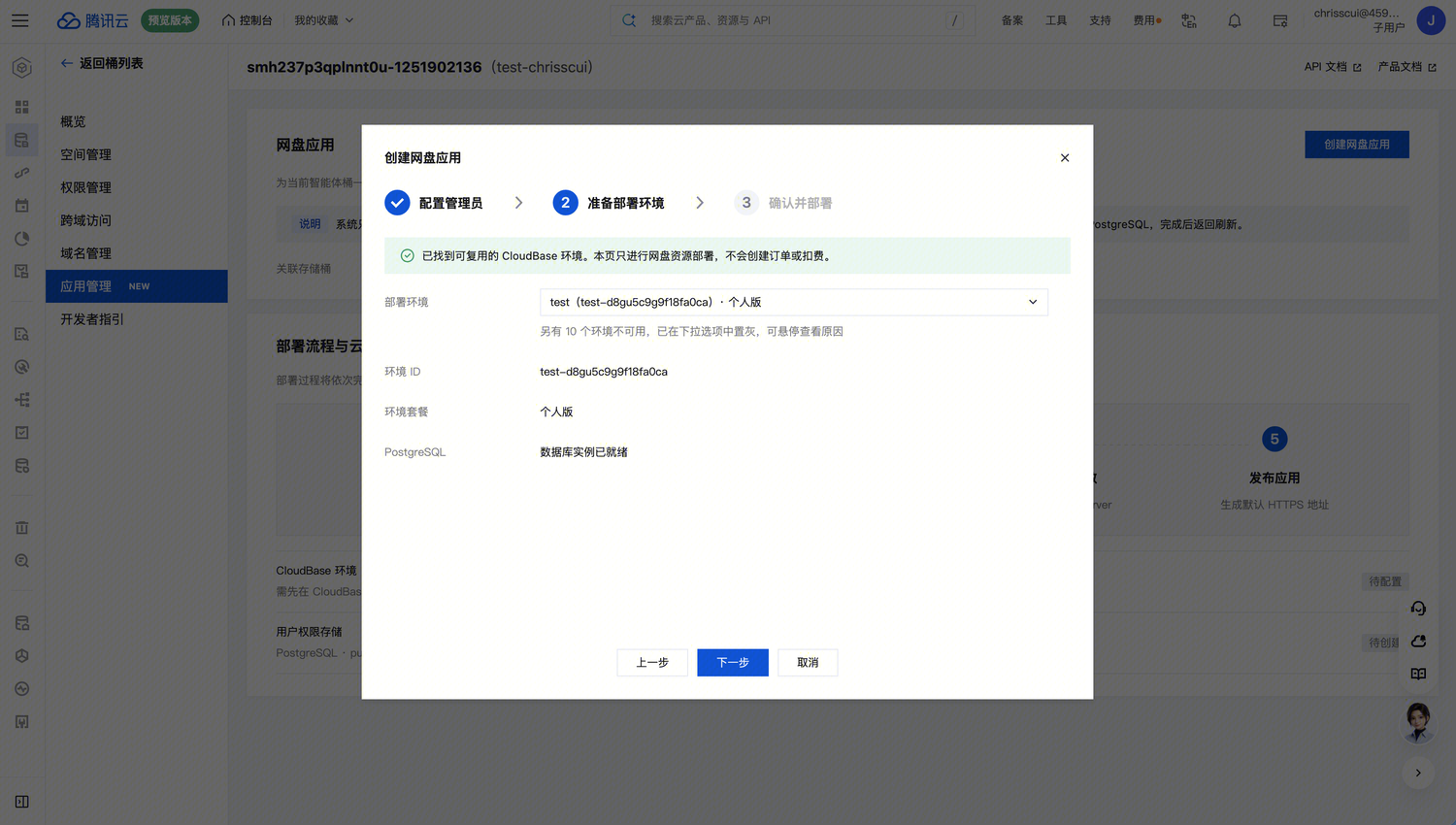
You can follow the "Tencent CloudBase" WeChat official account and send "领取兑换码" to get a free resource plan.
Step 3: Confirm and deploy
After confirming, click "Start Deployment". The system will automatically create and configure the following resources:
| Resource | Description |
|---|---|
| User authentication | The account system of the drive app |
| Database | Storage for users, spaces, and file metadata |
| HTTP Cloud Function | The backend service of the drive app |
| Super administrator | The initial account for the admin side |
Once the page shows "Drive app deployment completed", the deployment is successful.
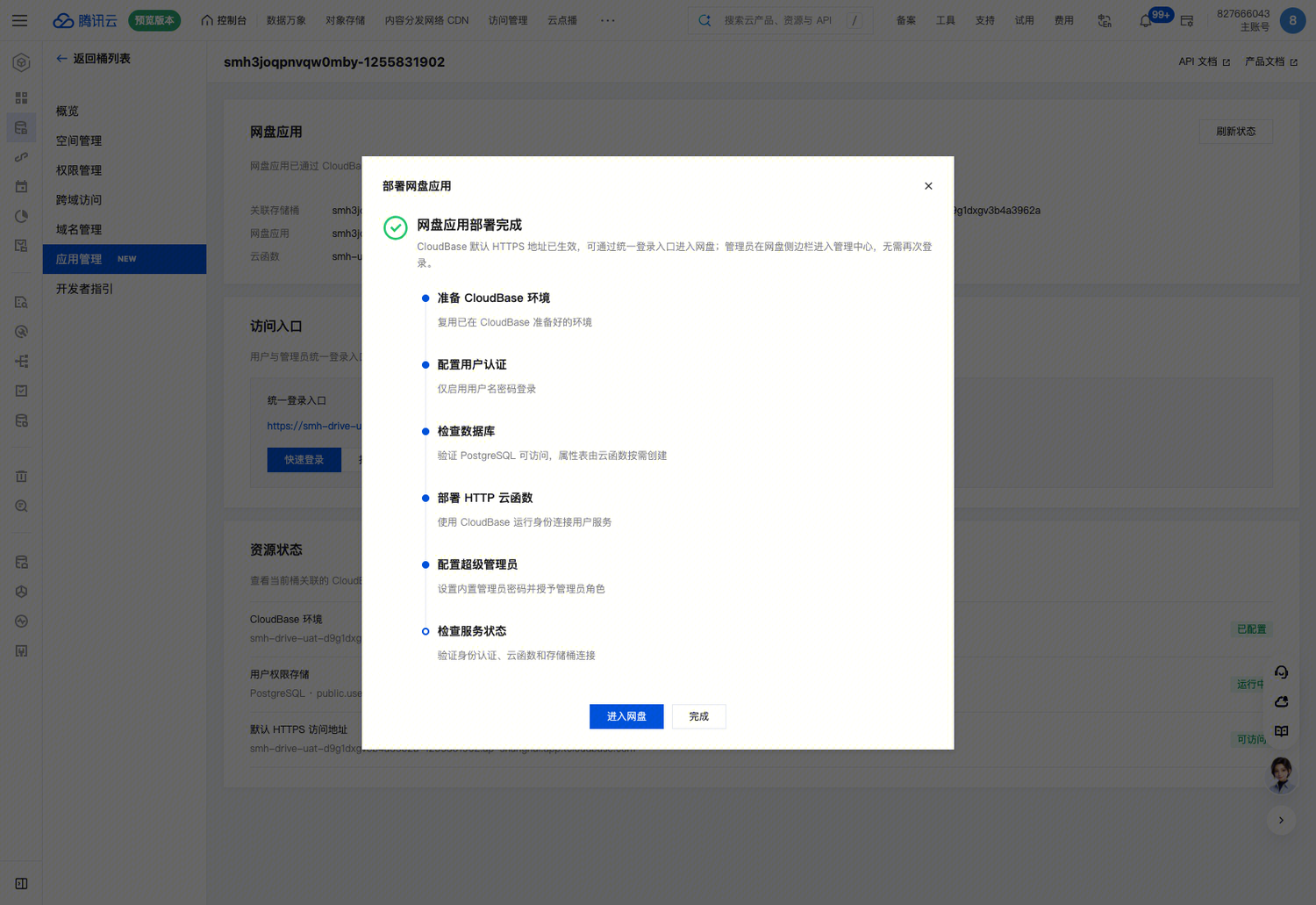
Using the Drive After Deployment
- Get the access domain: On the page where you create the drive app in the console, you can obtain the dedicated access domain directly
- Sign in to the admin side: Sign in with the super administrator account configured during deployment, then enter "Management Center" from the sidebar
- Create users and allocate quotas: In user management and space management, create users, divide spaces, and allocate storage quotas
- Distribute the access entry: Share the access domain with users so they can sign in on Web / PC / mobile
Open Capabilities
Beyond console operations, the drive app also provides:
- Open API / SDK: For custom scenarios such as upper-layer business logic, product integration, and interaction restructuring
- Skill and MCP services: Making it easy for developers to connect the drive app with AI Agents for mounting and persistent storage of AI data
Special Offers, Try for Free
Both Tencent Cloud Agent Bucket and Tencent CloudBase currently offer limited-time free trial plans and heavily discounted resource packs.
Agent Bucket limited-time offers
| Plan | Description |
|---|---|
| New user zero-cost gift | Free first-month trial for new users |
| Advanced bundle | Small-spec plans for teams just getting started |
| Enjoyment credit gift | Multi-spec credit packs you can mix and match |
For details, see the Agent Bucket activity page.
CloudBase free plans
- 6-month free resource pack: Follow the "Tencent CloudBase" WeChat official account and send "领取兑换码" in the chat to get an exclusive redemption code
- Renew at will: When your trial plan expires, click "Renew Now" on the "Plan Usage" page in the console, and after sharing a CloudBase-related article on the community platform and submitting it for verification, you can renew for another 6 months at zero cost
Final Thoughts: The Source of Storage Is Shifting from "People" to "Agents"
For a long time, the users of cloud storage were humans themselves. Files were uploaded, named, organized, searched, and shared by people, and all product design revolved around "human operating habits".
A fundamental change is now taking place: AI Agents are gradually replacing humans in using and producing data. Future collaboration will no longer be only "person to person" — collaboration between people and Agents, and between Agents and Agents, will become the norm.
The value of Agent Bucket is to let different operators — whether human or Agent — use a unified storage foundation. The drive app released this time is the first official application from Tencent Cloud Storage designed for shared use by "people and Agents". In the future, "App Management" will release more official applications to meet the needs of different scenarios and user groups.
Next Steps
- Read Usage Flow to learn the common operations of the Integration Center
- See Examples and References for more sample code
- Visit the Integration Center Console to get started