Account Related
Account Query and Association
How to view Mini Programs associated with Tencent Cloud account?
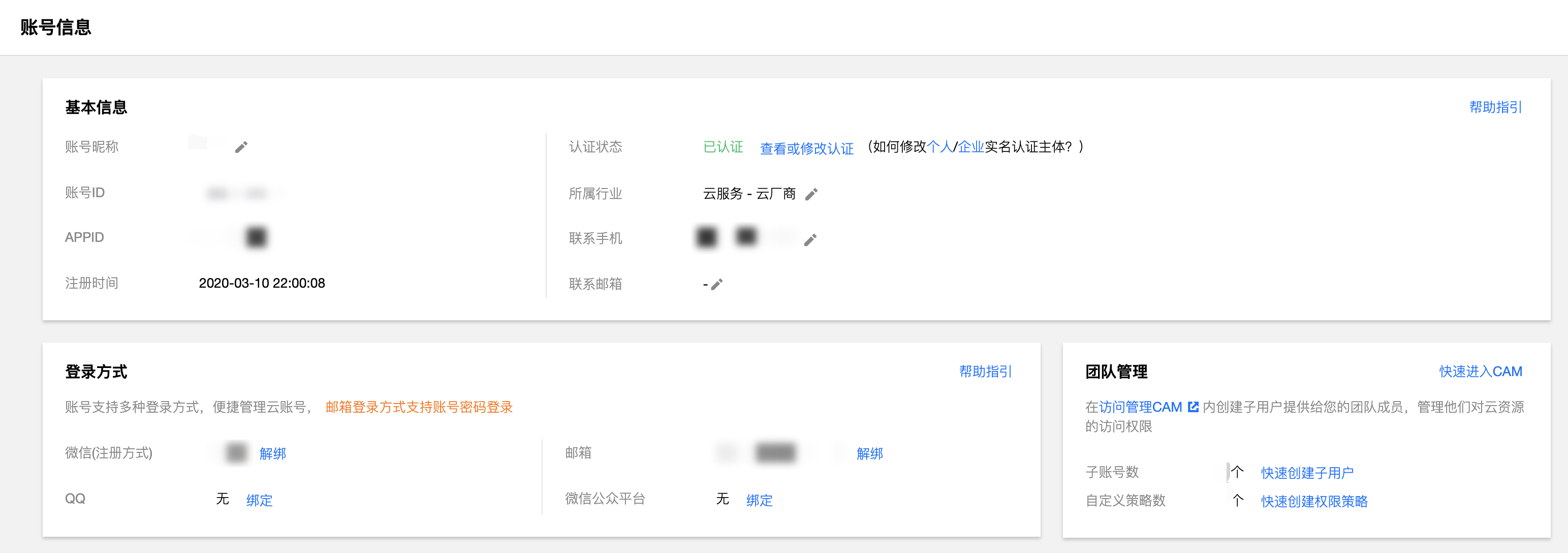
Visit Tencent Cloud Account Center, and check the associated Mini Programs in "Account Information" > "Login Methods" > "WeChat Official Accounts Platform".
Cannot see Tencent Cloud's CloudBase environment in WeChat DevTools?
Cause: The CloudBase console in WeChat DevTools uses the Tencent Cloud account bound to the Mini Program for login, and the accounts need to be consistent.
Solution:
-
Verify account consistency: Refer to "How to view Mini Programs associated with Tencent Cloud account" above to confirm whether the account you use in Tencent Cloud is consistent with the account bound to the Mini Program.
-
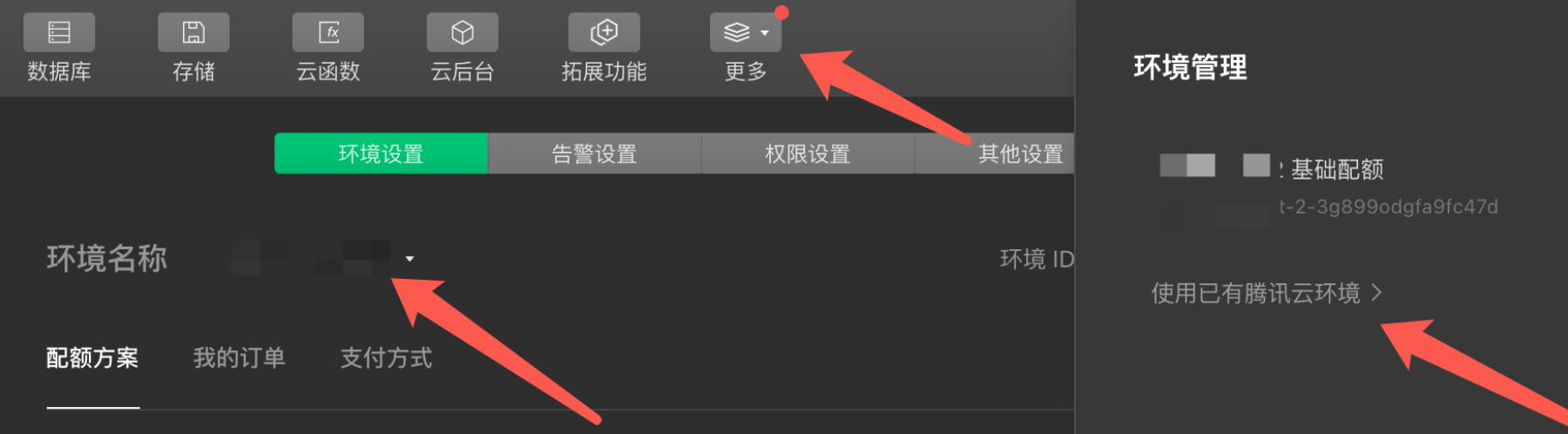
Import existing environment: If the accounts are consistent, operate in WeChat DevTools:
- Open CloudBase console
- Go to "Settings" > "Environment Settings"
- Expand the environment list and click "Manage My Environments"
- Select "Use Existing Tencent Cloud Environment" to import the environment created on the Tencent Cloud side
How to bind a Mini Program to an existing Tencent Cloud account?
Ensure the Mini Program has not been associated with other Tencent Cloud accounts before.
Visit Tencent Cloud Account Center, and associate your Mini Program in "Login Methods" > "WeChat Official Accounts Platform".
Why am I not receiving notification messages from Tencent Cloud?
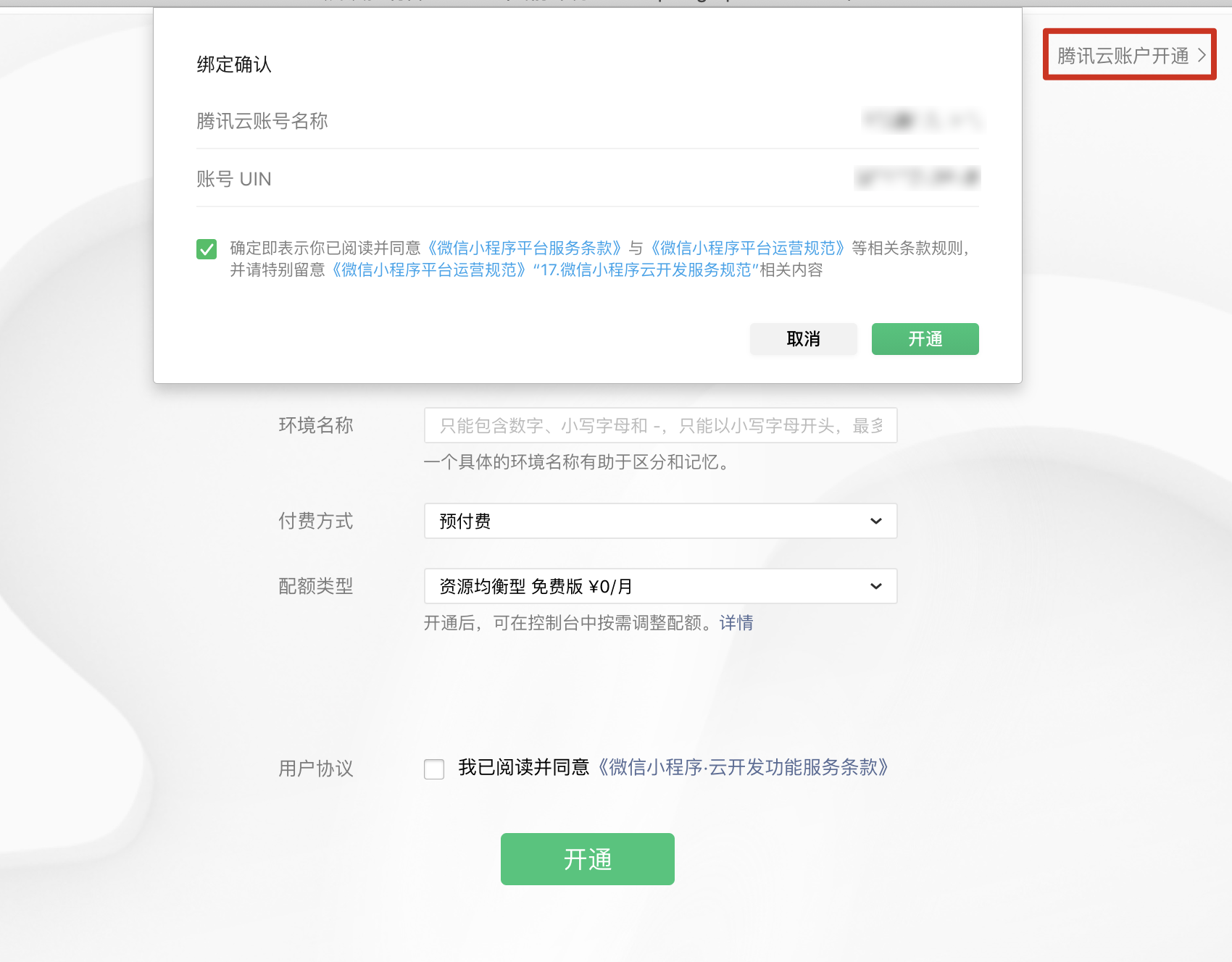
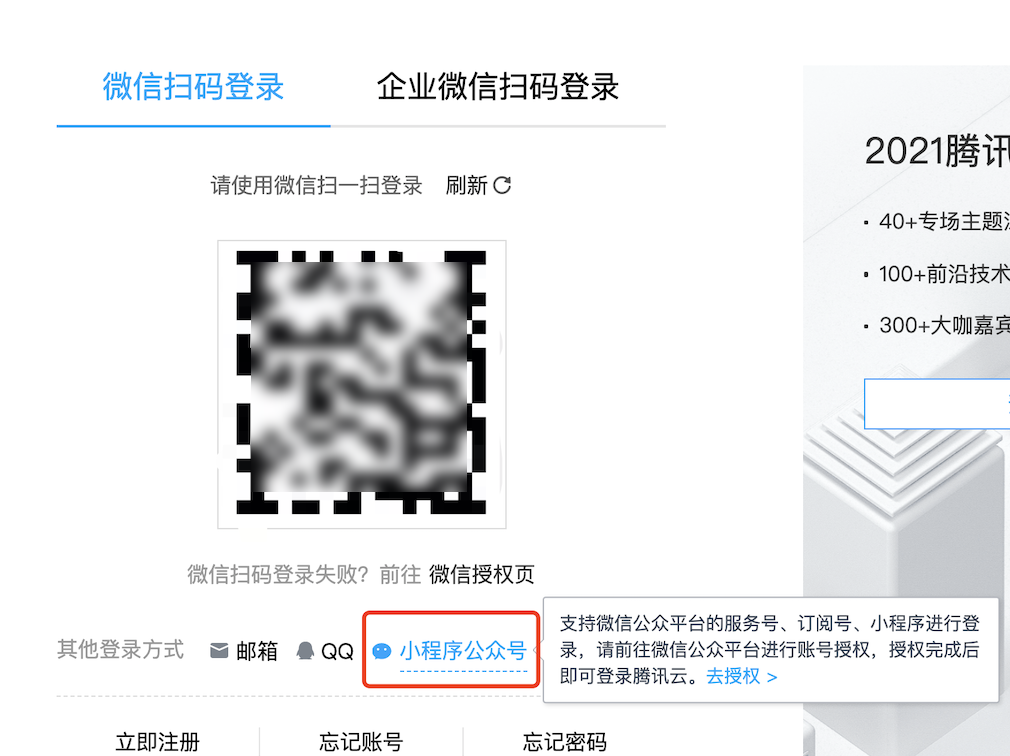
If you activated CloudBase within WeChat DevTools and want to receive Tencent Cloud's product information, account, and billing notifications, you need to log in to Tencent Cloud by scanning QR code with your Mini Program official account.
Steps: Visit Tencent Cloud Login Page and select login by scanning QR code with Mini Program official account.
Account Binding Rules
Can one Tencent Cloud account bind multiple Mini Programs?
No, one Tencent Cloud account can only bind one Mini Program.
If you need to share CloudBase resources among multiple Mini Programs, you can use WeChat DevTools' Environment Sharing Capability to authorize CloudBase resources of a certain Mini Program to other Mini Programs or official accounts under the same entity.
Will deregistering a Mini Program affect the Tencent Cloud account?
No. Tencent Cloud accounts and Mini Program accounts are independent account systems. Deregistering a Mini Program will not affect the Tencent Cloud account.
If your Tencent Cloud account is only associated with WeChat official account as a login method, deregistering the Mini Program may result in inability to log in to Tencent Cloud. It is recommended to associate other login methods (such as WeChat, email, phone number, etc.) in advance at Tencent Cloud Account Center.
Account Unbinding and Rebinding
How to rebind a Mini Program from an automatically created Tencent Cloud account to an existing account?
The following operations must be completed under the primary account. Sub-accounts or collaborator accounts cannot perform these operations.
Applicable Scenario: The Tencent Cloud account was registered via WeChat Official Accounts Platform and only used CloudBase service within WeChat DevTools.
Step 1: Unbind the Mini Program
1. Log in to Tencent Cloud with the Mini Program administrator account
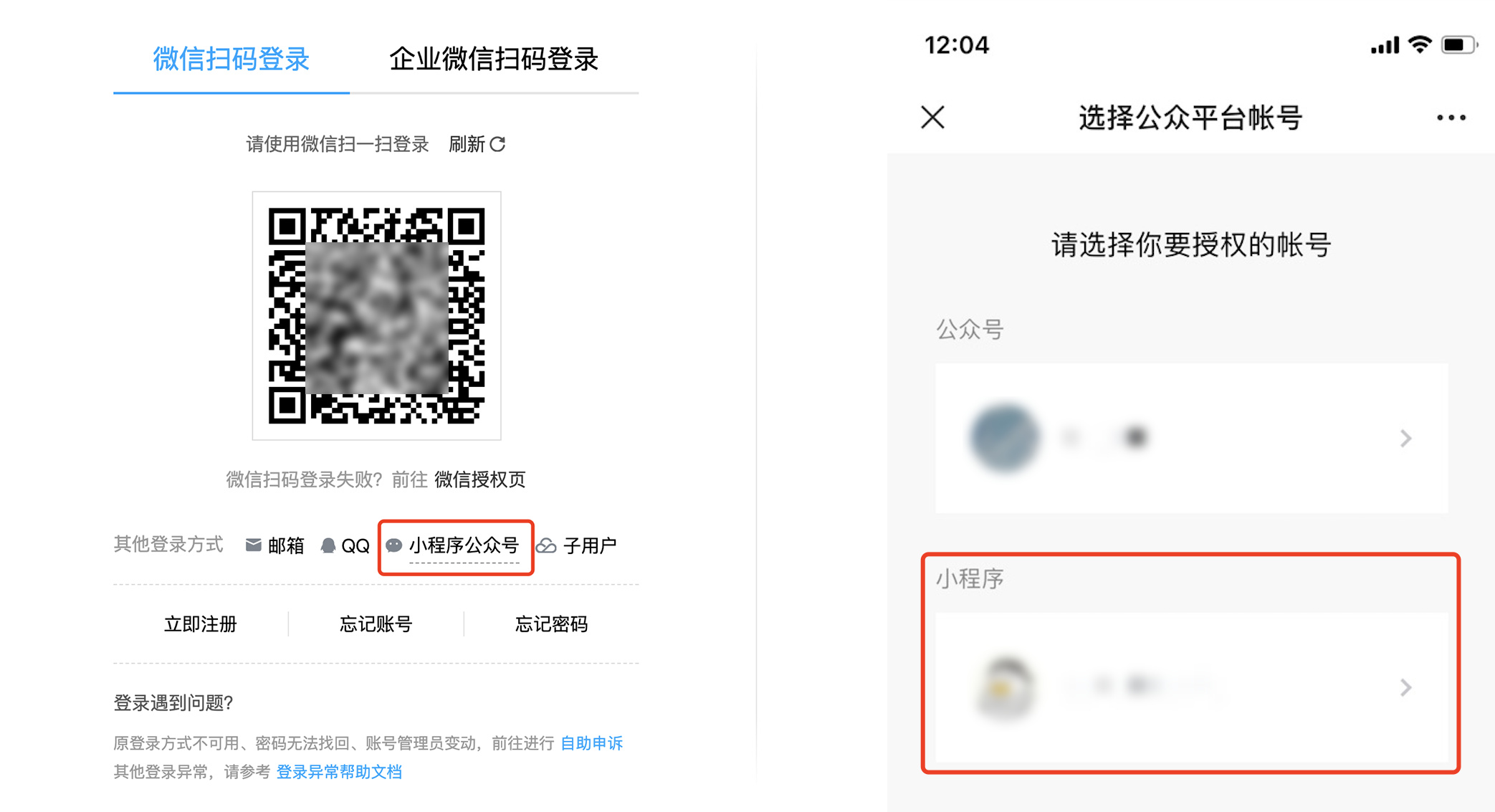
Visit CloudBase Console, select "Mini Program Official Account" method to scan and log in, and authorize the Mini Program you need to unbind.
2. Destroy CloudBase environment
All CloudBase environments must be destroyed before unbinding, otherwise an error will occur.
- Go to Environment Management Page
- Select the environment, click "Destroy" in the
...menu - Clear all files in the environment to complete the environment destruction
3. Unbind the Mini Program
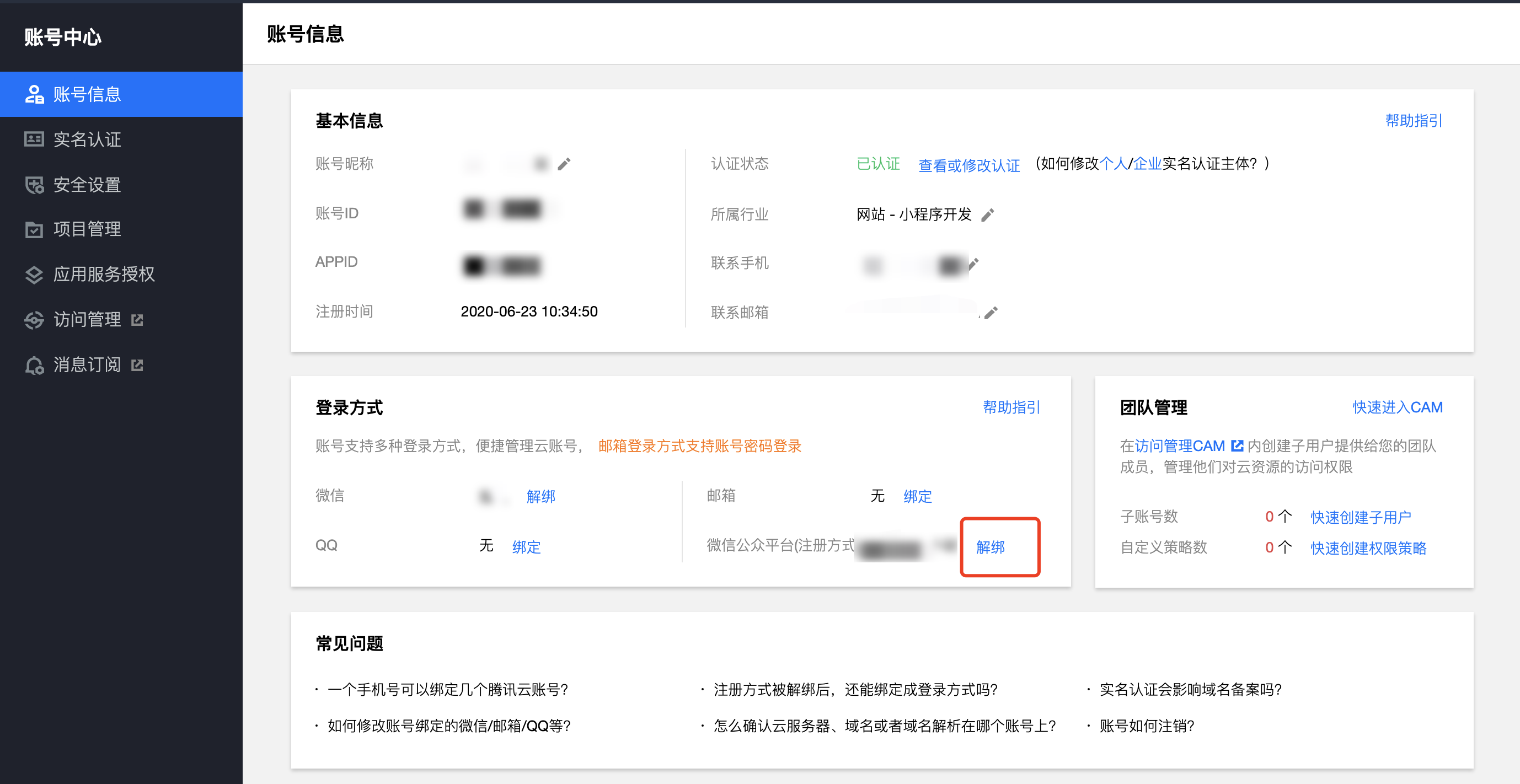
- Go to Account Center
- Click "Unbind" in "Login Methods" > "WeChat Official Accounts Platform"
4. Submit verification materials
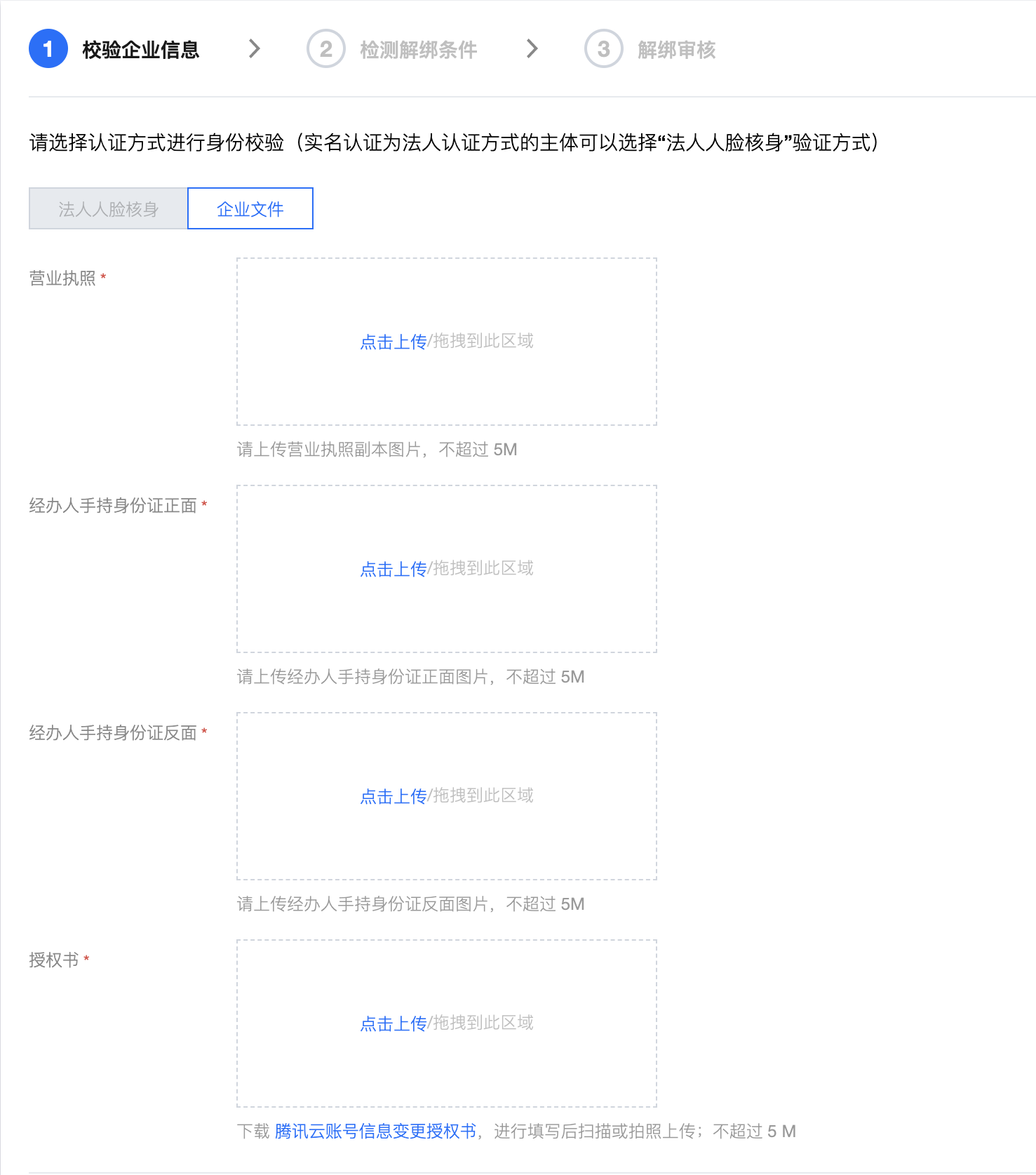
- Individual account: Complete identity verification by scanning QR code
- Enterprise account: Submit business license and other enterprise certification materials
The system will check if the account has other login methods. You need to bind at least one other login method (such as WeChat, email, phone number, etc.) to avoid being unable to log in after unbinding.
Step 2: Rebind to a new account
1. Log in to Tencent Cloud with the target account
Log in to Tencent Cloud Console with the Tencent Cloud account you wish to bind.
2. Bind the Mini Program
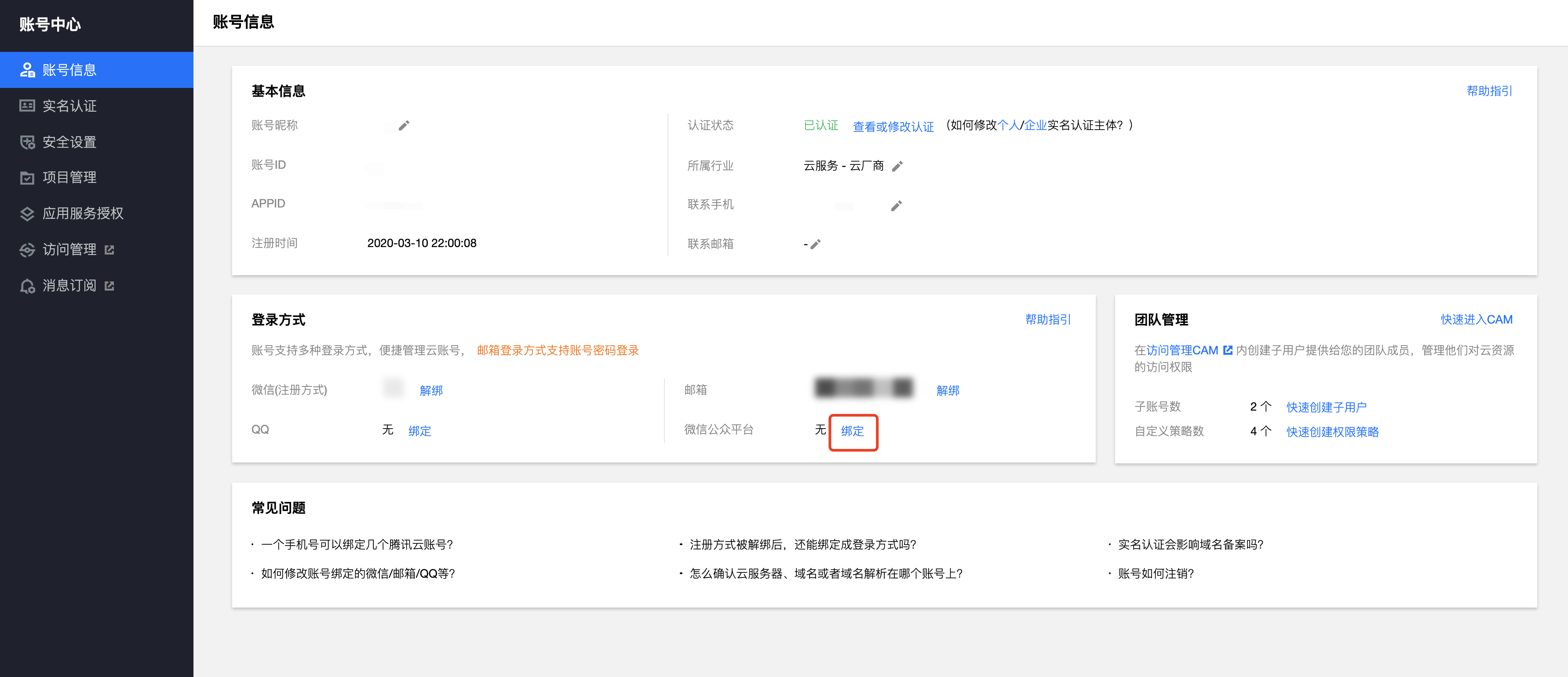
- Go to Account Center
- Click "Bind" in "Login Methods" > "WeChat Official Accounts Platform"
- Scan and authorize with a WeChat account that has Mini Program administrator permissions
Step 3: Activate CloudBase in WeChat DevTools
If you have not used Mini Program CloudBase before, you need to complete the following steps to activate CloudBase service using the bound Tencent Cloud account.
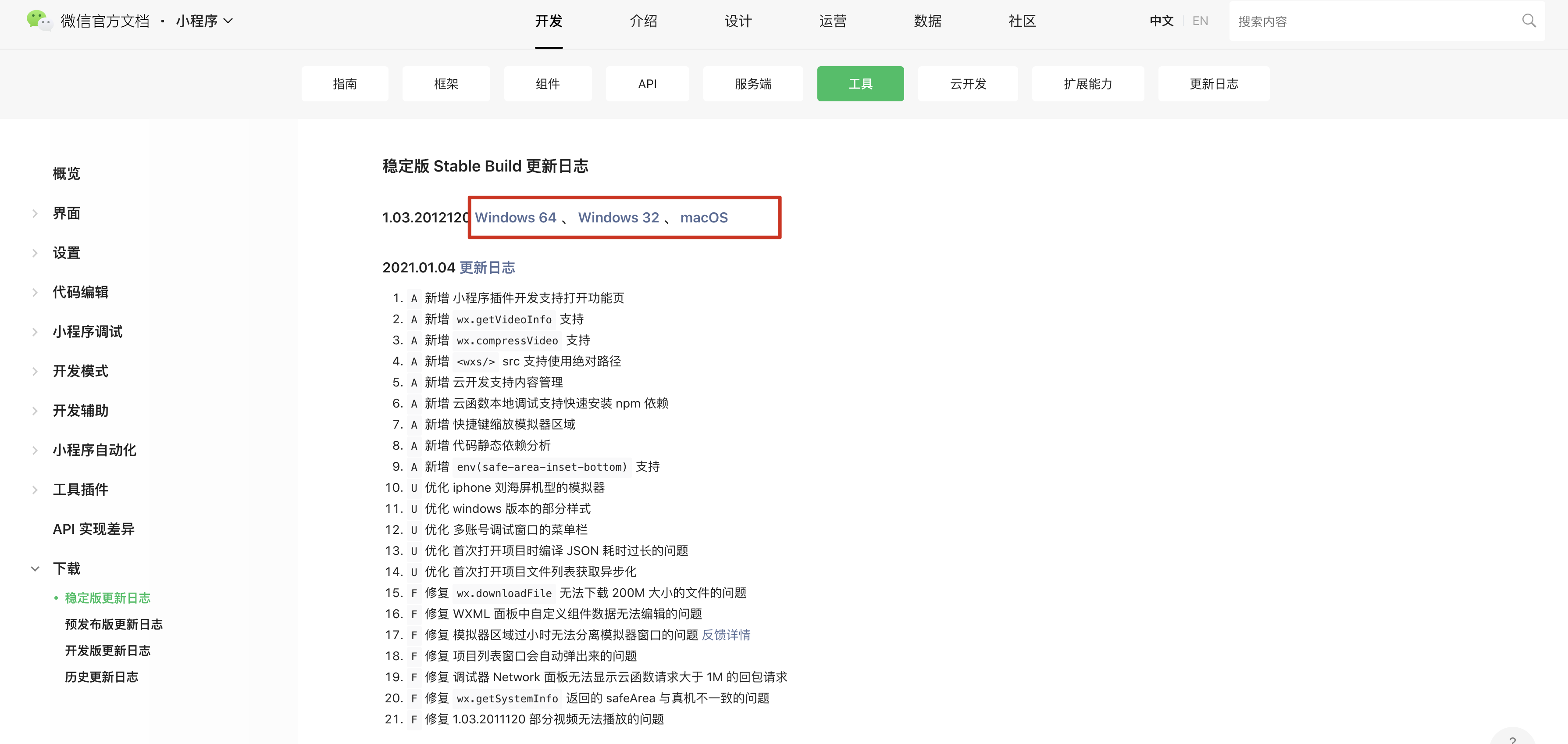
1. Download WeChat DevTools
Visit WeChat DevTools Download Page, select the corresponding system version to download and install.
2. Create Mini Program project
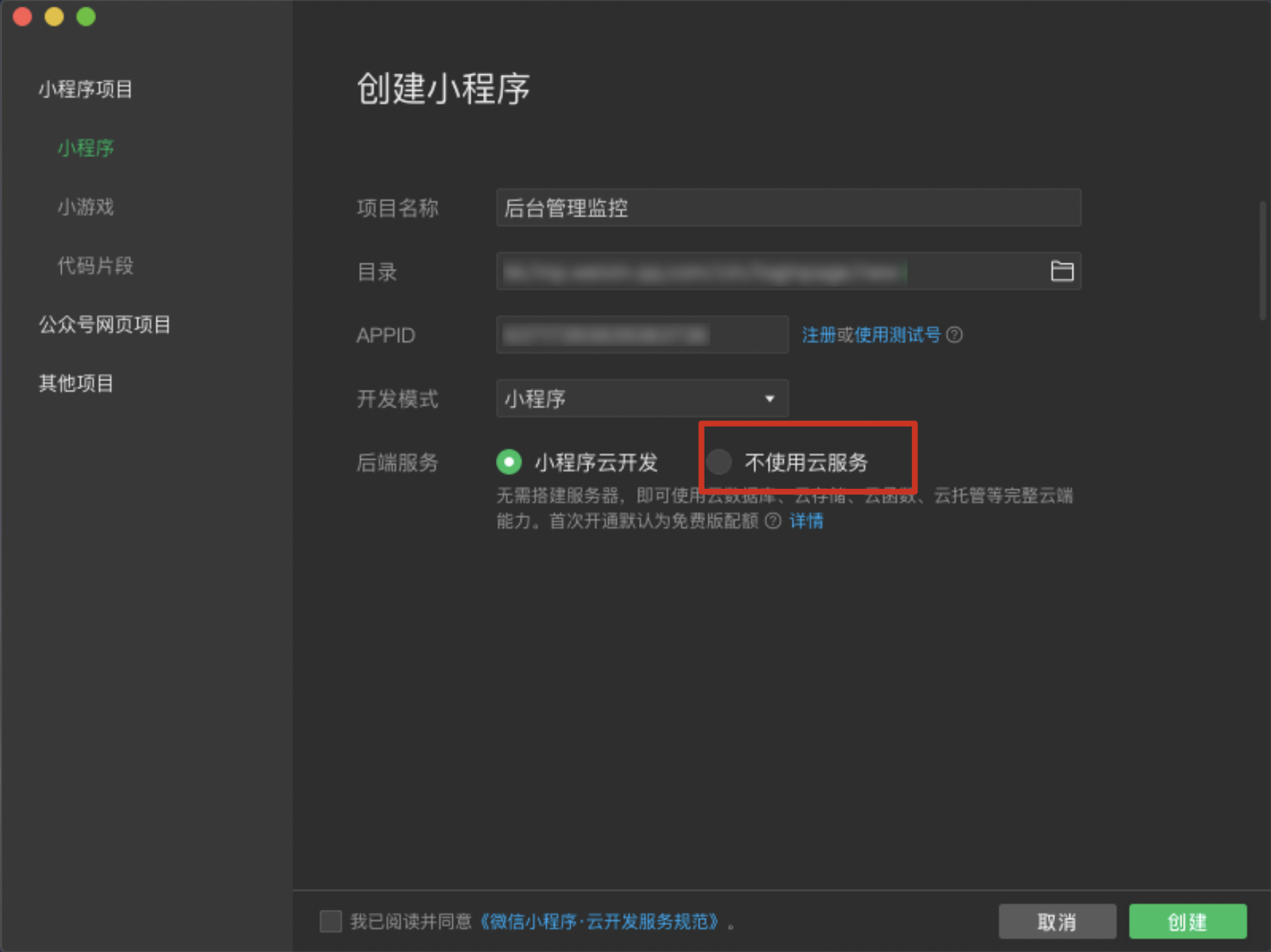
Open WeChat DevTools and create a Mini Program project.
When creating, be sure to check "Do not use cloud services", otherwise a new Tencent Cloud account will be automatically created.
3. Open CloudBase console
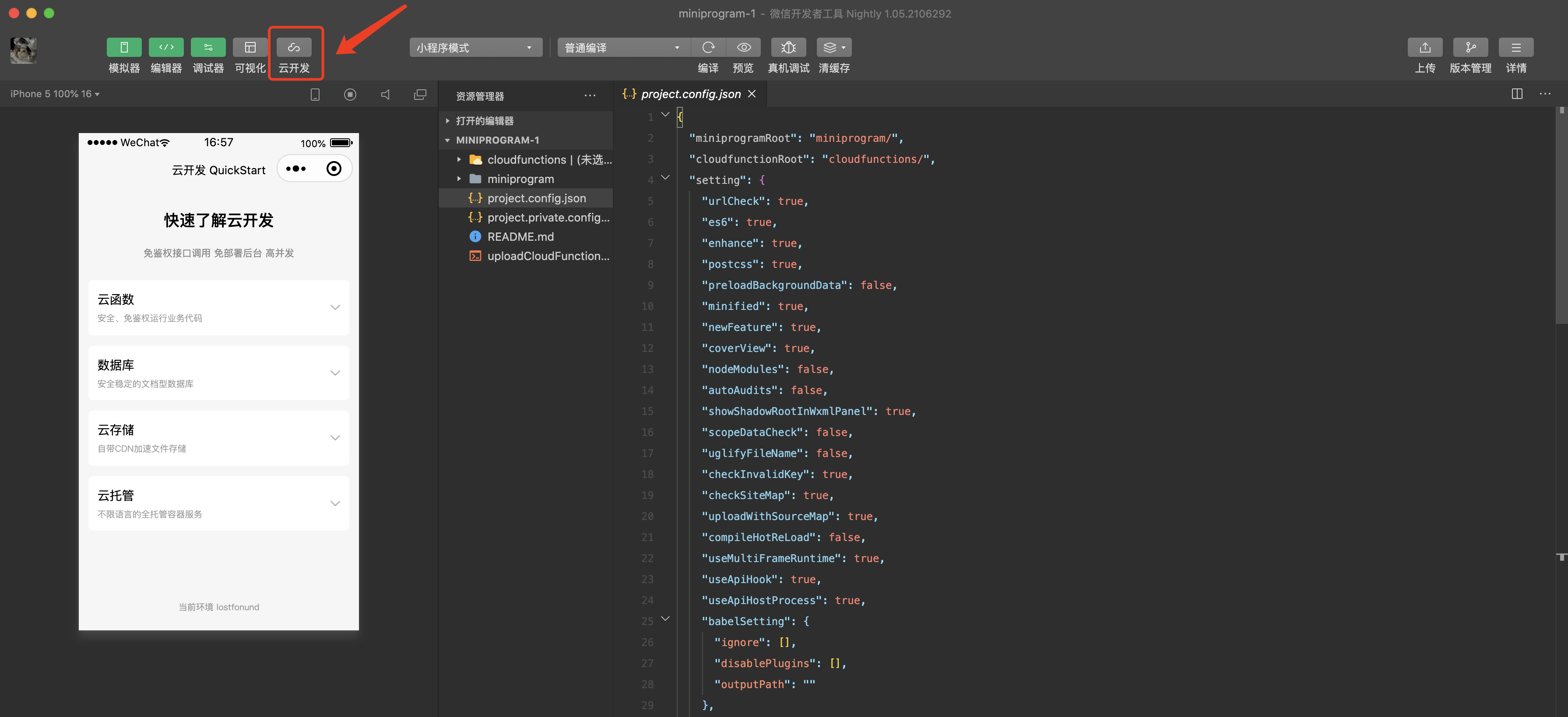
In WeChat DevTools, click the "CloudBase" button to open the CloudBase console.
4. Authorize Tencent Cloud account
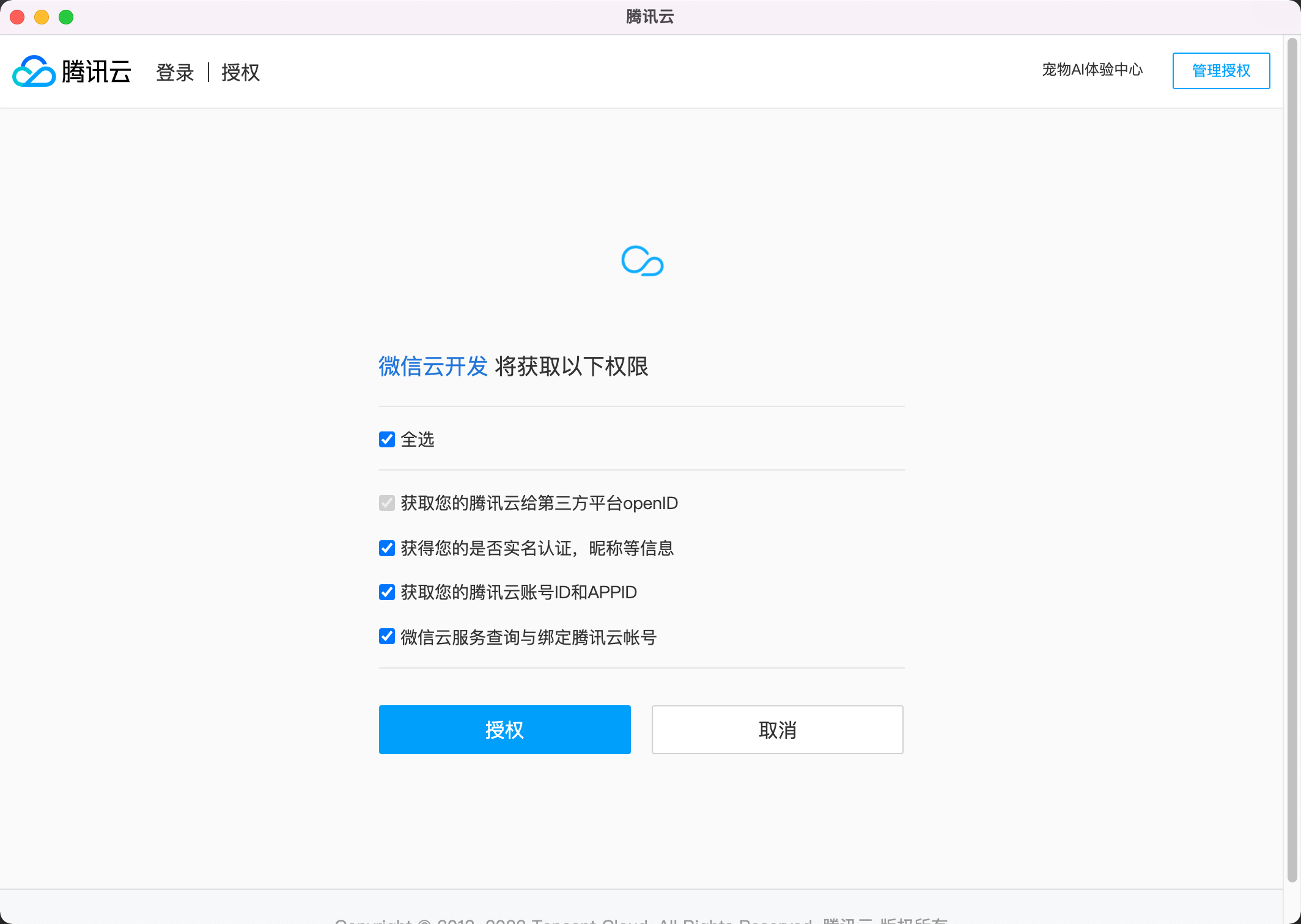
Click "Authorize" and authorize with the Tencent Cloud primary account that has the Mini Program bound.
5. Activate CloudBase service
The system will automatically recognize the Tencent Cloud account bound to the Mini Program. Click "Confirm" to activate CloudBase service and create an environment. You can choose the payment method according to your actual needs.