Access CloudBase PostgreSQL Database from a WeChat Mini Program
Learn how to create a CloudBase PostgreSQL database table, add sample data, and query data from a WeChat Mini Program.
1. Create a PostgreSQL Database Table and Add Data
Note: You must log in to the Cloud Development platform using the Tencent Cloud account associated with your WeChat Mini Program.
Create a database table named todos on the Cloud Development platform with the following fields:
| Column Name | Description | Type | Required | Unique |
|---|---|---|---|---|
| id | Identifier | int | Yes | Yes |
| is_completed | Completed | boolean | No | No |
| description | Description | text | No | No |
| title | Title | varchar | No | No |
After creation, enter sample data into the todos table.
2. Create a WeChat Mini Program
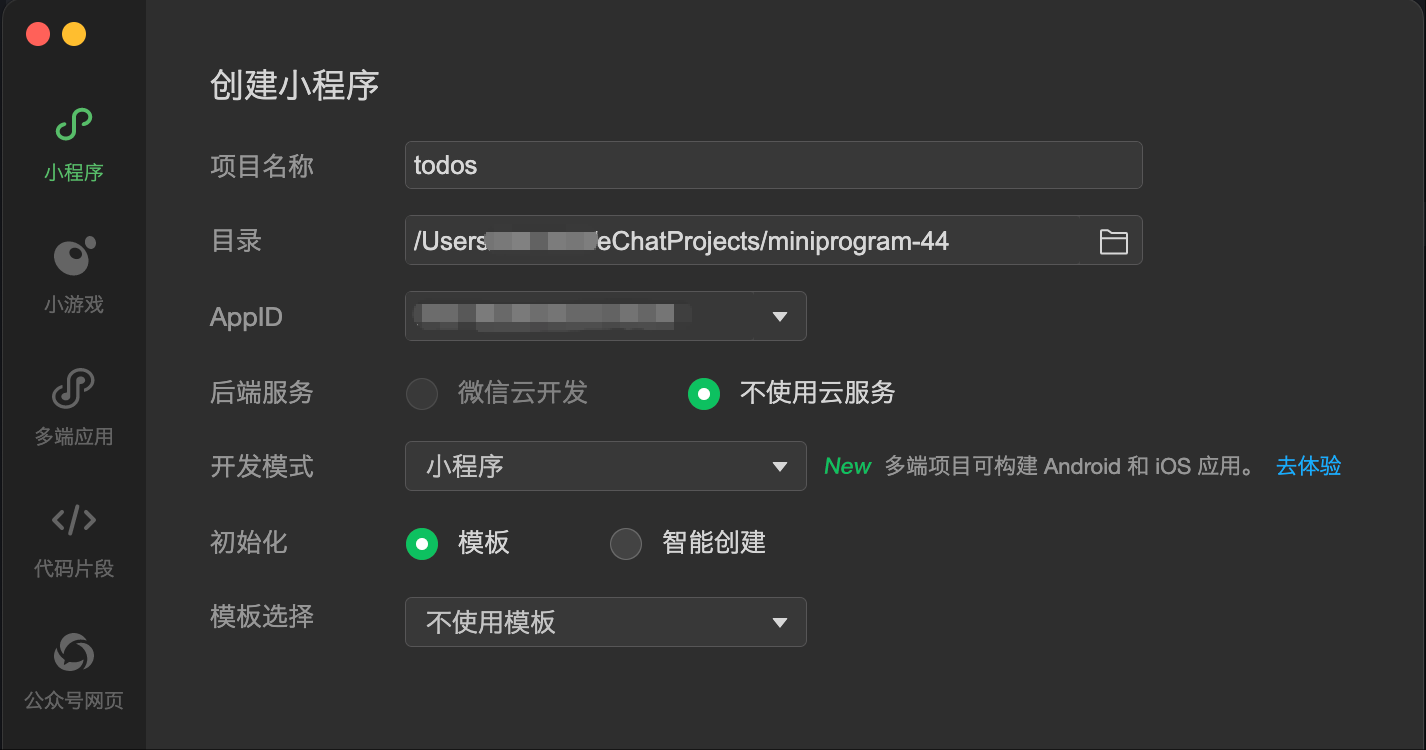
3. Install CloudBase SDK Dependencies
- Run the following command in the directory where the Mini Program's
app.jsonis located to install the npm package.
npm install @cloudbase/wx-cloud-client-sdk
- Click "Tools" -> "Build npm" in the WeChat DevTools toolbar.
4. Query the Data Table from the Mini Program
- Initialize the SDK
// app.js
const { init } = require("@cloudbase/wx-cloud-client-sdk");

App({
  onLaunch() {
    let db = null;
    this.globalData.getDB = async () => {
      if (!db) {
        wx.cloud.init({
          env: "<CloudBase Environment ID>",
        });
        db = init(wx.cloud).rdb();
      }
      return db;
    };
  },

  globalData: {},
});
- Add the following query code in the page
jsfile
// pages/index/index.js

Page({
  data: {
    todos: [],
  },
  onLoad() {
    this.fetchTodos();
  },
  async fetchTodos() {
    try {
      const db = await getApp().globalData.getDB();
      const { data } = await db.from("todos").select("*").range(0, 9);
      this.setData({
        todos: data,
      });
    } catch (error) {
      console.error("Failed to fetch todos:", error);
    }
  },
});
- Display the data in the corresponding
wxmlfile
<!--pages/index/index.wxml-->

<view>
  <block wx:for="{{todos}}" wx:key="id">
    <text>{{item.title}}</text>
  </block>
</view>
5. Run the Mini Program
In WeChat DevTools, click compile to preview the Mini Program.
Notes
- Replace
<CloudBase Environment ID>with your actual CloudBase environment ID.