API Key configuration
Overview
API Key is Tencent's core authentication credential for cloud development, used to control resource access permissions and determine which resources can be accessed (such as HTTP API, SCF, cloud hosting).
API Key can be used to directly perform resource access without authentication
API Key Type
API Key is used to verify resource access permissions, enabling applications to access Tencent Cloud's resource service, not for distinguishing users. API Key is divided into the following two categories:
- Client Publishable Key
- Server API Key
- ** Applicable frameworks **:
JS SDK,HTTP API - User permission: anonymous user permissions
- Validity Period: permanently valid
- Method for obtaining: Obtain from Cloud Development Platform/ApiKey Management
💡 Note: It can be exposed in the browser for requests to public accessed resources to effectively reduce MAU.
Example
For details, see JS SDK initialization.
const app = cloudbase.init({
  env: "your-env-id",
  accessKey: "<publishable_key>",
});

app.callFunction({
  name: "test",
});

app.models.test.get();
-Applicable framework: HTTP API
- User permission: administrator permissions
- Validity Period: permanently valid
- Method for obtaining: Obtain from Cloud Development Platform/ApiKey Management
⚠️ Note: The token is a key credential for identity verification. Keep it safe. Using ApiKey on the client is strictly prohibited.
Example
For details, see HTTP API Authentication.
curl -X POST \
  https://tcb-api.tencentcloudapi.com/web \
  -H 'Content-Type: application/json' \
  -H 'Authorization: Bearer <apikey>' \
  -d '{
    "action": "functions.invoke",
    "function_name": "test",
    "request_data": {}
  }'
Relationship Between Publishable Key and Authentication
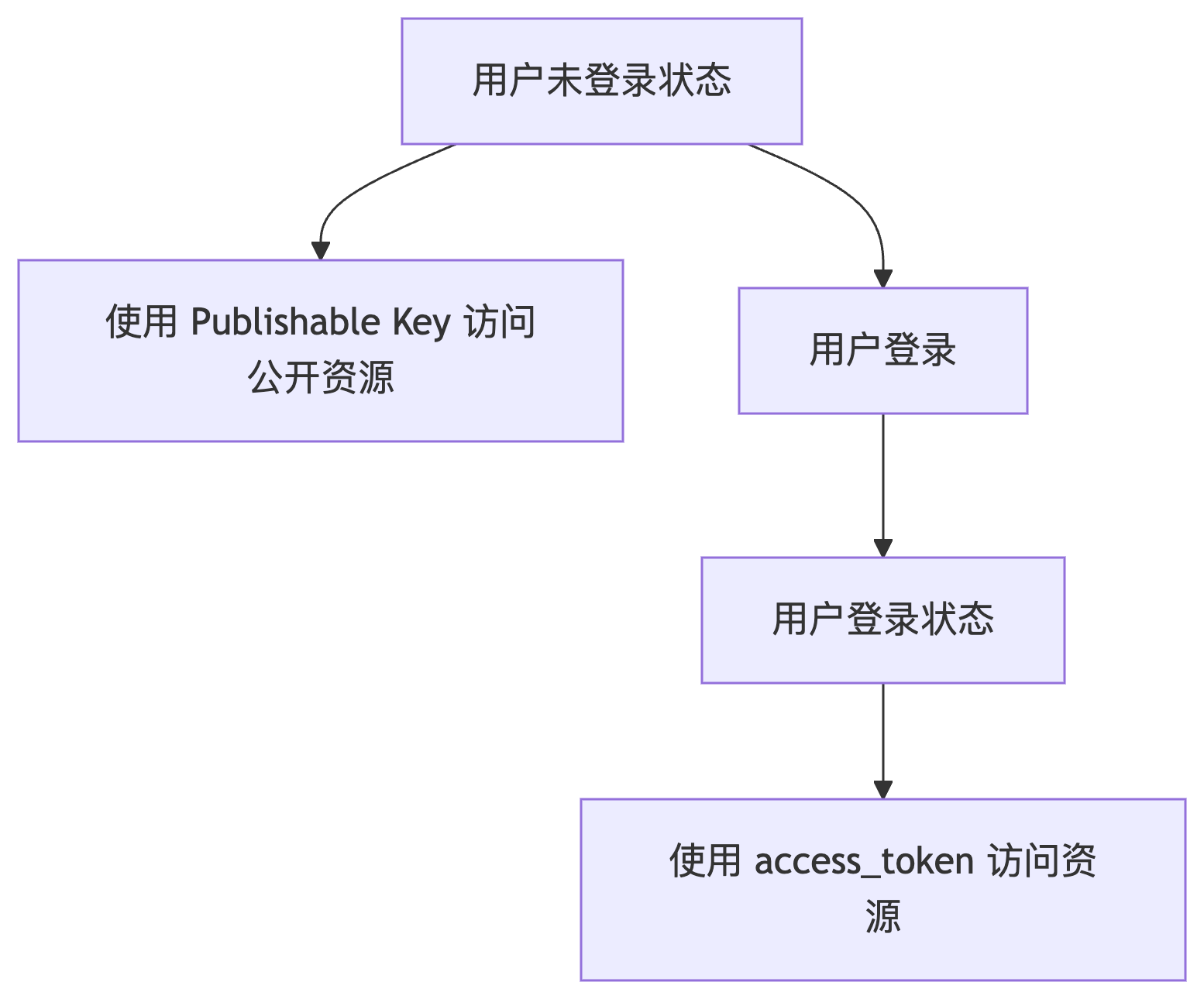
Using a Publishable Key does not mean you have already logged in as the default visitor. It only means you use a publicly accessible key to access resources without any user information.
Publishable Key is available for use in application to access Tencent Cloud resource, or users can perform access via login authentication using personal access_token. The two do not conflict.