概述
Database API 提供了一套完整的文档数据库操作功能,支持数据的增删改查、复杂查询、聚合操作、地理位置查询和事务操作。
v3.3 及以上版本在调用相关 API 时,使用的是 HTTP API 的开放能力。
Database API 按照功能用途分为以下类别:
- 初始化:获取数据库实例
- 集合方法:获取集合引用和创建集合
- 文档方法:获取文档引用
- 新增数据:向集合中添加单条或多条数据记录
- 查询数据:支持单条查询、条件查询、分页查询、聚合查询和地理位置查询
- 更新数据:支持单条更新、批量更新和更新或创建操作
- 删除数据:支持单条删除和批量删除操作
- 操作符:查询操作符和更新操作符
- 事务操作:支持事务的开启、提交和回滚
- 实时监听:支持对文档或查询结果的实时变化监听
- 高级操作:执行 MongoDB 原生命令
基础使用示例
- 初始化配置
- 新增数据
- 查询数据
- 更新数据
- 删除数据
- 批量操作
- 分页查询
- 聚合统计
- 实时监听
- 错误处理
Publishable Key 可前往 云开发平台/API Key 配置 中生成
import cloudbase from "@cloudbase/js-sdk";

// 初始化
const app = cloudbase.init({
  env: "your-env-id", // 替换为您的环境ID
  region: "ap-shanghai", // 地域,默认为上海
  accessKey: "", // 填入生成的 Publishable Key
});

// 获取数据库引用
const db = app.database();
// 获取查询指令
const _ = db.command;
// 获取地理位置类型
const Geo = db.Geo;
// 向集合中添加一条新记录
async function addTodo() {
  const result = await db.collection("todos").add({
    title: "学习 CloudBase",
    content: "完成数据库操作教程",
    completed: false,
    priority: "high",
    createdAt: new Date(),
    tags: ["学习", "技术"],
  });

  console.log("新增成功,文档 ID:", result.id);
}

// 指定文档 ID 新增(使用 set)
async function addTodoWithId() {
  const result = await db.collection("todos").doc("custom-id").set({
    title: "指定ID的任务",
    completed: false,
    createdAt: new Date(),
  });

  console.log("新增成功");
}
// 查询集合中的数据
async function queryTodos() {
  const _ = db.command;

  // 条件查询:未完成的高优先级任务
  const result = await db
    .collection("todos")
    .where({
      completed: false,
      priority: "high",
    })
    .orderBy("createdAt", "desc")
    .limit(10)
    .get();

  console.log("查询结果:", result.data);

  // 复杂查询:使用操作符
  const complexResult = await db
    .collection("todos")
    .where({
      // 优先级为 high 或 medium
      priority: _.in(["high", "medium"]),
      // 最近7天创建
      createdAt: _.gte(new Date(Date.now() - 7 * 24 * 60 * 60 * 1000)),
    })
    .field({
      title: true,
      priority: true,
      createdAt: true,
    })
    .get();

  console.log("复杂查询结果:", complexResult.data);
}
// 更新指定文档
async function updateTodo(todoId) {
  const result = await db.collection("todos").doc(todoId).update({
    completed: true,
    updatedAt: new Date(),
  });

  console.log("更新成功,影响记录数:", result.updated);
}

// 使用操作符更新
async function updateWithOperators(todoId) {
  const _ = db.command;

  const result = await db
    .collection("todos")
    .doc(todoId)
    .update({
      // 浏览次数 +1
      viewCount: _.inc(1),
      // 添加新标签(不重复)
      tags: _.addToSet("重要"),
      // 更新时间
      updatedAt: new Date(),
    });

  console.log("更新成功");
}
// 删除指定文档
async function deleteTodo(todoId) {
  const result = await db.collection("todos").doc(todoId).remove();

  console.log("删除成功,影响记录数:", result.deleted);
}

// 条件删除
async function deleteCompletedTodos() {
  const result = await db
    .collection("todos")
    .where({
      completed: true,
    })
    .remove();

  console.log("删除已完成任务,影响记录数:", result.deleted);
}
// 批量更新:将所有低优先级任务改为普通优先级
async function batchUpdate() {
  const result = await db
    .collection("todos")
    .where({
      priority: "low",
    })
    .update({
      priority: "normal",
      updatedAt: new Date(),
    });

  console.log("批量更新成功,影响记录数:", result.updated);
}

// 批量删除:删除30天前已完成的任务
async function batchDelete() {
  const _ = db.command;
  const result = await db
    .collection("todos")
    .where({
      completed: true,
      createdAt: _.lt(new Date(Date.now() - 30 * 24 * 60 * 60 * 1000)),
    })
    .remove();

  console.log("批量删除成功,影响记录数:", result.deleted);
}
// 分页查询示例
async function paginatedQuery(pageNum = 1, pageSize = 10) {
  const result = await db
    .collection("todos")
    .where({
      completed: false,
    })
    .orderBy("createdAt", "desc")
    .skip((pageNum - 1) * pageSize)
    .limit(pageSize)
    .get();

  console.log(`第 ${pageNum} 页数据:`, result.data);
  console.log("当前页数量:", result.data.length);

  return {
    data: result.data,
    pageNum,
    pageSize,
  };
}

// 获取总数用于计算总页数
async function getTotalCount() {
  const result = await db
    .collection("todos")
    .where({
      completed: false,
    })
    .count();

  console.log("总记录数:", result.total);
  return result.total;
}
// 聚合统计示例
async function aggregateStats() {
  // 按优先级分组统计数量
  const result = await db
    .collection("todos")
    .aggregate()
    .group({
      _id: "$priority",
      count: { $sum: 1 },
    })
    .sort({
      count: -1,
    })
    .end();

  console.log("按优先级统计:", result.data);
  // 输出: [{ _id: 'high', count: 15 }, { _id: 'normal', count: 30 }, ...]

  // 统计已完成和未完成数量
  const statusResult = await db
    .collection("todos")
    .aggregate()
    .group({
      _id: "$completed",
      count: { $sum: 1 },
    })
    .end();

  console.log("完成状态统计:", statusResult.data);
}
// 实时监听数据变化
function watchTodos() {
  const listener = db
    .collection("todos")
    .where({
      completed: false,
    })
    .orderBy("createdAt", "desc")
    .limit(20)
    .watch({
      onChange: (snapshot) => {
        console.log("数据变化:", snapshot.type);

        if (snapshot.type === "init") {
          // 初始化数据
          console.log("初始数据:", snapshot.docs);
        } else {
          // 增量变化
          snapshot.docChanges.forEach((change) => {
            switch (change.dataType) {
              case "add":
                console.log("新增文档:", change.doc);
                break;
              case "update":
                console.log("更新文档:", change.doc);
                break;
              case "remove":
                console.log("删除文档:", change.docId);
                break;
            }
          });
        }
      },
      onError: (error) => {
        console.error("监听错误:", error);
      },
    });

  // 返回监听器,用于后续关闭
  return listener;
}

// 使用示例
const listener = watchTodos();

// 在需要时关闭监听
// listener.close();
// 完整的错误处理示例
async function safeDbOperation() {
  try {
    // 查询操作
    const result = await db
      .collection("todos")
      .where({ completed: false })
      .get();

    if (result.code) {
      switch (result.code) {
        case "PERMISSION_DENIED":
          console.error("权限不足,请检查安全规则配置");
          break;
        case "INVALID_PARAM":
          console.error("参数错误,请检查查询条件");
          break;
        case "DATABASE_NOT_FOUND":
          console.error("数据库或集合不存在");
          break;
        case "NETWORK_ERROR":
          console.error("网络错误,请检查网络连接");
          break;
        default:
          console.error("未知错误:", result.message);
      }

      return { success: false, error: result.message };
    }

    console.log("查询成功:", result.data);
    return { success: true, data: result.data };
  } catch (error) {
    // 其他错误处理
    console.error("数据库操作失败:", error);
  }
}

// 带重试的操作
async function retryOperation(operation, maxRetries = 3) {
  for (let i = 0; i < maxRetries; i++) {
    try {
      return await operation();
    } catch (error) {
      console.warn(`操作失败,第 ${i + 1} 次重试...`);
      if (i === maxRetries - 1) throw error;
      // 等待后重试
      await new Promise((resolve) => setTimeout(resolve, 1000 * (i + 1)));
    }
  }
}
初始化
database
app.database(config?: IDbConfig): Database
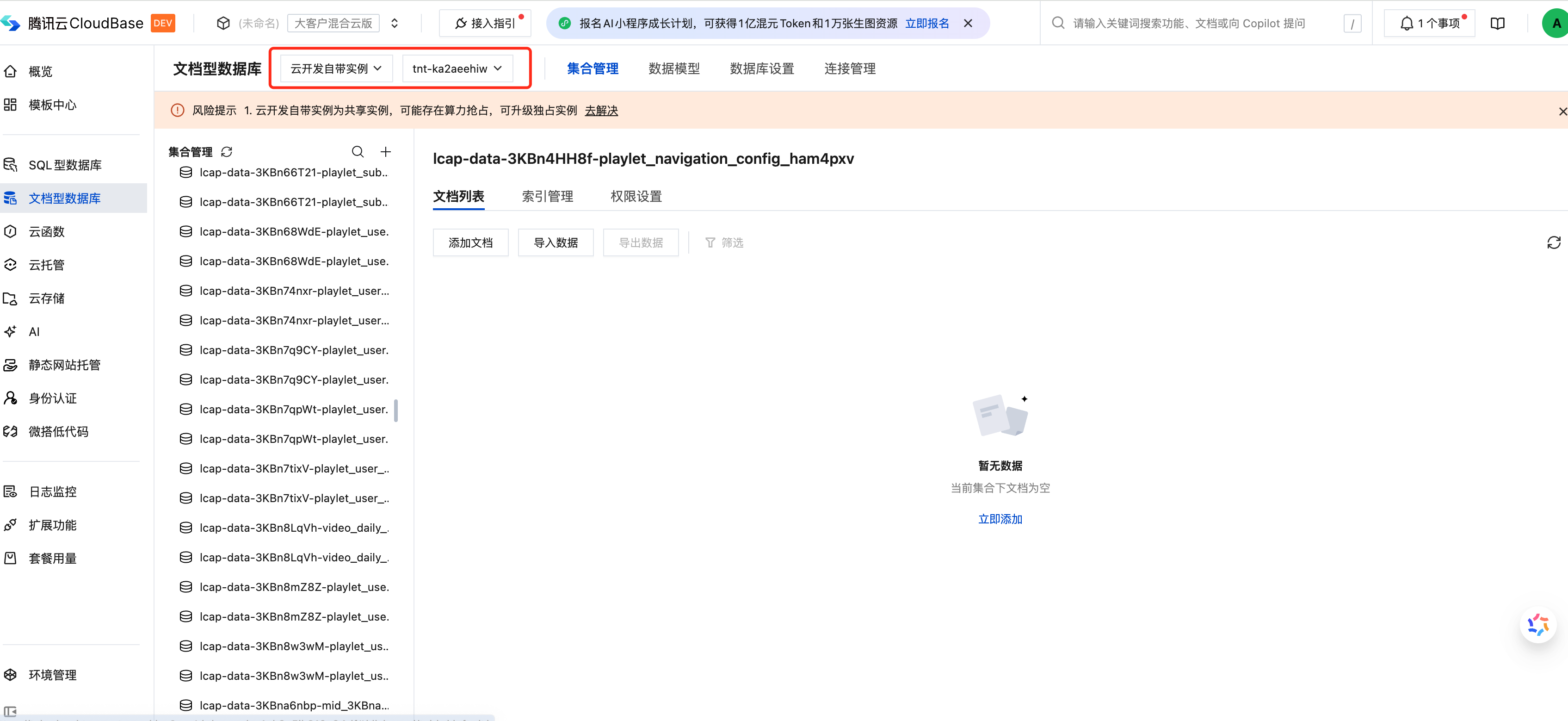
获取数据库实例,用于后续的数据库操作。实例信息获取请到云开发平台/文档醒数据库中查看
参数
数据库配置对象(可选)
返回
数据库实例对象,可调用 collection()、command、Geo、serverDate() 等属性和方法
示例
- 基本初始化
- 指定数据库配置
import cloudbase from "@cloudbase/js-sdk";

// 初始化应用
const app = cloudbase.init({
  env: "your-env-id", // 替换为您的环境ID
  region: "ap-shanghai", // 地域,默认为上海
  accessKey: "", // 填入生成的 Publishable Key
});

// 获取数据库引用(使用默认配置)
const db = app.database();

// 获取查询指令
const _ = db.command;

// 获取地理位置类型
const Geo = db.Geo;
// 指定实例 ID 和数据库名称
const db = app.database({
  instance: "your-instance-id", // 实例 ID
  database: "your-database-name", // 数据库名称
});
集合方法
createCollection
async db.createCollection(collName: string): Promise<ICreateCollectionResult>
创建集合。
参数
集合名称
返回
创建结果
示例
- 创建集合
// 创建新集合
const result = await db.createCollection("new-collection");
console.log("集合创建成功");
collection
db.collection(collName: string): CollectionReference
获取集合引用,用于后续的数据操作。
参数
集合名称
返回
集合引用对象,可链式调用 doc()、where()、add()、aggregate() 等方法
示例
- 获取集合引用
- 链式调用
// 获取集合引用
const todosCollection = db.collection("todos");

// 查询集合中的数据
const result = await todosCollection.get();
console.log("查询结果:", result.data);
// 链式调用进行条件查询
const result = await db
  .collection("todos")
  .where({ completed: false })
  .orderBy("createdAt", "desc")
  .limit(10)
  .get();

console.log("查询结果:", result.data);
文档方法
doc
doc(docId: string | number): DocumentReference
通过文档 ID 获取文档引用,用于后续查询、更新或删除操作。
参数
文档的唯一标识符,支持字符串或数字类型
返回
文档引用对象,可链式调用 get()、update()、set()、remove()、field() 等方法
示例
- 单条查询
- 指定返回字段
- 返回结果示例
// 根据文档 ID 查询单条记录
const result = await db.collection("todos").doc("todo-id-123").get();

if (result.data && result.data.length > 0) {
  console.log("查询结果:", result.data[0]);
} else {
  console.log("文档不存在");
}
// 只返回指定字段
const result = await db
  .collection("todos")
  .doc("todo-id-123")
  .field({
    title: true,
    completed: true,
    // 不返回 content 字段
    content: false,
  })
  .get();

console.log("查询结果:", result.data);
// 返回结果格式
{
  data: [
    {
      _id: "todo-id-123",
      title: "学习 CloudBase",
      content: "完成数据库操作教程",
      completed: false,
      priority: "high",
      createdAt: "2024-01-15T08:00:00.000Z",
      tags: ["学习", "技术"],
    },
  ],
  requestId: "xxx-xxx-xxx"
}
新增数据
add
async add(data: object): Promise<AddResult>
向集合中添加一条新记录。
- 添加单条数据记录到指定集合
- 支持自动生成文档 ID,也可指定文档 ID
- 支持地理位置数据类型
参数
要新增的数据对象,支持嵌套对象、数组、地理位置等数据类型
返回
示例
- 单条新增
- 指定ID新增
- 地理位置新增
- 错误处理
// 添加单条记录
const result = await db.collection("todos").add({
  title: "学习 CloudBase",
  content: "完成数据库操作教程",
  completed: false,
  priority: "high",
  createdAt: new Date(),
  tags: ["学习", "技术"],
});

console.log("新增成功,文档 ID:", result.id);
// 指定文档 ID 添加记录
const result = await db.collection("todos").doc("custom-id-123").set({
  title: "指定ID的任务",
  completed: false,
  createdAt: new Date(),
});

console.log("新增成功,文档 ID:", result.upsertedId || "custom-id-123");
// 创建地理位置点
const point = new db.Geo.Point(116.404, 39.915);

// 创建地理路径
const line = new db.Geo.LineString([
  new db.Geo.Point(116.404, 39.915),
  new db.Geo.Point(116.405, 39.916),
]);

// 创建地理区域(多边形需要闭合)
const polygon = new db.Geo.Polygon([
  new db.Geo.LineString([
    new db.Geo.Point(116.404, 39.915),
    new db.Geo.Point(116.405, 39.915),
    new db.Geo.Point(116.405, 39.916),
    new db.Geo.Point(116.404, 39.915), // 闭合点
  ]),
]);

// 添加包含地理位置的记录
const result = await db.collection("locations").add({
  name: "北京天安门",
  location: point,
  path: line,
  area: polygon,
  createdAt: new Date(),
});

console.log("新增成功,文档 ID:", result.id);
try {
  const result = await db.collection("todos").add({
    title: "新任务",
    completed: false,
  });

  if (result.code) {
    console.error("新增失败:", result.message);

    // 常见错误处理
    if (result.code === "PERMISSION_DENIED") {
      console.error("权限不足,请检查安全规则配置");
    } else if (result.code === "INVALID_PARAM") {
      console.error("参数错误,请检查数据格式");
    }

    return;
  }

  console.log("新增成功,文档 ID:", result.id);
} catch (error) {
  // 其他错误
}
查询数据
get
async get(): Promise<GetResult>
获取查询结果,返回匹配条件的文档列表。
- 默认返回最多 100 条记录
- 最大支持返回 1000 条记录(通过 limit 设置)
参数
无参数
返回
示例
- 基本查询
- 条件查询
// 获取集合所有文档(默认最多100条)
const result = await db.collection("todos").get();

console.log("查询结果:", result.data);
console.log("总数:", result.total);
// 条件查询
const result = await db
  .collection("todos")
  .where({ completed: false })
  .orderBy("createdAt", "desc")
  .limit(20)
  .skip(0)
  .get();

console.log("数据:", result.data);
console.log("总数:", result.total);
console.log("限制:", result.limit);
console.log("偏移:", result.offset);
where
where(condition: object): Query
设置查询条件,支持多种操作符进行复杂条件筛选。
- 查询条件必须是对象类型
- 条件对象的值不能全部为 undefined
参数
查询条件对象,支持等值匹配、操作符匹配、嵌套字段匹配等
返回
查询对象,可链式调用 orderBy()、limit()、skip()、field()、get()、count()、update()、remove() 等方法
示例
- 基本查询
- 复杂条件查询
- 分页查询
- 指定返回字段
// 查询所有未完成的高优先级任务
const result = await db
  .collection("todos")
  .where({
    completed: false,
    priority: "high",
  })
  .get();

console.log("查询结果:", result.data);
const _ = db.command;

// 使用操作符进行复杂查询
const result = await db
  .collection("todos")
  .where({
    // 年龄大于 18
    age: _.gt(18),
    // 标签包含 '技术' 或 '学习'
    tags: _.in(["技术", "学习"]),
    // 创建时间在最近一周内
    createdAt: _.gte(new Date(Date.now() - 7 * 24 * 60 * 60 * 1000)),
  })
  .orderBy("createdAt", "desc")
  .limit(10)
  .get();

console.log("查询结果:", result.data);
// 分页查询示例
const pageSize = 10;
const pageNum = 1;

const result = await db
  .collection("todos")
  .where({
    completed: false,
  })
  .orderBy("createdAt", "desc")
  .skip((pageNum - 1) * pageSize)
  .limit(pageSize)
  .get();

console.log("第", pageNum, "页数据:", result.data);
console.log("总记录数:", result.total);
console.log("当前页偏移:", result.offset);
console.log("当前页限制:", result.limit);
// 只返回指定字段
const result = await db
  .collection("todos")
  .where({
    completed: false,
  })
  .field({
    title: true,
    completed: true,
    createdAt: true,
    // 不返回 content 字段
    content: false,
  })
  .get();

console.log("查询结果:", result.data);
count
async count(): Promise<CountResult>
统计匹配条件的文档数量。
参数
无参数
返回
示例
- 统计数量
// 统计未完成任务数量
const result = await db.collection("todos").where({ completed: false }).count();

console.log("未完成任务数:", result.total);
orderBy
orderBy(fieldPath: string, direction: 'asc' | 'desc'): Query
设置查询结果的排序方式。
参数
排序字段路径
排序方向:asc 升序,desc 降序
返回
查询对象,可继续链式调用
示例
- 单字段排序
- 多字段排序
// 按创建时间降序
const result = await db.collection("todos").orderBy("createdAt", "desc").get();
// 多字段排序
const result = await db
  .collection("todos")
  .orderBy("priority", "desc")
  .orderBy("createdAt", "asc")
  .get();
limit
limit(max: number): Query
设置查询返回的最大记录数。
- 默认限制为 100 条
- 最大支持 1000 条
参数
最大返回记录数,必须为正整数,最大值 1000
返回
查询对象,可继续链式调用
示例
- 限制数量
// 只获取前 10 条记录
const result = await db.collection("todos").limit(10).get();
skip
skip(offset: number): Query
设置查询结果的偏移量,用于分页查询。
参数
偏移量,必须为非负整数
返回
查询对象,可继续链式调用
示例
- 分页查询
// 跳过前 20 条,获取第 21-30 条记录
const result = await db.collection("todos").skip(20).limit(10).get();
field
field(projection: object): Query | DocumentReference
指定要返回的字段。
参数
字段投影对象,true 表示返回该字段,false 表示不返回
返回
查询对象或文档引用,可继续链式调用
示例
- 指定返回字段
- 排除字段
// 只返回 title 和 completed 字段
const result = await db
  .collection("todos")
  .field({
    title: true,
    completed: true,
  })
  .get();
// 排除 content 字段
const result = await db
  .collection("todos")
  .field({
    content: false,
  })
  .get();
aggregate
aggregate(): Aggregate
获取聚合操作对象,用于执行聚合查询,支持 group、match、sort、project 等聚合阶段。
聚合语法具体参考 聚合查询
参数
无参数
返回
聚合操作对象,可链式调用各种聚合阶段方法
示例
- 分组统计
- 条件聚合
- 多阶段聚合
- 聚合阶段方法
// 按优先级统计任务数量
const result = await db
  .collection("todos")
  .aggregate()
  .group({
    _id: "$priority",
    count: {
      $sum: 1,
    },
  })
  .end();

console.log("按优先级统计:", result.data);
// 输出: [{ _id: 'high', count: 5 }, { _id: 'normal', count: 10 }, ...]
// 统计未完成任务的数量和平均优先级
const result = await db
  .collection("todos")
  .aggregate()
  .match({
    completed: false,
  })
  .group({
    _id: null,
    totalCount: { $sum: 1 },
    avgPriority: { $avg: "$priorityValue" },
  })
  .end();

console.log("统计结果:", result.data);
// 复杂聚合:按日期分组统计,并排序
const result = await db
  .collection("todos")
  .aggregate()
  .match({
    createdAt: {
      $gte: new Date(Date.now() - 30 * 24 * 60 * 60 * 1000),
    },
  })
  .group({
    _id: {
      $dateToString: {
        format: "%Y-%m-%d",
        date: "$createdAt",
      },
    },
    count: { $sum: 1 },
  })
  .sort({
    _id: -1,
  })
  .end();

console.log("按日期统计:", result.data);
// 支持的聚合阶段方法:
// - addFields: 添加新字段
// - bucket: 分桶
// - bucketAuto: 自动分桶
// - count: 计数
// - geoNear: 地理位置附近查询
// - group: 分组
// - limit: 限制数量
// - lookup: 联表查询
// - match: 条件筛选
// - project: 字段投影
// - replaceRoot: 替换根文档
// - sample: 随机采样
// - skip: 跳过数量
// - sort: 排序
// - sortByCount: 按数量排序
// - unwind: 展开数组

const result = await db
  .collection("orders")
  .aggregate()
  .lookup({
    from: "users",
    localField: "userId",
    foreignField: "_id",
    as: "userInfo",
  })
  .unwind("$userInfo")
  .project({
    orderId: 1,
    amount: 1,
    "userInfo.name": 1,
  })
  .end();
地理位置查询
支持对地理位置字段进行空间查询,包括附近查询、区域查询和相交查询。
对地理位置字段进行查询时,请建立地理位置索引,否则查询将失败
参数
附近查询,按距离排序返回结果
区域查询,返回指定区域内的结果
相交查询,返回与指定几何图形相交的结果
返回
查询对象,可链式调用 get() 方法获取结果
示例
- 附近查询
- 区域查询
- 相交查询
- 地理位置类型
const _ = db.command;

// 查询附近的用户(按距离排序)
const result = await db
  .collection("users")
  .where({
    location: _.geoNear({
      geometry: new db.Geo.Point(116.404, 39.915), // 天安门坐标
      maxDistance: 1000, // 最大距离1000米
      minDistance: 0, // 最小距离0米
    }),
  })
  .get();

console.log("附近用户:", result.data);
const _ = db.command;

// 定义查询区域(多边形)
const polygon = new db.Geo.Polygon([
  new db.Geo.LineString([
    new db.Geo.Point(116.4, 39.91),
    new db.Geo.Point(116.41, 39.91),
    new db.Geo.Point(116.41, 39.92),
    new db.Geo.Point(116.4, 39.92),
    new db.Geo.Point(116.4, 39.91), // 闭合
  ]),
]);

// 查询指定区域内的用户
const result = await db
  .collection("users")
  .where({
    location: _.geoWithin({
      geometry: polygon,
    }),
  })
  .get();

console.log("区域内用户:", result.data);
const _ = db.command;

// 定义查询路径
const line = new db.Geo.LineString([
  new db.Geo.Point(116.404, 39.915),
  new db.Geo.Point(116.405, 39.916),
]);

// 查询与路径相交的记录
const result = await db
  .collection("routes")
  .where({
    path: _.geoIntersects({
      geometry: line,
    }),
  })
  .get();

console.log("相交记录:", result.data);
// 支持的地理位置类型
const Geo = db.Geo;

// Point - 点
const point = new Geo.Point(116.404, 39.915); // (经度, 纬度)

// LineString - 线段(至少2个点)
const lineString = new Geo.LineString([
  new Geo.Point(116.404, 39.915),
  new Geo.Point(116.405, 39.916),
]);

// Polygon - 多边形(需要闭合)
const polygon = new Geo.Polygon([
  new Geo.LineString([
    new Geo.Point(116.404, 39.915),
    new Geo.Point(116.405, 39.915),
    new Geo.Point(116.405, 39.916),
    new Geo.Point(116.404, 39.915), // 闭合点
  ]),
]);

// MultiPoint - 多点
const multiPoint = new Geo.MultiPoint([
  new Geo.Point(116.404, 39.915),
  new Geo.Point(116.405, 39.916),
]);

// MultiLineString - 多线段
const multiLineString = new Geo.MultiLineString([
  new Geo.LineString([
    new Geo.Point(116.404, 39.915),
    new Geo.Point(116.405, 39.916),
  ]),
]);

// MultiPolygon - 多多边形
const multiPolygon = new Geo.MultiPolygon([polygon]);
更新数据
update
async update(data: object): Promise<UpdateResult>
更新文档数据,支持单条更新和批量更新。
- 通过
doc().update()更新单条记录 - 通过
where().update()批量更新多条记录 - 支持使用更新操作符进行复杂更新
- 不能更新
_id字段
参数
要更新的数据对象,支持普通字段更新和操作符更新
返回
示例
- 单条更新
- 批量更新
- 使用更新操作符
- 错误处理
// 更新指定文档
const result = await db.collection("todos").doc("todo-id-123").update({
  title: "学习 CloudBase 数据库",
  completed: true,
  updatedAt: new Date(),
  completedBy: "user123",
});

console.log("更新成功,影响记录数:", result.updated);
// 批量更新多条记录
const result = await db
  .collection("todos")
  .where({
    completed: false,
    priority: "low",
  })
  .update({
    priority: "normal",
    updatedAt: new Date(),
  });

console.log("批量更新成功,影响记录数:", result.updated);
const _ = db.command;

// 使用更新操作符
const result = await db
  .collection("todos")
  .doc("todo-id-123")
  .update({
    // 数值自增
    viewCount: _.inc(1),
    // 数组追加元素
    tags: _.push("新标签"),
    // 删除字段
    tempField: _.remove(),
    // 设置字段(如果不存在则创建)
    metadata: _.set({
      lastModified: new Date(),
      modifiedBy: "user123",
    }),
  });

console.log("更新成功");
try {
  const result = await db.collection("todos").doc("todo-id-123").update({
    completed: true,
  });

  if (result.code) {
    console.error("更新失败:", result.message);

    if (result.code === "PERMISSION_DENIED") {
      console.error("权限不足,请检查安全规则配置");
    }
    return;
  }

  if (result.updated === 0) {
    console.log("未找到匹配的文档");
  } else {
    console.log("更新成功,影响记录数:", result.updated);
  }
} catch (error) {
  // 其他错误
}
set
async set(data: object): Promise<SetResult>
设置文档数据,如果文档不存在则创建新文档。
- 与
update()不同,set()会完全替换文档内容 - 适用于需要「更新或创建」的场景
- 不能包含更新操作符
- 不能更新
_id字段
参数
要设置的数据对象,将完全替换原有文档内容,不能包含更新操作符
返回
示例
- 更新或创建
- 完全替换
// 更新文档,如果不存在则创建
const result = await db.collection("todos").doc("todo-id-123").set({
  title: "新任务",
  completed: false,
  priority: "high",
  createdAt: new Date(),
});

if (result.upsertedId) {
  console.log("创建新文档,ID:", result.upsertedId);
} else {
  console.log("更新现有文档,影响记录数:", result.updated);
}
// set 会完全替换文档内容
// 原文档: { _id: '123', title: 'A', content: 'xxx', tags: ['a'] }

const result = await db.collection("todos").doc("123").set({
  title: "B",
  completed: true,
});

// 更新后文档: { _id: '123', title: 'B', completed: true }
// 注意:content 和 tags 字段被删除了
删除数据
remove
async remove(): Promise<RemoveResult>
删除文档,支持单条删除和批量删除。
- 通过
doc().remove()删除单条记录 - 通过
where().remove()批量删除多条记录
批量删除时,offset、limit、projection 和 orderBy 参数会被忽略
参数
无参数
返回
示例
- 单条删除
- 批量删除
- 条件删除
- 错误处理
// 删除指定文档
const result = await db.collection("todos").doc("todo-id-123").remove();

console.log("删除成功,影响记录数:", result.deleted);
const _ = db.command;

// 批量删除:删除30天前已完成的任务
const result = await db
  .collection("todos")
  .where({
    completed: true,
    createdAt: _.lt(new Date(Date.now() - 30 * 24 * 60 * 60 * 1000)),
  })
  .remove();

console.log("批量删除成功,影响记录数:", result.deleted);
const _ = db.command;

// 删除所有低优先级的已完成任务
const result = await db
  .collection("todos")
  .where({
    completed: true,
    priority: _.in(["low", "none"]),
  })
  .remove();

console.log("条件删除成功,影响记录数:", result.deleted);
try {
  const result = await db.collection("todos").doc("todo-id-123").remove();

  if (result.code) {
    console.error("删除失败:", error.message);

    if (result.code === "PERMISSION_DENIED") {
      console.error("权限不足,请检查安全规则配置");
    }

    return;
  }

  if (result.deleted === 0) {
    console.log("未找到匹配的文档");
  } else {
    console.log("删除成功,影响记录数:", result.deleted);
  }
} catch (error) {
  // 其他错误
}
操作符
查询操作符
通过 db.command 获取查询操作符,用于构建复杂的查询条件。
参数
返回
无参数
示例
- 比较操作符
- 逻辑操作符
- 字段和数组操作符
const _ = db.command;

// 等于
db.collection("users").where({ age: _.eq(18) });

// 不等于
db.collection("users").where({ status: _.neq("deleted") });

// 大于、大于等于
db.collection("users").where({ age: _.gt(18) });
db.collection("users").where({ age: _.gte(18) });

// 小于、小于等于
db.collection("users").where({ age: _.lt(60) });
db.collection("users").where({ age: _.lte(60) });

// 在数组中
db.collection("users").where({ role: _.in(["admin", "editor"]) });

// 不在数组中
db.collection("users").where({ status: _.nin(["banned", "deleted"]) });
const _ = db.command;

// 与:同时满足多个条件
db.collection("users").where({
  age: _.and(_.gt(18), _.lt(60)),
});

// 或:满足任一条件
db.collection("users").where({
  role: _.or(_.eq("admin"), _.eq("editor")),
});

// 非:取反
db.collection("users").where({
  status: _.not(_.eq("deleted")),
});

// 组合使用
db.collection("users").where(
  _.or([{ age: _.gt(60) }, { role: _.eq("admin") }])
);

// nor:都不满足
db.collection("users").where(
  _.nor([{ status: "banned" }, { status: "deleted" }])
);
const _ = db.command;

// 字段存在
db.collection("users").where({
  avatar: _.exists(true),
});

// 取模运算(查找偶数)
db.collection("users").where({
  age: _.mod([2, 0]),
});

// 数组包含所有指定元素
db.collection("articles").where({
  tags: _.all(["javascript", "nodejs"]),
});

// 数组元素匹配
db.collection("orders").where({
  items: _.elemMatch({
    price: _.gt(100),
    quantity: _.gte(2),
  }),
});

// 数组长度
db.collection("articles").where({
  tags: _.size(3),
});
更新操作符
通过 db.command 获取更新操作符,用于执行复杂的更新操作。
参数
返回
无参数
示例
- 字段操作符
- 数组操作符
- 组合使用
const _ = db.command;

// 设置字段值
db.collection("users")
  .doc("user-id")
  .update({
    profile: _.set({ name: "张三", age: 25 }),
  });

// 删除字段
db.collection("users").doc("user-id").update({
  tempData: _.remove(),
});

// 数值自增
db.collection("articles")
  .doc("article-id")
  .update({
    viewCount: _.inc(1),
    likeCount: _.inc(5),
  });

// 数值相乘
db.collection("products")
  .doc("product-id")
  .update({
    price: _.mul(0.9), // 打9折
  });

// 取最小/最大值
db.collection("users")
  .doc("user-id")
  .update({
    minScore: _.min(60),
    maxScore: _.max(100),
  });

// 重命名字段
db.collection("users")
  .doc("user-id")
  .update({
    oldField: _.rename("newField"),
  });

// 位运算
db.collection("users")
  .doc("user-id")
  .update({
    flags: _.bit({ and: 5 }), // 位与运算
  });
const _ = db.command;

// 数组末尾添加
db.collection("articles")
  .doc("article-id")
  .update({
    tags: _.push("新标签"),
  });

// 添加多个元素
db.collection("articles")
  .doc("article-id")
  .update({
    tags: _.push(["标签1", "标签2"]),
  });

// 高级 push(指定位置、排序、截取)
db.collection("articles")
  .doc("article-id")
  .update({
    tags: _.push({
      each: ["标签1", "标签2"],
      position: 0, // 插入位置
      sort: 1, // 排序
      slice: 10, // 截取前10个
    }),
  });

// 删除数组末尾/首元素
db.collection("articles").doc("article-id").update({
  tags: _.pop(), // 删除末尾
});
db.collection("articles").doc("article-id").update({
  tags: _.shift(), // 删除首元素
});

// 数组开头添加
db.collection("articles")
  .doc("article-id")
  .update({
    tags: _.unshift("置顶标签"),
  });

// 删除匹配元素
db.collection("articles")
  .doc("article-id")
  .update({
    tags: _.pull("要删除的标签"),
  });

// 删除多个匹配元素
db.collection("articles")
  .doc("article-id")
  .update({
    tags: _.pullAll(["标签1", "标签2"]),
  });

// 添加不重复元素
db.collection("articles")
  .doc("article-id")
  .update({
    tags: _.addToSet("唯一标签"),
  });
const _ = db.command;

// 复杂更新操作
const result = await db
  .collection("users")
  .doc("user-id")
  .update({
    // 更新个人信息
    profile: _.set({
      nickname: "新昵称",
      updatedAt: new Date(),
    }),
    // 积分增加
    points: _.inc(100),
    // 添加新标签(不重复)
    tags: _.addToSet("VIP"),
    // 删除临时字段
    tempToken: _.remove(),
    // 登录次数+1
    loginCount: _.inc(1),
  });

console.log("更新成功");
事务操作
支持对多个文档的原子操作,确保数据一致性。
- 只支持在服务端使用,不支持在客户端使用。
- Node.js 中使用请使用 Node.js 适配器
startTransaction
async db.startTransaction(): Promise<Transaction>
开启一个新事务。
参数
无参数
返回
事务对象,可进行事务内的文档操作
示例
- 手动事务
// 开启事务
const transaction = await db.startTransaction();

try {
  // 在事务中操作文档
  const doc = transaction.collection("accounts").doc("account-1");
  const accountData = await doc.get();

  if (accountData.data && accountData.data.balance >= 100) {
    // 扣款
    await doc.update({
      balance: accountData.data.balance - 100,
    });

    // 增加另一个账户余额
    await transaction
      .collection("accounts")
      .doc("account-2")
      .update({
        balance: db.command.inc(100),
      });

    // 提交事务
    await transaction.commit();
    console.log("转账成功");
  } else {
    // 回滚事务
    await transaction.rollback("余额不足");
  }
} catch (error) {
  // 发生错误时回滚
  await transaction.rollback(error);
  console.error("事务失败:", error);
}
runTransaction
async db.runTransaction(callback: (transaction) => Promise<any>, times?: number): Promise<void>
执行事务操作,自动处理提交和回滚。
参数
事务回调函数,在函数中进行事务操作
事务冲突时的重试次数,默认为 3
返回
事务回调函数的返回值
示例
- 自动事务
- 事务内创建文档
// 使用 runTransaction 自动管理事务
const result = await db.runTransaction(async (transaction) => {
  // 获取账户1
  const account1 = await transaction
    .collection("accounts")
    .doc("account-1")
    .get();

  // 获取账户2
  const account2 = await transaction
    .collection("accounts")
    .doc("account-2")
    .get();

  if (account1.data.balance < 100) {
    // 通过 rollback 回滚并返回自定义错误
    await transaction.rollback({ message: "余额不足" });
    return;
  }

  // 扣款
  await transaction
    .collection("accounts")
    .doc("account-1")
    .update({
      balance: account1.data.balance - 100,
    });

  // 加款
  await transaction
    .collection("accounts")
    .doc("account-2")
    .update({
      balance: account2.data.balance + 100,
    });

  return { success: true, message: "转账成功" };
});

console.log(result);
// 在事务中创建文档
const result = await db.runTransaction(async (transaction) => {
  // 创建新文档
  await transaction.collection("orders").doc("order-123").create({
    userId: "user-1",
    amount: 100,
    status: "pending",
    createdAt: new Date(),
  });

  // 更新用户订单数
  await transaction
    .collection("users")
    .doc("user-1")
    .update({
      orderCount: db.command.inc(1),
    });

  return { orderId: "order-123" };
});
实时监听
watch
watch(options: WatchOptions): DBRealtimeListener
监听文档或查询结果的实时变化。
参数
返回
监听器对象
示例
- 监听单个文档
- 监听查询结果
- Snapshot 结构
// 监听单个文档的变化
const listener = db
  .collection("todos")
  .doc("todo-id-123")
  .watch({
    onChange: (snapshot) => {
      console.log("文档变化:", snapshot);
      console.log("文档数据:", snapshot.docs);
      console.log("变化详情:", snapshot.docChanges);
    },
    onError: (error) => {
      console.error("监听错误:", error);
    },
  });

// 关闭监听
// listener.close();
// 监听查询结果的变化
const listener = db
  .collection("todos")
  .where({
    completed: false,
  })
  .orderBy("createdAt", "desc")
  .limit(10)
  .watch({
    onChange: (snapshot) => {
      console.log("查询结果变化:", snapshot);
      // snapshot.type: 'init' 表示初始化数据
      if (snapshot.type === "init") {
        console.log("初始数据:", snapshot.docs);
      } else {
        // 处理增删改变化
        snapshot.docChanges.forEach((change) => {
          console.log("变化类型:", change.dataType); // 'add', 'update', 'remove'
          console.log("变化文档:", change.doc);
        });
      }
    },
    onError: (error) => {
      console.error("监听错误:", error);
    },
  });

// 关闭监听
// listener.close();
// Snapshot 数据结构
interface Snapshot {
  id: number; // 快照 ID
  type?: "init"; // 快照类型,'init' 表示初始化
  docs: Record<string, any>; // 当前文档数据
  docChanges: Array<{
    id: number;
    dataType: "init" | "add" | "update" | "remove" | "replace" | "limit";
    queueType: "init" | "enqueue" | "dequeue" | "update";
    docId: string;
    doc: Record<string, any>;
    updatedFields?: any; // 更新的字段
    removedFields?: any; // 删除的字段
  }>;
}
高级操作
runCommands
async db.runCommands(params: IRunCommandsReq): Promise<IRunCommandsResult>
执行 MongoDB 原生命令,支持批量执行多个命令和事务操作。
- 仅管理员可以调用
- 在事务中执行时,任何命令失败都会导致整个事务回滚
参数
返回
示例
- 查询命令
- 插入命令
- 更新命令
- 删除命令
- 聚合命令
- 批量命令
- 索引管理
- 命令格式参考
// 执行 find 命令
const result = await db.runCommands({
  commands: [
    {
      find: "users",
      filter: { age: { $gte: 18 } },
      projection: { name: 1, email: 1 },
      sort: { age: -1 },
      limit: 10,
    },
  ],
});

console.log("查询结果:", result.list);
// result.list[0] 包含查询到的文档
// 执行 insert 命令
const result = await db.runCommands({
  commands: [
    {
      insert: "users",
      documents: [
        { name: "Alice", age: 25 },
        { name: "Bob", age: 30 },
      ],
    },
  ],
});

console.log("插入结果:", result.list);
// [{ n: 2, ok: 1 }]
// 执行 update 命令
const result = await db.runCommands({
  commands: [
    {
      update: "users",
      updates: [
        {
          q: { _id: "user-id-123" },
          u: { $set: { age: 31 } },
        },
      ],
    },
  ],
});

console.log("更新结果:", result.list);
// [{ n: 1, nModified: 1, ok: 1 }]
// 执行 delete 命令
const result = await db.runCommands({
  commands: [
    {
      delete: "users",
      deletes: [
        { q: { status: "inactive" }, limit: 0 }, // limit: 0 表示删除所有匹配
      ],
    },
  ],
});

console.log("删除结果:", result.list);
// 执行 aggregate 命令
const result = await db.runCommands({
  commands: [
    {
      aggregate: "orders",
      pipeline: [
        { $match: { status: "completed" } },
        { $group: { _id: "$userId", total: { $sum: "$amount" } } },
      ],
      cursor: {},
    },
  ],
});

console.log("聚合结果:", result.list);
// 批量执行多个命令(在事务中)
const result = await db.runCommands({
  commands: [
    // 命令1:创建订单
    {
      insert: "orders",
      documents: [
        {
          userId: "user123",
          amount: 100,
          status: "pending",
        },
      ],
    },
    // 命令2:扣减库存
    {
      update: "inventory",
      updates: [
        {
          q: { productId: "prod456" },
          u: { $inc: { stock: -1 } },
        },
      ],
    },
    // 命令3:扣减用户积分
    {
      update: "users",
      updates: [
        {
          q: { _id: "user123" },
          u: { $inc: { credits: -100 } },
        },
      ],
    },
  ],
  transactionId: "txn_abc123", // 可选:在事务中执行
});

console.log("批量执行结果:", result.list);
// result.list[0] - 插入结果
// result.list[1] - 库存更新结果
// result.list[2] - 用户更新结果
// 创建索引
const result = await db.runCommands({
  commands: [
    {
      createIndexes: "users",
      indexes: [
        {
          key: { email: 1 },
          name: "email_1",
          unique: true,
        },
      ],
    },
  ],
});

console.log("索引创建结果:", result.list);
// 支持的命令格式

// Find 命令
{
  find: "collectionName",
  filter: {},            // 查询条件,如:{ age: { $gte: 18 }, status: "active" }
  projection: {},        // 字段投影,如:{ name: 1, email: 1, _id: 0 }(只返回name和email,不返回_id)
  sort: {},              // 排序,如:{ createdAt: -1, name: 1 }(按创建时间降序,名称升序)
  limit: 10,             // 限制数量,如:10(最多返回10条)
  skip: 0                // 跳过数量,如:20(跳过前20条,用于分页)
}

// Insert 命令
{
  insert: "collectionName",
  documents: []          // 要插入的文档数组,如:[{ name: "Alice", age: 25 }, { name: "Bob", age: 30 }]
}

// Update 命令
{
  update: "collectionName",
  updates: [{
    q: {},               // 查询条件,如:{ status: "pending" }
    u: {},               // 更新内容,如:{ $set: { status: "active", updatedAt: new Date() } }
    upsert: false,       // 是否 upsert,如:true(不存在则创建)
    multi: false         // 是否批量更新,如:true(更新所有匹配文档)
  }]
}

// Delete 命令
{
  delete: "collectionName",
  deletes: [{
    q: {},               // 查询条件,如:{ status: "deleted", lastLogin: { $lt: new Date("2024-01-01") } }
    limit: 1             // 删除数量,如:0(删除所有匹配),1(只删除第一个)
  }]
}

// Aggregate 命令
{
  aggregate: "collectionName",
  pipeline: [],          // 聚合管道,如:[{ $match: { status: "completed" } }, { $group: { _id: "$userId", total: { $sum: "$amount" } } }]
  cursor: {}             // 游标选项,如:{ batchSize: 100 }(每批返回100条)
}
其他功能
serverDate
db.serverDate(options?: { offset?: number }): ServerDate
获取服务端时间。
参数
返回
服务端时间对象
示例
- 使用服务端时间
// 使用服务端时间
await db.collection("todos").add({
  title: "新任务",
  createdAt: db.serverDate(), // 当前服务端时间
});

// 使用带偏移的服务端时间
await db.collection("todos").add({
  title: "延时任务",
  scheduledAt: db.serverDate({
    offset: 60 * 60 * 1000, // 1小时后
  }),
});
RegExp
db.RegExp({ regexp: string, options?: string }): RegExp
创建正则表达式对象,用于模糊查询。
参数
返回
正则表达式对象
示例
- 正则查询
// 模糊查询:标题包含 "CloudBase"
const result = await db
  .collection("todos")
  .where({
    title: db.RegExp({
      regexp: "CloudBase",
      options: "i", // 忽略大小写
    }),
  })
  .get();

console.log("查询结果:", result.data);
聚合操作符
通过 db.command.aggregate 获取聚合操作符,用于聚合管道中的表达式计算。
| 类别 | 操作符 |
|---|---|
| 算术操作符 | abs, add, ceil, divide, exp, floor, ln, log, log10, mod, multiply, pow, sqrt, subtract, trunc |
| 数组操作符 | arrayElemAt, arrayToObject, concatArrays, filter, in, indexOfArray, isArray, map, range, reduce, reverseArray, size, slice, zip |
| 布尔操作符 | and, not, or |
| 比较操作符 | cmp, eq, gt, gte, lt, lte, neq |
| 条件操作符 | cond, ifNull, switch |
| 日期操作符 | dateFromParts, dateFromString, dayOfMonth, dayOfWeek, dayOfYear, isoDayOfWeek, isoWeek, isoWeekYear, millisecond, minute, month, second, hour, week, year |
| 字符串操作符 | concat, dateToString, indexOfBytes, indexOfCP, split, strLenBytes, strLenCP, strcasecmp, substr, substrBytes, substrCP, toLower, toUpper |
| 集合操作符 | allElementsTrue, anyElementTrue, setDifference, setEquals, setIntersection, setIsSubset, setUnion |
| 对象操作符 | mergeObjects, objectToArray |
| 分组操作符 | addToSet, avg, first, last, max, min, push, stdDevPop, stdDevSamp, sum |
| 其他 | literal, let, meta |